
லாஜிடெக் 910-001543
லாஜிடெக் வயர்லெஸ் மவுஸ் M215 பயனர் கையேடு
Model: M215 (910-001543)
அறிமுகம்
This manual provides essential information for setting up, operating, and maintaining your Logitech Wireless Mouse M215. Please read this manual thoroughly before using the product to ensure optimal performance and longevity.
தொகுப்பு உள்ளடக்கங்கள்
- லாஜிடெக் வயர்லெஸ் மவுஸ் எம் 215
- USB நானோ ரிசீவர்
- 1 ஏஏ பேட்டரி (முன்பே நிறுவப்பட்டது அல்லது சேர்க்கப்பட்டுள்ளது)
- பயனர் ஆவணம் (இந்த கையேடு)
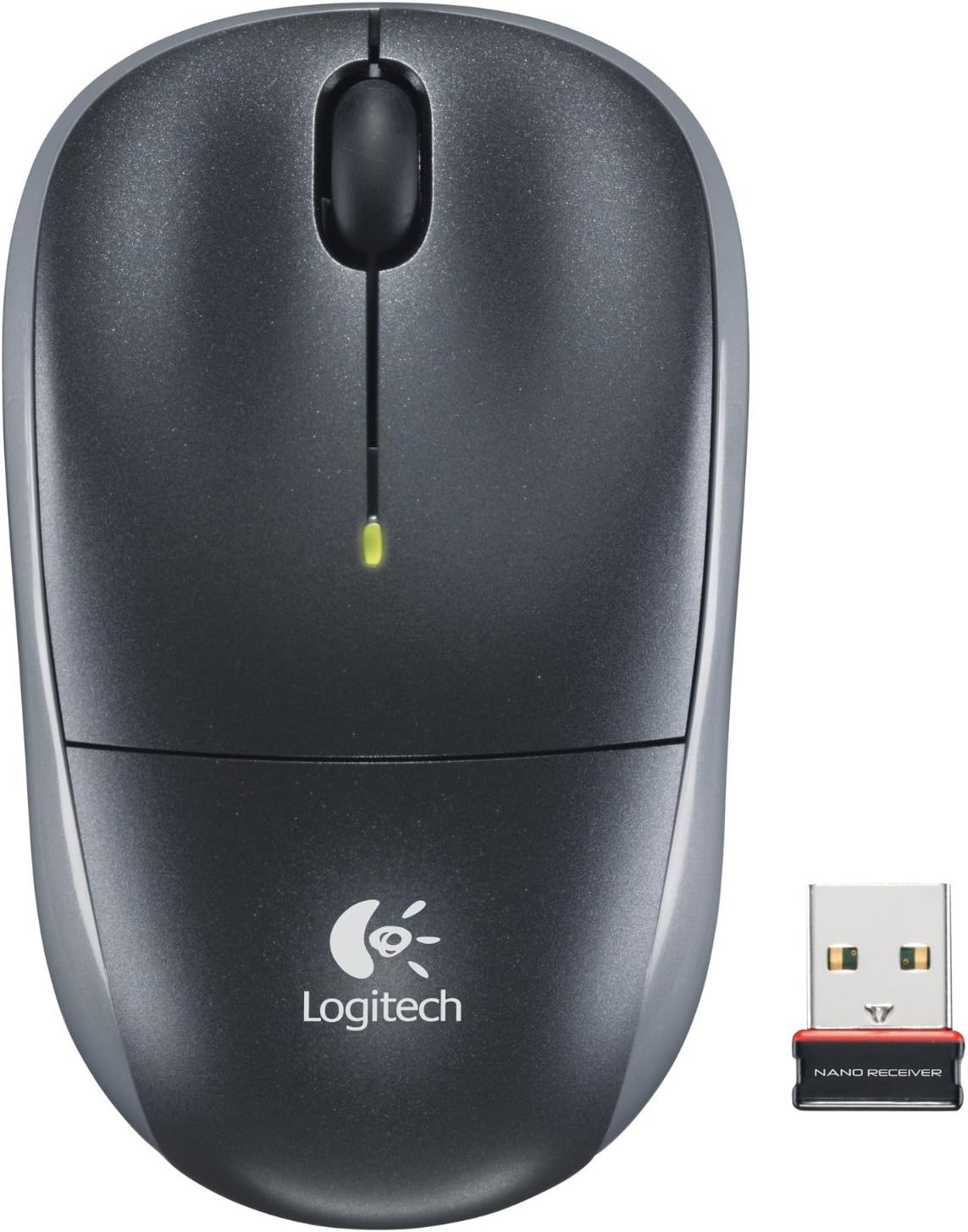
Image: The Logitech Wireless Mouse M215, a compact dark grey mouse with a scroll wheel and two main buttons, shown alongside its small USB Nano Receiver. The mouse features the Logitech logo on its palm rest.
அமைவு
1. பேட்டரியை நிறுவவும்
The Logitech Wireless Mouse M215 requires one AA battery. The battery compartment is located on the underside of the mouse. Open the compartment, insert the AA battery ensuring correct polarity (+/-), and close the compartment. A battery is included with the mouse.
2. Connect USB Nano Receiver
Locate an available USB port on your computer (desktop or laptop). Insert the USB Nano Receiver firmly into the USB port. Your operating system should automatically detect and install the necessary drivers. No additional software installation is typically required.
3. Power On Mouse
On the underside of the mouse, locate the On/Off switch. Slide the switch to the "On" position. The mouse is now ready for use.
இயக்க வழிமுறைகள்
The Logitech Wireless Mouse M215 provides intuitive control for your computer.
- இடது கிளிக்: உருப்படிகளைத் தேர்ந்தெடுக்க, இணைப்புகளைத் திறக்க அல்லது செயல்பாடுகளைச் செயல்படுத்த இடது பொத்தானை அழுத்தவும்.
- வலது கிளிக்: சூழல் மெனுக்களைத் திறக்க அல்லது கூடுதல் விருப்பங்களை அணுக வலது பொத்தானை அழுத்தவும்.
- சுருள் சக்கரம்: ஆவணங்கள் வழியாக செல்ல உருள் சக்கரத்தை மேலே அல்லது கீழே உருட்டவும் மற்றும் web பக்கங்கள்.
- Middle Click (Scroll Wheel Button): Press the scroll wheel down to activate middle-click functions, such as opening links in new tabs or auto-scrolling.
- இயக்கம்: Move the mouse across a flat surface to control the cursor on your screen. The optical sensor provides smooth and precise tracking.
The mouse is designed for comfortable use, allowing for easy text selection and effortless scrolling.
பராமரிப்பு
- சுத்தம்: மவுஸின் வெளிப்புறத்தை சுத்தம் செய்ய மென்மையான, உலர்ந்த துணியைப் பயன்படுத்தவும். பிடிவாதமான அழுக்குகளுக்கு, சிறிது டி.amp cloth can be used, but ensure no moisture enters the internal components. Avoid abrasive cleaners or solvents.
- பேட்டரி மாற்று: When the battery indicator light (if present) glows red or mouse performance degrades, replace the AA battery. Ensure the mouse is turned off before replacing the battery.
- ரிசீவர் சேமிப்பு: The USB Nano Receiver can be stored inside the mouse's battery compartment when not in use, which is convenient for travel and prevents loss.
சரிசெய்தல்
| பிரச்சனை | தீர்வு |
|---|---|
| சுட்டி பதிலளிக்கவில்லை. |
|
| கர்சர் இயக்கம் ஒழுங்கற்றது அல்லது தாவுகிறது. |
|
| மவுஸ் அடிக்கடி இணைப்பு துண்டிக்கப்படுகிறது. |
|
விவரக்குறிப்புகள்
- மாதிரி: M215 (910-001543)
- இணைப்பு: 2.4 GHz வயர்லெஸ் (USB நானோ ரிசீவர்)
- இயக்கம் கண்டறிதல்: ஆப்டிகல்
- பேட்டரி வகை: 1 x AA (சேர்க்கப்பட்டுள்ளது)
- பரிமாணங்கள்: 5.88 x 3.5 x 8.25 அங்குலங்கள் (தயாரிப்பு பரிமாணங்கள்)
- எடை: 8 அவுன்ஸ் (பொருள் எடை)
- உற்பத்தியாளர்: Logitech, Inc
- நிறம்: Black, red and blue
உத்தரவாதம் மற்றும் ஆதரவு
For warranty information and technical support, please visit the official Logitech support website or refer to the warranty card included with your product. You can also visit the அமேசானில் லாஜிடெக் ஸ்டோர் மேலும் விவரங்களுக்கு.
லாஜிடெக், இன்க்.
ASIN: B003OX1LEO
Ask a question about this manual
Ask about setup, troubleshooting, compatibility, parts, safety, or missing instructions. Manuals+ will review the question and use this page’s manual context to help answer it.