
அறிமுகம்
This manual provides essential instructions for the proper installation, operation, and maintenance of your KYOCERA TASKALFA 300Ci toner cartridge. Please read this manual thoroughly before using the product to ensure optimal performance and longevity.
அமைவு மற்றும் நிறுவல்
Follow these steps to correctly install the KYOCERA TASKALFA 300Ci toner cartridge into your compatible printer.
- கார்ட்ரிட்ஜை அவிழ்த்து விடுங்கள்: Carefully remove the new toner cartridge from its packaging. Avoid touching the drum surface or electrical contacts.
- கெட்டியை அசைக்கவும்: Gently rock the cartridge horizontally several times to distribute the toner evenly inside.
- Open the Printer Cover: Refer to your printer's manual to locate and open the toner compartment cover.
- பழைய கார்ட்ரிட்ஜை அகற்று: Press the release lever (if present) and pull the used toner cartridge straight out of the printer. Place it in a protective bag for recycling.
- புதிய கார்ட்ரிட்ஜைச் செருகவும்: Align the new toner cartridge with the guides in the printer and push it firmly until it clicks into place. Ensure it is securely seated.
- அச்சுப்பொறி அட்டையை மூடு: Close the toner compartment cover. The printer should automatically detect the new cartridge.
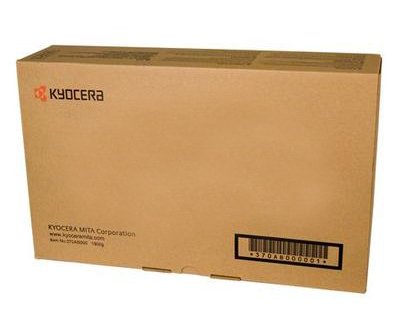
Image: KYOCERA TASKALFA 300Ci Toner Cartridge. This image shows the toner cartridge in its packaging, ready for installation.
இயக்க வழிமுறைகள்
Once installed, the KYOCERA TASKALFA 300Ci toner cartridge operates automatically with your printer. Here are some operational considerations:
- டோனர் நிலை கண்காணிப்பு: Your printer's control panel or software utility will typically display the current toner level. Monitor this to anticipate when a replacement cartridge will be needed.
- அச்சு தரம்: If print quality degrades (e.g., faded prints, streaks), it may indicate low toner or a need for maintenance. Refer to the troubleshooting section.
- Replacement Notification: The printer will usually display a message or indicator when the toner cartridge is nearing empty or requires replacement.
பராமரிப்பு
சரியான கையாளுதல் மற்றும் சேமிப்பு உங்கள் டோனர் கார்ட்ரிட்ஜின் ஆயுளையும் செயல்திறனையும் நீட்டிக்கும்.
- சேமிப்பு: புதிய டோனர் கார்ட்ரிட்ஜ்களை அவற்றின் அசல், திறக்கப்படாத பேக்கேஜிங்கில், நேரடி சூரிய ஒளி மற்றும் தீவிர வெப்பநிலையிலிருந்து விலகி, குளிர்ந்த, உலர்ந்த இடத்தில் சேமிக்கவும்.
- கையாளுதல்: Always handle the cartridge by its designated grips. Avoid touching the drum or electrical contacts.
- மறுசுழற்சி: Dispose of used toner cartridges responsibly. Many manufacturers and retailers offer recycling programs.
சரிசெய்தல்
If you encounter issues, consult the following common troubleshooting tips:
| பிரச்சனை | சாத்தியமான காரணம் | தீர்வு |
|---|---|---|
| மங்கலான அல்லது ஒளி அச்சுகள் | குறைந்த டோனர் அளவு; சீரற்ற டோனர் விநியோகம். | Gently rock the cartridge to redistribute toner. If problem persists, replace the cartridge. |
| Streaks or Lines on Prints | Toner residue; damaged drum. | Perform a printer cleaning cycle. If the issue continues, the cartridge may be faulty or the drum damaged, requiring replacement. |
| Printer Not Recognizing Cartridge | Cartridge not seated correctly; dirty electrical contacts. | Remove and reinsert the cartridge firmly. Clean electrical contacts on both the cartridge and printer with a lint-free cloth. |
விவரக்குறிப்புகள்
- பிராண்ட்: கியோசெரா
- மாதிரி: TASKALFA 300Ci
- பொருளின் எடை: 2.48 பவுண்டுகள்
- ASIN: B008N4AX3Y
- உற்பத்தியாளர்: கியோசெரா
- முதல் தேதி கிடைக்கும்: நவம்பர் 15, 2012
உத்தரவாதம் மற்றும் ஆதரவு
For specific warranty information regarding your KYOCERA TASKALFA 300Ci toner cartridge, please refer to the documentation provided with your original printer or contact KYOCERA customer support directly. KYOCERA provides support for its products to ensure customer satisfaction.
KYOCERA Customer Support: Please visit the official KYOCERA website or refer to your printer's user manual for contact details and support resources.