
1. அறிமுகம்
This manual provides instructions for the Vivitek D555 XGA DLP Portable Projector. The D555 is designed for clear and vivid image projection, featuring XGA resolution, 3000 lumens brightness, and 3D readiness via DLP Link. It incorporates DLP and Brilliant Color technologies for enhanced visual performance and offers various connectivity options including HDMI v1.4.
2. பாதுகாப்பு தகவல்
- காற்றோட்ட திறப்புகளை அடைக்காதீர்கள். சரியான காற்றோட்டத்திற்காக ப்ரொஜெக்டரைச் சுற்றி போதுமான இடத்தை உறுதி செய்யுங்கள்.
- l இருக்கும்போது ப்ரொஜெக்டர் லென்ஸை நேரடியாகப் பார்க்க வேண்டாம்amp இயக்கத்தில் உள்ளது. பிரகாசமான ஒளி கண்ணுக்கு பாதிப்பை ஏற்படுத்தும்.
- ப்ரொஜெக்டரை நேரடி சூரிய ஒளியில், வெப்ப மூலங்களுக்கு அருகில் அல்லது அதிக ஈரப்பதம் அல்லது தூசி உள்ள சூழல்களில் வைப்பதைத் தவிர்க்கவும்.
- ப்ரொஜெக்டருடன் வழங்கப்பட்ட மின் கம்பியை மட்டும் பயன்படுத்தவும்.
- இந்த தயாரிப்புக்கு நீங்களே சேவை செய்ய முயற்சிக்காதீர்கள். தகுதிவாய்ந்த சேவை ஊழியர்களுக்கு அனைத்து சேவைகளையும் பார்க்கவும்.
- ப்ரொஜெக்டரை தண்ணீர் அல்லது பிற திரவங்களிலிருந்து விலக்கி வைக்கவும்.
- சுத்தம் செய்வதற்கு முன் அல்லது நீண்ட நேரம் பயன்பாட்டில் இல்லாதபோது, ப்ரொஜெக்டரை மின் இணைப்பிலிருந்து துண்டிக்கவும்.
3. தொகுப்பு உள்ளடக்கங்கள்
கீழே பட்டியலிடப்பட்டுள்ள அனைத்து பொருட்களும் உங்கள் தொகுப்பில் சேர்க்கப்பட்டுள்ளதா என்பதை சரிபார்க்கவும்:
- Vivitek D555 Projector
- ஏசி பவர் கார்டு
- விஜிஏ கேபிள்
- ரிமோட் கண்ட்ரோல்
- Batteries for Remote (AA x 2)
- User's Manual (on CD)
4. தயாரிப்பு முடிந்துவிட்டதுview
4.1 முன் மற்றும் மேல் View
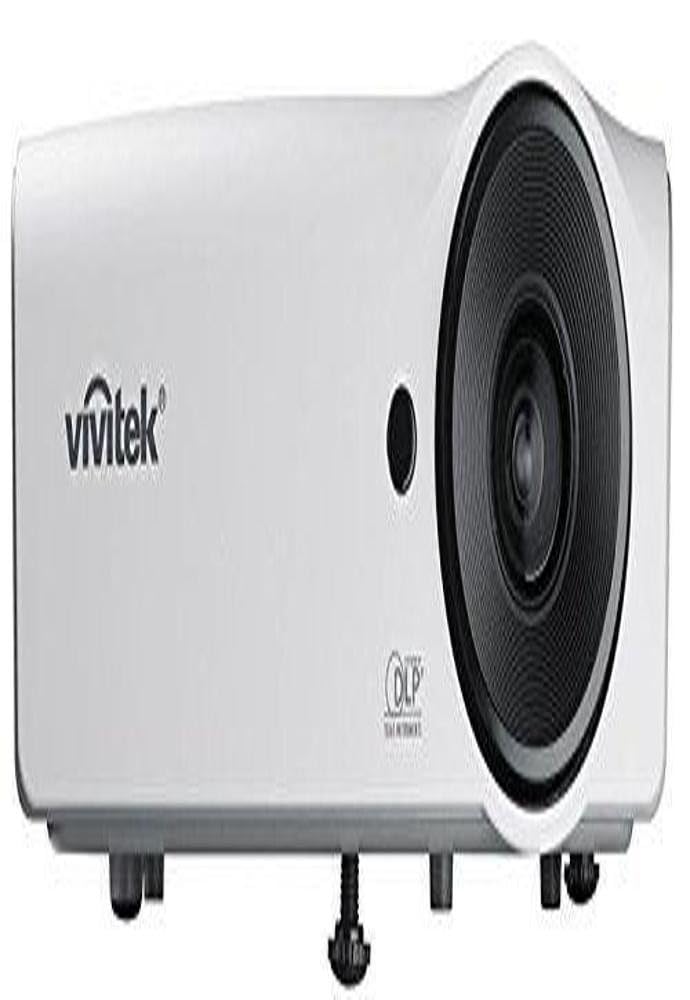
படம் 4.1: முன் மற்றும் மேல் view of the Vivitek D555 projector. This image shows the projector's lens, control panel on top, and the Vivitek logo.
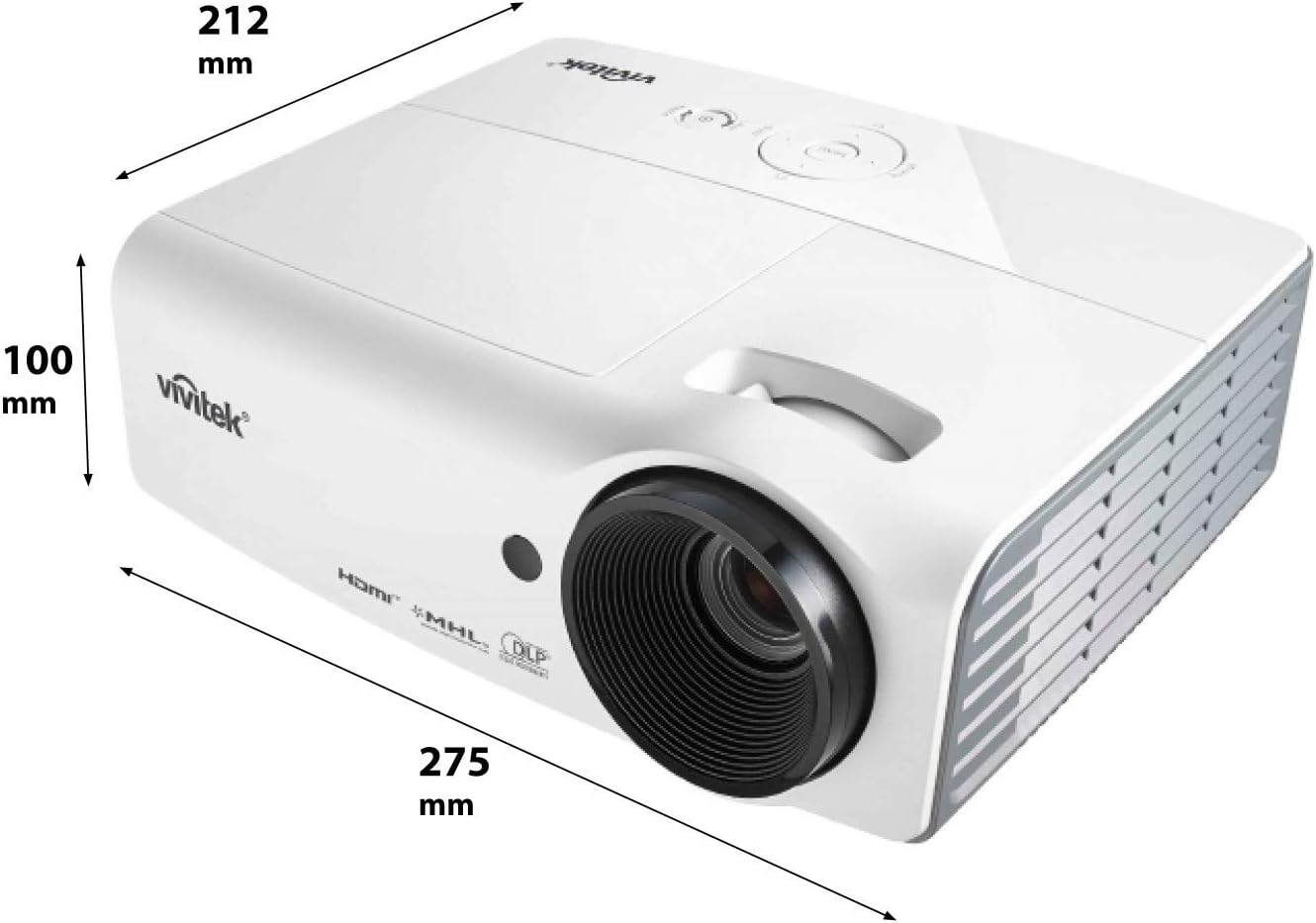
படம் 4.2: Dimensions of the Vivitek D555 projector. The image indicates a width of 275 mm, a depth of 212 mm, and a height of 100 mm.
The front of the projector features the projection lens. The top panel includes the control buttons for power, menu navigation, source selection, and focus/zoom adjustments. The Vivitek logo is prominently displayed.
4.2 பின்புற பேனல் இணைப்புகள்

படம் 4.3: Rear panel of the Vivitek D555 projector showing various input and output ports. These include HDMI, dual VGA inputs, VGA output, S-Video, Composite Video, audio input/output, and a USB port.
The rear panel provides all necessary connection ports for video and audio sources. These include:
- HDMI v1.4: For digital video and audio input.
- Computer In 1 (VGA): D-Sub 15-pin input for computer connection.
- Computer In 2 (VGA): Second D-Sub 15-pin input for computer connection.
- Computer Out (VGA): D-Sub 15-pin output for monitor loop-through.
- எஸ்-வீடியோ: For S-Video input.
- Video (Composite): RCA jack for composite video input.
- ஆடியோ இன்: 3.5mm stereo mini-jack for audio input.
- ஆடியோ அவுட்: 3.5mm stereo mini-jack for audio output.
- USB (வகை B): சேவை அல்லது ஃபார்ம்வேர் புதுப்பிப்புகளுக்கு.
- ஏசி பவர் இன்லெட்: மின் கம்பியை இணைப்பதற்கு.
5 அமைவு
5.1 ப்ரொஜெக்டர் இடம்
Place the projector on a stable, flat surface or mount it securely. Ensure the projector is positioned at an appropriate distance from the screen to achieve the desired image size. The lens should be perpendicular to the screen for optimal image geometry.
5.2 ஆற்றல் மூலத்துடன் இணைத்தல்
- Connect the AC power cord to the projector's AC power inlet.
- பவர் கார்டின் மறுமுனையை தரையிறக்கப்பட்ட மின் நிலையத்தில் செருகவும்.
5.3 Connecting Video Sources
Choose the appropriate cable for your video source and connect it to the corresponding port on the projector's rear panel.
- , HDMI: For high-definition digital sources like Blu-ray players, gaming consoles, or laptops.
- VGA (Computer In 1/2): For computers or other devices with VGA output.
- S-Video/Composite Video: For standard definition video sources like DVD players or VCRs.
For audio, connect an audio cable from your source to the projector's Audio In port, or use the HDMI connection which carries both video and audio.
6. புரொஜெக்டரை இயக்குதல்
6.1 பவர் ஆன்/ஆஃப்
- பவர் ஆன் செய்ய: Press the Power button on the projector's control panel or the remote control. The power indicator light will turn blue.
- பவர் ஆஃப் செய்ய: Press the Power button twice. The projector will enter a cooling down cycle, and the power indicator will flash. Do not unplug the projector until the cooling cycle is complete and the power indicator light stops flashing.
6.2 Adjusting the Image
- கவனம்: படம் கூர்மையாகவும் தெளிவாகவும் இருக்கும் வரை ப்ரொஜெக்டர் லென்ஸில் ஃபோகஸ் ரிங்கை சுழற்றுங்கள்.
- பெரிதாக்கு: Rotate the zoom ring on the projector lens to adjust the image size.
- கீஸ்டோன் திருத்தம்: If the image appears trapezoidal, use the Keystone Correction function in the projector's OSD (On-Screen Display) menu to square the image.
6.3 Selecting an Input Source
Press the "Source" button on the projector or remote control to cycle through available input sources (HDMI, VGA1, VGA2, S-Video, Video).
6.4 3D செயல்பாடு
The Vivitek D555 is 3D-ready via DLP Link. To view 3D உள்ளடக்கம்:
- Connect a 3D-compatible source (e.g., 3D Blu-Ray player) to the projector via HDMI.
- உங்கள் 3D உள்ளடக்கம் இயங்குவதை உறுதிசெய்யவும்.
- Wear active DLP Link 3D glasses (sold separately). The projector will automatically detect the 3D signal and enable 3D mode.
7. பராமரிப்பு
7.1 புரொஜெக்டரை சுத்தம் செய்தல்
- வெளிப்புறம்: மென்மையான, பஞ்சு இல்லாத துணியைப் பயன்படுத்தவும்ampened with a mild cleaning solution to wipe the projector's casing. சிராய்ப்பு கிளீனர்கள் அல்லது கரைப்பான்களைப் பயன்படுத்த வேண்டாம்.
- லென்ஸ்: Use a lens cleaning cloth and lens cleaning solution specifically designed for optical surfaces. Avoid touching the lens with your fingers.
- காற்று துவாரங்கள்: Regularly check and clean the air vents to prevent dust buildup, which can affect cooling and performance. Use a soft brush or compressed air.
7.2 எல்amp மாற்று
ப்ரொஜெக்டர் எல்amp has a lifespan of up to 6,000 hours in Eco-mode. When the lamp reaches the end of its life, a warning message will appear, or the lamp indicator light will illuminate. Refer to the detailed instructions in the full user manual (on CD) for safe lamp மாற்று நடைமுறைகள். எப்போதும் ப்ரொஜெக்டரை முழுமையாக குளிர்விக்க அனுமதிக்கவும்.amp மாற்று.
8. சரிசெய்தல்
| பிரச்சனை | சாத்தியமான காரணம் | தீர்வு |
|---|---|---|
| திரையில் படம் இல்லை |
|
|
| படம் மங்கலாக உள்ளது |
|
|
| படம் ட்ரெப்சாய்டல் ஆகும் |
|
|
| ஆடியோ இல்லை |
|
|
9. விவரக்குறிப்புகள்
| மாதிரி எண் | DP535-264VVUP (D555) |
| பிராண்ட் | விவிடெக் |
| காட்சி தொழில்நுட்பம் | டி.எல்.பி |
| நேட்டிவ் ரெசல்யூஷன் | XGA (1024 x 768) |
| அதிகபட்ச தெளிவுத்திறன் | WUXGA(1920x1200) |
| பிரகாசம் | 3000 லுமன்ஸ் |
| மாறுபாடு விகிதம் | 15000:1 |
| Lamp வாழ்க்கை | 6,000 மணிநேரம் வரை (சுற்றுச்சூழல் பயன்முறை) |
| இணைப்பு | HDMI v1.4, Dual VGA In, VGA Out, S-Video, Composite Video, Audio In/Out, USB |
| சிறப்பு அம்சங்கள் | 3D-Ready (DLP Link), Brilliant Color Technology |
| தயாரிப்பு பரிமாணங்கள் | 10.8 x 8.35 x 3.66 அங்குலம் (275 x 212 x 100 மிமீ) |
| பொருளின் எடை | 5.1 பவுண்டுகள் |
| உற்பத்தியாளர் | Vivitek Corp. |
| பேட்டரிகள் (ரிமோட்டுக்கு) | 2 ஏஏ பேட்டரிகள் (சேர்க்கப்பட்டுள்ளது) |
10. உத்தரவாதம் மற்றும் ஆதரவு
For warranty information and technical support, please refer to the official Vivitek website or the warranty card included with your product. Do not attempt to repair the projector yourself, as this may void your warranty. Contact Vivitek customer service for assistance with any issues not covered in the troubleshooting section.