
1. அறிமுகம்
This manual provides essential information for the installation, operation, and maintenance of your Noctua NF-F12 industrialPPC-2000 IP67 PWM fan. Designed for demanding environments, this 120mm fan features a robust construction, IP67 dust and water protection, and Noctua's advanced SSO2 bearing technology for extended reliability.
The NF-F12 industrialPPC-2000 IP67 PWM fan is engineered to deliver superior airflow and static pressure, making it suitable for various applications requiring high performance and durability.
2. தயாரிப்பு முடிந்துவிட்டதுview
The Noctua NF-F12 industrialPPC-2000 IP67 PWM fan is a high-performance cooling solution. Key features include:
- 120mm Fan Size: Standard dimension for versatile compatibility.
- IP67 பாதுகாப்பு: Certified for dust and water resistance, ensuring reliable operation in challenging conditions.
- SSO2 Bearing: Noctua's second-generation self-stabilising oil-pressure bearing for exceptional long-term stability and quiet operation.
- PWM கட்டுப்பாடு: Allows for automatic speed control via your motherboard's 4-pin fan header, optimizing performance and noise levels.
- அதிக காற்றோட்டம் மற்றும் நிலையான அழுத்தம்: Optimized for demanding applications such as radiators and heatsinks.

படம் 2.1: கோணல் view of the Noctua NF-F12 industrialPPC-2000 IP67 PWM fan, showcasing its robust design and brown anti-vibration pads.

படம் 2.2: முன் view of the fan, highlighting the industrialPPC branding and specifications on the central hub.
3. அமைவு மற்றும் நிறுவல்
Follow these steps to properly install your Noctua NF-F12 industrialPPC-2000 IP67 PWM fan:
- உங்கள் அமைப்பைத் தயாரிக்கவும்: Ensure your computer or device is powered off and disconnected from the main power supply before beginning installation.
- Identify mounting location: Determine the appropriate location for the fan within your system (e.g., case fan mount, CPU cooler radiator, liquid cooling radiator).
- மின்விசிறியை பொருத்தவும்: Secure the fan to the desired location using the provided mounting screws or anti-vibration mounts. Ensure the fan is oriented correctly for optimal airflow (typically, the side with the fan guard or label indicates exhaust).
- மின் கேபிளை இணைக்கவும்: Connect the fan's 4-pin PWM connector to an available 4-pin fan header on your motherboard or fan controller. This connection allows for automatic speed control.
- இணைப்பைச் சரிபார்க்கவும்: அனைத்து இணைப்புகளும் பாதுகாப்பாக இருப்பதை உறுதிசெய்ய இருமுறை சரிபார்க்கவும்.
- பவர் ஆன் மற்றும் சோதனை: Reconnect power to your system and power it on. Verify that the fan is spinning and operating correctly. You may need to adjust fan settings in your system's BIOS/UEFI or fan control software.

Image 3.1: The 4-pin PWM connector for connecting the fan to a motherboard or fan controller.
4. இயக்க வழிமுறைகள்
The Noctua NF-F12 industrialPPC-2000 IP67 PWM fan is designed for continuous operation. Its speed is controlled via a 4-pin Pulse Width Modulation (PWM) signal from your motherboard or a dedicated fan controller.
- தானியங்கி வேகக் கட்டுப்பாடு: When connected to a 4-pin PWM header, the fan speed will automatically adjust based on system temperature, providing optimal cooling performance while minimizing noise.
- Manual Speed Control: If your motherboard BIOS/UEFI or fan control software supports it, you can manually set custom fan curves or fixed speeds.
- தொகுதிtage: The fan operates at 12 Volts. Ensure your power source provides stable 12V power.
For optimal balance between cooling and acoustics, it is recommended to utilize the PWM functionality and allow your system to manage fan speeds dynamically.
5. பராமரிப்பு
The Noctua NF-F12 industrialPPC-2000 IP67 PWM fan requires minimal maintenance due to its durable design and IP67 protection. However, periodic cleaning can help maintain optimal performance and longevity.
- தூசி அகற்றுதல்: Over time, dust may accumulate on the fan blades and frame. Use a soft brush, compressed air, or a damp cloth to gently clean the fan. Ensure the fan is powered off before cleaning.
- IP67 பாதுகாப்பு: The fan's IP67 rating means it is protected against dust ingress and temporary immersion in water (up to 1 meter for 30 minutes). This makes it suitable for environments where exposure to dust or splashes is possible. However, avoid intentional submersion or high-pressure water jets.
- தாங்கி பராமரிப்பு: The SSO2 bearing is self-lubricating and requires no user maintenance or re-lubrication throughout its lifespan.
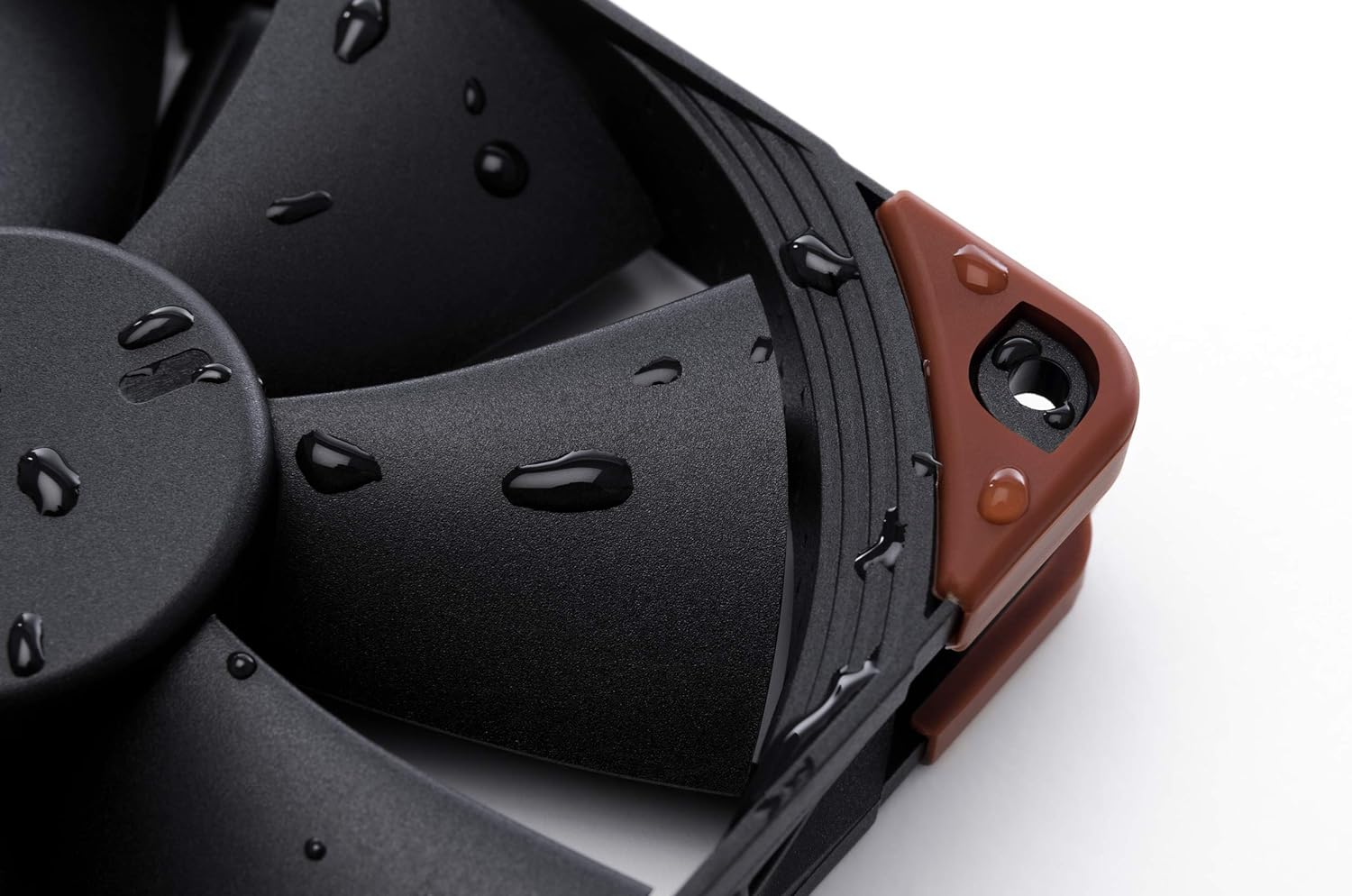
Image 5.1: Demonstrates the fan's IP67 water resistance with water droplets on its surface.
6. சரிசெய்தல்
If you encounter issues with your Noctua NF-F12 industrialPPC-2000 IP67 PWM fan, consider the following troubleshooting steps:
- மின்விசிறி சுழலவில்லை:
- Ensure the 4-pin PWM connector is securely plugged into the motherboard or fan controller.
- உங்கள் மதர்போர்டின் BIOS/UEFI அமைப்புகளைச் சரிபார்த்து, ஃபேன் ஹெடர் இயக்கப்பட்டு சரியாக உள்ளமைக்கப்பட்டுள்ளதா என்பதை உறுதிப்படுத்தவும்.
- Test the fan on a different fan header or with a known working power source if possible.
- அதிக சத்தம்:
- Verify that the fan is securely mounted and not vibrating against the case or other components.
- மின்விசிறி கத்திகளில் குறுக்கிடக்கூடிய கேபிள்கள் அல்லது தடைகள் ஏதேனும் உள்ளதா எனச் சரிபார்க்கவும்.
- Adjust fan speed settings in your BIOS/UEFI or fan control software. Higher RPMs naturally produce more airflow and thus more noise.
- While the SSO2 bearing is quiet, some users report a slight electrical noise at very low PWM speeds. This is generally within expected operational characteristics for industrial-grade fans.
- மோசமான குளிர்விக்கும் செயல்திறன்:
- Ensure the fan is oriented correctly to push or pull air in the desired direction.
- Clean any dust accumulation on the fan blades or connected heatsink/radiator fins.
- Check fan speed settings; ensure the fan is operating at an adequate RPM for your cooling needs.
7. விவரக்குறிப்புகள்
Below are the technical specifications for the Noctua NF-F12 industrialPPC-2000 IP67 PWM fan:
| அம்சம் | விவரக்குறிப்பு |
|---|---|
| மாதிரி | NF-F12 industrialPPC-2000 IP67 PWM |
| பரிமாணங்கள் (L x W x H) | 120மிமீ x 120மிமீ x 25மிமீ (4.72"லி x 0.98"அங்குலம் x 4.72"அங்குலம்) |
| Rotational Speed (Max) | 2000 ஆர்பிஎம் |
| காற்று ஓட்டம் திறன் | 121.8 m³/h |
| இரைச்சல் நிலை (அதிகபட்சம்) | 31.5 டெசிபல்கள் |
| பவர் கனெக்டர் | 4- முள் PWM |
| தொகுதிtage | 12 வோல்ட் |
| வாட்tage | 2.16 வாட்ஸ் |
| தாங்கி வகை | SSO2 Bearing |
| பொருள் | Fibre-glass reinforced polyamide |
| ஐபி மதிப்பீடு | IP67 (Dust and Water Protected) |
| MTBF | 150,000 மணிநேரத்திற்கு மேல் |
| பொருளின் எடை | 8.16 அவுன்ஸ் |
8. உத்தரவாதம் மற்றும் ஆதரவு
Noctua provides a 6 வருட உற்பத்தியாளரின் உத்தரவாதம் for the NF-F12 industrialPPC-2000 IP67 PWM fan, ensuring long-term reliability and peace of mind.
For technical support, warranty claims, or further assistance, please visit the official Noctua webதளத்தில் அல்லது அவர்களின் வாடிக்கையாளர் சேவைத் துறையைத் தொடர்பு கொள்ளவும். உத்தரவாத நோக்கங்களுக்காக உங்கள் வாங்கியதற்கான ஆதாரத்தை வைத்திருங்கள்.
Noctua Official Webதளம்: www.noctua.at