
கியோசெரா 37028010
KYOCERA 37028010 Black Toner Cartridge Instruction Manual
Model: 37028010 | Compatible with Kyocera Mita KM-1525 and Olympia Omega D 202
அறிமுகம்
This manual provides essential instructions for the installation, operation, maintenance, and troubleshooting of your KYOCERA 37028010 Black Toner Cartridge. This toner is designed for use with compatible Kyocera Mita KM-1525 and Olympia Omega D 202 printer models, ensuring high-quality black and white printing.
அமைவு மற்றும் நிறுவல்
Follow these steps to properly install the toner cartridge into your compatible printer.
- கார்ட்ரிட்ஜை அவிழ்த்து விடுங்கள்: Carefully remove the new toner cartridge from its packaging. Avoid touching the drum surface or electrical contacts.
- மெதுவாக குலுக்கவும்: Gently shake the toner cartridge horizontally 5-6 times to distribute the toner evenly inside.
- பாதுகாப்பு முத்திரைகளை அகற்று: Remove any protective tape, seals, or covers from the cartridge as indicated by the packaging or cartridge itself. Refer to your printer's specific manual for exact instructions on which seals to remove.
- Open Printer Access Door: Open the front cover or toner access door of your Kyocera Mita KM-1525 or Olympia Omega D 202 printer.
- பழைய கார்ட்ரிட்ஜை அகற்று: Grasp the handle of the used toner cartridge and pull it out of the printer. Place it in a protective bag for recycling.
- புதிய கார்ட்ரிட்ஜைச் செருகவும்: Align the new KYOCERA 37028010 toner cartridge with the guides inside the printer. Push it firmly until it clicks into place.
- Close Printer Door: Close the printer's front cover or toner access door. The printer will typically perform a short initialization cycle.
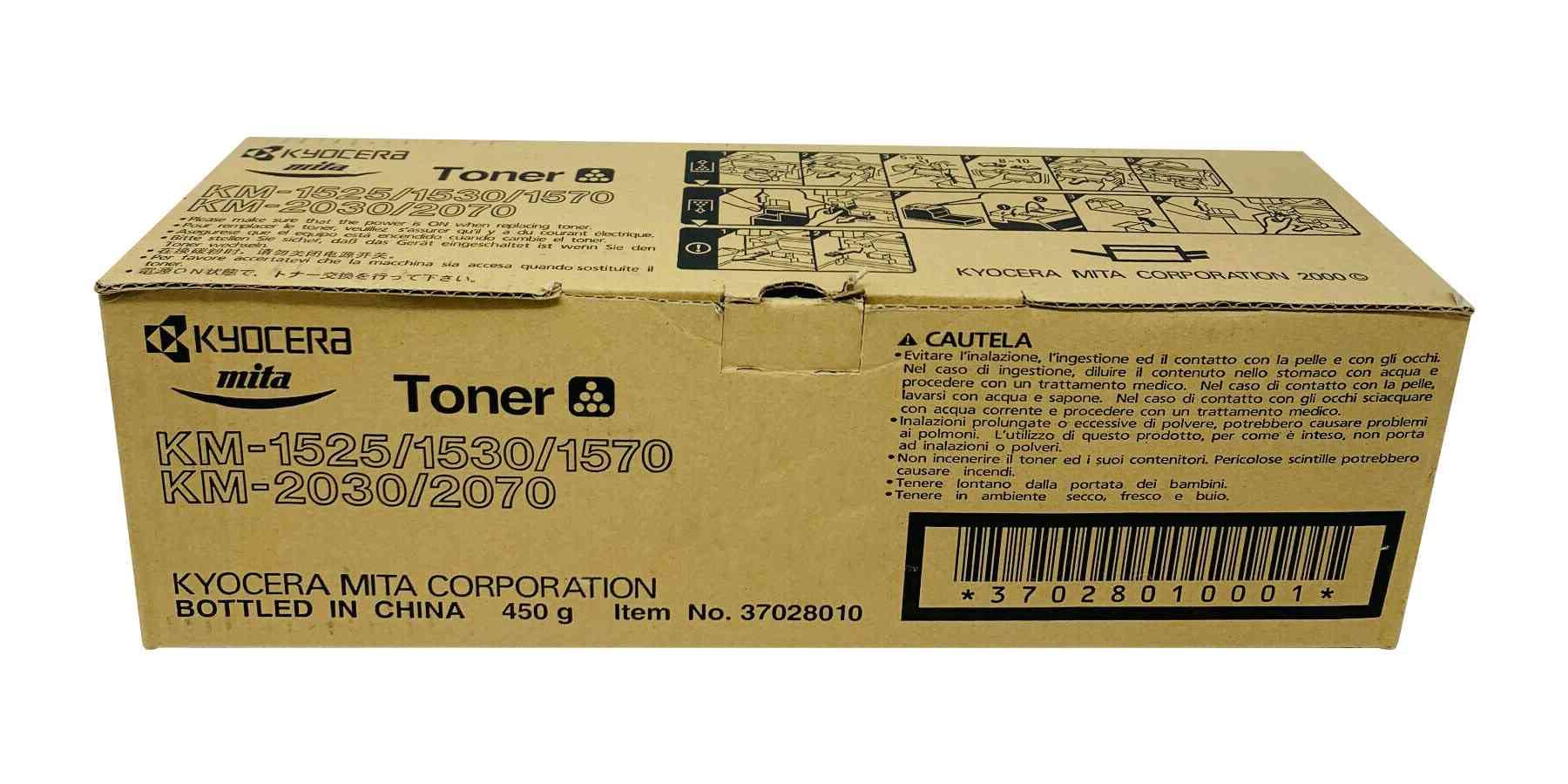
Image: The KYOCERA 37028010 Black Toner Cartridge. This image shows the general appearance of the toner cartridge, which is essential for identification during installation.
இயக்க வழிமுறைகள்
Once installed, the KYOCERA 37028010 toner cartridge operates automatically with your compatible printer. Ensure your printer drivers are up-to-date for optimal performance.
- அச்சிடுதல்: Send print jobs from your computer as usual. The printer will utilize the installed toner to produce documents.
- அச்சு தரம்: This cartridge is designed to deliver crisp, clear black text and graphics. If print quality degrades, refer to the troubleshooting section.
- டோனர் நிலை கண்காணிப்பு: Monitor toner levels through your printer's software utility or control panel. Replace the cartridge when the printer indicates low toner or print quality significantly diminishes.
பராமரிப்பு
Proper handling and storage can extend the life of your toner cartridge and ensure consistent print quality.
- சேமிப்பு: பயன்படுத்தப்படாத டோனர் கார்ட்ரிட்ஜ்களை அவற்றின் அசல், சீல் செய்யப்பட்ட பேக்கேஜிங்கில் நேரடி சூரிய ஒளி மற்றும் தீவிர வெப்பநிலையிலிருந்து விலகி குளிர்ந்த, உலர்ந்த இடத்தில் சேமிக்கவும்.
- கையாளுதல்: Always handle the cartridge by its designated handles or edges. Avoid touching the drum or electrical contacts.
- அகற்றல்: Dispose of used toner cartridges responsibly. Many manufacturers and retailers offer recycling programs. Do not incinerate toner cartridges.
சரிசெய்தல்
If you encounter issues with your printer after installing the toner, consider the following common problems and solutions:
- "குறைந்த டோனர்" அல்லது "டோனரை மாற்றவும்" செய்தி:
- Ensure the cartridge is fully seated in its slot.
- If the message persists after installing a new cartridge, try removing and reinserting it.
- If the cartridge is genuinely low, replace it with a new one.
- Poor Print Quality (Faded, Streaky, or Blank Pages):
- Gently shake the toner cartridge horizontally to redistribute toner.
- Check if any protective seals or tapes were left on the cartridge during installation.
- Perform a printer cleaning cycle via your printer's control panel or software.
- If the issue persists, the cartridge may be nearing its end of life or could be defective.
- அச்சுப்பொறி கார்ட்ரிட்ஜை அங்கீகரிக்கவில்லை:
- Remove the cartridge and check for any obstructions or damage to the electrical contacts on both the cartridge and inside the printer.
- Wipe the electrical contacts on the cartridge gently with a lint-free cloth.
- Ensure the cartridge is compatible with your specific printer model (Kyocera Mita KM-1525 or Olympia Omega D 202).
விவரக்குறிப்புகள்
| பிராண்ட் | கியோசெரா |
| OEM குறிப்பு | 37028010 |
| உற்பத்தியாளர் குறிப்பு | 104774TFC-OK-37028010 |
| நிறம் | கருப்பு |
| இணக்கமான அச்சுப்பொறி மாதிரிகள் | Kyocera Mita KM-1525, Olympia Omega D 202 |
| தயாரிப்பு வகை | டோனர் கார்ட்ரிட்ஜ் |
உத்தரவாதம் மற்றும் ஆதரவு
For specific warranty information regarding your KYOCERA 37028010 toner cartridge, please refer to the documentation provided with your purchase or contact the retailer or KYOCERA directly. Warranty terms can vary based on region and seller.
If you require further technical assistance or have questions not covered in this manual, please contact your product supplier or the printer manufacturer's customer support.
Ask a question about this manual
Ask about setup, troubleshooting, compatibility, parts, safety, or missing instructions. Manuals+ will review the question and use this page’s manual context to help answer it.