
1. தயாரிப்பு முடிந்துவிட்டதுview
This manual provides essential instructions for the safe and efficient installation, operation, and maintenance of your ZOTAC GeForce GTX 1080 AMP Extreme graphics card. Please read this manual thoroughly before proceeding with installation.
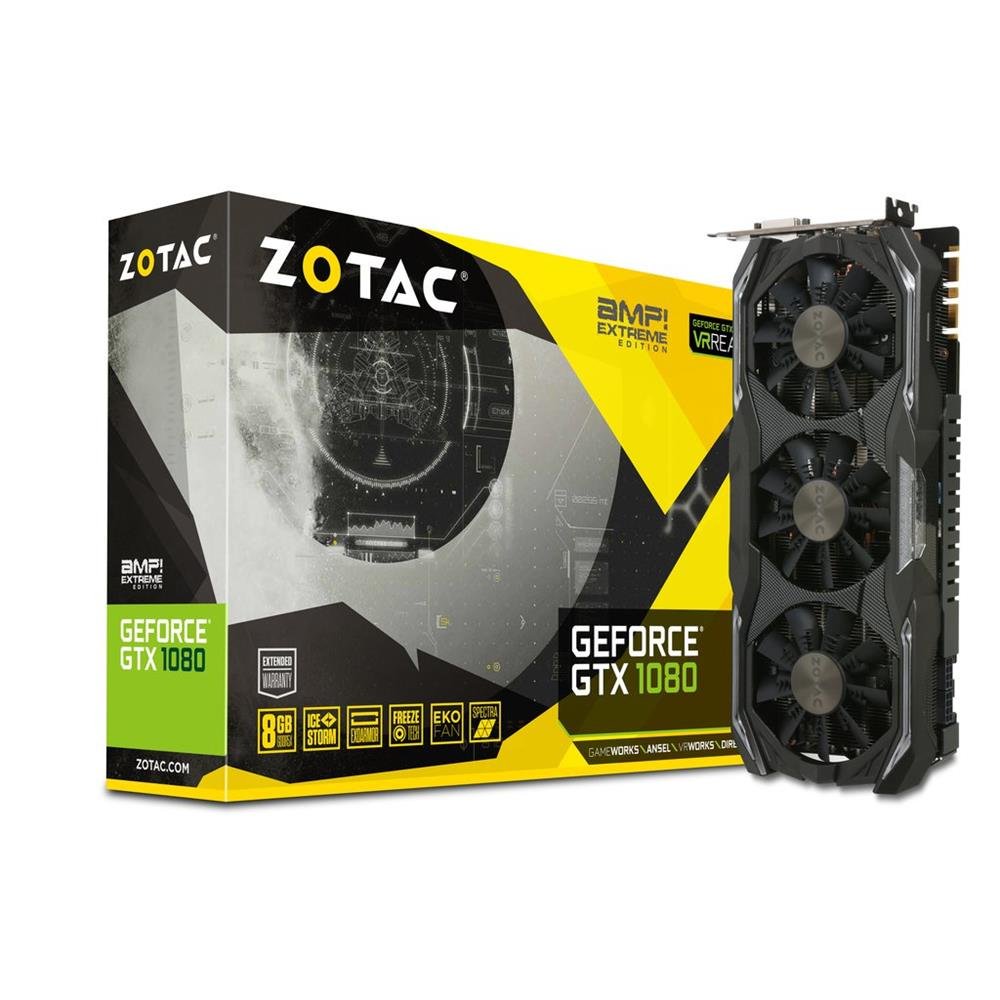
Image 1.1: ZOTAC GeForce GTX 1080 AMP Extreme Graphics Card. This image displays the front view of the graphics card, highlighting its triple-fan cooling system and overall design.
2. தொகுப்பு உள்ளடக்கங்கள்
கீழே பட்டியலிடப்பட்டுள்ள அனைத்து பொருட்களும் உங்கள் தயாரிப்பு தொகுப்பில் உள்ளதா என்பதைச் சரிபார்க்கவும்:
- ZOTAC GeForce GTX 1080 AMP Extreme Graphics Card
- DVI-VGA அடாப்டர்
- Dual 6-pin to 4 x 2-pin Power Cable
- டிரைவர் சிடி
- அறிவுறுத்தல் கையேடு (இந்த ஆவணம்)
3. அமைவு மற்றும் நிறுவல்
3.1. கணினி தேவைகள்
- PCI Express x16 slot on a compatible motherboard.
- Minimum 500W power supply with two 8-pin (or 6+2 pin) PCIe power connectors.
- Compatible operating system (e.g., Windows 7/8/10/11).
- At least 4GB of system memory (8GB recommended).
3.2. உடல் நிறுவல்
- பவர் ஆஃப்: Shut down your computer completely and unplug the power cord from the wall outlet.
- திறந்த வழக்கு: Open your computer case to access the motherboard and expansion slots.
- PCIe ஸ்லாட்டைக் கண்டறியவும்: உங்கள் மதர்போர்டில் கிடைக்கக்கூடிய PCI எக்ஸ்பிரஸ் x16 ஸ்லாட்டை அடையாளம் காணவும்.
- ஸ்லாட் கவரை அகற்று: Remove the metal slot cover from the back of the computer case corresponding to the chosen PCIe slot.
- கிராபிக்ஸ் அட்டையைச் செருகவும்: Carefully align the graphics card with the PCIe slot and press it firmly until it is fully seated. Ensure the retention clip on the slot locks into place.
- பாதுகாப்பான அட்டை: Secure the graphics card to the computer case with a screw or retention mechanism.
- பவர் இணைக்கவும்: Connect the required PCIe power cables from your power supply to the graphics card. The ZOTAC GeForce GTX 1080 AMP Extreme typically requires two 8-pin (or 6+2 pin) power connectors. Use the provided dual 6-pin to 4 x 2-pin power cable if your power supply only has 6-pin connectors.
- வழக்கை மூடு: Close your computer case and reconnect the power cord.
3.3. இயக்கி நிறுவல்
- துவக்க அமைப்பு: Power on your computer. The system may boot into a basic display mode.
- இயக்கிகளை நிறுவவும்: Insert the provided Driver CD into your optical drive and follow the on-screen instructions to install the NVIDIA graphics drivers. Alternatively, download the latest drivers directly from the official ZOTAC or NVIDIA webஉகந்த செயல்திறன் மற்றும் பொருந்தக்கூடிய தளம்.
- மறுதொடக்கம்: இயக்கி நிறுவல் முடிந்ததும் உங்கள் கணினியை மறுதொடக்கம் செய்யுங்கள்.
3.4. காட்சிகளை இணைத்தல்
Connect your monitor(s) to the appropriate output ports on the graphics card. This model supports HDMI, DisplayPort, and DVI connections. Use the DVI-VGA adapter if your monitor only supports VGA input.
4. இயக்க வழிமுறைகள்
4.1. அடிப்படை செயல்பாடு
Once the drivers are installed, your graphics card will automatically manage display output and graphics processing. You can adjust display settings, resolution, and refresh rates through your operating system's display settings or the NVIDIA Control Panel.
4.2. பல கண்காணிப்பு அமைப்பு
The ZOTAC GeForce GTX 1080 AMP Extreme supports multiple displays. Connect additional monitors to the available video output ports. Use the NVIDIA Control Panel to configure display modes such as extended desktop, duplicate displays, or NVIDIA Surround for an immersive gaming experience.
5. பராமரிப்பு
Regular maintenance helps ensure optimal performance and longevity of your graphics card.
- சுத்தம்: Periodically clean the fans and heatsink to prevent dust buildup, which can impede airflow and lead to overheating. Use compressed air to gently remove dust from the cooling fins and fan blades. Ensure the system is powered off and unplugged before cleaning.
- காற்றோட்டம்: Ensure your computer case has adequate airflow to dissipate heat generated by the graphics card. Keep the area around your PC clear of obstructions.
- இயக்கி புதுப்பிப்புகள்: Keep your graphics drivers updated by regularly checking the ZOTAC or NVIDIA webசமீபத்திய பதிப்புகளுக்கான தளம்.
6. சரிசெய்தல்
உங்கள் கிராபிக்ஸ் அட்டையில் சிக்கல்களை எதிர்கொண்டால், பின்வரும் பொதுவான சரிசெய்தல் படிகளைப் பார்க்கவும்:
- காட்சி வெளியீடு இல்லை:
- மானிட்டர் சரியாக இணைக்கப்பட்டு இயக்கப்பட்டுள்ளதா என்பதை உறுதிப்படுத்தவும்.
- கிராபிக்ஸ் அட்டை PCIe ஸ்லாட்டில் முழுமையாக அமர்ந்திருப்பதைச் சரிபார்க்கவும்.
- Check that all PCIe power cables are securely connected to the graphics card.
- Try connecting the monitor to a different video output port on the card or to the motherboard's integrated graphics (if available) to isolate the issue.
- டிரைவர் சிக்கல்கள்:
- If you experience crashes, artifacts, or poor performance, try reinstalling the graphics drivers. Use a driver uninstaller utility to completely remove old drivers before installing new ones.
- Ensure you are installing the correct drivers for your operating system and graphics card model.
- செயல்திறன் சிக்கல்கள்:
- Check system temperatures using monitoring software. Overheating can lead to performance throttling.
- உங்கள் மின்சாரம் குறைந்தபட்ச வாட் அளவை பூர்த்தி செய்வதை உறுதிசெய்யவும்.tage requirements for the graphics card and other system components.
- Verify that your system's BIOS/UEFI settings are configured correctly for a discrete graphics card.
7. விவரக்குறிப்புகள்
| அம்சம் | விவரம் |
|---|---|
| பிராண்ட் | ZOTAC |
| மாதிரி பெயர் | GTX 1080 |
| மாதிரி எண் | ZT-P10800B-10P |
| கிராபிக்ஸ் கோப்ராசசர் | என்விடியா ஜியிபோர்ஸ் ஜிடிஎக்ஸ் 1080 |
| கிராபிக்ஸ் ரேம் அளவு | 8 ஜிபி ஜிடிடிஆர்5எக்ஸ் |
| நினைவக கடிகார வேகம் | 10800 மெகா ஹெர்ட்ஸ் |
| Engine Clock Speed | 1771 MHz (Base), 1911 MHz (Boost) |
| வீடியோ வெளியீடு இடைமுகம் | HDMI, DisplayPort, DVI |
| வீடியோ இடைமுகம் | பிசிஐ எக்ஸ்பிரஸ் |
| அதிகபட்ச திரை தெளிவுத்திறன் | 7680x4320 |
| ரசிகர்களின் எண்ணிக்கை | 3 |
| பரிந்துரைக்கப்பட்ட பயன்பாடு | கேமிங் |
| பொருளின் எடை | 1.6 கிலோகிராம் |
| UPC | 816264016721 |
8. உத்தரவாதம் மற்றும் ஆதரவு
8.1. தயாரிப்பு உத்தரவாதம்
This ZOTAC graphics card comes with a 24 மாத உத்தரவாதம் from the date of purchase. Please retain your proof of purchase for warranty claims. The warranty covers manufacturing defects and malfunctions under normal use. It does not cover damage caused by misuse, accidents, unauthorized modifications, or improper installation.
8.2. தொழில்நுட்ப ஆதரவு
For technical assistance, driver downloads, or further information, please visit the official ZOTAC webதளம்:
You may also refer to the FAQ section on the ZOTAC website for solutions to common issues.