
1. அறிமுகம்
The ThermoPro TP02S is a digital food thermometer designed for quick and accurate temperature readings of various foods. It features a long stainless steel probe, a clear digital display, and simple operation, making it suitable for cooking, baking, grilling, and candy making. This manual provides instructions for proper use and care of your TP02S thermometer.
2. தயாரிப்பு முடிந்துவிட்டதுview
The ThermoPro TP02S thermometer consists of the main unit with a digital display and a stainless steel probe, along with a protective probe cover.

Figure 2.1: ThermoPro TP02S Digital Food Thermometer and its protective probe cover.

Figure 2.2: Labeled diagram of the ThermoPro TP02S components, including the clear LCD display, 5.3-inch super long stainless steel probe, instant sensitive probe tip, ON/OFF button, °C/°F button, pocket clip, and battery compartment.
கூறுகள்:
- Thermometer Unit: Main body with digital display and control buttons.
- துருப்பிடிக்காத எஃகு ஆய்வு: 5.3-inch long probe for temperature measurement.
- Protective Probe Cover: For safe storage and protection of the probe tip.
- LR44 பேட்டரி: One LR44 battery is included and pre-installed.
3 அமைவு
3.1. பேட்டரி நிறுவல்
The ThermoPro TP02S comes with one LR44 battery pre-installed. If replacement is needed, follow these steps:
- தெர்மோமீட்டர் அலகின் பின்புறத்தில் பேட்டரி பெட்டியைக் கண்டறியவும்.
- பேட்டரி அட்டையைத் திறக்க ஒரு சிறிய ஸ்க்ரூடிரைவர் அல்லது நாணயத்தைப் பயன்படுத்தவும்.
- Insert one new LR44 battery, ensuring the correct polarity (+/-).
- பேட்டரி அட்டையை பாதுகாப்பாக மூடு.

Figure 3.1: Illustration of the battery compartment and LR44 battery for the ThermoPro TP02S.
3.2. ஆரம்ப சுத்தம்
Before first use, and after each subsequent use, clean the stainless steel probe with a damp cloth or sponge. Do not immerse the entire unit in water.
4. ஆபரேஷன்
The ThermoPro TP02S is designed for straightforward temperature measurement.

Figure 4.1: Visual guide for operating the ThermoPro TP02S, including cleaning, power on, unit selection, probe insertion, and reading temperature.
4.1. வெப்பநிலை அளவீடு எடுத்தல்
- அழுத்தவும் ஆன்/ஆஃப் தெர்மோமீட்டரை இயக்குவதற்கான பொத்தான்.
- செல்சியஸ் (°C) மற்றும் பாரன்ஹீட் (°F) இடையே மாற, ° C/° F button located on the back of the unit.
- Insert the stainless steel probe into the thickest part of the food, avoiding bone or gristle.
- Wait for 4-7 seconds for the temperature reading to stabilize on the digital display.
- Once the desired temperature is reached, remove the probe from the food.
- அழுத்தவும் ஆன்/ஆஃப் button to turn off the thermometer, or it will automatically power off after 10 minutes of inactivity to conserve battery life.

Figure 4.2: The ThermoPro TP02S provides fast (4-7 seconds) and accurate (±0.9°F / ±0.5°C) temperature readings.
4.2. Temperature Range and Applications
The thermometer has a wide temperature range of -58°F to 572°F (-50°C to 300°C), making it suitable for various culinary tasks.

படம் 4.3: எ.காamples of the ThermoPro TP02S's versatility in measuring temperatures for steak, candy making, home baking, and coffee brewing.
5. பராமரிப்பு
5.1. சுத்தம் மற்றும் பராமரிப்பு
- Always clean the stainless steel probe after each use with a damp துணி அல்லது கடற்பாசி.
- அலகு ஆகும் நீர்ப்புகா இல்லை. Do not immerse the thermometer unit or the probe's plug-in hole in any liquid. This can lead to damage and inaccurate readings.
- Avoid exposing the unit to extreme heat or direct flame for extended periods.
5.2. சேமிப்பு
Store the thermometer in a dry place when not in use.
- Always use the protective probe cover to prevent physical damage to the probe tip.
- The thermometer features a hanging hole for convenient storage on kitchen hooks.
- The probe cover includes a pocket clip for easy portability.
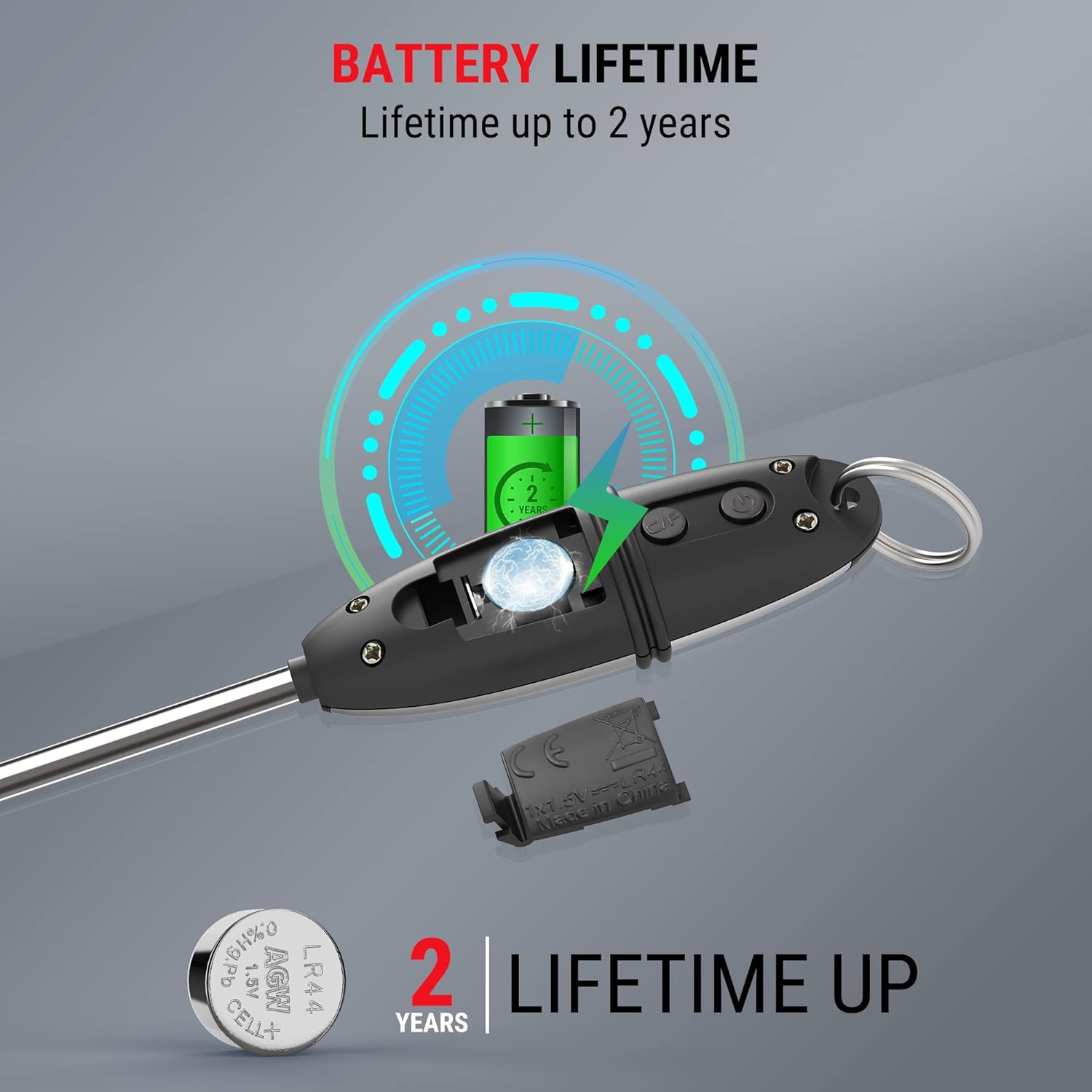
Figure 5.1: The protective probe cover can be used to extend the handle or for safe storage.
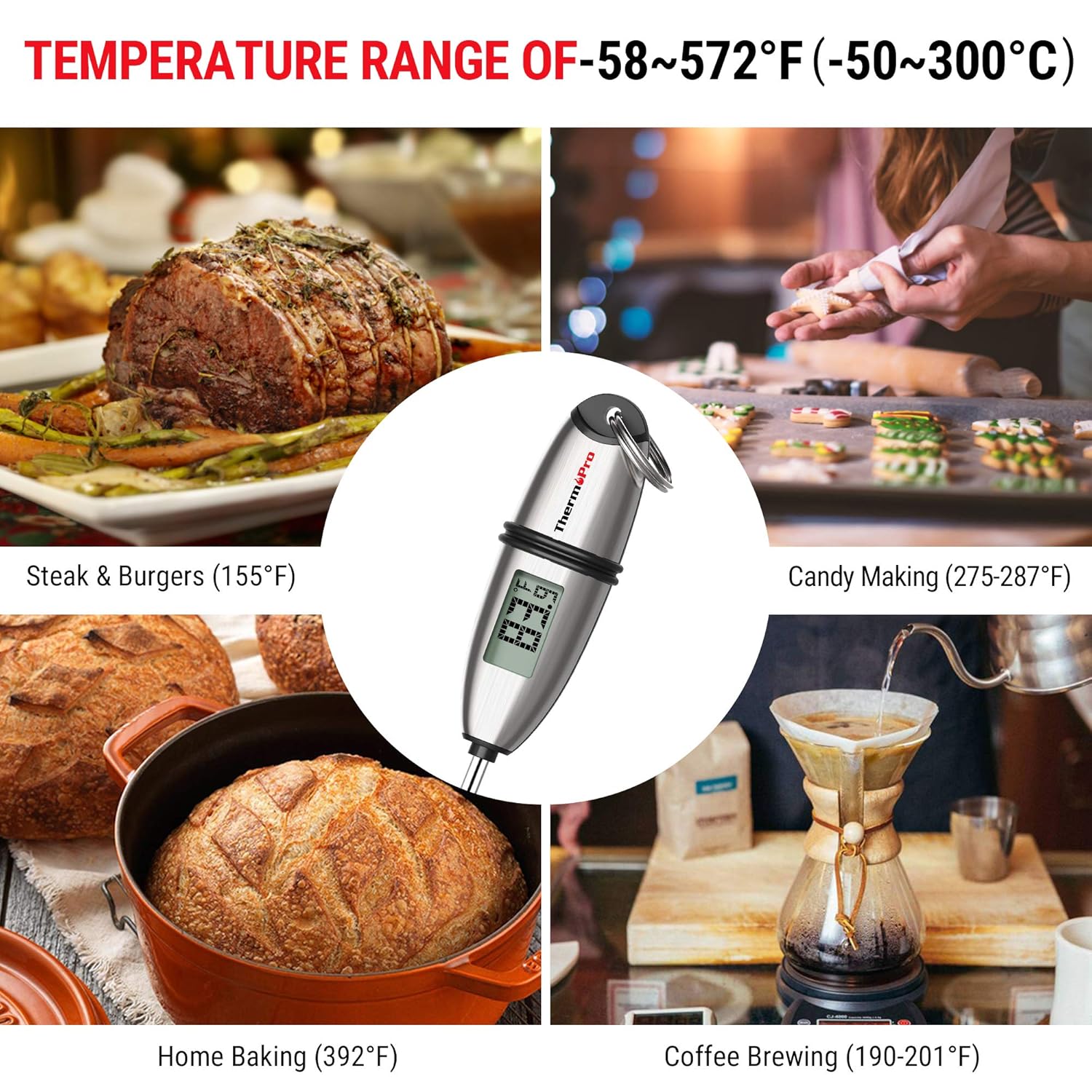
Figure 5.2: Multiple mounting and storage options for the ThermoPro TP02S, including hanging, pocket clip, and drawer storage.
6. சரிசெய்தல்
6.1. Displaying Error Codes
- If the LCD screen displays HHH, the measured temperature is above the thermometer's measurable range.
- If the LCD screen displays எல்எல்எல், the measured temperature is below the thermometer's measurable range.
6.2. துல்லியமற்ற அளவீடுகள்
- Ensure the probe is inserted into the thickest part of the food and not touching bone, gristle, or the bottom of the cooking vessel.
- Verify the battery has sufficient power. Replace if necessary.
6.3. அலகு இயக்கப்படவில்லை
- சரியான துருவமுனைப்புடன் பேட்டரி சரியாக நிறுவப்பட்டுள்ளதா என சரிபார்க்கவும்.
- பேட்டரியை புதிய LR44 பேட்டரியால் மாற்றவும்.
7. விவரக்குறிப்புகள்
| அம்சம் | விவரக்குறிப்பு |
|---|---|
| மாதிரி எண் | TP-02S |
| வெப்பநிலை வரம்பு | -58°F முதல் 572°F வரை (-50°C முதல் 300°C வரை) |
| துல்லியம் | ± 0.9 ° F (± 0.5 ° C) |
| Readout Speed | 4-7 வினாடிகள் |
| ஆய்வு நீளம் | 5.3 அங்குலம் |
| சக்தி ஆதாரம் | 1 x LR44 battery (included) |
| ஆட்டோ-ஆஃப் | 10 நிமிடங்கள் செயலற்ற நிலை |
| பொருள் | Stainless Steel (probe) |
| தயாரிப்பு பரிமாணங்கள் | 8.6 x 1.2 x 1.2 அங்குலம் |
| எடை | 0.8 அவுன்ஸ் |
| சான்றிதழ்கள் | CE, FCC, NSF |
8. உத்தரவாதம் மற்றும் ஆதரவு
ThermoPro provides a warranty for its products. For specific warranty details, registration, or technical support, please refer to the official ThermoPro webதளத்தில் அல்லது அவர்களின் வாடிக்கையாளர் சேவையை நேரடியாகத் தொடர்பு கொள்ளவும். வாங்கியதற்கான சான்றாக உங்கள் கொள்முதல் ரசீதை வைத்திருங்கள்.
தொடர்பு தகவல்: தயவுசெய்து பார்வையிடவும் அமேசானில் தெர்மோப்ரோ ஸ்டோர் or the official ThermoPro webமிகவும் புதுப்பித்த ஆதரவு தகவலுக்கான தளம்.