
அறிமுகம்
The PNY C-UA-TC-K20-03 USB-A to USB-C 2.0 cable is designed for connecting your USB-C compatible devices to USB-A ports for charging and data synchronization. This cable features a reversible USB-C connector for easy connection and supports data transfer speeds up to 480 Megabits per second and charging currents up to 3 Ampஈரெஸ்.
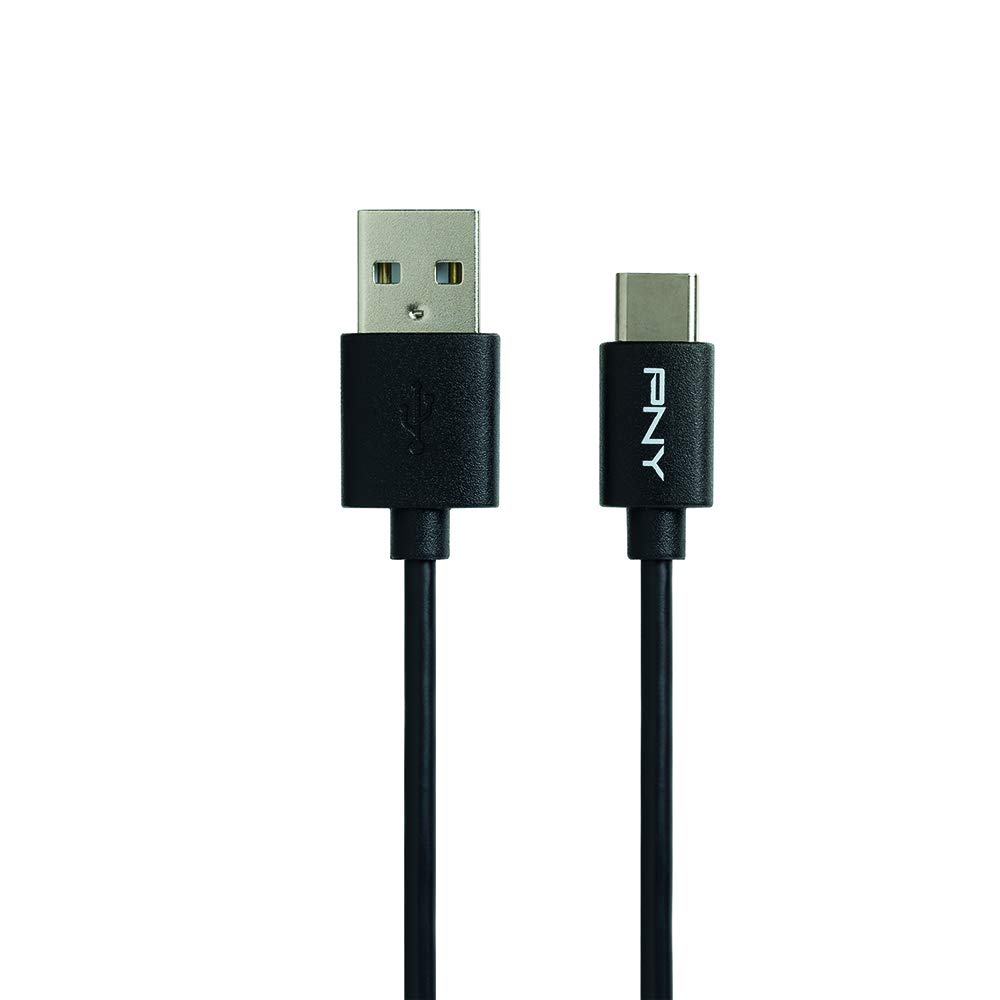
Image: The PNY USB-A to USB-C 2.0 cable, illustrating both the USB-A and USB-C connectors.
அமைவு வழிமுறைகள்
Follow these steps to connect your PNY C-UA-TC-K20-03 cable:
- துறைமுகங்களை அடையாளம் காணவும்: Locate the USB-A port on your power adapter, computer, or other compatible device. Identify the USB-C port on your smartphone, tablet, or other compatible device.
- USB-A முடிவை இணைக்கவும்: Insert the USB-A end of the cable into the USB-A port.
- USB-C முனையை இணைக்கவும்: Insert the USB-C end of the cable into the USB-C port on your device. The reversible design of the USB-C connector allows for connection in any orientation.
- பாதுகாப்பான இணைப்பு: Ensure both ends of the cable are securely and fully inserted into their respective ports for proper function.
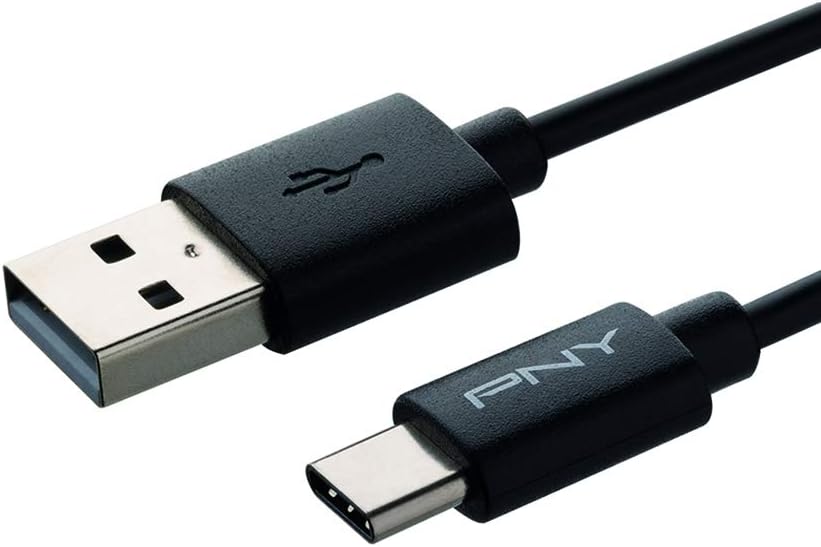
படம்: ஒரு நெருக்கமான படம் view of the USB-A and USB-C connectors, highlighting their design for easy connection.
இயக்க வழிமுறைகள்
This cable facilitates both charging and data synchronization:
- சார்ஜ்: When connected to a compatible power source (e.g., wall adapter, power bank, computer USB-A port), your USB-C device will begin charging automatically. The cable supports charging currents up to 3 Ampஈரெஸ்.
- தரவு ஒத்திசைவு: When connected to a computer, your device may prompt you to allow data transfer. Follow the on-screen instructions on your device to enable file transfer or data synchronization. This cable supports data transfer speeds up to 480 Megabits per second (USB 2.0 standard).
பராமரிப்பு
To ensure the longevity and optimal performance of your PNY C-UA-TC-K20-03 cable, follow these maintenance guidelines:
- சேமிப்பு: Store the cable in a clean, dry environment away from extreme temperatures and direct sunlight.
- கையாளுதல்: Avoid bending or twisting the cable sharply, especially near the connectors, to prevent internal wire damage. Always grasp the connector housing when plugging or unplugging, rather than pulling on the cable itself.
- சுத்தம்: Keep the connectors free from dust, lint, and debris. Use a soft, dry, lint-free cloth to gently clean the connectors if necessary.

Image: The PNY USB-A to USB-C cable shown in a coiled state, demonstrating its flexibility and ideal for storage.
சரிசெய்தல்
If you encounter issues with your PNY C-UA-TC-K20-03 cable, consider the following solutions:
- சாதனம் சார்ஜ் ஆகவில்லை:
- Ensure both ends of the cable are securely connected to the device and the power source.
- Verify that the power source (wall adapter, computer port) is functional by testing it with another known working cable or device.
- Check your device's charging port for any visible obstructions or damage.
- Try using a different power adapter or USB-A port.
- தரவு பரிமாற்றம் வேலை செய்யவில்லை:
- Confirm the cable is properly connected to both your device and the computer.
- On your device, ensure it is set to "File Transfer" or "Data Transfer" mode when connected to a computer. This setting is typically found in the notification panel on Android devices.
- Try a different USB-A port on your computer.
- உங்கள் சாதனம் மற்றும் கணினி இரண்டையும் மறுதொடக்கம் செய்யுங்கள்.
- Slow Charging or Data Transfer:
- Ensure your power adapter provides sufficient output (Amperes) for your device's charging requirements.
- Verify that the USB port on your computer is a functional USB 2.0 or higher port.
- Close any unnecessary applications on your device or computer that might be consuming resources during data transfer.
விவரக்குறிப்புகள்
| பிராண்ட் | PNY |
| மாதிரி பெயர் | C-UA-TC-K20-03 |
| இணைப்பான் வகை | USB வகை C, USB வகை A |
| கேபிள் வகை | USB 2.0 |
| இணக்கமான சாதனங்கள் | Smartphones, Tablets, and other Type-C compatible devices |
| சிறப்பு அம்சம் | Reversible USB-C connector |
| தரவு பரிமாற்ற வீதம் | Up to 480 Megabits per second |
| சார்ஜிங் கரண்ட் | 3 வரை Ampஈரெஸ் |
| நீளம் | 1 மீட்டர் |
| நிறம் | கருப்பு |
| உற்பத்தியாளர் பகுதி எண் | C-UA-TC-K20-03 |
| ASIN | B06WWG3HLS |
உத்தரவாத தகவல்
The PNY C-UA-TC-K20-03 cable is covered by a 2 வருட உத்தரவாதம் வாங்கிய தேதியிலிருந்து.
For detailed warranty terms, conditions, and to initiate a warranty claim, please visit the official PNY webதளத்தில் அல்லது அவர்களின் வாடிக்கையாளர் ஆதரவை நேரடியாகத் தொடர்பு கொள்ளவும். உத்தரவாத சரிபார்ப்புக்காக உங்கள் வாங்கியதற்கான ஆதாரத்தை வைத்திருங்கள்.
வாடிக்கையாளர் ஆதரவு
For further assistance, technical support, or product inquiries, please visit the official PNY website. You can typically find contact information for customer service, FAQs, and additional resources there.
PNY Official Webதளம்: www.pny.com


