
தயாரிப்பு முடிந்துவிட்டதுview
The MY ARCADE Super Gamepad is a wireless gaming controller designed to replace wired controllers for various Nintendo consoles. It offers wireless freedom and enhanced gaming features.
முக்கிய அம்சங்கள்:
- வயர்லெஸ் இணைப்பு: Enjoy gaming up to 25 feet away from your console without lag.
- நீட்டிக்கப்பட்ட விளையாட்டு நேரம்: Over 27 hours of gameplay on two AAA batteries (not included).
- பணிச்சூழலியல் வடிவமைப்பு: Provides comfortable grip and precise control for extended gaming sessions.
- முகப்பு பொத்தான்: Quickly access the main game selection menu directly from the controller.
- டர்போ பட்டன்: Assign turbo functionality to any action button for rapid input.
தொகுப்பு உள்ளடக்கங்கள்
அமைப்பைத் தொடர்வதற்கு முன் அனைத்து பொருட்களும் இருப்பதை உறுதிசெய்து கொள்ளுங்கள்:
- MY ARCADE Super Gamepad (DGUN-2960)
- வயர்லெஸ் அடாப்டர்
- அறிவுறுத்தல் கையேடு (இந்த ஆவணம்)
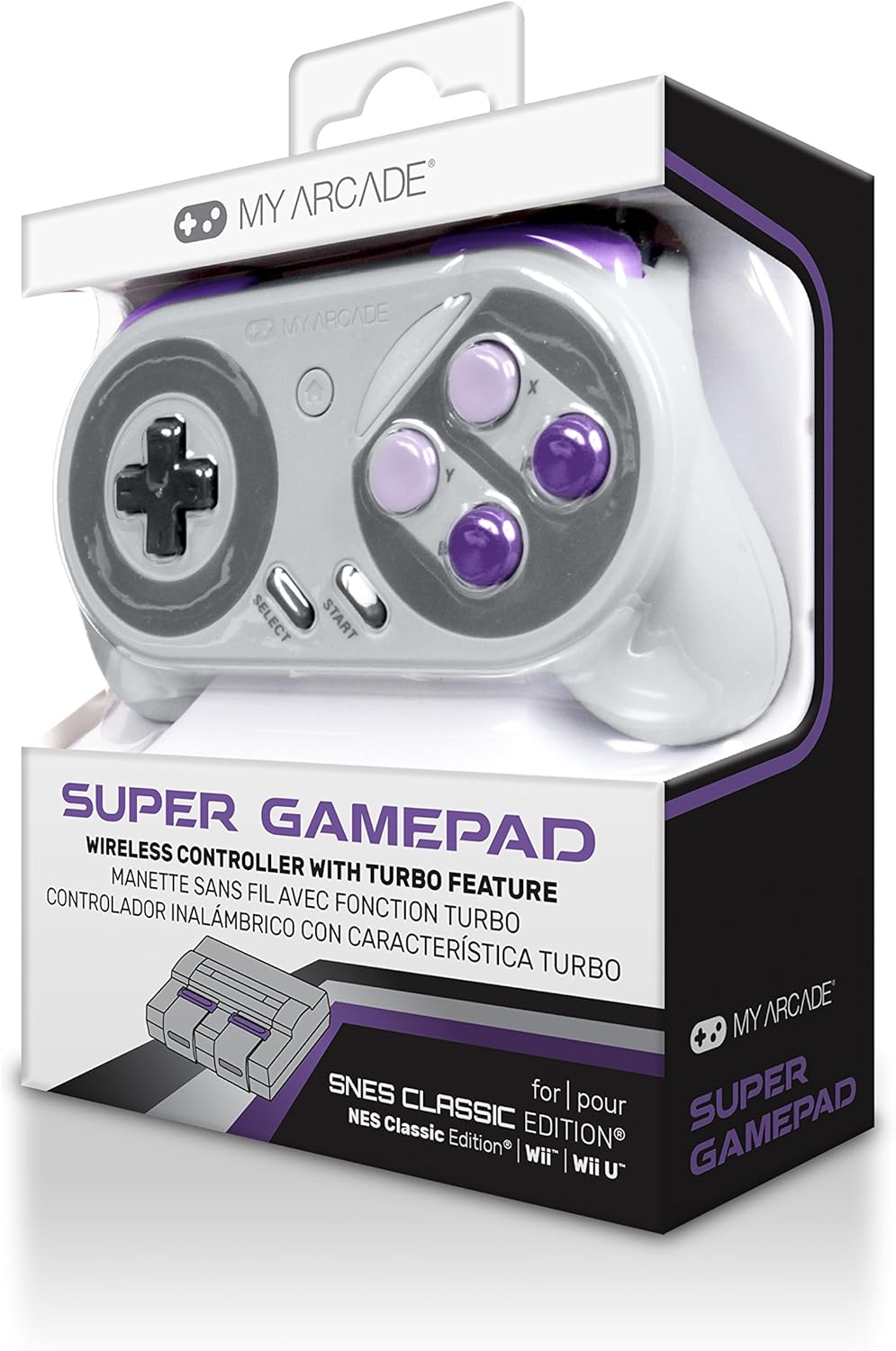
படம்: முன்பக்கம் view of the MY ARCADE Super Gamepad packaging, showing the controller and branding.
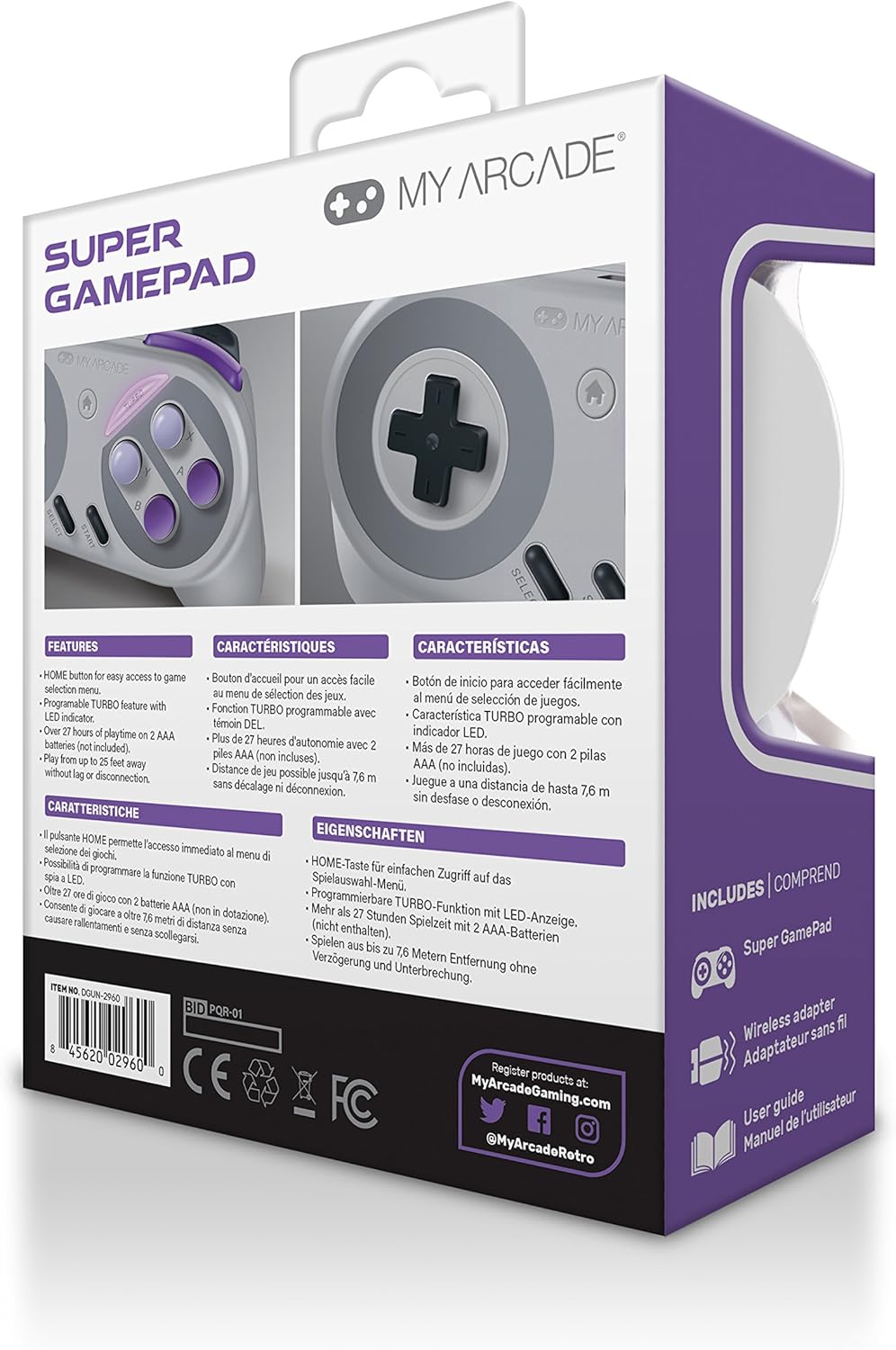
படம்: பின்பக்கம் view of the MY ARCADE Super Gamepad packaging, detailing features and contents in multiple languages.
அமைவு வழிகாட்டி
1. பேட்டரிகளை நிறுவவும்
The Super Gamepad requires two AAA batteries (not included). Open the battery compartment on the back of the controller and insert the batteries, ensuring correct polarity (+/-).
2. Connect Wireless Adapter
Plug the included wireless adapter into an available controller port on your compatible console (Nintendo SNES Classic, NES Classic, Super Famicom, Wii, or Wii U).

Image: The MY ARCADE Super Gamepad shown alongside its compact wireless adapter, illustrating the wireless connection capability.
3. Power On and Pair
Turn on your console. Press the power button on the Super Gamepad. The controller should automatically pair with the wireless adapter. An indicator light on the controller will confirm a successful connection.
இயக்க வழிமுறைகள்
Familiarize yourself with the controller's buttons for optimal gameplay.
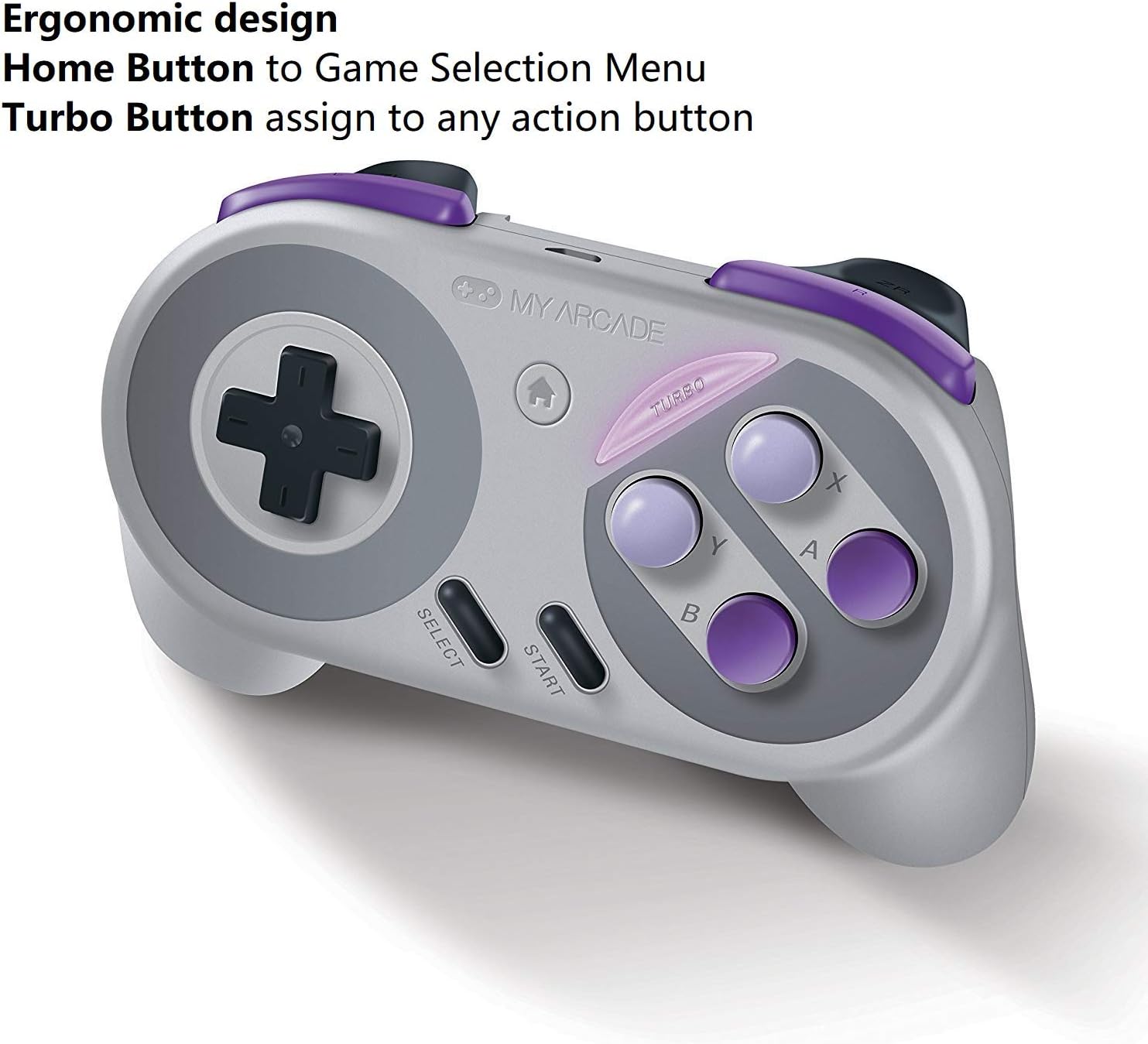
Image: The MY ARCADE Super Gamepad, highlighting the Home button (house icon) and Turbo button for special functions.
முகப்பு பொத்தான்:
அழுத்தவும் முகப்பு பொத்தான் (typically marked with a house icon) to return to the main game selection menu of your console. This eliminates the need to manually reset the console to change games.
டர்போ பட்டன்:
தி டர்போ பொத்தான் allows you to assign rapid-fire functionality to any action button. To activate:
- அழுத்திப் பிடிக்கவும் டர்போ பொத்தான்.
- While holding Turbo, press the desired action button (e.g., A, B, X, Y) to which you want to assign rapid-fire.
- Release both buttons. The assigned action button will now have turbo functionality.
பராமரிப்பு
Proper care will extend the life of your Super Gamepad.
- சுத்தம்: கட்டுப்படுத்தியைச் சுத்தம் செய்ய மென்மையான, உலர்ந்த துணியைப் பயன்படுத்தவும். சிராய்ப்பு கிளீனர்கள் அல்லது கரைப்பான்களைத் தவிர்க்கவும்.
- சேமிப்பு: நேரடி சூரிய ஒளி மற்றும் தீவிர வெப்பநிலையிலிருந்து விலகி, குளிர்ந்த, உலர்ந்த இடத்தில் கட்டுப்படுத்தியை சேமிக்கவும்.
- பேட்டரி மாற்று: When the controller's performance degrades or it fails to power on, replace both AAA batteries with fresh ones.
சரிசெய்தல்
நீங்கள் சிக்கல்களை எதிர்கொண்டால், இந்த பொதுவான தீர்வுகளை முயற்சிக்கவும்:
- கட்டுப்படுத்தி பதிலளிக்கவில்லை:
- பேட்டரிகள் சரியாக நிறுவப்பட்டுள்ளதா என்பதையும், தீர்ந்து போகாமல் இருப்பதையும் உறுதிசெய்து கொள்ளுங்கள். தேவைப்பட்டால் மாற்றவும்.
- Verify the wireless adapter is securely plugged into the console.
- Confirm the controller is powered on.
- Move closer to the console to ensure you are within the 25-foot wireless range.
- தாமதம் அல்லது துண்டிப்புகள்:
- பிற வயர்லெஸ் சாதனங்களிலிருந்து சாத்தியமான குறுக்கீட்டைச் சரிபார்க்கவும்.
- Ensure the controller and adapter have a clear line of sight.
- பேட்டரிகள் குறைவாக இருந்தால் அவற்றை மாற்றவும்.
- செயல்படாத பொத்தான்கள்:
- எந்த குப்பைகளையும் அகற்ற பொத்தான்களைச் சுற்றி சுத்தம் செய்யவும்.
- Ensure the controller is properly paired.
விவரக்குறிப்புகள்
| அம்சம் | விவரம் |
|---|---|
| மாதிரி எண் | DGUN-2960 |
| பிராண்ட் | என் ஆர்கேட் |
| இணைப்பு | வயர்லெஸ் (புளூடூத்) |
| வயர்லெஸ் வீச்சு | 25 அடி (7.6 மீட்டர்) வரை |
| இணக்கமான கன்சோல்கள் | Nintendo SNES Classic, NES Classic, Super Famicom, Wii, Wii U |
| சக்தி ஆதாரம் | 2 x AAA பேட்டரிகள் (சேர்க்கப்படவில்லை) |
| பேட்டரி ஆயுள் | Over 27 hours of playtime |
| தயாரிப்பு பரிமாணங்கள் | 3.81 x 10.16 x 8.26 செமீ (1.5 x 4 x 3.25 அங்குலம்) |
| பொருளின் எடை | 136.08 கிராம் (4.8 அவுன்ஸ்) |
| பொத்தான் அளவு | 16 |
| நிறம் | Super NES Colors |
உத்தரவாதம் மற்றும் ஆதரவு
உத்தரவாதத் தகவல்:
The MY ARCADE Super Gamepad comes with a 120 நாள் உத்தரவாதம் வாங்கிய தேதியிலிருந்து. இந்த உத்தரவாதமானது சாதாரண பயன்பாட்டின் கீழ் உற்பத்தி குறைபாடுகளை உள்ளடக்கும். உத்தரவாதக் கோரிக்கைகளுக்கு உங்கள் வாங்கியதற்கான ஆதாரத்தை வைத்திருங்கள்.
வாடிக்கையாளர் ஆதரவு:
For technical assistance, troubleshooting, or warranty inquiries, please contact the manufacturer:
உற்பத்தியாளர்: DreamGEAR
தொடர்பு தகவல்: TORRANCE, CA, 90501 US
You may also visit the official MY ARCADE webகூடுதல் ஆதாரங்கள் மற்றும் ஆதரவுக்கான தளம்.