
A4tech G3-200N
A4 Tech G3-200N Wireless Optical Mouse User Manual
Model: G3-200N
1. அறிமுகம்
This manual provides comprehensive instructions for the setup, operation, and maintenance of your A4 Tech G3-200N Wireless Optical Mouse. Please read this manual thoroughly before using the product to ensure optimal performance and longevity.
ஒரு மேலிருந்து கீழாக view of the A4 Tech G3-200N wireless mouse, showing its black body with blue accents and the scroll wheel.
2. தொகுப்பு உள்ளடக்கங்கள்
அனைத்து பொருட்களும் இருப்பதை உறுதிசெய்ய, தொகுப்பு உள்ளடக்கங்களைச் சரிபார்க்கவும்:
- A4 Tech G3-200N Wireless Optical Mouse
- USB ரிசீவர்
- பயனர் கையேடு (இந்த ஆவணம்)
3 அமைவு
3.1 பேட்டரியை நிறுவவும்
Locate the battery compartment on the underside of the mouse. Open the compartment cover and insert one AA battery, ensuring correct polarity (+/-). Close the battery compartment cover securely. குறிப்பு: The AA battery is not included.
3.2 Connect USB Receiver
Plug the USB receiver into an available USB port on your computer. The operating system will automatically detect and install the necessary drivers. This process may take a few moments.
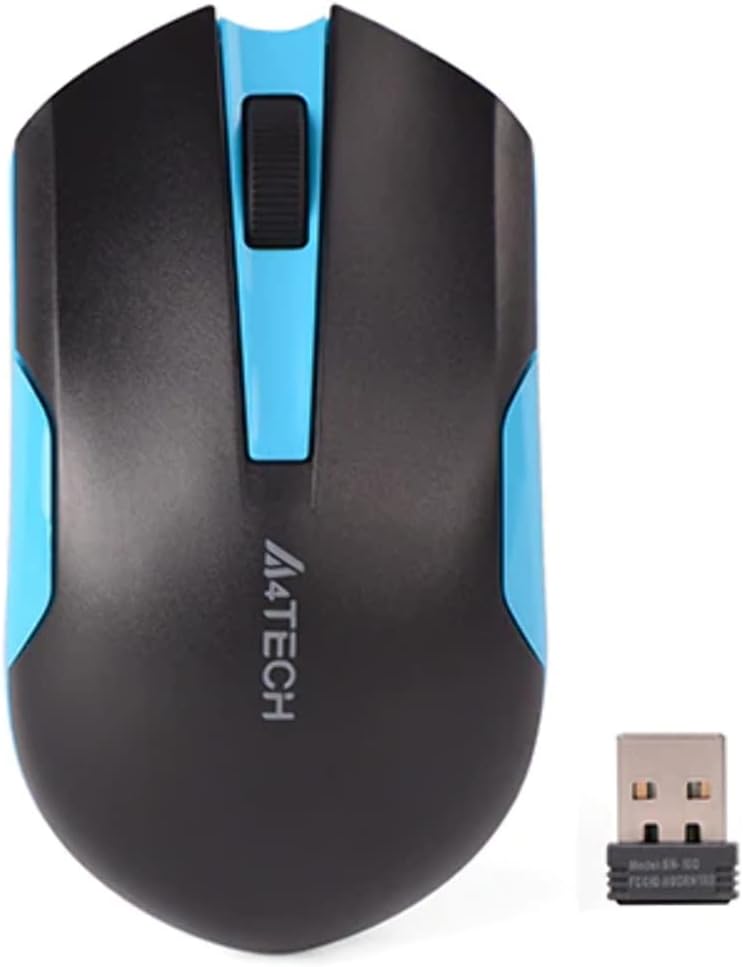
ஒரு மேலிருந்து கீழாக view of the A4 Tech G3-200N wireless mouse alongside its compact USB receiver, highlighting the black and blue design.
3.3 Power On the Mouse
If your mouse has a power switch (typically on the underside), slide it to the "ON" position. The mouse should now be ready for use.
4. ஆபரேஷன்
4.1 அடிப்படை செயல்பாடுகள்
- இடது பொத்தான்: Primary click function, typically used for selecting items or opening links.
- வலது பொத்தான்: Secondary click function, typically used to open context menus.
- சுருள் சக்கரம்: ஆவணங்கள் வழியாக மேலே அல்லது கீழே உருட்டவும் மற்றும் web pages. The scroll wheel can also function as a middle button when pressed.

An angled top view of the A4 Tech G3-200N wireless mouse, emphasizing its contoured design and the A4TECH logo, with visible buttons.
4.2 Optical Tracking
The A4 Tech G3-200N uses optical tracking technology for precise cursor movement. For best performance, use the mouse on a non-reflective, opaque surface. Avoid using it on glass or highly reflective surfaces.
4.3 வயர்லெஸ் வரம்பு
The mouse operates wirelessly via the 2.4 GHz frequency band. Ensure the USB receiver is within a reasonable range (typically up to 10 meters) for uninterrupted connectivity.
5. பராமரிப்பு
5.1 எலியை சுத்தம் செய்தல்
To clean your mouse, gently wipe its surface with a soft, slightly damp cloth. Avoid using harsh chemicals, solvents, or abrasive cleaners, as these can damage the finish or internal components. Ensure no liquid enters the mouse.
5.2 பேட்டரி மாற்று
When the mouse performance degrades, the cursor becomes erratic, or the mouse stops responding, it may be time to replace the AA battery. Follow the battery installation steps outlined in Section 3.1.
6. சரிசெய்தல்
| பிரச்சனை | சாத்தியமான தீர்வு |
|---|---|
| சுட்டி பதிலளிக்கவில்லை |
|
| ஒழுங்கற்ற கர்சர் இயக்கம் |
|
| Poor wireless connection |
|
7. விவரக்குறிப்புகள்
- பிராண்ட்: A4tech
- மாதிரி: G3-200N
- இணைப்பு: Wireless (2.4 GHz USB Receiver)
- இயக்கம் கண்டறிதல்: ஆப்டிகல்
- பொத்தான்களின் எண்ணிக்கை: 3 (இடது, வலது, உருள் சக்கரம்/நடு பொத்தான்)
- கை நோக்குநிலை: இருதரப்பு
- சக்தி ஆதாரம்: 1 x ஏஏ பேட்டரி (சேர்க்கப்படவில்லை)
- நிறம்: கருப்பு/நீலம்
8. உத்தரவாதம் மற்றும் ஆதரவு
For detailed warranty information and technical support, please refer to the documentation provided with your purchase or visit the official A4tech webஎந்தவொரு உத்தரவாதக் கோரிக்கைகளுக்கும் உங்கள் வாங்கியதற்கான ஆதாரத்தை வைத்திருங்கள்.
9. ஆதரவைத் தொடர்பு கொள்ளவும்
If you encounter issues not covered in this manual or require further assistance, please contact A4tech customer support through their official webஉங்கள் தயாரிப்பு பேக்கேஜிங்குடன் வழங்கப்பட்ட வலைத்தளம் அல்லது தொடர்புத் தகவல்.
Ask a question about this manual
Ask about setup, troubleshooting, compatibility, parts, safety, or missing instructions. Manuals+ will review the question and use this page’s manual context to help answer it.