
1. அறிமுகம்
This manual provides detailed instructions for the proper use and maintenance of your Edifier W820BT Bluetooth Headphones. Please read this manual thoroughly before using the product to ensure optimal performance and longevity.
2. தொகுப்பு உள்ளடக்கங்கள்
Verify that all items listed below are included in your package. If any items are missing or damaged, please contact Edifier customer support.
- Edifier W820BT Bluetooth Headphones
- சார்ஜிங் கேபிள் (USB)
- ஆடியோ கேபிள் (3.5மிமீ)
- பயனர் கையேடு (இந்த ஆவணம்)
3. தயாரிப்பு முடிந்துவிட்டதுview
The Edifier W820BT headphones are designed for comfort and extended listening, featuring Bluetooth v4.1 connectivity and a long-lasting battery.
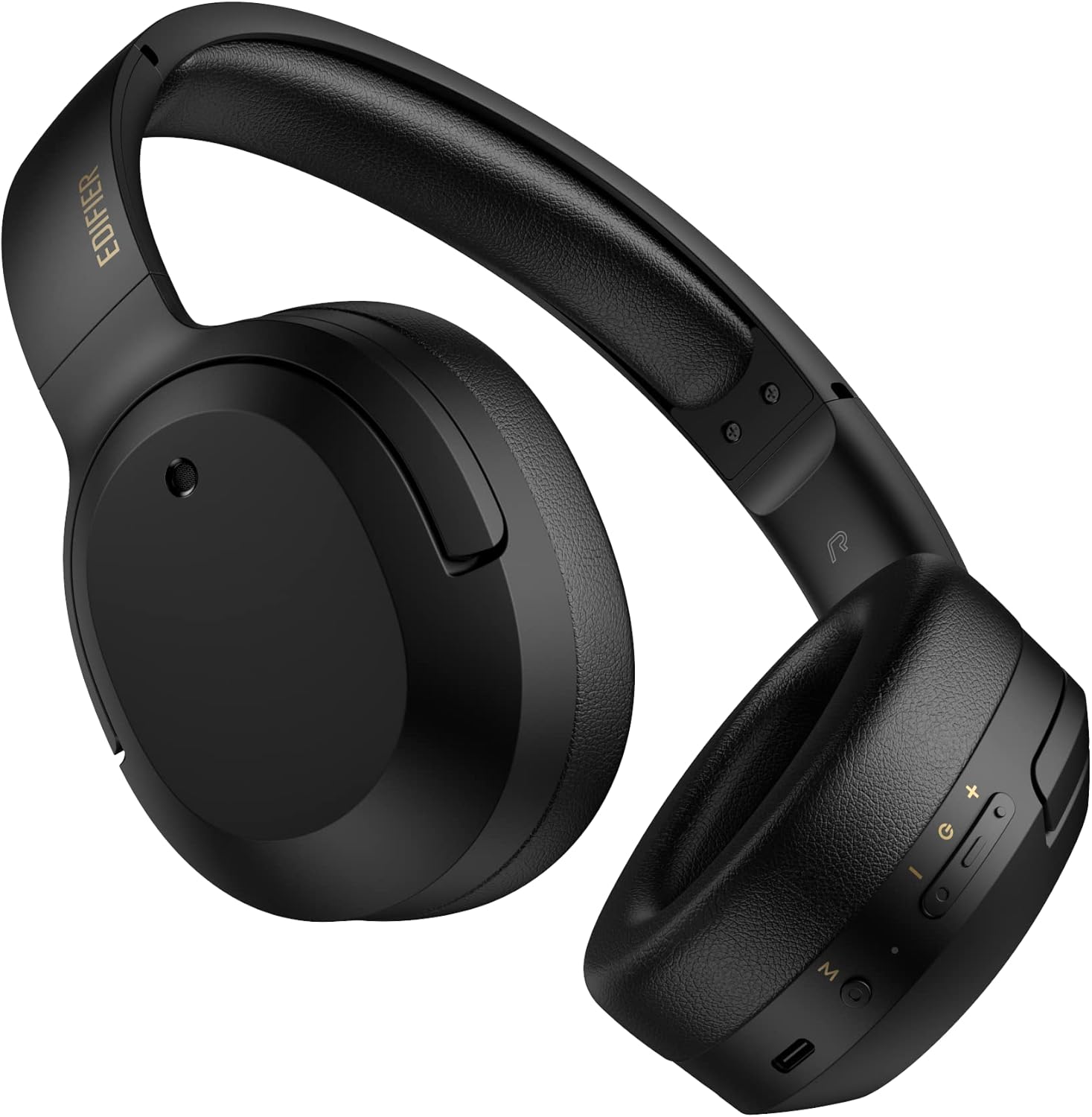
படம் 3.1: முன் view of the Edifier W820BT Bluetooth Headphones.

படம் 3.2: பக்கம் view of the Edifier W820BT Bluetooth Headphones, highlighting the control buttons.
முக்கிய அம்சங்கள்:
- Bluetooth V4.1 with CSR Technology for stable wireless connection.
- 80 மணிநேரம் வரை பேட்டரி ஆயுள்.
- Foldable design for portability.
- Soft leather ear pads for comfort.
- Durable and flexible steel headband.
- On-ear controls for media playback and calls.
4 அமைவு
4.1 ஹெட்ஃபோன்களை சார்ஜ் செய்தல்
முதல் பயன்பாட்டிற்கு முன், ஹெட்ஃபோன்களை முழுமையாக சார்ஜ் செய்யவும்.
- Connect the micro-USB end of the charging cable to the charging port on the headphone (located on the right earcup).
- சார்ஜிங் கேபிளின் USB-A முனையை USB பவர் அடாப்டருடன் (சேர்க்கப்படவில்லை) அல்லது கணினியின் USB போர்ட்டுடன் இணைக்கவும்.
- சார்ஜ் செய்யும்போது LED இண்டிகேட்டர் ஒளிரும், முழுமையாக சார்ஜ் ஆனவுடன் அணைந்துவிடும்.
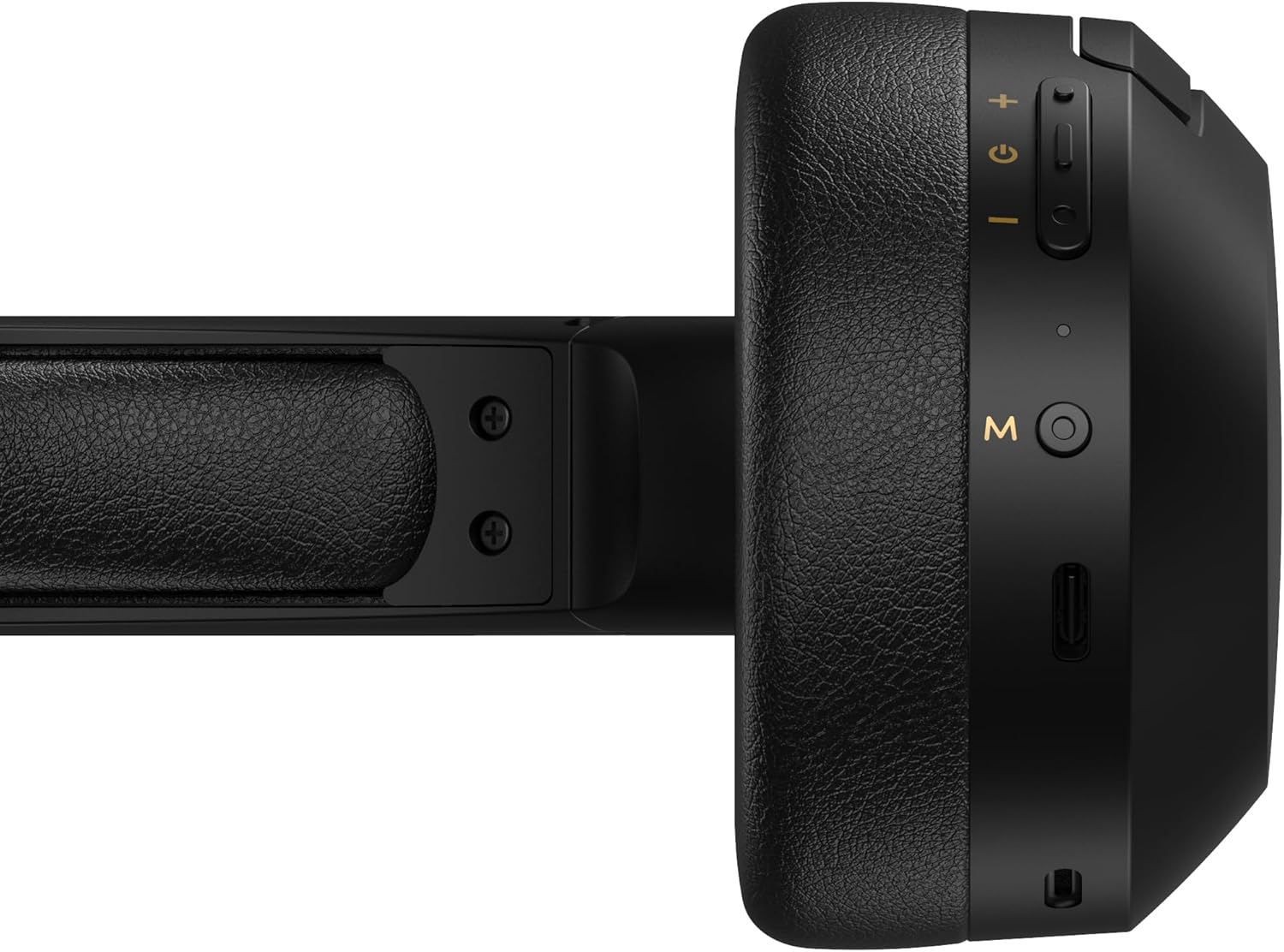
Figure 4.1: Close-up of the charging port and control buttons on the right earcup.
4.2 பவர் ஆன்/ஆஃப்
- பவர் ஆன் செய்ய: Press and hold the multi-function button (usually marked with a power icon or 'M') for approximately 3 seconds until the LED indicator flashes blue.
- பவர் ஆஃப் செய்ய: LED காட்டி சிவப்பு நிறத்தில் ஒளிரும் வரை பல செயல்பாட்டு பொத்தானை தோராயமாக 5 வினாடிகள் அழுத்திப் பிடித்து, பின்னர் அணைக்கப்படும்.
4.3 ப்ளூடூத் இணைத்தல்
உங்கள் ஹெட்ஃபோன்களை புளூடூத் இயக்கப்பட்ட சாதனத்துடன் இணைக்க:
- ஹெட்ஃபோன்கள் அணைக்கப்பட்டுள்ளன என்பதை உறுதிப்படுத்தவும்.
- Press and hold the multi-function button for approximately 5-7 seconds until the LED indicator flashes red and blue alternately. This indicates pairing mode.
- உங்கள் சாதனத்தில் (ஸ்மார்ட்போன், டேப்லெட், கணினி), புளூடூத்தை இயக்கி, கிடைக்கக்கூடிய சாதனங்களைத் தேடுங்கள்.
- Select "EDIFIER W820BT" from the list of found devices.
- இணைக்கப்பட்டதும், LED காட்டி நீல நிறத்தில் மெதுவாக ஒளிரும்.
குறிப்பு: ஹெட்ஃபோன்கள் இயக்கப்படும்போது கடைசியாக இணைக்கப்பட்ட சாதனத்துடன் தானாகவே மீண்டும் இணைக்க முயற்சிக்கும்.
5. இயக்க வழிமுறைகள்
5.1 காதுக்குள் பொருத்தும் கட்டுப்பாடுகள்
The control buttons are located on the right earcup.
| பொத்தான்/செயல் | செயல்பாடு |
|---|---|
| Multi-function Button (M) |
|
| வால்யூம் அப் (+) |
|
| ஒலியை குறை (-) |
|
5.2 கம்பி இணைப்பு
The W820BT headphones can also be used with a wired connection.
- Connect one end of the 3.5mm audio cable to the audio input jack on the left earcup of the headphones.
- 3.5மிமீ ஆடியோ கேபிளின் மறுமுனையை உங்கள் சாதனத்தின் ஆடியோ அவுட்புட் ஜாக்குடன் இணைக்கவும்.
- The headphones will automatically switch to wired mode. Bluetooth functionality will be disabled.

Figure 5.1: Connecting the 3.5mm audio cable for wired listening.
6. பராமரிப்பு
- மென்மையான, உலர்ந்த துணியால் ஹெட்ஃபோன்களை சுத்தம் செய்யவும். சிராய்ப்பு கிளீனர்கள் அல்லது கரைப்பான்களைப் பயன்படுத்த வேண்டாம்.
- ஹெட்ஃபோன்களை அதிக வெப்பநிலை, ஈரப்பதம் அல்லது நேரடி சூரிய ஒளியில் வெளிப்படுத்துவதைத் தவிர்க்கவும்.
- ஹெட்ஃபோன்களைப் பயன்படுத்தாதபோது குளிர்ந்த, உலர்ந்த இடத்தில் சேமிக்கவும். மடிக்கக்கூடிய வடிவமைப்பு சிறிய சேமிப்பை அனுமதிக்கிறது.
- Do not disassemble the headphones. This will void the warranty.
7. சரிசெய்தல்
If you encounter issues with your Edifier W820BT headphones, refer to the following common problems and solutions:
| பிரச்சனை | தீர்வு |
|---|---|
| பவர் ஆன் செய்ய முடியாது | Ensure the headphones are charged. Connect to a power source using the charging cable. |
| புளூடூத் வழியாக இணைக்க முடியாது |
|
| ஒலி இல்லை |
|
| மோசமான ஒலி தரம் |
|
8. விவரக்குறிப்புகள்
| அம்சம் | விவரம் |
|---|---|
| மாதிரி பெயர் | W820BT |
| இணைப்பு தொழில்நுட்பம் | வயர்லெஸ் (புளூடூத்), வயர்டு (3.5மிமீ ஜாக்) |
| புளூடூத் பதிப்பு | 4.1 |
| பேட்டரி ஆயுள் | 80 மணிநேரம் வரை |
| காதணி வடிவம் | மேல் காது |
| பொருள் | எஃகு (தலைக்கவசம்) |
| பொருளின் எடை | 1.14 பவுண்டுகள் (தோராயமாக 517 கிராம்) |
| தயாரிப்பு பரிமாணங்கள் | 9.25 x 7.64 x 3.41 அங்குலம் |
| உற்பத்தியாளர் | எடிஃபையர் |
9. உத்தரவாதம் மற்றும் ஆதரவு
Edifier provides a ஒரு வருட உத்தரவாதம் in the USA and Canada for the W820BT headphones. For warranty claims or technical support, please contact Edifier customer service.
For more information, visit the official Edifier webதளத்தில் அல்லது உங்கள் கொள்முதல் ஆவணங்களைப் பார்க்கவும்.
10. காணொளி செயல்விளக்கம்
Watch the official product video for a visual guide on the Edifier W820BT Bluetooth Headphones' features and usage.
வீடியோ 10.1: அதிகாரப்பூர்வ தயாரிப்பு முடிந்ததுview of the Edifier W820BT Bluetooth Headphones, demonstrating features like battery life, comfort, foldable design, and on-ear controls.