
1. அறிமுகம்
நன்றி, நன்றி.asing the DACOM GF7 TWS V4.2 Bluetooth Earbuds. This manual provides detailed instructions on how to set up, operate, and maintain your earbuds to ensure optimal performance and longevity. Please read this manual thoroughly before using the product and retain it for future reference.
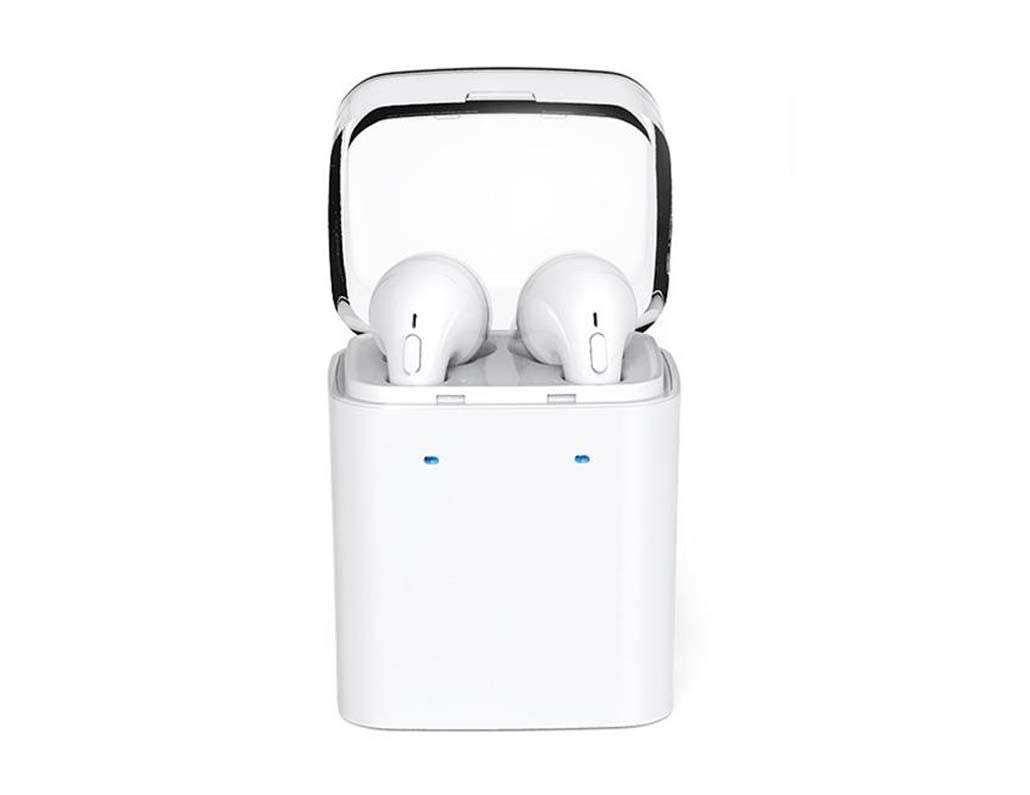
Image 1.1: DACOM GF7 TWS V4.2 Bluetooth Earbuds in their charging case.
2. தொகுப்பு உள்ளடக்கங்கள்
பெட்டியை வெளியே எடுத்தவுடன், தொகுப்பின் உள்ளடக்கங்களைச் சரிபார்க்கவும். ஏதேனும் பொருட்கள் காணவில்லை அல்லது சேதமடைந்திருந்தால், உங்கள் சில்லறை விற்பனையாளரைத் தொடர்பு கொள்ளவும்.
- DACOM GF7 TWS V4.2 Bluetooth Earbuds (Left and Right)
- போர்ட்டபிள் சார்ஜிங் கேஸ்
- USB சார்ஜிங் கேபிள்
- காது மெத்தைகள் (பல்வேறு அளவுகள்)
- பயனர் கையேடு (இந்த ஆவணம்)
3. தயாரிப்பு முடிந்துவிட்டதுview
Familiarize yourself with the components of your DACOM GF7 TWS V4.2 Earbuds and charging case.

Image 3.1: Detailed diagram showing the Multifunction Button (MFB), Indicator Light, Microphone (Mic), Air Gate, DC5V Charge Jack Cover, Headphone Charging Indicator Light, USB Charging Input Port, and the Charging Indicator Light of the bottom on the DACOM GF7 TWS V4.2 Earbuds and Charging Case.
- மல்டிஃபங்க்ஷன் பட்டன் (MFB): Used for power, playback, call management, and voice assistant activation.
- காட்டி ஒளி: Displays pairing status, charging status, and power status.
- மைக்: Built-in microphone for calls and voice commands.
- காற்று வாயில்: Acoustic vent for sound performance.
- DC5V Charge Jack Cover: Protects the charging port on the earbuds.
- Headphone Charging Indicator Light: Shows charging status of individual earbuds within the case.
- USB Charging Input Port: For charging the portable charging case.
- Charging Indicator Light of the bottom: வழக்கின் சார்ஜிங் நிலையைக் காட்டுகிறது.
4 அமைவு
4.1. இயர்பட்களை சார்ஜ் செய்தல் மற்றும் கேஸை சார்ஜ் செய்தல்
- வழக்கு பதிவு: Connect the USB charging cable to the USB Charging Input Port on the charging case and the other end to a 5V USB power adapter (not included). The Charging Indicator Light at the bottom of the case will illuminate to indicate charging. Once fully charged, the indicator light may change color or turn off.
- இயர்பட்களை சார்ஜ் செய்தல்: Place the earbuds into their respective slots in the charging case. Ensure the earbuds are properly seated. The Headphone Charging Indicator Light on the case will show the charging status of the earbuds. The earbuds' indicator lights will also show charging status (e.g., red while charging, off when fully charged).
- முதல் முறை பயன்படுத்த, இயர்பட்கள் மற்றும் சார்ஜிங் கேஸ் இரண்டையும் முழுமையாக சார்ஜ் செய்யவும்.
4.2. புளூடூத் இணைத்தல்
- பவர் ஆன்: Take both earbuds out of the charging case. They will automatically power on and attempt to pair with each other. You will hear an audible prompt indicating they are connected to each other.
- இணைத்தல் முறை: Once the earbuds are paired with each other, one earbud's indicator light will flash red and blue alternately, indicating it is in pairing mode and ready to connect to your device.
- சாதனத்துடன் இணைக்கவும்: On your smartphone or Bluetooth-enabled device, go to the Bluetooth settings and search for available devices. Select "DACOM GF7 TWS" (or similar name) from the list.
- வெற்றிகரமான இணைப்பு: Once connected, the earbud's indicator light will stop flashing, and you will hear a confirmation sound.
- தானியங்கி மறு இணைப்பு: ஆரம்ப இணைப்பிற்குப் பிறகு, உங்கள் சாதனத்தில் புளூடூத் இயக்கப்பட்டிருந்தால், சார்ஜிங் கேஸிலிருந்து வெளியே எடுக்கும்போது இயர்பட்கள் கடைசியாக இணைக்கப்பட்ட சாதனத்துடன் தானாகவே இணைக்கப்படும்.
5. இயக்க வழிமுறைகள்
The DACOM GF7 TWS V4.2 Earbuds feature a Multifunction Button (MFB) for various controls.
5.1. பவர் ஆன்/ஆஃப்
- பவர் ஆன்: Take the earbuds out of the charging case. They will power on automatically. Alternatively, press and hold the MFB on both earbuds for approximately 3 seconds until you hear a power-on prompt.
- பவர் ஆஃப்: Place the earbuds back into the charging case. They will power off automatically. Alternatively, press and hold the MFB on both earbuds for approximately 5 seconds until you hear a power-off prompt.
5.2. இசை பின்னணி
- விளையாடு/இடைநிறுத்தம்: Single press the MFB on either earbud.
- அடுத்த ட்ராக்: Double press the MFB on the right earbud.
- முந்தைய ட்ராக்: Double press the MFB on the left earbud.
5.3. அழைப்பு மேலாண்மை
- பதில்/முடிவு அழைப்பு: Single press the MFB on either earbud.
- அழைப்பை நிராகரி: Press and hold the MFB on either earbud for approximately 2 seconds.
5.4. குரல் உதவியாளர்
- குரல் உதவியாளரைச் செயலாக்கு: Triple press the MFB on either earbud to activate your device's voice assistant (e.g., Siri, Google Assistant).
5.5. சத்தம் ரத்து செய்தல்
- The DACOM GF7 TWS V4.2 features active noise cancellation. Specific activation methods may vary. Refer to the product's quick start guide or manufacturer's website for precise instructions if not detailed here. Typically, a long press or specific tap sequence on an MFB or dedicated button activates/deactivates ANC.
6. பராமரிப்பு
சரியான பராமரிப்பு உங்கள் இயர்பட்களின் நீண்ட ஆயுளையும் செயல்திறனையும் உறுதி செய்கிறது.
- சுத்தம்: மென்மையான, உலர்ந்த, பஞ்சு இல்லாத துணியால் இயர்பட்கள் மற்றும் சார்ஜிங் கேஸை தவறாமல் சுத்தம் செய்யவும். கடுமையான இரசாயனங்கள் அல்லது சிராய்ப்பு பொருட்களைப் பயன்படுத்த வேண்டாம்.
- காது குறிப்புகள்: விளம்பரத்துடன் அவ்வப்போது காது நுனிகளை அகற்றி சுத்தம் செய்யவும்.amp துணி மற்றும் லேசான சோப்புடன், பின்னர் மீண்டும் இணைப்பதற்கு முன் நன்கு துவைத்து உலர வைக்கவும்.
- சேமிப்பு: பயன்பாட்டில் இல்லாதபோது, இயர்பட்களை தூசி மற்றும் சேதத்திலிருந்து பாதுகாக்க அவற்றின் சார்ஜிங் கேஸில் சேமிக்கவும்.
- ஈரப்பதத்தைத் தவிர்க்கவும்: Keep the earbuds and charging case away from water, excessive humidity, and extreme temperatures.
7. சரிசெய்தல்
If you encounter issues with your earbuds, refer to the following common problems and solutions.
| பிரச்சனை | தீர்வு |
|---|---|
| இயர்பட்கள் ஒன்றோடொன்று இணைக்கப்படவில்லை. |
|
| இயர்பட்கள் சாதனத்துடன் இணைக்கப்படவில்லை. |
|
| இயர்பட்களிலிருந்து சத்தம் இல்லை. |
|
| Charging case or earbuds not charging. |
|
8. விவரக்குறிப்புகள்
| பிராண்ட் பெயர் | டகோம் |
| மாதிரி பெயர் | GF7 TWS |
| மாதிரி எண் | 7TWS |
| நிறம் | வெள்ளை |
| ஹெட்ஃபோன்கள் படிவ காரணி | உள்-காது |
| சத்தம் கட்டுப்பாடு | செயலில் இரைச்சல் ரத்து |
| இணைப்பு தொழில்நுட்பம் | வயர்லெஸ் (புளூடூத்) |
| வயர்லெஸ் கம்யூனிகேஷன் டெக்னாலஜி | Bluetooth V4.2 (inferred from title) |
| உள்ளிட்ட கூறுகள் | காது மெத்தைகள் |
| சிறப்பு அம்சங்கள் | இரைச்சல் ரத்து, மைக்ரோஃபோன் சேர்க்கப்பட்டுள்ளது |
| கட்டுப்பாட்டு முறை | தொடவும் |
| இணக்கமான சாதனங்கள் | அனைத்து சாதனங்களும் |
| பொருள் | PU Metal Eraser (likely referring to ear tip material or casing finish) |
9. பாதுகாப்பு தகவல்
Please read and follow these safety guidelines to prevent injury or damage to your device.
- தயாரிப்பை பிரிக்கவோ, பழுதுபார்க்கவோ அல்லது மாற்றியமைக்கவோ வேண்டாம். இது தீ, மின்சார அதிர்ச்சி அல்லது தயாரிப்புக்கு முழுமையான சேதத்தை ஏற்படுத்தக்கூடும்.
- Keep the product away from extreme temperatures (hot or cold), direct sunlight, and sources of heat.
- தயாரிப்புகளை தண்ணீர் அல்லது பிற திரவங்களுக்கு வெளிப்படுத்துவதைத் தவிர்க்கவும்.
- காது கேளாமை ஏற்படுவதைத் தடுக்க, நீண்ட காலத்திற்கு அதிக அளவில் தயாரிப்பைப் பயன்படுத்த வேண்டாம்.
- வழங்கப்பட்ட அல்லது பரிந்துரைக்கப்பட்ட சார்ஜிங் கேபிள்கள் மற்றும் அடாப்டர்களை மட்டும் பயன்படுத்தவும்.
- குழந்தைகள் மற்றும் செல்லப்பிராணிகளை அடையாமல் இருங்கள். சிறிய பாகங்கள் மூச்சுத் திணறலை ஏற்படுத்தக்கூடும்.
- Be aware of your surroundings when using the earbuds, especially in traffic or other potentially dangerous situations.
10. உத்தரவாதம் மற்றும் ஆதரவு
DACOM products are designed and manufactured to the highest quality standards. For detailed warranty information, please refer to the warranty card included with your purchase or visit the official DACOM webதளம்.
For technical support, troubleshooting assistance, or to inquire about replacement parts, please contact DACOM customer service through their official webதளம் அல்லது உங்கள் தயாரிப்பு பேக்கேஜிங்கில் வழங்கப்பட்ட தொடர்புத் தகவல்.
- ஆன்லைன் ஆதரவு: Visit the official DACOM webஅடிக்கடி கேட்கப்படும் கேள்விகள், ஆதரவு கட்டுரைகள் மற்றும் தொடர்பு படிவங்களுக்கான தளம்.
- மின்னஞ்சல் ஆதரவு: Refer to your product packaging for customer service email addresses.