
அறிமுகம்
The TOZO T12 Wireless Earbuds offer a high-quality audio experience with advanced features designed for convenience and durability. This manual provides essential information for setting up, operating, and maintaining your earbuds to ensure optimal performance.
பெட்டியில் என்ன இருக்கிறது
- TOZO Wireless Earbuds
- வயர்லெஸ் சார்ஜிங் கேஸ்
- Eartips (5 pairs in various sizes)
- USB-C சார்ஜிங் கேபிள்
- பயனர் கையேடு
தயாரிப்பு முடிந்துவிட்டதுview
The TOZO T12 earbuds feature a 10mm dynamic driver system for premium sound, Bluetooth 5.3 for stable connectivity, and IPX8 waterproofing. The charging case includes an LED digital display for battery status.
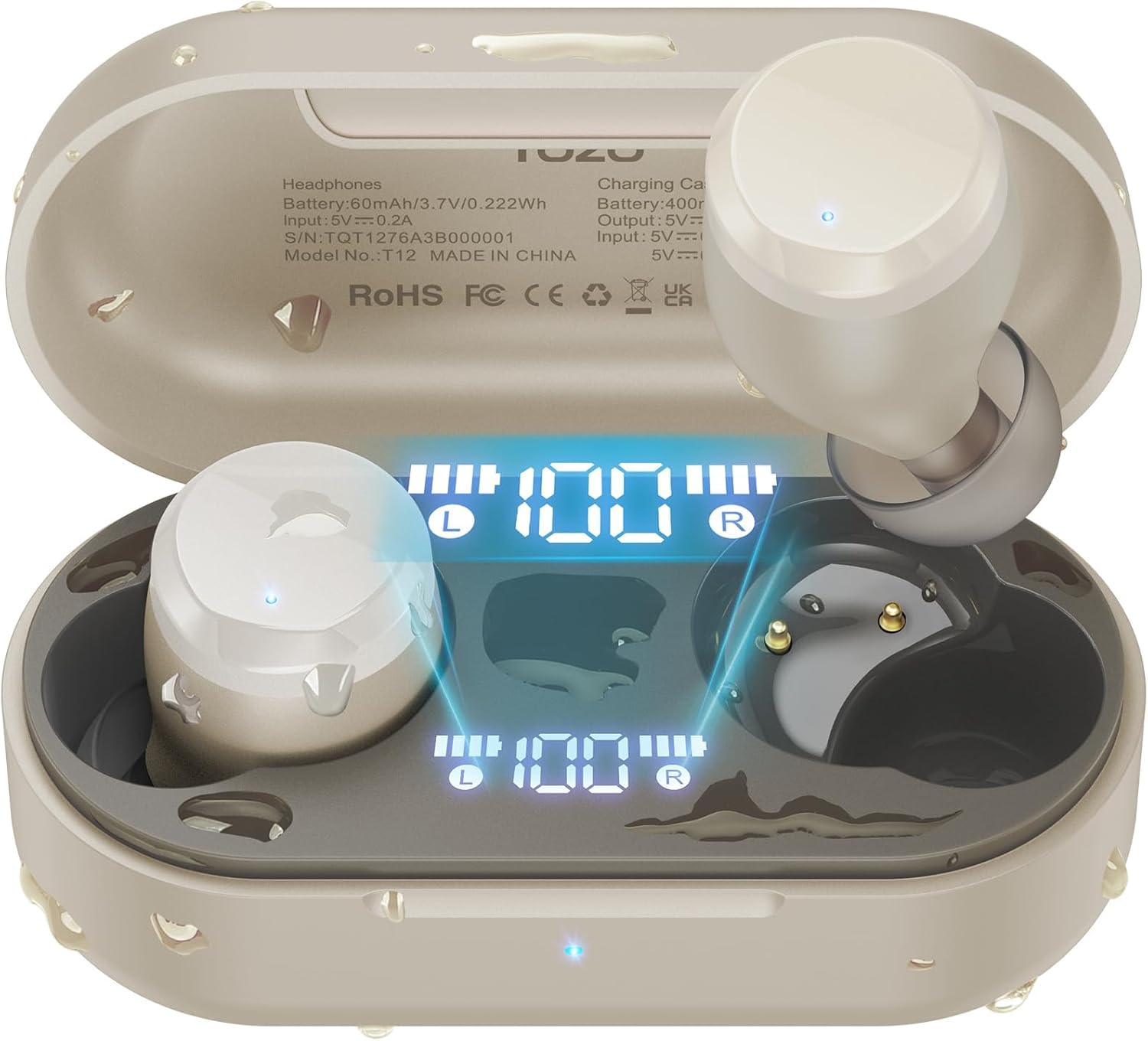
Figure 1: TOZO T12 Wireless Earbuds and Charging Case in Champஅக்னி நிறம்.
LED டிஜிட்டல் டிஸ்ப்ளே
The charging case is equipped with a built-in LED digital display that provides real-time information on the battery status of both the charging case and the individual earbuds.

Figure 2: The LED digital display on the charging case shows battery levels for the case and each earbud.
மேம்படுத்தப்பட்ட ஒலி தரம்
The T12 earbuds feature newly upgraded 10mm dynamic drivers, offering a 56.3% increase in vibration area compared to standard drivers. This design aims to deliver powerful bass and detailed sound reproduction.

Figure 3: Illustration of the 10mm dynamic driver with an enlarged diaphragm for improved sound.
நீர்ப்புகா வடிவமைப்பு
With advanced IPX8 waterproofing, the TOZO T12 earbuds are protected against sweat and rain, making them suitable for various activities including outdoor exercise and swimming.

Figure 4: The earbuds are shown in water, highlighting their IPX8 waterproof rating.
Official Product Video: TOZO T12 Features
காணொளி 1: இந்த காணொளி ஒரு ஓவரை வழங்குகிறதுview of the TOZO T12 Wireless Earbuds, showcasing their design and key features such as sound quality and comfort.
அமைவு
Initial Pairing and Auto Reconnection
- சார்ஜிங் கேஸைத் திறக்கவும். இயர்பட்கள் தானாகவே இணைத்தல் பயன்முறைக்குச் செல்லும்.
- On your device (smartphone, tablet, etc.), go to Bluetooth settings and select "TOZO T12" from the list of available devices.
- Once paired, the earbuds will automatically reconnect to your device when the case is opened for subsequent uses.

படம் 5: எ.காample of one-step pairing with a smartphone, showing the earbuds connected.
TOZO App Customization
Enhance your audio experience by downloading the official TOZO App. The app allows you to:
- Explore 16 preset EQ modes to match your music style.
- Customize the EQ settings to your personal preferences.
- Access white noise options for relaxation.

Figure 6: The TOZO App interface displaying various EQ settings and white noise tracks.
இயக்க வழிமுறைகள்
தொடு கட்டுப்பாடுகள்
The TOZO T12 earbuds feature touch-sensitive controls for managing playback, calls, and voice assistants. Refer to the quick start guide included in the packaging for specific tap functions.
இயர்பட்ஸ் மற்றும் கேஸை சார்ஜ் செய்கிறது
The charging case provides up to 55 hours of total playtime with multiple charges, while the earbuds offer 15 hours on a single charge.
- USB-C சார்ஜிங்: வழங்கப்பட்ட USB-C கேபிளை கேஸில் உள்ள சார்ஜிங் போர்ட்டுடனும் ஒரு பவர் சோர்ஸுடனும் இணைக்கவும்.
- வயர்லெஸ் சார்ஜிங்: சார்ஜிங் கேஸை இணக்கமான வயர்லெஸ் சார்ஜிங் பேடில் வைக்கவும் (சேர்க்கப்படவில்லை).
Figure 7: The charging case supports both wireless and USB-C cable charging.
Official Product Video: TOZO T12 Unboxing and Features
Video 2: This video provides an unboxing experience and highlights various features of the TOZO T12 earbuds, including their design and functionality.
பராமரிப்பு
சுத்தம் செய்தல்
Regularly clean the earbuds and charging case to maintain optimal performance and hygiene. Use a soft, dry cloth to wipe surfaces. For the eartips, remove them and clean with a mild soap solution, then rinse and dry thoroughly before reattaching.
நீர் எதிர்ப்பு
The IPX8 rating means the earbuds can withstand submersion in water up to 1 meter for 30 minutes. However, it is recommended to dry the earbuds completely before placing them back in the charging case to prevent damage to the charging contacts.
சரிசெய்தல்
- இயர்பட்ஸ் இணைக்கப்படவில்லை: Ensure both earbuds are in the charging case, then open the lid. Check your device's Bluetooth settings to ensure "TOZO T12" is selected. If issues persist, try resetting the earbuds (refer to the quick start guide for specific reset instructions).
- ஒரு இயர்பட் வேலை செய்யவில்லை: Place both earbuds back in the charging case, close the lid, and then open it again. This often re-syncs them.
- சார்ஜிங் சிக்கல்கள்: Ensure the USB-C cable is securely connected or the wireless charging pad is properly aligned. Clean the charging contacts on both the earbuds and the case.
- மோசமான ஒலி தரம்: Ensure the eartips provide a good seal in your ear canal. Try different sized eartips for a better fit. Clean any debris from the earbud speakers.
Official Product Video: TOZO T12 Ergonomic Edition Overview
காணொளி 3: இந்த காணொளி ஒரு ஓவரை வழங்குகிறதுview of the TOZO T12 Ergonomic Edition, detailing its features and benefits for users.
விவரக்குறிப்புகள்
| அம்சம் | விவரக்குறிப்பு |
|---|---|
| பிராண்ட் | டோசோ |
| மாதிரி எண் | T12 |
| நிறம் | Champஆக்னே |
| காது வைப்பு | காதில் |
| இணைப்பு தொழில்நுட்பம் | வயர்லெஸ் (புளூடூத்) |
| புளூடூத் பதிப்பு | 5.3 |
| புளூடூத் வரம்பு | 10 மீட்டர் |
| நீர் எதிர்ப்பு நிலை | IPX8 நீர்ப்புகா |
| Battery Average Life (Earbuds) | 15 மணி நேரம் (ஒற்றை கட்டணம்) |
| Battery Average Life (with Case) | 55 மணிநேரம் |
| பேட்டரி சார்ஜ் நேரம் | 1.5 மணிநேரம் |
| சத்தம் கட்டுப்பாடு | Call ENC Noise Cancelling Mic |
| ஆடியோ டிரைவர் வகை | டைனமிக் டிரைவர் |
| ஆடியோ டிரைவர் அளவு | 10 மில்லிமீட்டர்கள் |
| கட்டுப்பாட்டு முறை | ஆப், தொடு கட்டுப்பாடு |
| பொருளின் எடை (இயர்பட்) | 4.6 கிராம் (ஒவ்வொன்றும்) |
| கேரிங் வெயிட் | 37 கிராம் |
உத்தரவாதம் மற்றும் ஆதரவு
TOZO products are covered by a manufacturer's warranty. For detailed warranty information, product support, or to contact customer service, please visit the official TOZO webதளத்தில் அல்லது உங்கள் தயாரிப்பு பேக்கேஜிங்கில் சேர்க்கப்பட்டுள்ள உத்தரவாத அட்டையைப் பார்க்கவும்.
Official TOZO Webதளம்: www.tozostore.com