
1. அறிமுகம்
This manual provides detailed instructions for the installation, operation, and maintenance of your Time2 Oscar 2 Twin Pack Outdoor Security Cameras. The Oscar 2 cameras are designed for outdoor surveillance, offering 1080p Full HD video, night vision, motion and sound detection, and two-way audio communication. Please read this manual thoroughly before using the product to ensure proper setup and functionality.
2. பெட்டியில் என்ன இருக்கிறது
பிரித்தெடுத்தவுடன், பின்வரும் அனைத்து பொருட்களும் சேர்க்கப்பட்டுள்ளதா என்பதை சரிபார்க்கவும்:
- 2 x Time2 Oscar WiFi Camera
- 2 x பவர் அடாப்டர்
- 2 x Wall Mounting Kit (screws and wall plugs)
- 1 x விரைவு தொடக்க வழிகாட்டி

Image: The Time2 Oscar 2 camera shown with its retail packaging, indicating the contents of the box.
3. தயாரிப்பு அம்சங்கள்
The Time2 Oscar 2 cameras are equipped with advanced features for comprehensive outdoor security:
- 1080p முழு HD வீடியோ: தெளிவான மற்றும் விரிவான foo-வைப் பிடிக்கிறது.tagஇரவும் பகலும்.
- உயர்ந்த இரவு பார்வை: Automatic infrared night vision with IR cut for clear images in low light or darkness.
- 100° புலம் View: Provides a wide coverage area for monitoring your property.
- Motion and Audio Detection: Advanced sensors detect unusual movement or sounds, sending instant alerts.
- இருவழி ஆடியோ: உள்ளமைக்கப்பட்ட மைக்ரோஃபோன் மற்றும் ஸ்பீக்கர் நிகழ்நேர தொடர்புக்கு அனுமதிக்கின்றன.
- உள்ளூர் & மேகக்கணி சேமிப்பு: Supports local storage via MicroSD card (up to 128GB, not included) and optional cloud storage via CLAN CLOUD subscription.
- வானிலை எதிர்ப்பு வடிவமைப்பு: IP65 rated for outdoor use, resistant to rain and dust.
- இயக்கப்படும் மெயின்கள்: Ensures continuous operation without battery recharging.
- செயல்பாட்டு மண்டலங்கள்: Customize detection areas to reduce false alerts.
- அலெக்சா ஒருங்கிணைப்பு: Compatible with Amazon Alexa for voice control.
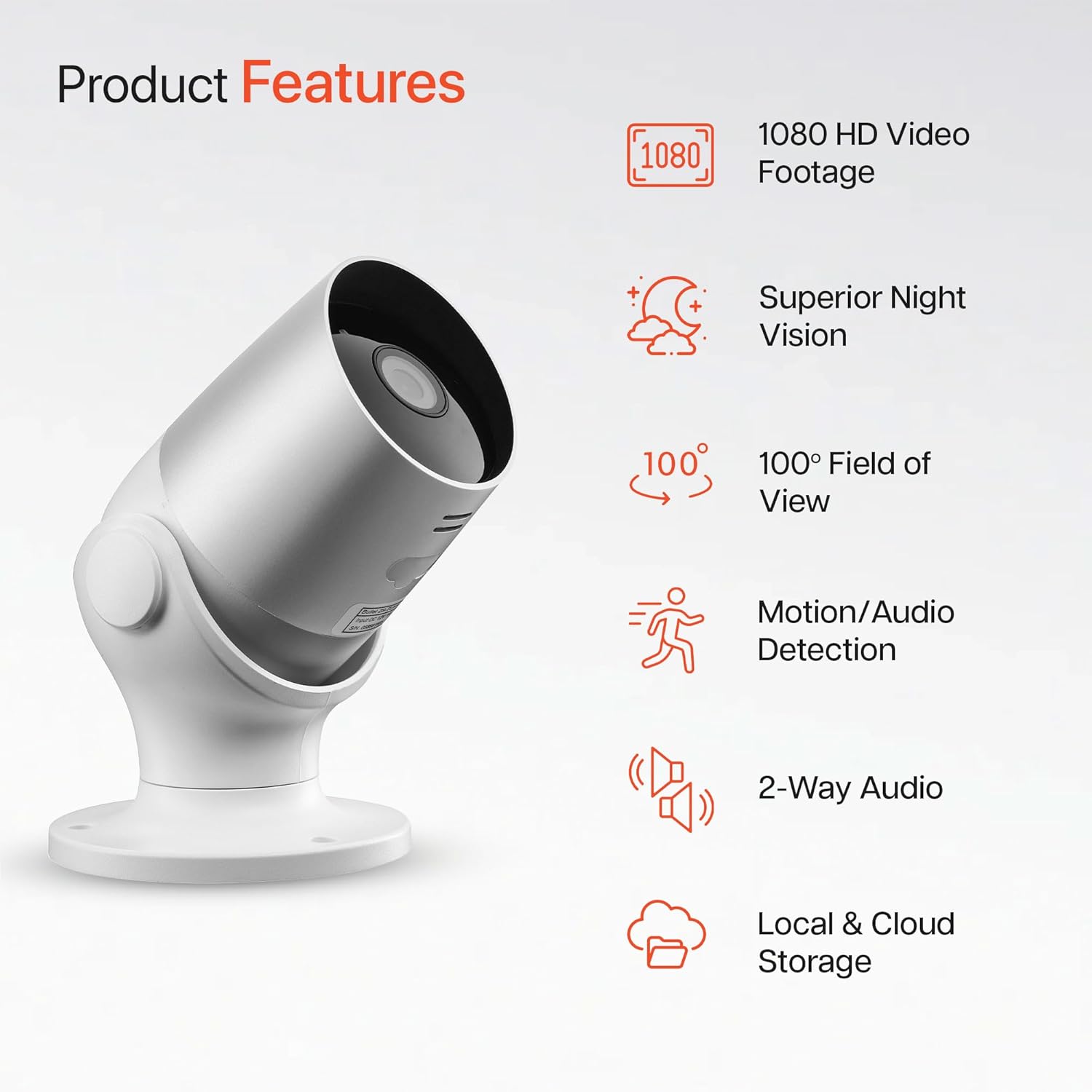
Image: An illustration highlighting the main features of the Oscar 2 camera, including 1080p HD video, night vision, 100° field of view, motion/audio detection, two-way audio, and storage options.
4 அமைவு
4.1 செயலி பதிவிறக்கம் மற்றும் கணக்கு உருவாக்கம்
- Download the "CLAN" app from your smartphone's app store (iOS or Android).
- புதிய கணக்கை உருவாக்க அல்லது உங்களிடம் ஏற்கனவே கணக்கு இருந்தால் உள்நுழைய, பயன்பாட்டைத் திறந்து திரையில் உள்ள வழிமுறைகளைப் பின்பற்றவும்.
4.2 மைக்ரோ எஸ்டி கார்டு நிறுவல் (விரும்பினால்)
For local video storage, you can install a MicroSD card (up to 128GB, not included) into the camera.
- Locate the MicroSD card slot on the camera (refer to the Quick Start Guide for exact location).
- மைக்ரோ எஸ்டி கார்டை ஸ்லாட்டில் கவனமாகச் செருகவும், அது சரியான இடத்தில் கிளிக் செய்யும் வரை.
- Ensure the camera is powered off before inserting or removing the MicroSD card.
4.3 Camera Installation and Power Connection
The Oscar 2 cameras are designed for wall mounting and require a mains power connection.
- ஒரு இடத்தை தேர்வு செய்யவும்: விரும்பியதை வழங்கும் வெளிப்புற இடத்தைத் தேர்ந்தெடுக்கவும் viewing angle and is within reach of a power outlet. Consider the 100° field of view.
- கேமராவை ஏற்றவும்: Use the provided wall mounting kit (screws and wall plugs) to securely attach the camera to a wall or suitable surface. The camera housing allows for rotation to adjust the lens angle.
- பவர் இணைக்கவும்: Plug the power adapter into the camera and then into a mains power outlet. The camera will power on automatically.
4.4 Pairing with the CLAN App
- Ensure your smartphone is connected to a 2.4GHz Wi-Fi network (5GHz networks are not supported).
- Open the CLAN app and tap the "+" icon to add a new device.
- Select "Oscar 2" from the list of devices.
- Follow the in-app instructions, which typically involve scanning a QR code displayed on your phone with the camera lens or listening for a sound prompt.
- Once paired, you can name your camera and begin configuring settings.
5. Operating Your Oscar 2 Camera
5.1 நேரலை View மற்றும் கண்காணிப்பு
From the CLAN app home screen, tap on your camera's name to access the live video feed. You can view multiple cameras simultaneously if you have more than one Oscar 2 device.

Image: A smartphone displaying the CLAN app interface, showing a live view from the Oscar 2 camera and various control options.
5.2 இயக்கம் மற்றும் ஒலி கண்டறிதல்
The Oscar 2 camera can detect movement and sound, sending instant alerts to your smartphone or tablet.
- விழிப்பூட்டல்களை இயக்கு: Navigate to the camera settings in the CLAN app and enable motion and sound detection alerts.
- உணர்திறனை சரிசெய்யவும்: You can adjust the sensitivity level of both motion and sound detection to minimize false alarms.
- Set Activity Zones: Define specific areas within the camera's field of view where you want motion detection to be active. This helps focus on critical areas and ignore irrelevant movements.
5.3 இருவழி ஆடியோ
Utilize the built-in microphone and speaker for two-way communication.
- நேரலையில் இருக்கும்போது view, கேமராவின் ஸ்பீக்கர் மூலம் பேச, பயன்பாட்டில் உள்ள மைக்ரோஃபோன் ஐகானைத் தட்டவும்.
- Tap the speaker icon to listen to audio from the camera's microphone.
- This feature is useful for interacting with visitors or deterring intruders.
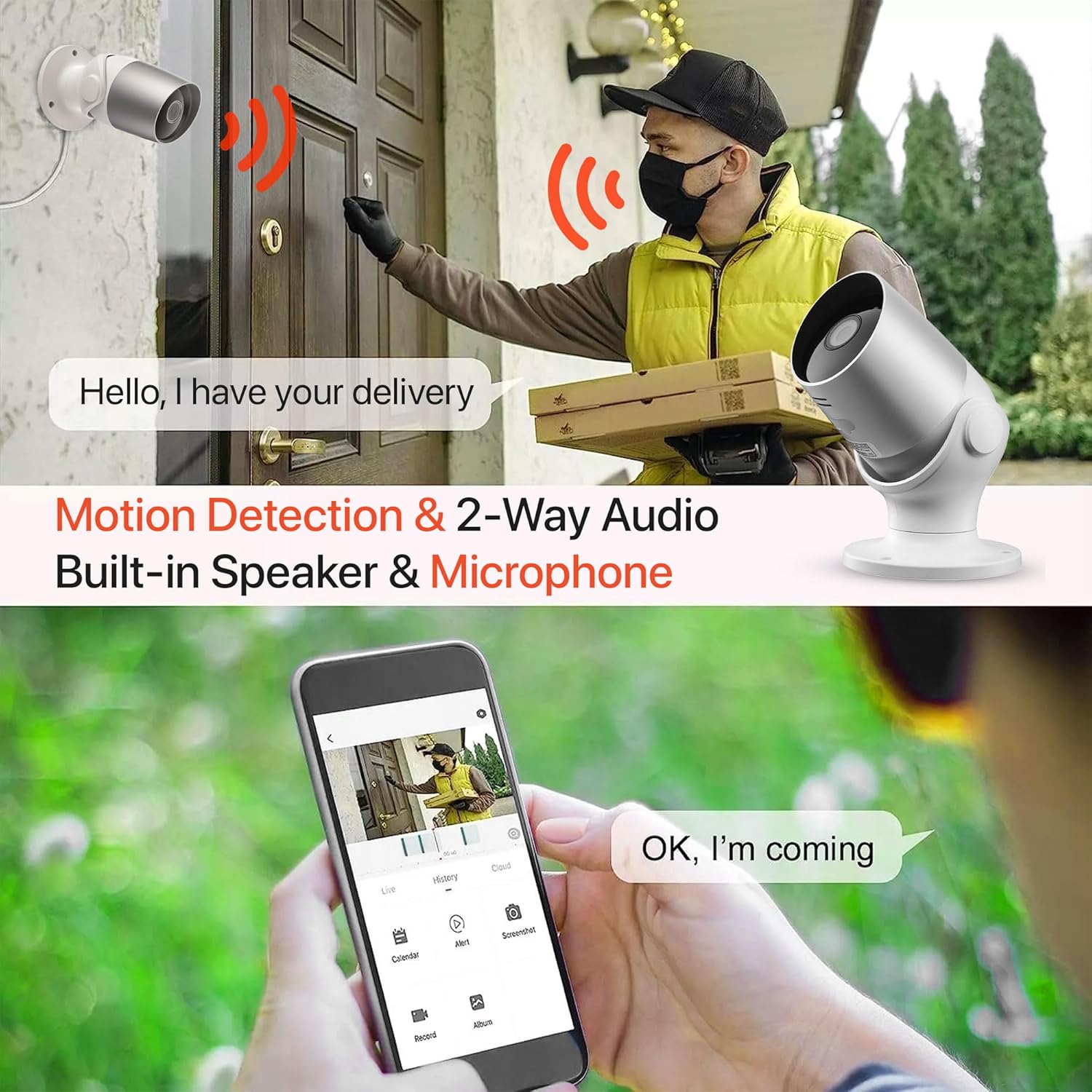
Image: An illustration demonstrating the two-way audio feature, showing a user communicating with a delivery person via the Oscar 2 camera and smartphone app.
5.4 ரெக்கார்டிங் மற்றும் பிளேபேக்
The Oscar 2 cameras offer flexible recording options:
- தொடர் பதிவு: If a MicroSD card is installed, the camera can record continuously for up to 21 days (with a 128GB card).
- இயக்கம்-செயல்படுத்தப்பட்ட பதிவு: The camera can be set to record only when motion or sound is detected. Recordings include 5 seconds of pre-event footage.
- Local Storage (MicroSD): பதிவு செய்யப்பட்ட foo ஐ அணுகவும்tage directly from the MicroSD card via the CLAN app.
- Cloud Storage (CLAN CLOUD): Subscribe to CLAN CLOUD for secure off-site storage of your recordings, accessible from anywhere.
- பின்னணி: Use the playback feature in the CLAN app to review பதிவு செய்யப்பட்ட நிகழ்வுகள்.
5.5 இரவு பார்வை
The camera automatically switches to infrared night vision in low-light conditions, providing clear black and white images. The integrated IR cut filter ensures accurate color representation during the day.

Image: A visual representation of the camera's 24/7 monitoring capability, showing how the view changes from morning (color) to afternoon (color) to night (infrared night vision).
5.6 அலெக்சா ஒருங்கிணைப்பு
The Oscar 2 cameras are compatible with Amazon Alexa. To enable this feature, link your CLAN account within the Alexa app. You can then use voice commands to view இணக்கமான அலெக்சா-இயக்கப்பட்ட சாதனங்களில் உங்கள் கேமரா ஊட்டம்.
6. பராமரிப்பு
- சுத்தம்: கேமரா லென்ஸை அவ்வப்போது மென்மையான, டி-துணியால் சுத்தம் செய்யவும்.amp cloth to ensure optimal image clarity. Do not use harsh chemicals or abrasive materials.
- நிலைபொருள் புதுப்பிப்புகள்: Ensure your camera's firmware is up to date. The CLAN app will typically notify you of available updates. Follow the in-app instructions to perform updates, which can improve performance and add new features.
- சக்தி சுழற்சி: If the camera experiences issues, try power cycling it by unplugging it from the power source for a few seconds and then plugging it back in.
7. சரிசெய்தல்
- கேமரா Wi-Fi உடன் இணைக்கப்படவில்லை:
- உங்கள் வைஃபை நெட்வொர்க் 2.4GHz என்பதை உறுதிப்படுத்திக் கொள்ளுங்கள். கேமரா 5GHz நெட்வொர்க்குகளை ஆதரிக்காது.
- Check that the camera is within range of your Wi-Fi router.
- உங்கள் வைஃபை கடவுச்சொல் செயலியில் சரியாக உள்ளிடப்பட்டுள்ளதா என சரிபார்க்கவும்.
- உங்கள் ரூட்டரையும் கேமராவையும் மறுதொடக்கம் செய்யுங்கள்.
- Frequent Motion Detection Alerts:
- Adjust the motion detection sensitivity settings in the CLAN app to a lower level.
- Define specific activity zones to exclude areas with frequent irrelevant movement (e.g., trees swaying, busy roads).
- Environmental factors like heavy rain or snow can sometimes trigger alerts; consider adjusting sensitivity during adverse weather.
- மோசமான படத்தின் தரம்:
- கேமரா லென்ஸை சுத்தம் செய்து, அதில் உள்ள அழுக்கு அல்லது கறைகளை அகற்றவும்.
- கேமராவின் புலத்தில் எந்த தடைகளும் இல்லை என்பதை உறுதிப்படுத்திக் கொள்ளுங்கள். view.
- உங்கள் இணைய இணைப்பு வேகத்தைச் சரிபார்க்கவும்; மெதுவான இணைப்பு நேரடி ஒளிபரப்பின் தரத்தைப் பாதிக்கலாம்.
- இருவழி ஆடியோ சிக்கல்கள்:
- Ensure your phone's volume is up and the app has microphone permissions.
- Check the camera's speaker and microphone settings in the app.
- Minimize background noise for clearer communication.
- Recordings Not Saving:
- If using a MicroSD card, ensure it is correctly inserted and formatted within the app. Check if the card is full.
- If using cloud storage, verify your CLAN CLOUD subscription is active.
8. விவரக்குறிப்புகள்
| அம்சம் | விவரம் |
|---|---|
| மாதிரி பெயர் | ஆஸ்கார் 2 |
| தயாரிப்பு பரிமாணங்கள் | 8.9 x 17.8 x 19.1 செ.மீ |
| எடை | 720 கிராம் |
| உற்பத்தியாளர் | நேரம்2 |
| இணைப்பு தொழில்நுட்பம் | வயர்லெஸ் (வைஃபை) |
| சிறப்பு அம்சம் | Motion and Sound Alerts |
| உட்புறம்/வெளிப்புற பயன்பாடு | வெளிப்புற |
| இணக்கமான சாதனங்கள் | கணினி, ஸ்மார்ட்போன், டேப்லெட் |
| சக்தி ஆதாரம் | Electric Cable (Mains Powered) |
| கட்டுப்படுத்தி வகை | அமேசான் அலெக்சா |
| மவுண்டிங் வகை | சுவர் மவுண்ட் |
| நிறம் | வெள்ளை |
| படிவம் காரணி | புல்லட் |
| நீர் எதிர்ப்பு நிலை | நீர்ப்புகா (IP65) |
| தொகுதிtage | 12 வோல்ட் |
| வாட்tage | 5 வாட்ஸ் |
| வீடியோ பிடிப்பு வடிவம் | MP4 |
| பயனுள்ள வீடியோ தீர்மானம் | 1080 Pixels (1080p) |
| Viewing கோணம் | 100 டிகிரி |
| பொருட்களின் எண்ணிக்கை | 2 (இரட்டையர் தொகுப்பு) |
| UPC | 045912296356 |
9. உத்தரவாதம் மற்றும் ஆதரவு
9.1 உத்தரவாதத் தகவல்
Your Time2 Oscar 2 cameras come with a manufacturer's warranty. Please refer to the warranty card included in your product packaging or visit the official Time2 webவிரிவான உத்தரவாத விதிமுறைகள் மற்றும் நிபந்தனைகளுக்கான தளம்.
9.2 வாடிக்கையாளர் ஆதரவு
If you encounter any issues or have questions not covered in this manual, please contact Time2 customer support. Contact details can typically be found on the Time2 webதளத்தில் அல்லது உங்கள் தயாரிப்புடன் வழங்கப்பட்ட விரைவு தொடக்க வழிகாட்டியில்.
For the latest information, FAQs, and support resources, please visit the official Time2 webதளம்.