
1. அறிமுகம்
The Divoom Macchiato is a palm-sized, portable Bluetooth speaker with an integrated FM radio tuner, designed to deliver high-quality audio in a compact form factor.
2. தொகுப்பு உள்ளடக்கங்கள்
பின்வரும் உருப்படிகளுக்கு பெட்டியை சரிபார்க்கவும்:
- Divoom Macchiato Bluetooth Speaker
- USB சார்ஜிங் கேபிள்
- பயனர் கையேடு
- (கூடுதல் பாகங்கள் பிராந்தியத்தைப் பொறுத்து மாறுபடலாம்)
3. தயாரிப்பு முடிந்துவிட்டதுview
பேச்சாளரின் கூறுகள் மற்றும் கட்டுப்பாடுகளுடன் உங்களைப் பழக்கப்படுத்திக் கொள்ளுங்கள்.
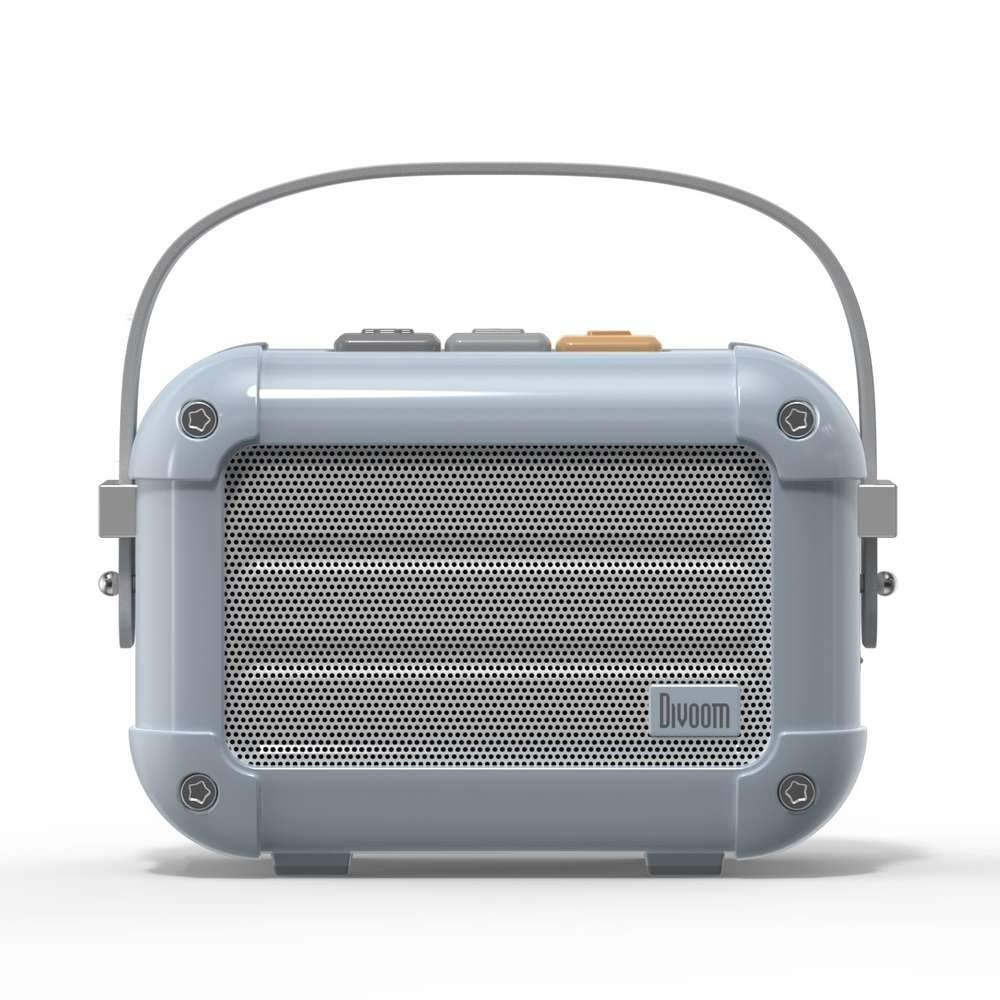
படம் 3.1: முன் view of the Divoom Macchiato Bluetooth Speaker in blue.
3.1 கட்டுப்பாடுகள் மற்றும் துறைமுகங்கள்
The Divoom Macchiato speaker features intuitive controls for easy operation.
- மேல் பொத்தான்கள்: Typically control power, volume, track navigation, and mode selection (e.g., Bluetooth, FM).
- சார்ஜிங் போர்ட்: Usually a USB Type-C port for charging the device.
- TF அட்டை ஸ்லாட்: Allows playback of music directly from a TF (MicroSD) card.
- எஃப்.எம் ஆண்டெனா: An extendable antenna for improved FM radio reception.

படம் 3.2: பின் view of the Divoom Macchiato Bluetooth Speaker, showing the charging port and TF card slot.
4 அமைவு
4.1 பவர் ஆன்/ஆஃப்
- பவர் ஆன் செய்ய: Press and hold the power button (usually one of the top buttons) for approximately 2-3 seconds until you hear an audible cue or see an indicator light.
- பவர் ஆஃப் செய்ய: Press and hold the power button for approximately 2-3 seconds until you hear an audible cue or the indicator light turns off.
4.2 ப்ளூடூத் இணைத்தல்
- Ensure the speaker is powered on and in Bluetooth pairing mode. The indicator light will typically blink rapidly.
- உங்கள் மொபைல் சாதனத்தில் (ஸ்மார்ட்போன், டேப்லெட், முதலியன), புளூடூத்தை இயக்கவும்.
- தேடுங்கள் "Divoom Macchiato" in the list of available Bluetooth devices.
- Select "Divoom Macchiato" to connect. Once connected, the speaker will provide an audible confirmation, and the indicator light will turn solid.
குறிப்பு: இயக்கப்பட்டிருக்கும் போது, ஸ்பீக்கர் தானாகவே கடைசியாக இணைக்கப்பட்ட சாதனத்துடன் மீண்டும் இணைக்க முயற்சிக்கும்.
4.3 FM ரேடியோ அமைப்பு
- Extend the FM antenna fully for optimal reception.
- Switch the speaker to FM radio mode using the mode button (refer to your specific model's button layout).
- Use the track navigation buttons (usually +/-) to scan for available FM stations.
- Some models may allow saving favorite stations; refer to your specific model's instructions for details.
5. இயக்க வழிமுறைகள்
5.1 Music Playback (Bluetooth/TF Card)
- விளையாடு/இடைநிறுத்தம்: Press the Play/Pause button (often integrated with the power button or a dedicated button).
- ஒலியளவு கட்டுப்பாடு: ஒலியளவை அதிகரிக்கும் (+) மற்றும் ஒலியளவைக் குறைக்கும் (-) பொத்தான்களைப் பயன்படுத்தவும்.
- அடுத்த ட்ராக்: Press and hold or short press the next track button (often the + button).
- முந்தைய ட்ராக்: Press and hold or short press the previous track button (often the - button).
- TF கார்டு பிளேபேக்: MP3 உடன் TF கார்டைச் செருகவும். files into the TF card slot. The speaker should automatically switch to TF card mode or require manual selection via the mode button.
5.2 App Features (if applicable)
For enhanced functionality, download the Divoom companion app from your device's app store. The app may offer features such as:
- Customizing sound profiles.
- Accessing additional audio sources.
- Managing FM radio stations.
- நிலைபொருள் புதுப்பிப்புகள்.
6. பராமரிப்பு
- சுத்தம்: ஸ்பீக்கரின் மேற்பரப்பை சுத்தம் செய்ய மென்மையான, உலர்ந்த துணியைப் பயன்படுத்தவும். சிராய்ப்பு கிளீனர்கள் அல்லது கரைப்பான்களைப் பயன்படுத்த வேண்டாம்.
- சேமிப்பு: நேரடி சூரிய ஒளி மற்றும் அதிக வெப்பநிலையிலிருந்து விலகி குளிர்ந்த, உலர்ந்த இடத்தில் ஸ்பீக்கரை சேமிக்கவும்.
- பேட்டரி பராமரிப்பு: பேட்டரி ஆயுளை நீட்டிக்க, பேட்டரியை அடிக்கடி முழுமையாக டிஸ்சார்ஜ் செய்வதைத் தவிர்க்கவும். நீண்ட நேரம் பயன்படுத்தாவிட்டாலும், ஸ்பீக்கரை தொடர்ந்து சார்ஜ் செய்யவும்.
- நீர் எதிர்ப்பு: This model is NOT waterproof. Avoid exposure to water or high humidity.
7. சரிசெய்தல்
| பிரச்சனை | தீர்வு |
|---|---|
| ஸ்பீக்கர் இயக்கப்படவில்லை. | பேட்டரி சார்ஜ் செய்யப்பட்டுள்ளதா என்பதை உறுதிப்படுத்திக் கொள்ளுங்கள். USB சார்ஜிங் கேபிளைப் பயன்படுத்தி ஸ்பீக்கரை ஒரு மின் மூலத்துடன் இணைக்கவும். |
| புளூடூத் வழியாக இணைக்க முடியாது. |
|
| ஒலி இல்லை அல்லது குறைந்த அளவு. |
|
| மோசமான எஃப்எம் வானொலி வரவேற்பு. |
|
8. விவரக்குறிப்புகள்
| அம்சம் | விவரம் |
|---|---|
| மாதிரி எண் | மச்சியாடோ |
| பிராண்ட் | திவோம் |
| இணைப்பு தொழில்நுட்பம் | புளூடூத் |
| வயர்லெஸ் கம்யூனிகேஷன் டெக்னாலஜி | புளூடூத் |
| பேச்சாளர் அதிகபட்ச வெளியீட்டு சக்தி | 6 வாட்ஸ் |
| பேச்சாளர் வகை | சவுண்ட்பார் |
| மவுண்டிங் வகை | டேப்லெட் மவுண்ட் |
| தயாரிப்புக்கான பரிந்துரைக்கப்பட்ட பயன்பாடுகள் | இசை |
| கட்டுப்பாட்டு முறை | குரல் |
| நீர்ப்புகா | FALSE (Not Waterproof) |
9. உத்தரவாதம் மற்றும் ஆதரவு
For warranty information and customer support, please refer to the documentation included with your product or visit the official Divoom webஉத்தரவாதக் கோரிக்கைகளுக்கான வாங்கியதற்கான சான்றாக உங்கள் கொள்முதல் ரசீதை வைத்திருங்கள்.