
1. அறிமுகம்
This manual provides essential information for the safe and efficient use of your TCL 32B400 32-inch HD LCD TV. Please read it thoroughly before operating the television and retain it for future reference.
The TCL 32B400 features a direct-lit LED backlight for uniform high brightness and image quality. Its VA panel technology delivers superior contrast, allowing for natural expression of subtle light and dark details. Equipped with a dual tuner, this TV supports terrestrial digital, BS digital, and 110-degree CS digital broadcasts, enabling simultaneous recording of one program while watching another. It supports various recording functions including instant, scheduled, daily/weekly repeat, and event recording. Connectivity options include two HDMI Ver1.4a input terminals (Port 1 supports ARC) and one USB2.0 input/output terminal, allowing connection to Blu-ray/DVD players/recorders and external speakers via ARC.

படம் 1: முன் view of the TCL 32B400 TV.
2 அமைவு
2.1 அன்பாக்சிங் மற்றும் கூறு சரிபார்ப்பு
பேக்கேஜிங்கிலிருந்து அனைத்து கூறுகளையும் கவனமாக அகற்றவும். கீழே பட்டியலிடப்பட்டுள்ள அனைத்து பொருட்களும் இருப்பதை உறுதிசெய்யவும்:
- தொலை கட்டுப்பாடு x1
- AAA பேட்டரிகள் x2
- miniB-CAS card x1
- பவர் கார்டு x1
- Tip-over prevention parts set x1
- X2 நிற்கவும்
- Screws (ST4, 20mm) x4 (for 32-inch model)
- அறிவுறுத்தல் கையேடு
- விரைவான வழிகாட்டி
- உத்தரவாத அட்டை

படம் 2: சேர்க்கப்பட்ட பாகங்கள்.
2.2 ஸ்டாண்ட் நிறுவல்
- சேதத்தைத் தடுக்க டிவி திரையை மென்மையான, தட்டையான மேற்பரப்பில் வைக்கவும்.
- Align the stands with the corresponding slots on the bottom of the TV.
- Secure each stand using the provided screws (ST4, 20mm).
2.3 இணைக்கும் கேபிள்கள்
Connect the necessary cables to the appropriate ports on the TV. Refer to the connection diagram below.
- மின் கம்பி: பவர் கார்டை டிவியின் பவர் உள்ளீட்டுடன் இணைக்கவும், பின்னர் ஒரு சுவர் அவுட்லெட்டுடன் இணைக்கவும்.
- ஆண்டெனா: Connect your terrestrial digital antenna cable to the 'Antenna Input' port. For BS/CS broadcasts, connect the satellite antenna cable to the 'BS/CS 110°' port.
- HDMI சாதனங்கள்: Connect external devices like Blu-ray players or game consoles to the HDMI input ports. HDMI Port 1 supports Audio Return Channel (ARC).
- USB சாதனங்கள்: Connect external USB storage devices for recording to the USB port.
- miniB-CAS Card: Insert the miniB-CAS card into its dedicated slot.

Figure 3: Connection terminals overview.
2.4 ஆரம்ப அமைப்பு
After connecting all cables and powering on the TV, follow the on-screen instructions to complete the initial setup, including channel tuning and network configuration (if applicable).
3. இயக்க வழிமுறைகள்
3.1 அடிப்படை செயல்பாடு
- பவர் ஆன்/ஆஃப்: ரிமோட் கண்ட்ரோல் அல்லது டிவியில் உள்ள பவர் பட்டனை அழுத்தவும்.
- சேனல் தேர்வு: Use the 'CH +/-' buttons or number buttons on the remote control.
- தொகுதி சரிசெய்தல்: Use the 'VOL +/-' buttons on the remote control.
- உள்ளீடு மூலம்: Press the 'Input' button on the remote to select between HDMI, TV, and other connected sources.
3.2 பதிவு செய்யும் நிரல்கள்
Your TCL 32B400 TV supports recording to an external USB Hard Disk Drive (HDD) thanks to its dual tuner. This allows you to record one program while watching another.
- Connect a compatible external USB HDD to the TV's USB port.
- Format the HDD if prompted by the TV.
- To record, select the desired program and use the recording options in the TV menu (e.g., instant recording, scheduled recording via EPG).

Figure 4: Dual tuner allows watching one program while recording another.
3.3 படம் மற்றும் ஒலி அமைப்புகள்
Access the TV's menu to adjust picture (brightness, contrast, color, sharpness) and sound (bass, treble, balance, sound mode) settings to your preference.
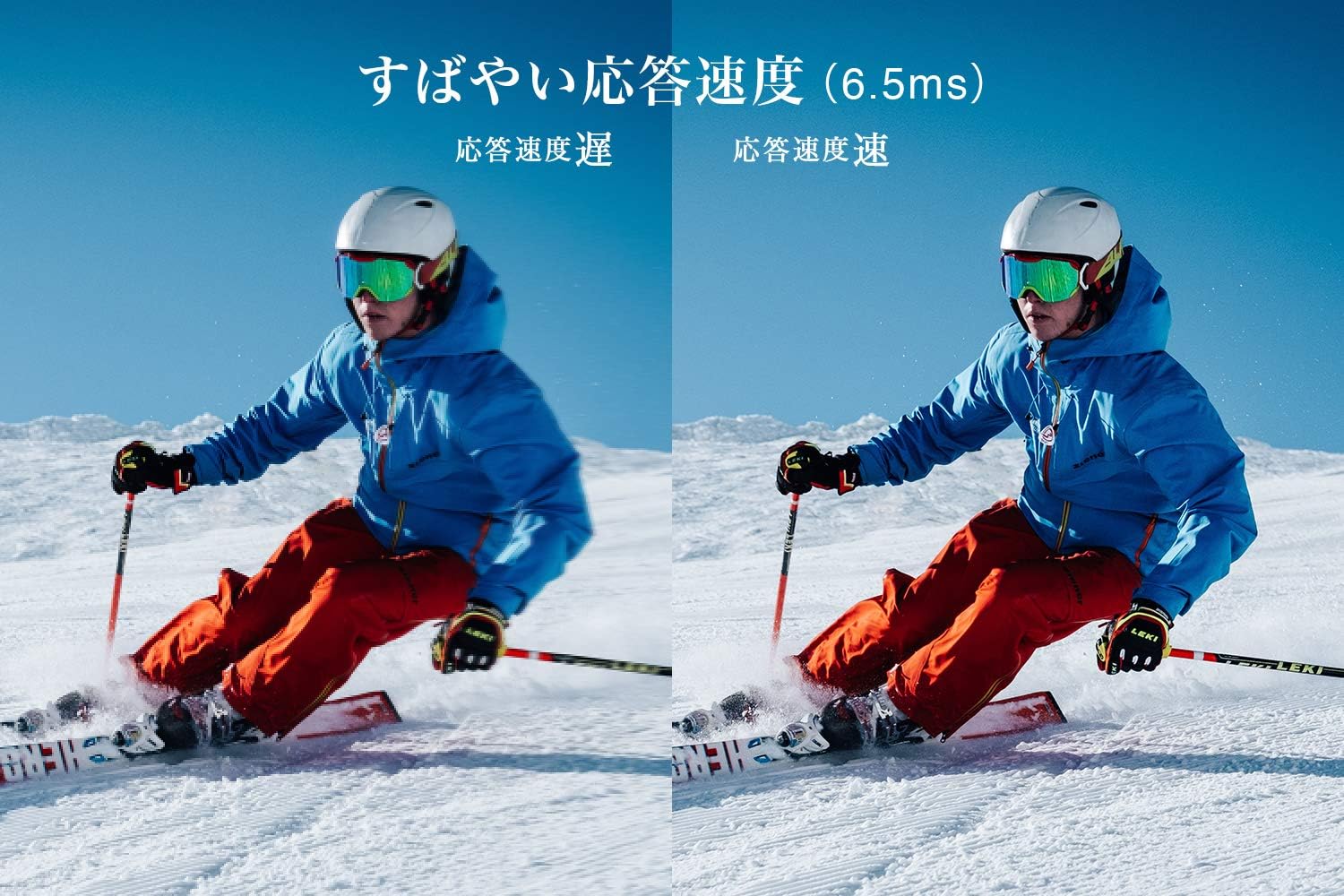
Figure 5: The TV features a fast response speed of 6.5ms for clear motion.
4. பராமரிப்பு
4.1 திரையை சுத்தம் செய்தல்
மென்மையான, உலர்ந்த, பஞ்சு இல்லாத துணியால் திரையை மெதுவாகத் துடைக்கவும். பிடிவாதமான அடையாளங்களுக்கு, லேசாக dampen the cloth with water or a specialized screen cleaner (ensure it's suitable for LCD screens) and wipe carefully. Avoid applying excessive pressure.
4.2 டிவி உடலை சுத்தம் செய்தல்
Wipe the TV body with a soft, dry cloth. Do not use abrasive cleaners, waxes, or solvents as they can damage the finish.
4.3 பொது பராமரிப்பு
- நேரடி சூரிய ஒளி அல்லது அதிக வெப்பநிலைக்கு டிவியை வெளிப்படுத்துவதைத் தவிர்க்கவும்.
- டிவி அதிக வெப்பமடைவதைத் தடுக்க, அதைச் சுற்றி போதுமான காற்றோட்டத்தை உறுதி செய்யவும்.
- Unplug the TV from the power outlet during lightning storms or when it will be unused for extended periods.
5. சரிசெய்தல்
If you encounter issues with your TV, refer to the following common troubleshooting steps. If the problem persists, contact customer support.
5.1 சக்தி இல்லை
- Check if the power cord is securely connected to both the TV and the wall outlet.
- மற்றொரு சாதனத்தை செருகுவதன் மூலம் சுவர் கடையின் செயல்பாடு செயல்படுகிறதா என்பதை சரிபார்க்கவும்.
- ரிமோட்டை மட்டும் அழுத்தாமல், டிவியிலேயே பவர் பட்டனை அழுத்தவும்.
5.2 No Picture/No Signal
- Ensure the correct input source is selected (e.g., HDMI 1, TV).
- அனைத்து கேபிள் இணைப்புகளிலும் (HDMI, ஆண்டெனா) தளர்வு அல்லது சேதம் உள்ளதா என சரிபார்க்கவும்.
- வெளிப்புற சாதனத்தைப் பயன்படுத்தினால், அது இயக்கப்பட்டு சரியாகச் செயல்படுவதை உறுதிசெய்யவும்.
- Perform a channel scan if you are watching broadcast TV.
5.3 ஒலி இல்லை
- ஒலி அளவை சரிபார்த்து, டிவி ஒலியடக்கப்படவில்லை என்பதை உறுதிப்படுத்தவும்.
- வெளிப்புற ஸ்பீக்கர்களைப் பயன்படுத்தினால், அவை சரியாக இணைக்கப்பட்டு இயக்கப்பட்டிருப்பதை உறுதிசெய்யவும்.
- டிவி மெனுவில் ஆடியோ அமைப்புகளைச் சரிபார்க்கவும்.
5.4 ரிமோட் கண்ட்ரோல் வேலை செய்யவில்லை
- பேட்டரிகளை புதியவற்றுடன் மாற்றவும்.
- ரிமோட்டுக்கும் டிவியின் ஐஆர் சென்சாருக்கும் இடையில் எந்த தடைகளும் இல்லை என்பதை உறுதிப்படுத்திக் கொள்ளுங்கள்.
6. விவரக்குறிப்புகள்
| அம்சம் | விவரக்குறிப்பு |
|---|---|
| காட்சி அளவு | 32 அங்குலம் |
| காட்சி தொழில்நுட்பம் | எல்சிடி |
| தீர்மானம் | HD (1366 x 768) |
| புதுப்பிப்பு விகிதம் | 60 ஹெர்ட்ஸ் |
| தோற்ற விகிதம் | 16:9 |
| மாறுபாடு விகிதம் | 3000:1 |
| Viewing கோணம் | 178/178 degrees (JEITA standard, CR>=10) |
| பின்னொளி வகை | நேரடி ஒளிரும் LED |
| பதில் வேகம் | 6.5 எம்.எஸ் |
| பரிமாணங்கள் (நிலையுடன்) | W731 x H491 x D186 மிமீ |
| பரிமாணங்கள் (நிலை இல்லாமல்) | W731 x H436 x D76 மிமீ |
| எடை (நிலையுடன்) | 4.4 கி.கி |
| எடை (நிலைப்பாடு இல்லாமல்) | 4.3 கி.கி |
| Wall Mount (VESA) | 100x100 மிமீ |
| வருடாந்திர மின் நுகர்வு | 45 kWh/வருடம் |
| HDMI போர்ட்கள் | 2 (HDMI Ver1.4a, Port 1 supports ARC) |
| USB போர்ட்கள் | 1 (USB2.0) |
| ட்யூனர் வகை | Terrestrial Digital, BS Digital, 110-degree CS Digital (Dual Tuner) |
| மாதிரி ஆண்டு | 2019 |

Figure 6: TV dimensions and recommended viewதூரம்.

Figure 7: VA panel technology provides superior contrast and depth.
7. உத்தரவாதம் மற்றும் ஆதரவு
7.1 உற்பத்தியாளரின் உத்தரவாதம்
இந்த தயாரிப்பு வாங்கிய நாளிலிருந்து 1 வருட உற்பத்தியாளரின் உத்தரவாதத்துடன் வருகிறது. உத்தரவாதக் கோரிக்கைகளுக்கு உங்கள் வாங்கியதற்கான சான்றினை வைத்திருங்கள்.
7.2 வாடிக்கையாளர் ஆதரவு
For any inquiries, technical assistance, or repair requests, please contact TCL customer support. Our dedicated Japanese staff are available to assist you.
- தொலைபேசி: 0120-955-517
- செயல்படும் நேரம்: 9:00 - 18:00 (Weekdays and Holidays, excluding year-end and New Year holidays)
- Webதளம்: https://www.tcl.com/jp/ja/services.html
Nationwide repair service is available.
Figure 8: TCL Customer Support details.