
அறிமுகம்
This manual provides detailed instructions for the installation, operation, and maintenance of your EVGATSAUTO 12V/24V 30A MPPT Solar Controller. Please read this manual thoroughly before using the product to ensure proper function and safety.
பாதுகாப்பு வழிமுறைகள்
- Ensure all connections are correct and secure before powering on the system.
- Do not attempt to repair or modify the controller yourself. Contact qualified personnel for service.
- Install the controller in a well-ventilated area, away from flammable materials and direct sunlight.
- Avoid contact with water or other liquids. The controller has an IP32 waterproof rating, meaning it is protected against solid objects over 2.5mm and spraying water.
- Always connect the battery first, then the solar panel, and finally the load. Disconnect in the reverse order.
- Use appropriate wire gauges for all connections to prevent overheating.
தயாரிப்பு முடிந்துவிட்டதுview
The EVGATSAUTO Solar Controller is designed to manage the power flow from your solar panel to your battery and load. It features an intelligent MPPT 3-stage charging mode for efficient battery charging and a humanized LCD display for easy monitoring and control.
முக்கிய அம்சங்கள்:
- Automatic identification of 12V/24V system voltage.
- High efficiency intelligent MPPT 3-stagமின் சார்ஜிங் பயன்முறை.
- Humanized LCD display and double button interface for easy operation.
- Dual USB output (2.4A *2) for charging external devices.
- Multiple protection functions: over voltage, short circuit, over load, overcharge, over-discharge.
- Accurate temperature compensation for optimized charging and discharging voltage.
- Working storage function: records total run time, error timers, and full charge times.
- Load control mode selection and timer function for street light applications.
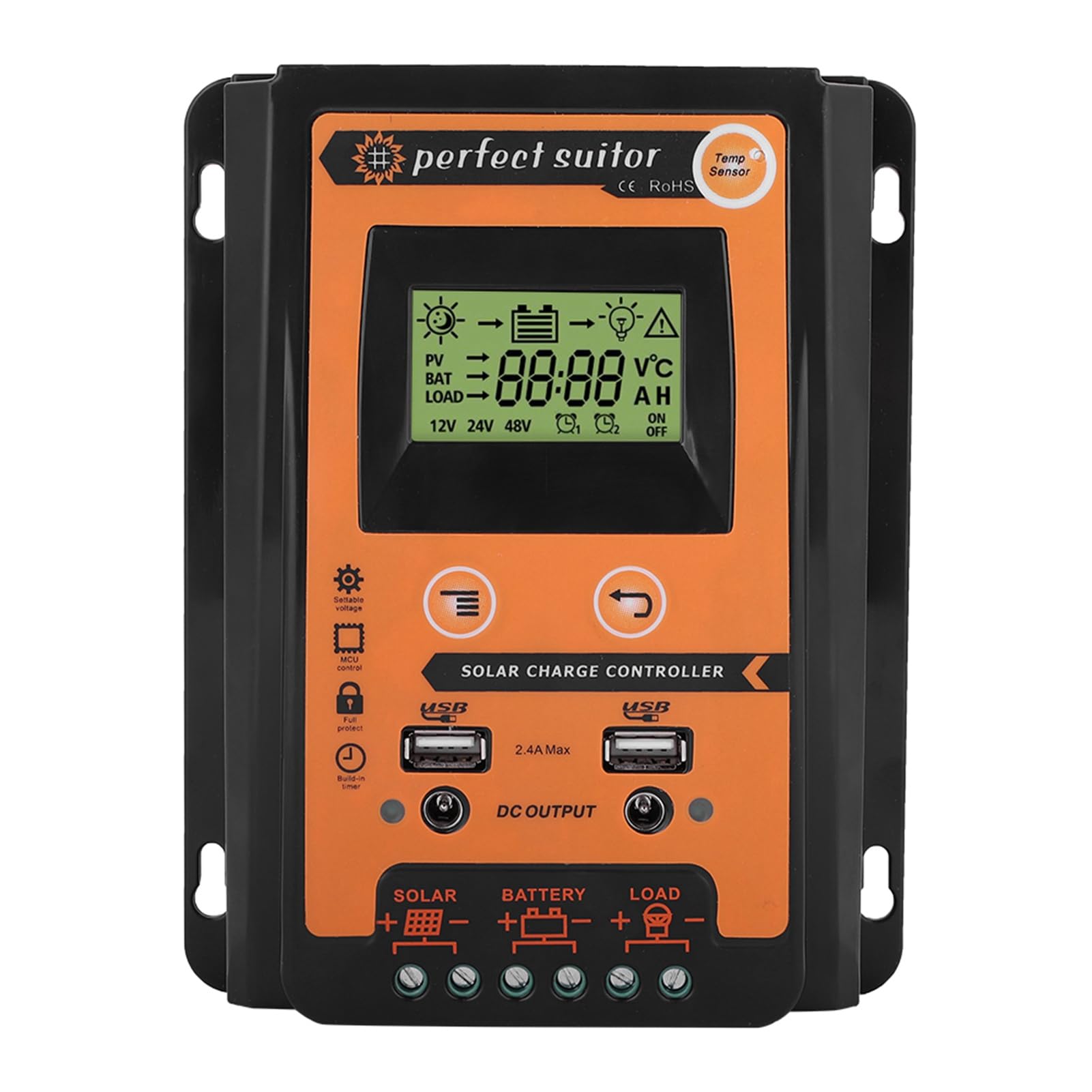
Figure 1: EVGATSAUTO Solar Controller in a solar power system context.

படம் 2: முன் view of the EVGATSAUTO Solar Controller.
விவரக்குறிப்புகள்
| தற்போதைய | 30A |
| மதிப்பிடப்பட்ட தொகுதிtage | 12V/24V (Auto Recognition) |
| USB வெளியீடு | 2.4A * 2 |
| Over Current (V) | 13.7V (for 12V system) / 27.4V (for 24V system) |
| Over Discharge Current (V) | 10.5-11V (for 12V system) / 21-22V (for 24V system) |
| வெப்பநிலை இழப்பீடு | -3mv/℃/cell |
| Empty Load Wastage | <45mA |
| லூப் தொகுதிtagஇ துளி | <200mv |
| காட்சி | எல்சிடி டிஸ்ப்ளே |
| சார்ஜிங் வகை | MPPT |
| நீர்ப்புகா தரம் | IP32 |
| பொருள் | பிளாஸ்டிக் |
| நிறம் | கருப்பு + ஆரஞ்சு |
| Product Dimensions (30A) | 17.5 x 14 x 4 செமீ (6.9 x 5.5 x 1.6 அங்குலம்) |
| பொருளின் எடை | 1.04 பவுண்டுகள் |
| உற்பத்தியாளர் | EVGATSAUTO |

Figure 3: Product dimensions for the 30A model.
அமைவு வழிமுறைகள்
Follow these steps to correctly connect your solar controller to the solar panel, battery, and load. Ensure all power sources are disconnected before making any connections.
- பேட்டரியை இணைக்கவும்: Connect the battery to the controller's battery terminals (marked with a battery symbol). Ensure correct polarity (+ to + and - to -). The controller will automatically detect the system voltage (12V அல்லது 24V).
- சூரிய மின் பலகையை இணைக்கவும்: Connect the solar panel to the controller's solar panel terminals (marked with a solar panel symbol). Ensure correct polarity.
- சுமையை இணைக்கவும்: Connect the DC load to the controller's load terminals (marked with a light bulb symbol). Ensure correct polarity.
முக்கியமானது: Always connect the battery first, then the solar panel, and finally the load. Disconnect in the reverse order: load first, then solar panel, then battery.

Figure 4: Controller Connection Method Diagram.
இயக்க வழிமுறைகள்
LCD Display and Buttons:
The controller features an LCD display that shows real-time system status and parameters. Two buttons are used for navigation and setting adjustments.
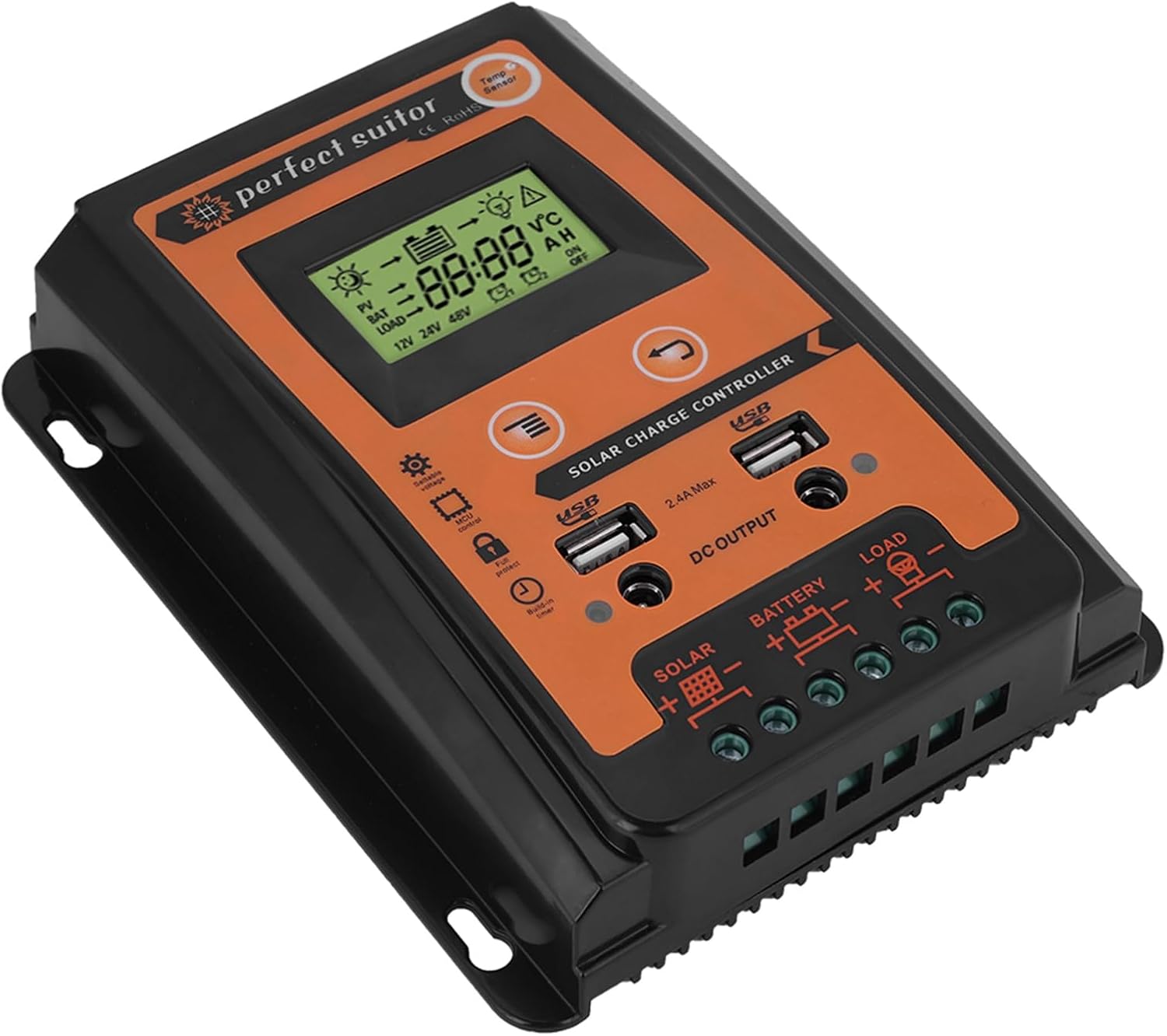
Figure 5: LCD Display and Control Buttons.
சார்ஜிங் முறைகள்:
The controller utilizes an intelligent MPPT 3-stage charging mode to optimize battery life and performance:
- மொத்த கட்டணம்: பேட்டரியை தோராயமாக 80% கொள்ளளவிற்கு கொண்டு வர விரைவான சார்ஜிங்.
- உறிஞ்சுதல் கட்டணம்: Charging at a constant voltage to bring the battery to 100% capacity.
- மிதவை கட்டணம்: Maintaining the battery at full charge with a lower voltage to compensate for self-discharge.
USB வெளியீடு:
The controller includes dual USB ports (2.4A max each) for charging compatible devices such as mobile phones, driving recorders, cameras, and tablets.
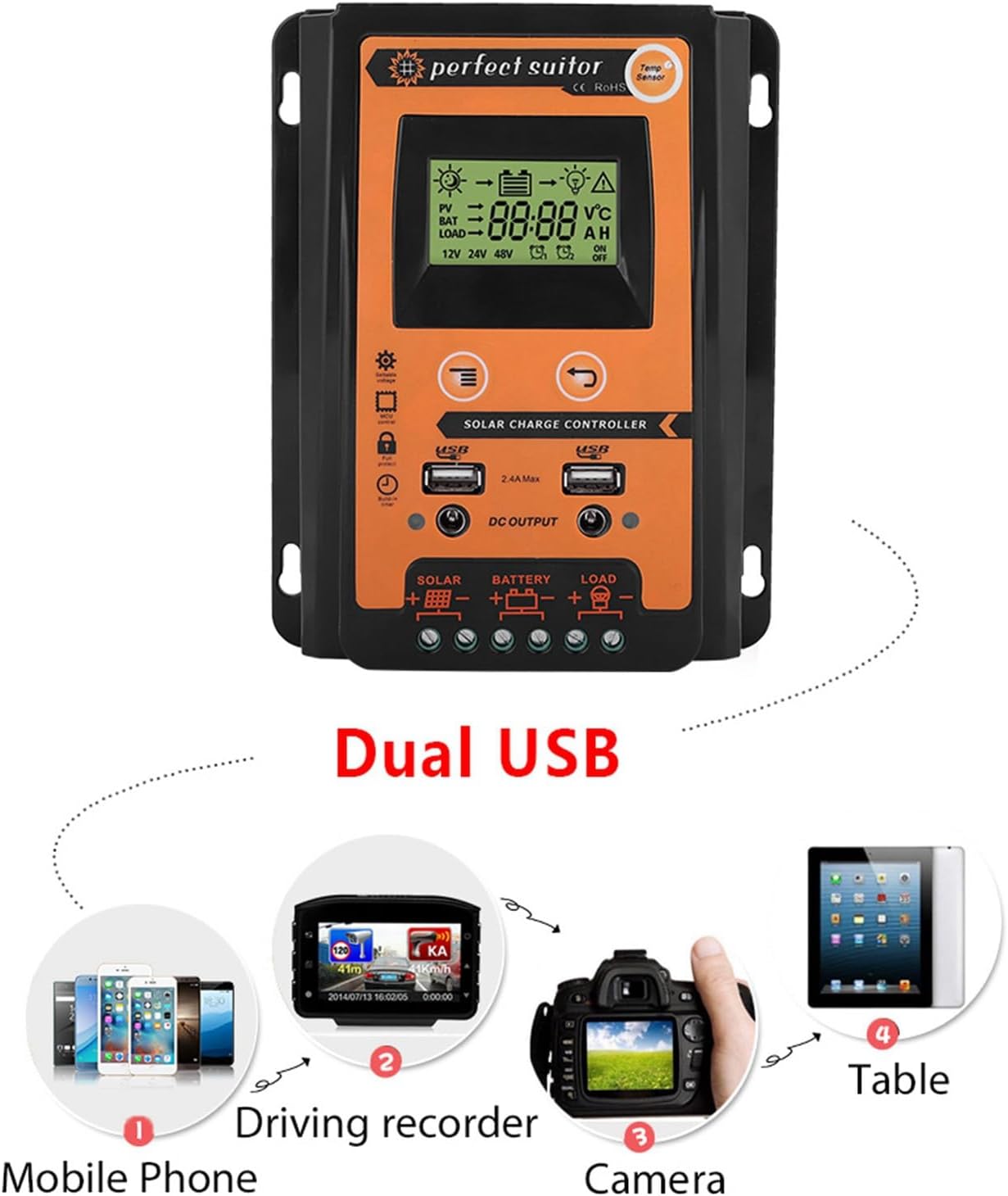
Figure 6: Dual USB Output Functionality.
பராமரிப்பு
To ensure optimal performance and longevity of your solar controller, perform the following maintenance checks periodically:
- தூய்மை: கட்டுப்படுத்தியை சுத்தமாகவும், தூசி மற்றும் குப்பைகள் இல்லாமல் வைத்திருக்கவும். சுத்தம் செய்ய உலர்ந்த துணியைப் பயன்படுத்தவும்.
- இணைப்புகள்: Periodically check all wiring connections for tightness and corrosion. Loose connections can cause voltagமின் குறைதல் மற்றும் அதிக வெப்பமடைதல்.
- காற்றோட்டம்: Ensure the installation area remains well-ventilated to prevent overheating of the controller.
- பேட்டரி ஆரோக்கியம்: Monitor your battery's health and ensure it is properly maintained according to the battery manufacturer's guidelines.
சரிசெய்தல்
If you encounter issues with your solar controller, refer to the following common problems and solutions:
| பிரச்சனை | சாத்தியமான காரணம் | தீர்வு |
|---|---|---|
| LCD இல் காட்சி இல்லை | பேட்டரி இணைக்கப்படவில்லை அல்லது குறைந்த மின்னழுத்தம்tage; reversed polarity. | பேட்டரி இணைப்புகள் மற்றும் தொகுதியை சரிபார்க்கவும்tage. சரியான துருவமுனைப்பை உறுதி செய்யவும். |
| பேட்டரி சார்ஜ் ஆகவில்லை | Solar panel not connected or insufficient sunlight; reversed polarity; faulty solar panel. | Check solar panel connections and ensure adequate sunlight. Verify polarity. Test solar panel output. |
| சுமை வேலை செய்யவில்லை. | Load not connected or reversed polarity; battery low; load overcurrent protection activated. | Check load connections and polarity. Ensure battery is sufficiently charged. Reduce load or check for short circuits. |
| கட்டுப்படுத்தி அதிக வெப்பம் | மோசமான காற்றோட்டம்; அதிகப்படியான சுமை. | Ensure adequate airflow around the controller. Reduce connected load if possible. |
இந்த தீர்வுகளை முயற்சித்த பிறகும் சிக்கல் தொடர்ந்தால், வாடிக்கையாளர் ஆதரவைத் தொடர்பு கொள்ளவும்.
உத்தரவாதம் மற்றும் ஆதரவு
This product comes with a standard manufacturer's warranty. For specific warranty terms and conditions, please refer to the documentation provided with your purchase or contact the seller directly.
For technical support, troubleshooting assistance, or any questions regarding your EVGATSAUTO Solar Controller, please contact EVGATSAUTO customer service through the retailer where the product was purchased.
நீங்கள் பார்வையிடலாம் EVGATSAUTO Store on Amazon மேலும் தகவல் மற்றும் தொடர்பு விருப்பங்களுக்கு.