
அறிமுகம்
This manual provides detailed instructions for the installation, use, and maintenance of your SURITCH Full-Body Protection Case designed specifically for the Samsung Galaxy A21. This case offers comprehensive protection with a built-in screen protector, dual-layer construction, and an anti-scratch back.
இணக்கத்தன்மை
This SURITCH case is designed EXCLUSIVELY க்கான Samsung Galaxy A21 (6.5 inch). அது ஏற்றதாக இல்லை with the Samsung Galaxy A21s (6.5 inch) or any other phone model. Please verify your phone model before installation.

Image: Visual guide confirming compatibility with Samsung Galaxy A21 and incompatibility with Samsung Galaxy A21s.
Setup: Case Installation
- வழக்கைத் தயாரிக்கவும்: Before installing, locate and carefully remove the blue protective film from the built-in screen protector on the front casing.
- தனி வழக்கு கூறுகள்: The case consists of two main parts: the front casing with the built-in screen protector and the dual-layer TPU and PC soft back cover. Gently separate these two components.
- Install Front Casing: Place your Samsung Galaxy A21 into the front casing, ensuring the screen protector aligns correctly with your phone's display and all cutouts match.
- Install Back Cover: Once the front casing is securely in place, align the back cover with the front casing and snap them together. Ensure all edges are sealed and the phone is fully enclosed.

Image: Components of the SURITCH case, illustrating the front casing, phone placement, and back cover.
இயக்க வழிமுறைகள்
- Full Body Protection: The case provides 360-degree full-body rugged protection for your device. The built-in screen protector safeguards the display without affecting touch sensitivity.
- உயர்த்தப்பட்ட பெசல்கள்: The design includes raised bezels around the screen and camera. These elevated edges help prevent scratches when the phone is placed on flat surfaces.

Image: Illustration of raised bezels protecting the screen and camera.
- Anti-Scratch Hard Silicone Back: The back cover features a unique process technology that makes it anti-scratch, anti-wear, and anti-fingerprint. This material offers a secure grip and resists stains.

Image: Demonstrating the secure grip and anti-stain features of the case's back surface.
- அதிர்ச்சி உறிஞ்சுதல்: The case is constructed from shock-absorbing soft material, providing reliable protection against accidental bumps, drops, and scrapes.

Image: Visual representation of the case's shock absorption capabilities.
- துல்லியமான கட்அவுட்கள்: All phone features, buttons, and ports remain accessible and fully functional with the case installed.
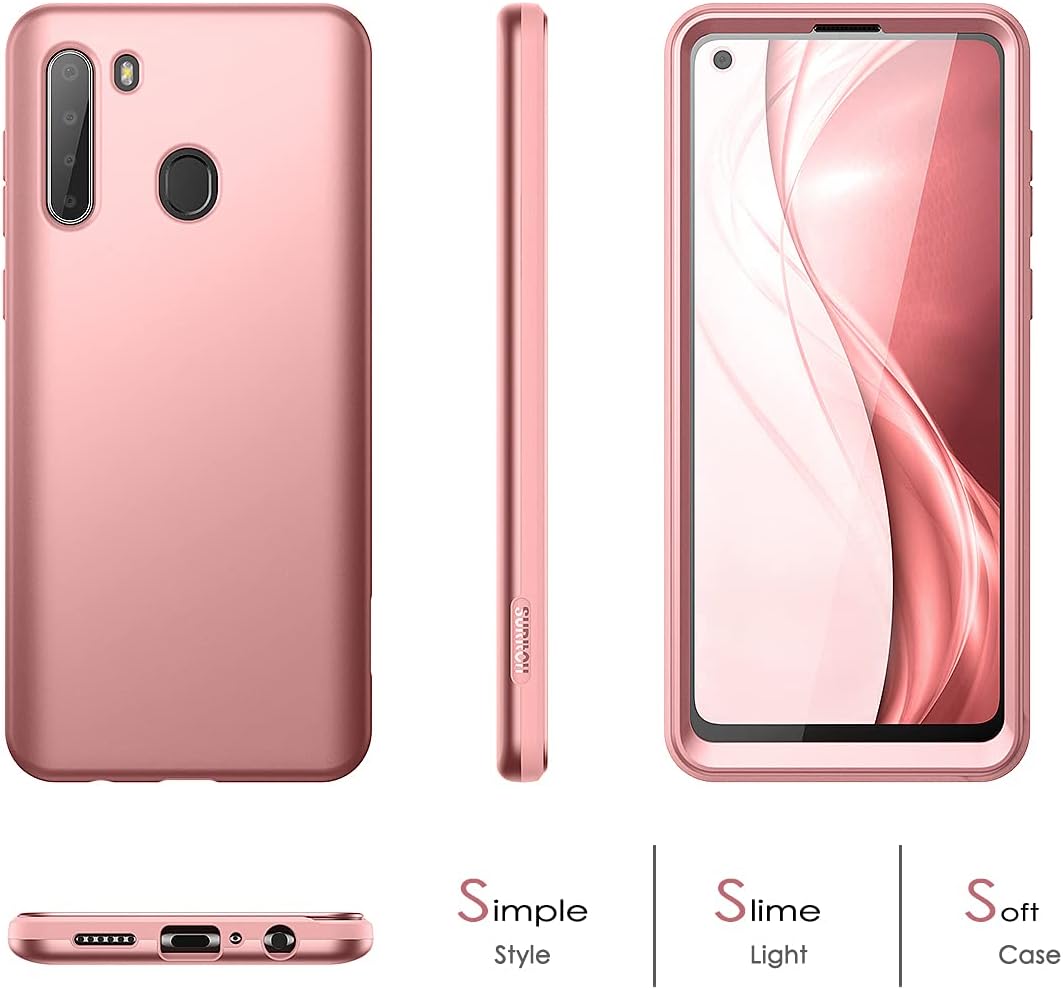
Image: Various angles of the case, showcasing its design and accessibility.
பராமரிப்பு
- சுத்தம்: To clean the case, gently wipe it with a soft, damp cloth. Avoid using harsh chemicals or abrasive materials, as these may damage the case's finish or the built-in screen protector.
- Screen Protector Care: For optimal clarity, regularly clean the built-in screen protector. If liquid or debris gets between the screen protector and your phone's screen, it may be necessary to carefully remove the case, clean both surfaces, and then re-install the case.
சரிசெய்தல்
- குறைக்கப்பட்ட தொடு உணர்திறன்: If you experience reduced touch sensitivity after installation, ensure the blue protective film was completely removed from the screen protector. Also, check for any trapped air bubbles or debris between the screen protector and your phone's screen. Re-installing the case carefully can often resolve this.
- Liquid/Debris under Screen Protector: If liquid or debris accumulates under the built-in screen protector, carefully remove the case, clean your phone screen and the screen protector with a soft, dry cloth, and then re-install the case.
- Case Not Fitting Correctly: Double-check that your phone is indeed a Samsung Galaxy A21 (6.5 inch) and not an A21s or another model. Ensure both parts of the case are aligned and snapped together properly.
விவரக்குறிப்புகள்
| அம்சம் | விவரம் |
|---|---|
| பிராண்ட் | சூரிட்ச் |
| இணக்கமான தொலைபேசி மாதிரி | Samsung Galaxy A21 (6.5 inch) |
| பொருள் | Polycarbonate, Silicone, Thermoplastic Polyurethane |
| Built-In Feature | திரை பாதுகாப்பாளர் |
| படிவம் காரணி | பம்பர் |
| பாதுகாப்பு வகை | 360-degree Full Body, Shockproof, Anti-Scratch |
உத்தரவாதம்
SURITCH products are covered under a one-year warranty from the date of purchase. This warranty covers manufacturing defects. Please retain your proof of purchase for warranty claims.
ஆதரவு
If you have any questions, concerns, or require assistance with your SURITCH case, please contact our customer support team. We are committed to providing prompt and helpful service.
For support, please visit the official SURITCH store on Amazon or refer to the contact information provided with your product packaging.
Official SURITCH Store: SURITCH Amazon Store