
1. அறிமுகம்
This manual provides essential instructions for setting up, operating, maintaining, and troubleshooting your DUODUOGO Hi5 Smartwatch. Please read it carefully to ensure proper use and to maximize the device's features.
The DUODUOGO Hi5 is a versatile smartwatch designed for daily activity tracking and health monitoring. It features a 0.96-inch TFT LCD color display, Bluetooth 4.0 connectivity, and is compatible with both Android and iOS smartphones.
2. தொகுப்பு உள்ளடக்கங்கள்
- 1 x DUODUOGO Hi5 Smartwatch
- 1 x USB சார்ஜிங் கேபிள்
- 1 x பயனர் கையேடு (இந்த ஆவணம்)
3 அமைவு
3.1 ஆரம்ப சார்ஜிங்
Before first use, fully charge your smartwatch. Connect the provided USB charging cable to the charging port on the watch and to a standard USB power adapter (not included) or a computer USB port.
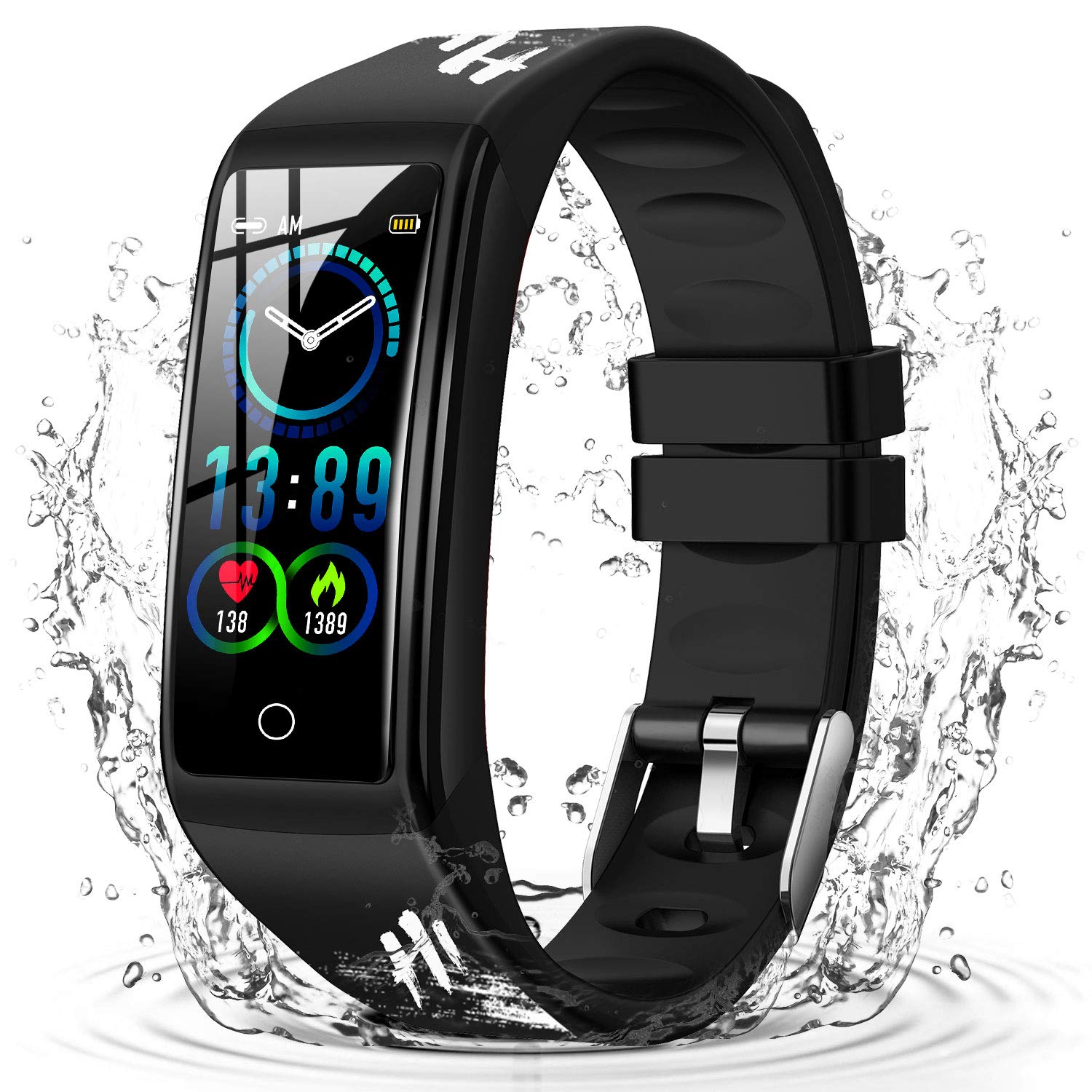
Image: The DUODUOGO Hi5 Smartwatch, ready for initial charging.
3.2 பயன்பாட்டு நிறுவல்
To unlock all features and synchronize data, you need to install the "H Band" application on your smartphone.
- Scan the QR code provided in the physical manual (if available) or search for "H Band" in the Google Play Store (for Android) or Apple App Store (for iOS).
- Download and install the "H Band" app.
3.3 சாதன இணைத்தல்
- உங்கள் ஸ்மார்ட்போனில் புளூடூத் இயக்கப்பட்டுள்ளதை உறுதிசெய்யவும்.
- Open the "H Band" application.
- Follow the in-app instructions to search for and connect to your DUODUOGO Hi5 Smartwatch. The watch will automatically connect once found.
- Activate necessary permissions and functions within the app to enable features like call notifications, message alerts, and health monitoring.
4. இயக்க வழிமுறைகள்
4.1 இடைமுகத்தை வழிசெலுத்தல்
The DUODUOGO Hi5 Smartwatch features a single-touch screen interface. Tap the touch area at the bottom of the screen to cycle through different functions and screens.
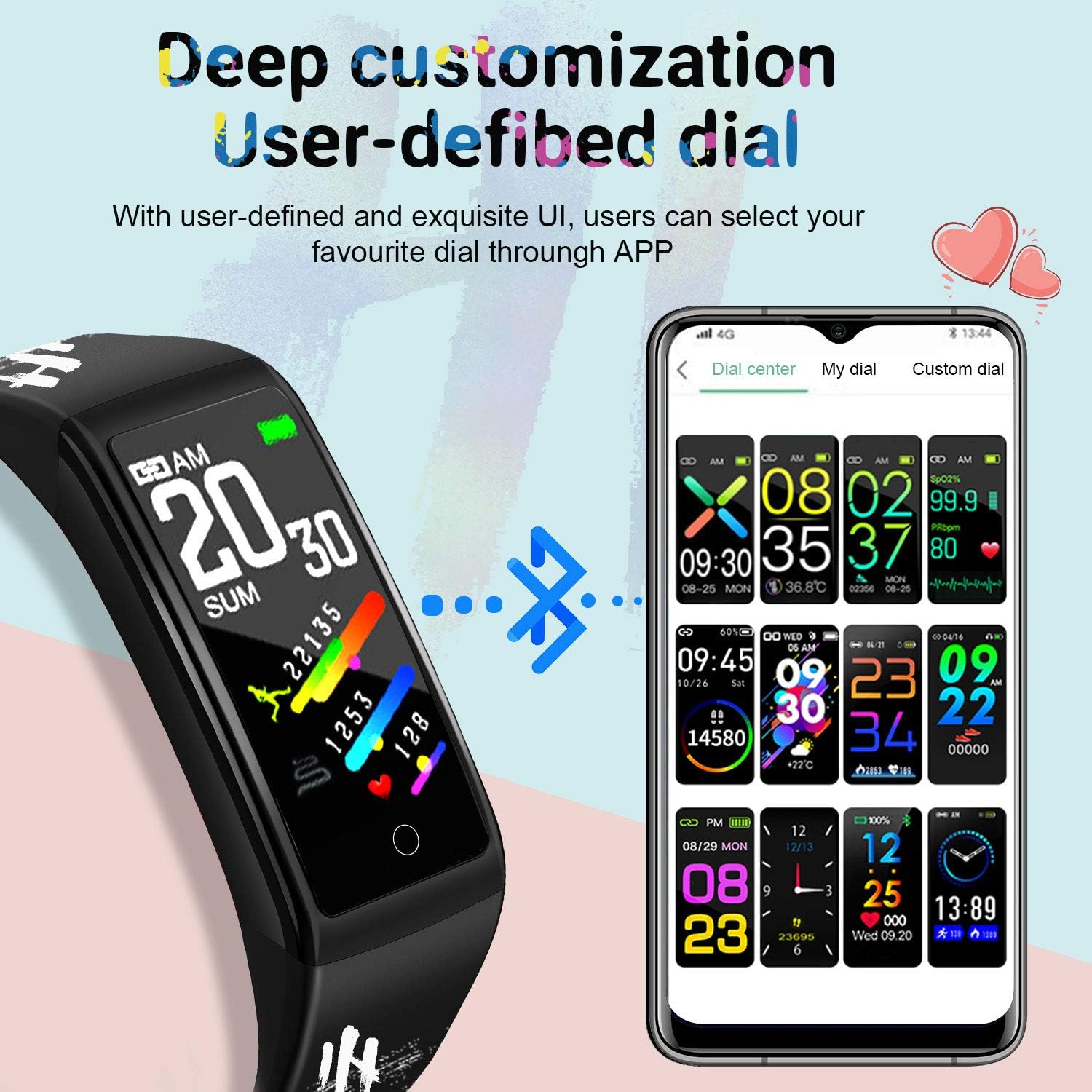
Image: The smartwatch displaying various customizable watch faces, demonstrating the user interface options.
4.2 முக்கிய அம்சங்கள்
- செயல்பாடு கண்காணிப்பு: Monitors steps, distance, and calories burned throughout the day.
- இதய துடிப்பு மானிட்டர்: நிகழ்நேர இதய துடிப்பு தரவை வழங்குகிறது.
- இரத்த அழுத்த மானிட்டர்: இரத்த அழுத்தத்தை அளவிடுகிறது.
- தூக்க கண்காணிப்பு: தூக்க முறைகள் மற்றும் தரத்தைக் கண்காணிக்கிறது.
- பல விளையாட்டு முறைகள்: Supports various activities like running, cycling, basketball, and mountain climbing.
- செய்தி அறிவிப்புகள்: Receives alerts for incoming calls, SMS, and social media apps (WhatsApp, Facebook, Twitter, etc.) when connected to your smartphone.
- உட்கார்ந்த நினைவூட்டல்: செயலற்ற காலத்திற்குப் பிறகு நகர உங்களை எச்சரிக்கிறது.
- பெண் உடலியல் சுழற்சி கண்காணிப்பு: Tracks and predicts menstrual cycles.
- ஸ்டாப்வாட்ச் & கவுண்டவுன்: அடிப்படை நேர செயல்பாடுகள்.
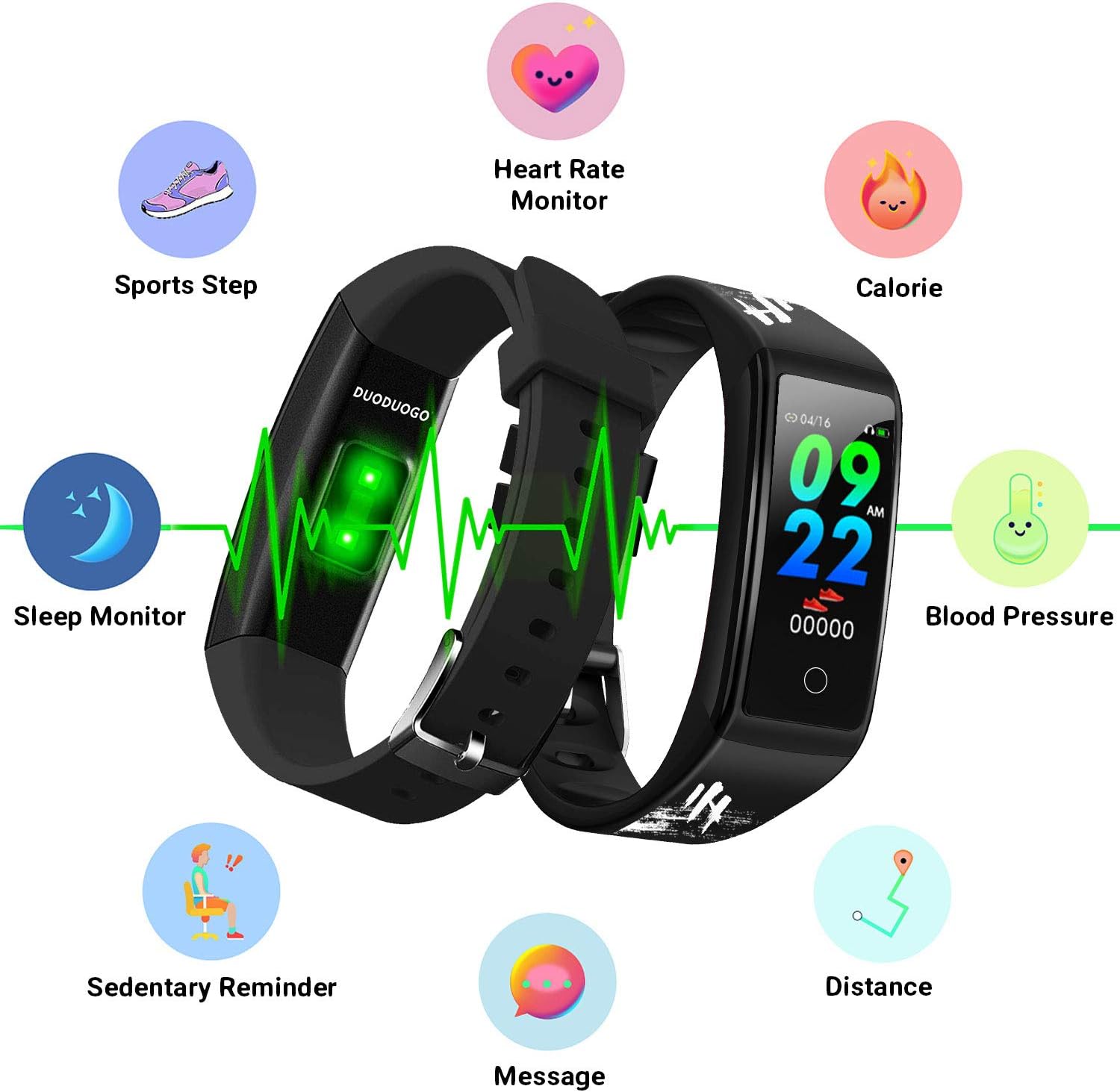
Image: An illustration of the DUODUOGO Hi5 Smartwatch highlighting its core features: Heart Rate Monitor, Calorie tracking, Blood Pressure, Sedentary Reminder, Distance, Message notifications, Sleep Monitor, and Sports Step tracking.

Image: The smartwatch interface displaying icons for various sports modes, including running, cycling, basketball, and mountain climbing, with accompanying lifestyle photos.

Image: The smartwatch displaying health metrics such as heart rate (BPM) and sleep duration, alongside illustrations of ECG monitoring, blood oxygen monitoring, and sleep monitoring.

Image: The smartwatch displaying an incoming call notification and a smartphone screen showing various app notification settings, illustrating the message reminder feature.
4.3 ஜிபிஎஸ் செயல்பாடு
The DUODUOGO Hi5 Smartwatch utilizes your smartphone's GPS for tracking outdoor activities. Ensure your phone is with you and its GPS is active during sports modes for accurate route and distance recording.
5. பராமரிப்பு
5.1 நீர் எதிர்ப்பு
The DUODUOGO Hi5 Smartwatch is IP68 waterproof, meaning it is resistant to dust and can withstand immersion in water up to 1.5 meters for up to 30 minutes. It is suitable for daily use, hand washing, and showering. However, it is not recommended for hot water baths, saunas, or deep diving.

Image: The DUODUOGO Hi5 Smartwatch submerged in water, demonstrating its waterproof capability, with icons indicating suitability for rain, handwashing, and showering.
5.2 சுத்தம் செய்தல்
மென்மையான, டி-துணியால் கடிகாரத்தையும் பட்டையையும் தொடர்ந்து துடைக்கவும்.amp துணி. சாதனத்தை சேதப்படுத்தக்கூடிய கடுமையான இரசாயனங்கள் அல்லது சிராய்ப்புப் பொருட்களைப் பயன்படுத்துவதைத் தவிர்க்கவும்.
5.3 பேட்டரி பராமரிப்பு
பேட்டரி ஆயுளை நீட்டிக்க, கடிகாரத்தை அடிக்கடி முழுமையாக டிஸ்சார்ஜ் செய்வதைத் தவிர்க்கவும். பேட்டரி அளவு குறைவாக இருக்கும்போது அதை சார்ஜ் செய்யவும். நீண்ட நேரம் பயன்படுத்தாதபோது கடிகாரத்தை குளிர்ந்த, உலர்ந்த இடத்தில் சேமிக்கவும்.
6. சரிசெய்தல்
6.1 சாதனம் இயக்கப்படவில்லை
- கடிகாரம் முழுமையாக சார்ஜ் செய்யப்பட்டுள்ளதா என்பதை உறுதிப்படுத்திக் கொள்ளுங்கள். குறைந்தபட்சம் 30 நிமிடங்களுக்கு அதை சார்ஜருடன் இணைக்கவும்.
- Press and hold the touch area for a few seconds to power on.
6.2 Cannot Connect to "H Band" App
- உங்கள் ஸ்மார்ட்போனில் புளூடூத் இயக்கப்பட்டிருப்பதை உறுதிசெய்யவும்.
- உங்கள் தொலைபேசியின் புளூடூத் வரம்பிற்குள் கடிகாரம் இருப்பதை உறுதிசெய்யவும்.
- உங்கள் ஸ்மார்ட்போன் மற்றும் ஸ்மார்ட்வாட்ச் இரண்டையும் மறுதொடக்கம் செய்யுங்கள்.
- Try unpairing and re-pairing the device through the "H Band" app.
- Check if the "H Band" app has all necessary permissions enabled in your phone's settings.
6.3 தவறான சுகாதாரத் தரவு
- உங்கள் மணிக்கட்டில், மணிக்கட்டு எலும்பிலிருந்து ஒரு விரல் அகலத்தில் கடிகாரம் இறுக்கமாக அணிந்திருப்பதை உறுதிசெய்து கொள்ளுங்கள்.
- அளவீடுகளின் போது அதிகப்படியான அசைவுகளைத் தவிர்க்கவும்.
- கடிகாரத்தின் பின்புறத்தில் உள்ள சென்சாரை சுத்தம் செய்யவும்.
- ஸ்மார்ட்வாட்ச்கள் மருத்துவ சாதனங்கள் அல்ல என்பதையும், அளவீடுகள் குறிப்புக்காக மட்டுமே என்பதையும் நினைவில் கொள்ளவும்.
6.4 அறிவிப்புகள் தோன்றவில்லை
- Verify that the watch is successfully connected to the "H Band" app.
- Check notification settings within the "H Band" app to ensure desired apps are enabled.
- Ensure your phone's notification settings allow the "H Band" app to display alerts.
- Keep the "H Band" app running in the background on your phone.
7. விவரக்குறிப்புகள்
| பிராண்ட் | DUODUOGO |
| மாதிரி | Hi5 |
| காட்சி | 0.96-இன்ச் TFT LCD வண்ணத் திரை |
| புளூடூத் பதிப்பு | பிடி 4.0 |
| பேட்டரி திறன் | 90 mAh |
| காத்திருப்பு நேரம் | 20-30 நாட்கள் |
| கணினி இணக்கத்தன்மை | Android 4.4 அல்லது அதற்குப் பிறகு, iOS 9.0 அல்லது அதற்குப் பிறகு |
| நீர் எதிர்ப்பு | IP68 |
| எடை | 32.2 கிராம் |
| இணைப்பு | ப்ளூடூத், யூ.எஸ்.பி (சார்ஜ் செய்ய) |
8. உத்தரவாதம் மற்றும் ஆதரவு
For warranty information, please refer to the purchase documentation or contact your retailer. If you encounter any issues not covered in this manual, please contact DUODUOGO customer support through their official website or the "H Band" app for assistance.
Regular software updates for the "H Band" app may introduce new features or improvements. Ensure your app is always up to date for the best experience.