
ANFIER W06
ANFIER W06 Smart Language Translator Device User Manual
மாதிரி: W06
1. அறிமுகம்
This manual provides essential information for the safe and effective operation of your ANFIER W06 Smart Language Translator Device. Please read this manual thoroughly before using the device and retain it for future reference.

Image 1.1: The ANFIER W06 Smart Language Translator Device.
2. பாதுகாப்பு தகவல்
- சாதனத்தை தீவிர வெப்பநிலை, நேரடி சூரிய ஒளி அல்லது அதிக ஈரப்பதத்திற்கு வெளிப்படுத்த வேண்டாம்.
- வலுவான தாக்கங்களுக்கு சாதனத்தை கைவிடுவதையோ அல்லது உட்படுத்துவதையோ தவிர்க்கவும்.
- சாதனத்தை தண்ணீர் மற்றும் பிற திரவங்களிலிருந்து விலக்கி வைக்கவும்.
- சேதத்தைத் தடுக்க, வழங்கப்பட்ட சார்ஜிங் கேபிள் மற்றும் அடாப்டரை மட்டும் பயன்படுத்தவும்.
- சாதனத்தை நீங்களே பிரிக்கவோ அல்லது சரிசெய்யவோ முயற்சிக்காதீர்கள். உதவிக்கு வாடிக்கையாளர் ஆதரவைத் தொடர்பு கொள்ளவும்.
- உள்ளூர் விதிமுறைகளின்படி சாதனத்தையும் அதன் பேட்டரியையும் அப்புறப்படுத்துங்கள்.
3. தொகுப்பு உள்ளடக்கங்கள்
தொகுப்பில் அனைத்து பொருட்களும் உள்ளதா என சரிபார்க்கவும்:
- ANFIER W06 Smart Language Translator Device
- சார்ஜிங் கேபிள் (USB-C)
- பயனர் கையேடு (இந்த ஆவணம்)
- Note: The product data mentions "1 x Remote Control" but this is likely an error for a language translator. Standard accessories are assumed.
4. சாதனம் முடிந்ததுview
Familiarize yourself with the physical components of your ANFIER W06 device.

படம் 4.1: முன் View. Features a 3.1-inch touchscreen and two main translation buttons (A and B).
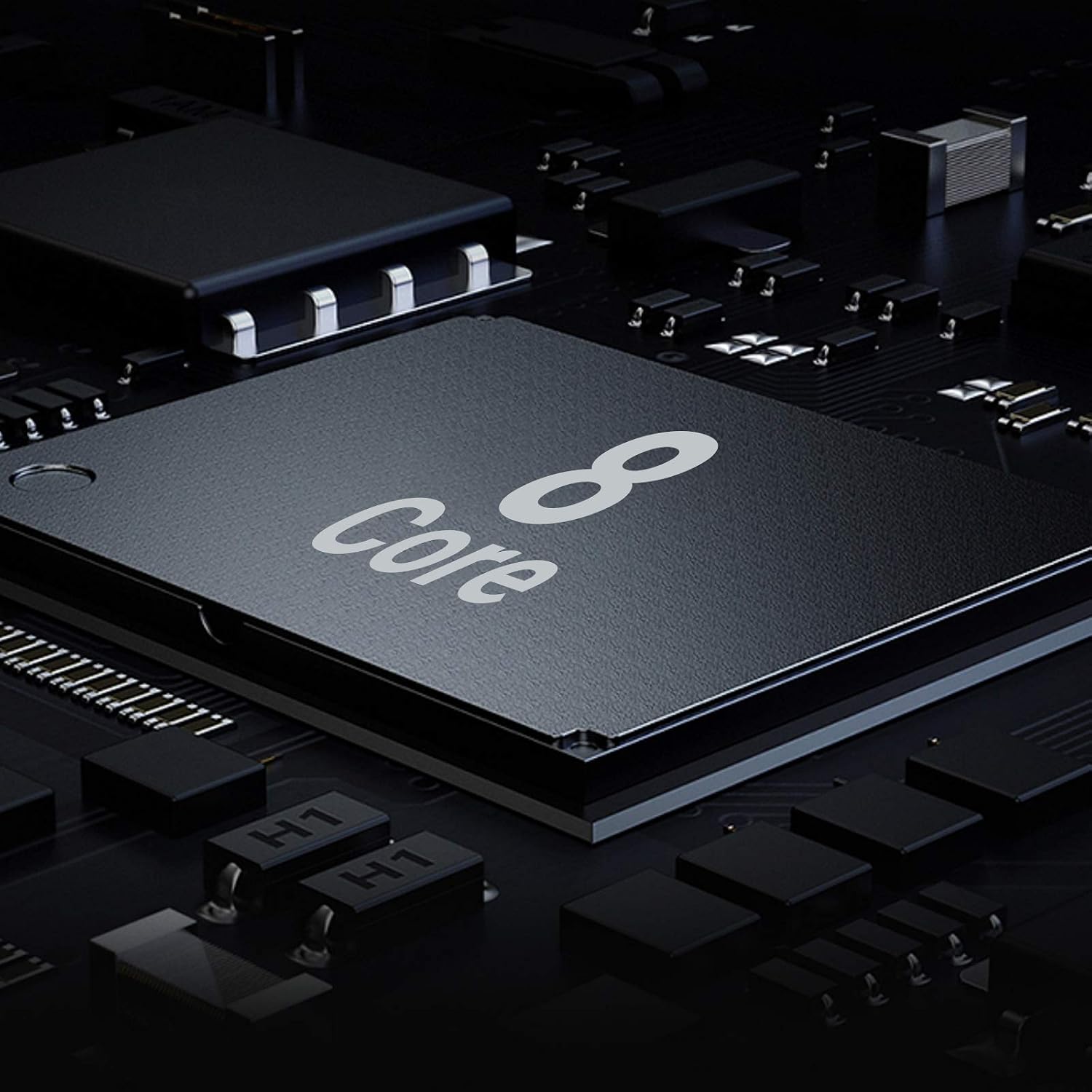
படம் 4.2: பின்புறம் View. Includes an 8MP camera for image translation and a powerful speaker.
முக்கிய கூறுகள்:
- 3.1-இன்ச் தொடுதிரை: For navigation and displaying translations.
- 8MP கேமரா: Used for image translation (OCR).
- ஒலிவாங்கி: மொழிபெயர்ப்பிற்கான குரல் உள்ளீட்டைப் பதிவுசெய்கிறது.
- பேச்சாளர்: மொழிபெயர்க்கப்பட்ட ஆடியோவின் வெளியீடுகள்.
- Buttons A & B: Dedicated buttons for two-way voice translation.
- பவர் பட்டன்: Turns the device on/off and locks/unlocks the screen.
- யூ.எஸ்.பி-சி போர்ட்: சாதனத்தை சார்ஜ் செய்வதற்கு.
- சிம் கார்டு ஸ்லாட்: For 4G connectivity (if applicable).
5 அமைவு
5.1 ஆரம்ப சார்ஜிங்
Before first use, fully charge the device. Connect the USB-C cable to the device's charging port and the other end to a compatible USB power adapter (not included) or computer USB port. The charging indicator will show the charging status.
5.2 பவர் ஆன்/ஆஃப்
- பவர் ஆன் செய்ய: திரை ஒளிரும் வரை பவர் பொத்தானை அழுத்திப் பிடிக்கவும்.
- பவர் ஆஃப் செய்ய: Press and hold the Power button, then select "Power Off" on the screen.
- திரையைப் பூட்ட/திறக்க: பவர் பட்டனை சுருக்கமாக அழுத்தவும்.
5.3 பிணைய இணைப்பு
The ANFIER W06 requires an internet connection for most translation functions. You have three options:

Image 5.1: Connectivity options: Wi-Fi, Hotspot, and SIM Card.
- வைஃபை: அமைப்புகள் > வைஃபை என்பதற்குச் சென்று, உங்கள் நெட்வொர்க்கைத் தேர்ந்தெடுத்து, கடவுச்சொல்லை உள்ளிடவும்.
- மொபைல் ஹாட்ஸ்பாட்: Connect to a mobile hotspot from your smartphone.
- 4G/SIM Card: Insert a compatible 4G SIM card into the device's SIM card slot. Ensure the SIM card has an active data plan.
6. இயக்க வழிமுறைகள்
6.1 Voice Translation (Two-Way)
இந்த சாதனம் 126 மொழிகளுக்கு நிகழ்நேர இருவழி குரல் மொழிபெயர்ப்பை ஆதரிக்கிறது.
- மொழிகளைத் தேர்ந்தெடு: On the main screen, tap on the language displayed for "A" (your language) and "B" (the target language) to select from the list.
- பேசு:
- To speak in Language A, press and hold Button A while speaking. Release the button when finished.
- To speak in Language B, press and hold Button B while speaking. Release the button when finished.
- The device will display the text translation on the screen and play the audio translation through the speaker.

Image 6.1: Language selection interface on the device.

Image 6.2: Demonstrating real-time translation in a conversation.
6.2 Image Translation (Camera OCR)
The 8MP camera allows for translation of text from images, such as menus or signs.
- Access Image Translation: Navigate to the Image Translation function from the main menu.
- நிலை சாதனம்: Hold the device steady, ensuring the text you wish to translate is clearly visible within the camera's frame.
- படத்தைப் பிடிக்கவும்: திரையில் உள்ள பிடிப்பு பொத்தானைத் தட்டவும்.
- The device will process the image and display the translated text.

படம் 6.3: எ.கா.ample of image translation from a book.
6.3 அமைப்புகள்
Access the Settings menu to customize your device:
- Wi-Fi/4G: Manage network connections.
- காட்சி: Adjust brightness, screen timeout.
- ஒலி: Adjust volume for speaker and microphone.
- அமைப்பு: Check device information, update software, reset device.
7. பராமரிப்பு
- சுத்தம்: சாதனத்தை சுத்தம் செய்ய மென்மையான, உலர்ந்த துணியைப் பயன்படுத்தவும். திரவ கிளீனர்கள் அல்லது ஏரோசோல்களைப் பயன்படுத்த வேண்டாம்.
- சேமிப்பு: பயன்பாட்டில் இல்லாதபோது சாதனத்தை குளிர்ந்த, உலர்ந்த இடத்தில் சேமிக்கவும். தீவிர வெப்பநிலையைத் தவிர்க்கவும்.
- பேட்டரி பராமரிப்பு: பேட்டரி ஆயுளை நீட்டிக்க, அடிக்கடி பேட்டரியை முழுமையாக சார்ஜ் செய்வதைத் தவிர்க்கவும். சாதனத்தை தொடர்ந்து சார்ஜ் செய்யவும்.
8. சரிசெய்தல்
| பிரச்சனை | சாத்தியமான காரணம் | தீர்வு |
|---|---|---|
| சாதனம் இயங்கவில்லை. | குறைந்த பேட்டரி. | சாதனத்தை குறைந்தது 30 நிமிடங்களுக்கு சார்ஜ் செய்யவும். |
| No translation or "Network Error". | இணைய இணைப்பு இல்லை. | Check Wi-Fi or 4G connection in Settings. Ensure SIM card has data. |
| Poor translation accuracy. | தெளிவற்ற பேச்சு, பின்னணி இரைச்சல் அல்லது தவறான மொழித் தேர்வு. | Speak clearly and at a moderate pace. Reduce background noise. Verify correct source and target languages. |
| Image translation not working. | Poor lighting, blurry image, or text not recognized. | Ensure good lighting and hold the device steady. Text should be clear and well-defined. |
| சாதனம் உறைகிறது அல்லது செயல்படவில்லை. | மென்பொருள் கோளாறு. | மறுதொடக்கம் செய்ய பவர் பட்டனை 10-15 வினாடிகள் அழுத்திப் பிடிக்கவும். |
9. விவரக்குறிப்புகள்
| அம்சம் | விவரம் |
|---|---|
| மாதிரி | W06 |
| திரை அளவு | 3.1 அங்குலம் |
| திரை தெளிவுத்திறன் | 480x800 |
| பின்புற கேமரா | 8 எம்.பி |
| இயக்க முறைமை | அண்ட்ராய்டு |
| நினைவக சேமிப்பு திறன் | 16 ஜிபி |
| செயலி பிராண்ட் | ARM |
| வயர்லெஸ் வகை | 802.11g (Wi-Fi) + 4G |
| பேட்டரி | 2000 mAh லித்தியம் பாலிமர் (சேர்க்கப்பட்டுள்ளது) |
| பொருளின் எடை | 3.81 அவுன்ஸ் |
| தொகுப்பு பரிமாணங்கள் | 6.3 x 3.6 x 1.5 அங்குலம் |
பேட்டரி தகவல்:
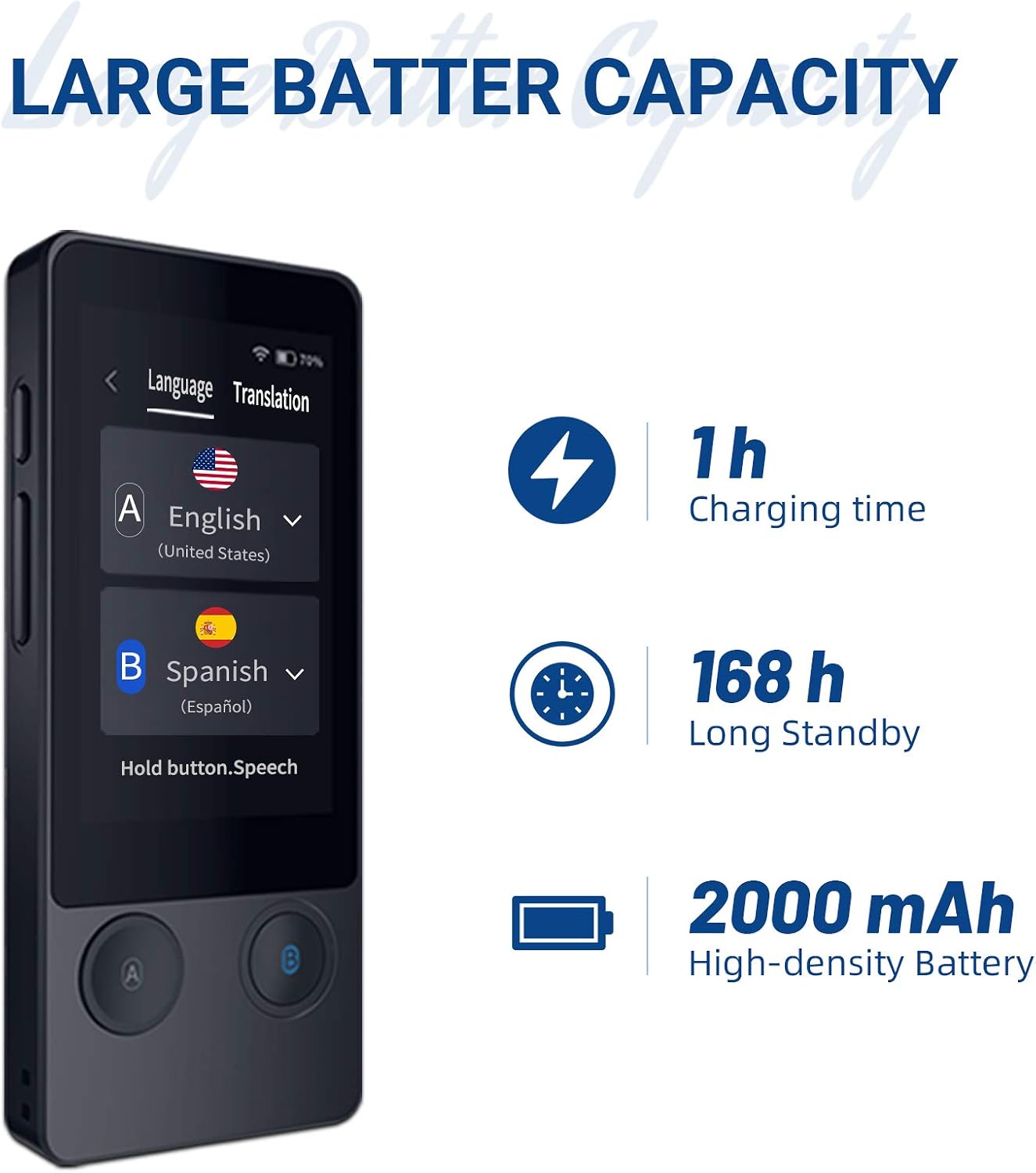
Image 9.1: Battery details for the ANFIER W06.
- சார்ஜிங் நேரம்: தோராயமாக 1 மணிநேரம்
- காத்திருப்பு நேரம்: 168 மணிநேரம் வரை
- Battery Capacity: 2000 mAh High-density Battery
10. அதிகாரப்பூர்வ தயாரிப்பு வீடியோ
Watch the official product video for a visual guide on using the ANFIER W06 translator.
Video 10.1: ANFIER AI Translator Device Smart Language Translator 2020. This video demonstrates the device's real-time voice translation, image translation, and highlights its features like multiple language support and independent use.
11. உத்தரவாதம் மற்றும் ஆதரவு
For warranty information, technical support, or service inquiries, please refer to the warranty card included with your product or visit the official ANFIER webவாங்கியதற்கான சான்றாக உங்கள் கொள்முதல் ரசீதை வைத்திருங்கள்.
ANFIER is committed to providing reliable products and customer satisfaction. If you encounter any issues, please do not hesitate to contact our support team.
Ask a question about this manual
Ask about setup, troubleshooting, compatibility, parts, safety, or missing instructions. Manuals+ will review the question and use this page’s manual context to help answer it.