
DUODUOGO J6+
DUODUOGO J6+ Smartphone User Manual
Model: J6+
தயாரிப்பு முடிந்துவிட்டதுview
The DUODUOGO J6+ is a 4G-enabled smartphone featuring a 6.0-inch HD+ display and running on Android 9.0. It is designed for everyday use, offering a balance of performance and features.
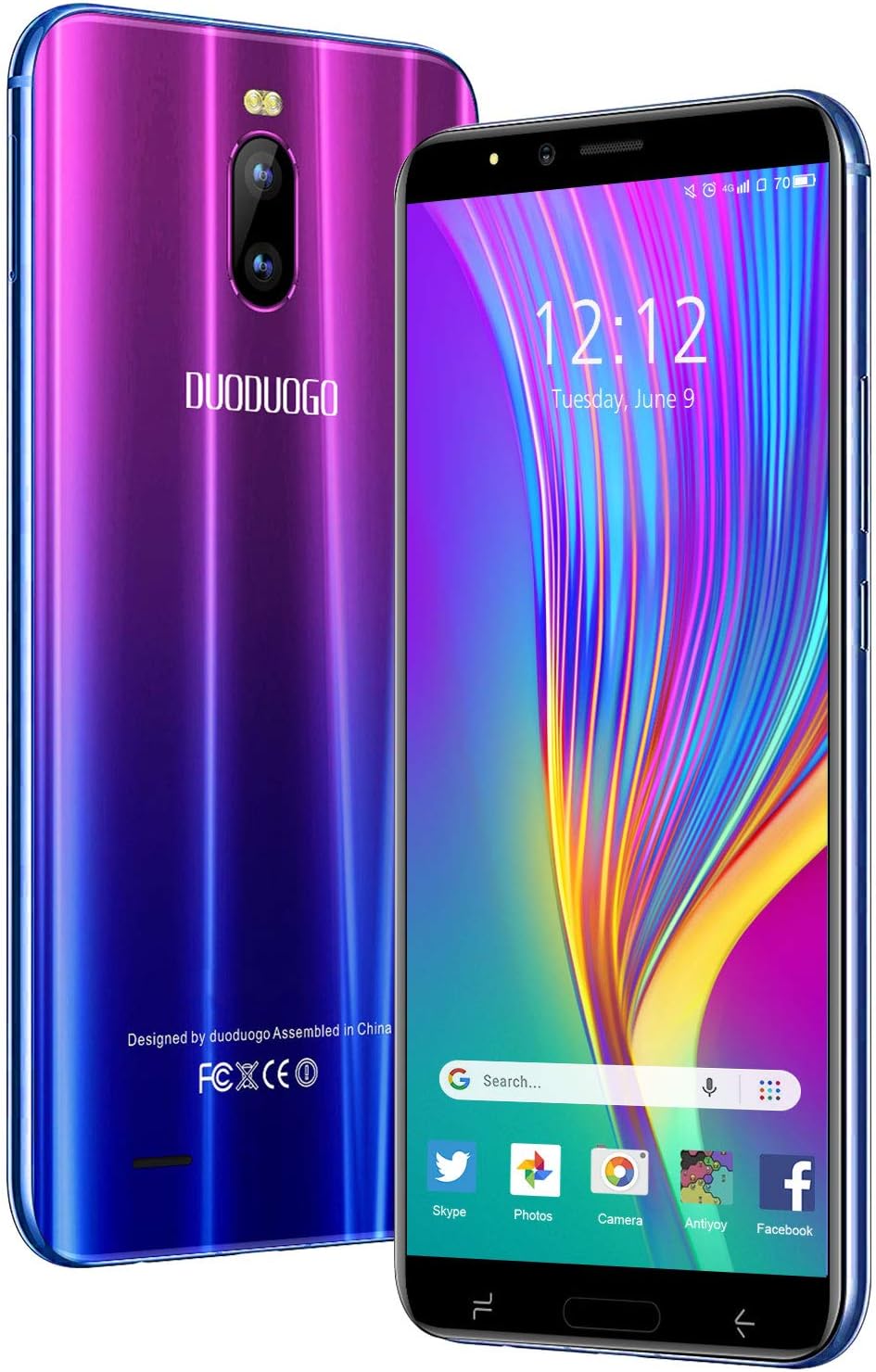
படம்: முன் மற்றும் பின் view of the DUODUOGO J6+ smartphone, showcasing its vibrant purple-to-blue gradient finish and the display.
முக்கிய அம்சங்கள்:
- காட்சி: 6.0-இன்ச் HD+ திரை.
- இயக்க முறைமை: ஆண்ட்ராய்டு 9.0.
- செயல்திறன்: 3GB RAM and 16GB internal storage, expandable up to 128GB via microSD.
- பேட்டரி: 4800 mAh large capacity battery for extended use.
- கேமராக்கள்: 8MP பின்புற கேமரா மற்றும் 5MP முன் கேமரா.
- பாதுகாப்பு: Face ID unlock feature.
- இணைப்பு: Dual SIM (2 Micro-SIM + 1 MicroSD) with 2G/3G/4G network support, Wi-Fi, Bluetooth 4.2, and GPS.
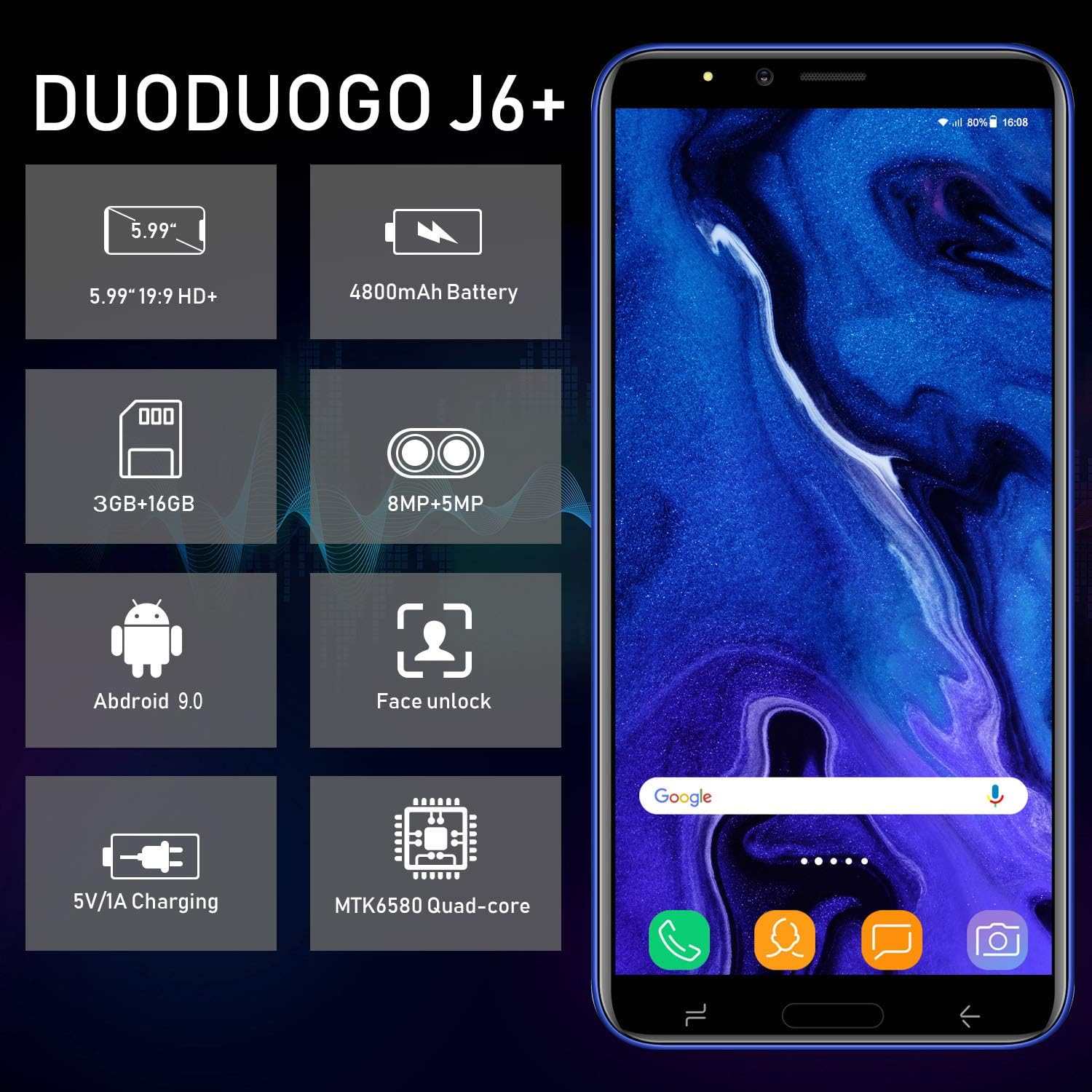
Image: Infographic highlighting key specifications of the DUODUOGO J6+, including screen size, battery capacity, memory, camera resolution, Android version, Face Unlock, charging, and processor type.
தொகுப்பு உள்ளடக்கங்கள்
தொகுப்பைத் திறந்தவுடன், பின்வரும் அனைத்து பொருட்களும் இருப்பதை உறுதிசெய்யவும்:
- DUODUOGO J6+ Smartphone
- சார்ஜர்
- USB டேட்டா கேபிள்
- ஹெட்ஃபோன்கள்
- பாதுகாப்பு வழக்கு
- Screen Protector (Anti-burst membrane)
- பயனர் கையேடு

Image: All items included in the DUODUOGO J6+ smartphone package, neatly laid out, including the phone, charger, USB cable, headphones, protective case, and user manual.
அமைவு
1. பேட்டரி நிறுவல் மற்றும் ஆரம்ப சார்ஜ்
The DUODUOGO J6+ comes with a removable battery. Before first use, remove the insulating film from the battery terminals. Insert the battery into the designated compartment on the back of the phone. Close the back cover securely.
Connect the charger to the phone's USB port and plug it into a power outlet. Charge the phone completely before initial use. A full charge ensures optimal battery calibration.
2. சிம் கார்டு மற்றும் மைக்ரோ எஸ்டி கார்டு நிறுவல்
The phone supports two Micro-SIM cards and one MicroSD card for expandable storage.
- Locate the SIM/MicroSD card slot(s), typically under the battery or on the side of the device.
- Carefully insert your Micro-SIM cards into the SIM slots with the gold contacts facing down.
- If desired, insert a MicroSD card (up to 128GB) into the dedicated MicroSD slot.
- Ensure the cards are seated correctly.
3. பவர் ஆன் மற்றும் ஆரம்ப அமைப்பு
Press and hold the Power button (usually on the right side) until the screen lights up. Follow the on-screen prompts to complete the initial setup, which includes selecting your language, connecting to Wi-Fi, setting up your Google account, and configuring security features like Face ID.
இயக்க வழிமுறைகள்
அடிப்படை வழிசெலுத்தல்
- பவர் ஆன்/ஆஃப்: பவர் பட்டனை அழுத்திப் பிடிக்கவும். விருப்பங்களிலிருந்து "பவர் ஆஃப்" அல்லது "ரீஸ்டார்ட்" என்பதைத் தேர்ந்தெடுக்கவும்.
- திரைப் பூட்டு/திறத்தல்: திரையைப் பூட்ட அல்லது திறக்க பவர் பட்டனைச் சிறிது நேரம் அழுத்தவும்.
- முகப்புத் திரை: முகப்புத் திரைகளுக்கு இடையில் செல்ல இடது அல்லது வலதுபுறமாக ஸ்வைப் செய்யவும்.
- அறிவிப்புகள்: அறிவிப்புப் பலகத்தையும் விரைவு அமைப்புகளையும் அணுக திரையின் மேலிருந்து கீழ்நோக்கி ஸ்வைப் செய்யவும்.
- சமீபத்திய பயன்பாடுகள்: சதுர வழிசெலுத்தல் பொத்தானைத் தட்டவும் (அல்லது சைகைகளைப் பயன்படுத்தினால் மேலே ஸ்வைப் செய்து கீழிருந்து பிடிக்கவும்) view சமீபத்தில் பயன்படுத்தப்பட்ட பயன்பாடுகள்.
அழைப்புகள் மற்றும் செய்திகளை அனுப்புதல்
- அழைப்புகள்: Open the "Phone" app, enter the number, and tap the call icon.
- செய்திகள்: Open the "Messages" app, tap the new message icon, enter the recipient's number or select from contacts, and type your message.
கேமரா பயன்பாடு
The DUODUOGO J6+ features an 8MP rear camera and a 5MP front camera.
- "கேமரா" பயன்பாட்டைத் திறக்கவும்.
- புகைப்படம் எடுக்க ஷட்டர் பொத்தானைத் தட்டவும்.
- காணொளி பதிவு முறைக்கு மாற காணொளி ஐகானைத் தட்டவும்.
- Use the camera switch icon to toggle between the front and rear cameras.

Image: The DUODUOGO J6+ smartphone displayed with icons indicating its 8MP rear camera and 5MP front camera capabilities.
முக ஐடி அன்லாக்
முக ஐடியை அமைக்க, இங்கு செல்லவும் Settings > Security & Location > Face Unlock. Follow the on-screen instructions to register your face. Once set up, simply look at the front camera to unlock your device quickly and securely.
பராமரிப்பு
பொது பராமரிப்பு
- சாதனத்தை உலர வைக்கவும். ஈரப்பதம் மின்னணு சுற்றுகளை சேதப்படுத்தும்.
- அதிக வெப்பநிலையைத் தவிர்க்கவும். அதிக வெப்பநிலை மின்னணு சாதனங்களின் ஆயுளைக் குறைத்து பேட்டரிகளை சேதப்படுத்தும்.
- சாதனத்தை கைவிடவோ, தட்டவோ அல்லது அசைக்கவோ வேண்டாம். கரடுமுரடான கையாளுதல் உள் சர்க்யூட் போர்டுகளை உடைத்துவிடும்.
- அங்கீகரிக்கப்பட்ட சார்ஜர்கள் மற்றும் துணைக்கருவிகளை மட்டுமே பயன்படுத்தவும்.
- மென்மையான, உலர்ந்த துணியால் திரையையும் உடலையும் சுத்தம் செய்யவும். கடுமையான இரசாயனங்களைப் பயன்படுத்துவதைத் தவிர்க்கவும்.
பேட்டரி பராமரிப்பு
- பேட்டரி ஆயுளை நீட்டிக்க, அடிக்கடி பேட்டரியை முழுமையாக டிஸ்சார்ஜ் செய்வதைத் தவிர்க்கவும்.
- Do not leave the phone charging for excessively long periods after it is fully charged.
- தொலைபேசியை நீண்ட நேரம் பயன்படுத்த முடியாவிட்டால், சேமிப்பதற்கு முன் அதை சுமார் 50% சார்ஜ் செய்யவும்.

Image: A visual representation emphasizing the 4800mAh large capacity battery of the DUODUOGO J6+ smartphone.
சரிசெய்தல்
| பிரச்சனை | சாத்தியமான காரணம் / தீர்வு |
|---|---|
| தொலைபேசி இயக்கப்படவில்லை. | Battery might be completely drained. Charge the phone for at least 30 minutes before attempting to power on. Ensure the insulating film is removed from the battery. |
| Wi-Fi உடன் இணைக்க முடியவில்லை. | Ensure Wi-Fi is enabled in settings. Check if the Wi-Fi password is correct. Restart your router and the phone. |
| சிம் கார்டு கண்டறியப்படவில்லை. | Ensure the SIM card is correctly inserted in the slot. Restart the phone. Check if the SIM card is active with your network provider. |
| முக அடையாளம் வேலை செய்யவில்லை. | உங்கள் முகம் நன்கு வெளிச்சமாகவும், தடையாக இல்லாமல் இருப்பதையும் உறுதிப்படுத்திக் கொள்ளுங்கள். சிக்கல் தொடர்ந்தால், அமைப்புகளில் உங்கள் முகத்தை மீண்டும் பதிவு செய்யவும். |
| மெதுவான செயல்திறன். | Close unused apps. Clear cache from apps. Free up storage space by deleting unnecessary files or moving them to the SD card. Restart the phone. |
விவரக்குறிப்புகள்
| அம்சம் | விவரம் |
|---|---|
| மாதிரி பெயர் | J6+ |
| பிராண்ட் | DUODUOGO |
| இயக்க முறைமை | ஆண்ட்ராய்டு 9.0 |
| காட்சி அளவு | 6.0 inches (15.3 cm) HD+ |
| ரேம் | 3 ஜிபி |
| உள் சேமிப்பு | 16 ஜிபி |
| விரிவாக்கக்கூடிய சேமிப்பு | 128 ஜிபி வரை (மைக்ரோ எஸ்டி) |
| பின்புற கேமரா | 8 எம்.பி |
| முன் கேமரா | 5 எம்.பி |
| பேட்டரி திறன் | 4800 mAh |
| சிம் கார்டு இடங்கள் | Dual-SIM (2 Micro-SIM) |
| நெட்வொர்க் தொழில்நுட்பம் | 2ஜி, 3ஜி, 4ஜி |
| இணைப்பு | Bluetooth 4.2, USB, WLAN (Wi-Fi), GPS |
| பாதுகாப்பு அம்சங்கள் | முக அடையாளம் |
| தயாரிப்பு பரிமாணங்கள் | 16.1 x 7.7 x 0.8 செ.மீ |
| தயாரிப்பு எடை | 170 கிராம் |
| நிறம் | வயலட் |

Image: Detailed dimensions of the DUODUOGO J6+ smartphone, showing its length, width, and thickness.
உத்தரவாதம் மற்றும் ஆதரவு
The DUODUOGO J6+ smartphone comes with a 1 வருட உத்தரவாதம் from the date of purchase. This warranty covers manufacturing defects and malfunctions under normal use. Please note that the warranty does not cover damages caused by human factors (e.g., accidental drops, liquid damage, unauthorized repairs).
For any questions, technical support, or warranty claims, please contact DUODUOGO customer service. Refer to the contact information provided in your product packaging or on the official DUODUOGO webதளம்.
Ask a question about this manual
Ask about setup, troubleshooting, compatibility, parts, safety, or missing instructions. Manuals+ will review the question and use this page’s manual context to help answer it.