
1. அறிமுகம்
நன்றி, நன்றி.asing the Heayzoki K605 Portable Digital Tuning Radio Receiver. This device combines a multi-band radio with an MP3 player, offering versatility and portability. Please read this manual carefully to ensure proper use and to maximize your enjoyment of the product.

Image: The Heayzoki K605 portable radio, highlighting its compact and lightweight design.
முக்கிய அம்சங்கள்:
- எளிதாக எடுத்துச் செல்வதற்கு ஏற்ற சிறிய மற்றும் எடுத்துச் செல்லக்கூடிய வடிவமைப்பு.
- MP3 playback mode supporting WAV and MP3 formats.
- Memory card support for audio playback.
- FM stereo reception for improved sound clarity.
- High sensitivity and good selectivity for clear reception.
- Simple and intuitive operation, suitable for all ages.
2. பாதுகாப்பு தகவல்
சேதத்தைத் தடுக்கவும் பாதுகாப்பான செயல்பாட்டை உறுதி செய்யவும், பின்வரும் முன்னெச்சரிக்கை நடவடிக்கைகளைக் கவனிக்கவும்:
- சாதனத்தை தீவிர வெப்பநிலை, நேரடி சூரிய ஒளி அல்லது அதிக ஈரப்பதத்திற்கு வெளிப்படுத்த வேண்டாம்.
- வலுவான தாக்கங்களுக்கு சாதனத்தை கைவிடுவதையோ அல்லது உட்படுத்துவதையோ தவிர்க்கவும்.
- சாதனத்தை நீங்களே பிரிக்கவோ அல்லது சரிசெய்ய முயற்சிக்கவோ வேண்டாம். அனைத்து சேவைகளையும் தகுதிவாய்ந்த பணியாளர்களிடம் பரிந்துரைக்கவும்.
- சாதனத்தை தண்ணீர் மற்றும் பிற திரவங்களிலிருந்து விலக்கி வைக்கவும்.
- Use only the specified battery and charging accessories.
- When using earphones, keep the volume at a moderate level to prevent hearing damage.
3. தொகுப்பு உள்ளடக்கங்கள்
தொகுப்பில் அனைத்து பொருட்களும் உள்ளதா என சரிபார்க்கவும்:
- Heayzoki K605 Portable Radio Receiver
- ரிச்சார்ஜபிள் பேட்டரி (முன்பே நிறுவப்பட்டது அல்லது தனித்தனியாக)
- USB சார்ஜிங் கேபிள்
- இயர்போன்கள்
- உரிமையாளர் கையேடு (இந்த ஆவணம்)
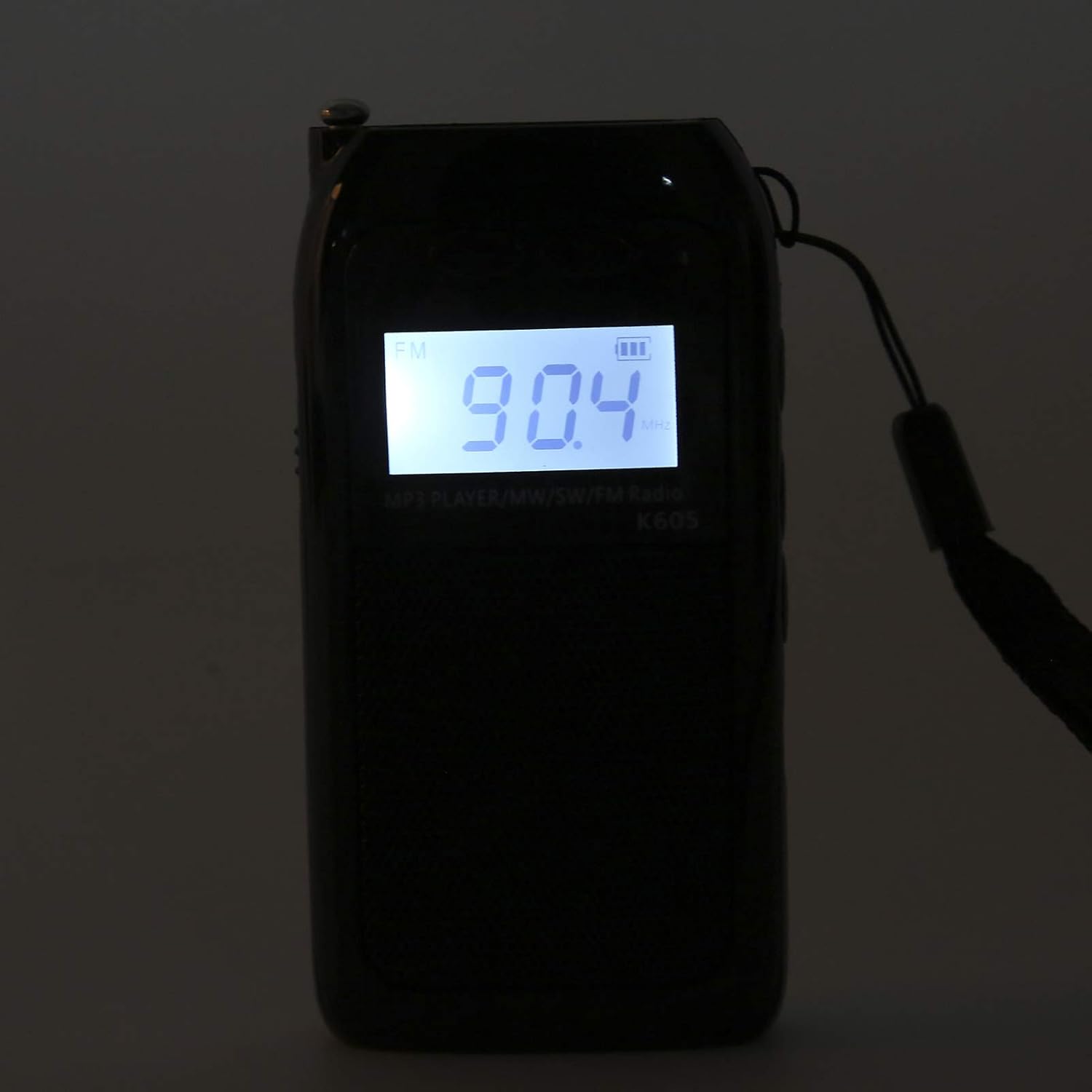
Image: The Heayzoki K605 radio displayed with its accessories, including earphones and a charging cable.
4. தயாரிப்பு முடிந்துவிட்டதுview
Familiarize yourself with the buttons and ports of your K605 radio.

படம்: முன்பக்கம் view of the K605 radio, highlighting the LCD screen and speaker.

படம்: பக்கம் view of the K605 radio, illustrating the control buttons for tuning and volume.

படம்: பின்புறம் view of the K605 radio, showing the battery compartment and additional ports.
கட்டுப்பாடுகள் மற்றும் துறைமுகங்கள்:
- LCD காட்சி: Shows frequency, time, battery status, and MP3 track information.
- பவர் பட்டன்: சாதனத்தை ஆன்/ஆஃப் செய்கிறது.
- பயன்முறை பொத்தான்: Switches between FM, SW, MW radio, and MP3 player modes.
- தொகுதி +/- பொத்தான்கள்: ஆடியோ ஒலியளவை சரிசெய்கிறது.
- டியூனிங் +/- பொத்தான்கள்: Scans or manually tunes radio frequencies; navigates MP3 tracks.
- ப்ளே/இடைநிறுத்த பட்டன்: Controls MP3 playback.
- ஆண்டெனா: Extendable antenna for improved radio reception.
- Earphone Jack (3.5mm): தனிப்பட்ட முறையில் கேட்பதற்கு.
- மைக்ரோ USB போர்ட்: சாதனத்தை சார்ஜ் செய்வதற்கு.
- மெமரி கார்டு ஸ்லாட்: For inserting a microSD card with MP3/WAV files.
5 அமைவு
5.1. பேட்டரியை சார்ஜ் செய்தல்
- Connect the small end of the USB charging cable to the Micro USB port on the radio.
- USB சார்ஜிங் கேபிளின் பெரிய முனையை USB பவர் அடாப்டருடன் (சேர்க்கப்படவில்லை) அல்லது கணினியின் USB போர்ட்டுடன் இணைக்கவும்.
- LCD டிஸ்ப்ளேவில் உள்ள பேட்டரி காட்டி சார்ஜிங் நிலையைக் காண்பிக்கும்.
- முழுமையாக சார்ஜ் ஆனதும், சார்ஜிங் கேபிளைத் துண்டிக்கவும்.
5.2. Inserting a Memory Card (for MP3 Playback)
- Locate the memory card slot on the side or back of the radio.
- Gently insert a microSD card (up to 32GB, not included) with the metal contacts facing down until it clicks into place.
- To remove, push the card in slightly until it clicks out.
6. இயக்க வழிமுறைகள்
6.1. பவர் ஆன்/ஆஃப்
அழுத்திப் பிடிக்கவும் சக்தி ரேடியோவை ஆன் அல்லது ஆஃப் செய்ய பொத்தான்.
6.2. தேர்வு முறைகள்
அழுத்தவும் பயன்முறை button repeatedly to cycle through the available modes: FM Radio, SW Radio, MW Radio, and MP3 Player.
6.3. Radio Operation (FM/SW/MW)
- ஆண்டெனாவைச் செருகவும்: For optimal reception, fully extend the telescopic antenna.
- இசைக்குழுவைத் தேர்ந்தெடுக்கவும்: அழுத்தவும் பயன்முறை button until the desired band (FM, SW, or MW) is displayed.
- தானியங்கி டியூனிங்: அழுத்திப் பிடிக்கவும் டியூனிங் +/- அடுத்த கிடைக்கக்கூடிய நிலையத்தை தானாக ஸ்கேன் செய்ய பொத்தான்கள்.
- கையேடு சரிப்படுத்தும்: சுருக்கமாக அழுத்தவும் டியூனிங் +/- buttons to fine-tune the frequency step by step.
- தொகுதி சரிசெய்தல்: பயன்படுத்தவும் தொகுதி +/- ஒலி அளவை சரிசெய்ய பொத்தான்கள்.

Image: The K605 radio with its antenna extended, ready for radio reception.
6.4. MP3 Player Operation
Ensure a memory card with MP3 or WAV files செருகப்பட்டுள்ளது.
- Select MP3 Mode: அழுத்தவும் பயன்முறை button until "MP3" or similar is displayed.
- விளையாடு/இடைநிறுத்தம்: அழுத்தவும் விளையாடு/இடைநிறுத்தம் பிளேபேக்கைத் தொடங்க அல்லது இடைநிறுத்துவதற்கான பொத்தான்.
- அடுத்த / முந்தைய ட்ராக்: பயன்படுத்தவும் டியூனிங் +/- அடுத்த அல்லது முந்தைய பாதைக்கு செல்ல பொத்தான்கள்.
- தொகுதி சரிசெய்தல்: பயன்படுத்தவும் தொகுதி +/- ஒலி அளவை சரிசெய்ய பொத்தான்கள்.

Image: The K605 radio in MP3 playback mode, showing the MP3 indicator on the display.
6.5. Using Earphones
Plug your 3.5mm earphones into the earphone jack for private listening. The internal speaker will automatically mute.
7. பராமரிப்பு
7.1. சுத்தம் செய்தல்
- மென்மையான, உலர்ந்த துணியால் சாதனத்தை துடைக்கவும்.
- சிராய்ப்பு கிளீனர்கள், கரைப்பான்கள் அல்லது வலுவான இரசாயனங்கள் பயன்படுத்த வேண்டாம்.
7.2. சேமிப்பு
- நேரடி சூரிய ஒளி மற்றும் அதிக வெப்பநிலையிலிருந்து விலகி குளிர்ந்த, உலர்ந்த இடத்தில் ரேடியோவை சேமிக்கவும்.
- If storing for an extended period, ensure the battery is partially charged and recharge it periodically to maintain battery health.
8. சரிசெய்தல்
| பிரச்சனை | சாத்தியமான காரணம் | தீர்வு |
|---|---|---|
| சக்தி இல்லை | பேட்டரி தீர்ந்து விட்டது. | வழங்கப்பட்ட USB கேபிளைப் பயன்படுத்தி பேட்டரியை சார்ஜ் செய்யவும். |
| மோசமான வானொலி வரவேற்பு | ஆண்டெனா நீட்டிக்கப்படவில்லை; பலவீனமான சமிக்ஞை; குறுக்கீடு. | Fully extend the antenna. Try repositioning the radio. Move away from electronic devices causing interference. |
| MP3 fileவிளையாடவில்லை | Memory card not inserted correctly; unsupported file வடிவம்; சிதைந்துள்ளது. files. | Ensure the memory card is properly inserted. Verify files are in WAV or MP3 format. Try another memory card or re-format the current one. |
| No sound from speaker/earphones | Volume is too low; earphones not fully plugged in; faulty earphones. | Increase the volume. Ensure earphones are fully inserted. Test with another pair of earphones. |
9. விவரக்குறிப்புகள்
| அம்சம் | விவரம் |
|---|---|
| மாதிரி | K605 |
| பிராண்ட் | ஹெய்சோகி |
| ரேடியோ பேண்டுகள் ஆதரிக்கப்படுகின்றன | FM, SW, MW (3-Band) |
| FM அதிர்வெண் வரம்பு | 76-108 மெகா ஹெர்ட்ஸ் |
| MW Frequency Range | 522-1620 KHz (9KHz) / 520-1710 KHz (10KHz) |
| SW அதிர்வெண் வரம்பு | 4.75-21.85 மெகா ஹெர்ட்ஸ் |
| ஆடியோ வடிவங்கள் ஆதரிக்கப்படுகின்றன | WAV, MP3 |
| இணைப்பு தொழில்நுட்பம் | 3.5 மிமீ ஆடியோ |
| காட்சி வகை | எல்சிடி |
| சக்தி ஆதாரம் | Battery Powered (500mA 3.7V Lithium battery) |
| பேச்சாளர் அதிகபட்ச வெளியீட்டு சக்தி | 2 வாட்ஸ் |
| பொருள் | அக்ரிலோனிட்ரைல் புடாடீன் ஸ்டைரீன் (ABS) |
| தயாரிப்பு பரிமாணங்கள் | 1 x 1 x 1 செ.மீ |
| பொருளின் எடை | 156 கிராம் |
10. உத்தரவாதத் தகவல்
Heayzoki products are designed and manufactured to the highest quality standards. This product is covered by a limited warranty against defects in materials and workmanship for a period specified by your retailer or local laws from the original date of purchase. Please retain your proof of purchase for warranty claims. The warranty does not cover damage caused by misuse, accident, unauthorized modification, or normal wear and tear.
11. வாடிக்கையாளர் ஆதரவு
If you encounter any issues or have questions regarding your Heayzoki K605 Portable Digital Tuning Radio Receiver that are not addressed in this manual, please contact your retailer or the Heayzoki customer support team for assistance. Please have your model number and purchase details ready when contacting support.
மேலும் தகவலுக்கு, நீங்கள் இங்கு வருகை தரலாம் Heayzoki Store on Amazon.