
1. அறிமுகம்
நன்றி, நன்றி.asing the GOWIN Colossus Mini 8-inch Bluetooth Speaker. This manual provides essential information for the safe and efficient operation of your device. Please read it thoroughly before use and retain it for future reference.
2. பாதுகாப்பு தகவல்
பொது பாதுகாப்பு முன்னெச்சரிக்கைகள்
- ஸ்பீக்கரை தண்ணீர், ஈரப்பதம் அல்லது அதிக வெப்பநிலைக்கு வெளிப்படுத்த வேண்டாம்.
- பேச்சாளரைக் கீழே தள்ளுவதையோ அல்லது வலுவான தாக்கங்களுக்கு உட்படுத்துவதையோ தவிர்க்கவும்.
- ஸ்பீக்கரை நீங்களே பிரிக்கவோ அல்லது சரிசெய்யவோ முயற்சிக்காதீர்கள். தகுதிவாய்ந்த சேவை பணியாளர்களைத் தொடர்பு கொள்ளவும்.
- ஸ்பீக்கரை வெப்ப மூலங்கள் மற்றும் நேரடி சூரிய ஒளியில் இருந்து விலக்கி வைக்கவும்.
- அதிக வெப்பத்தைத் தடுக்க சரியான காற்றோட்டத்தை உறுதிப்படுத்தவும்.
பேட்டரி பாதுகாப்பு
- வழங்கப்பட்ட சார்ஜிங் கேபிளை மட்டும் பயன்படுத்தவும்.
- Do not dispose of the battery in fire or expose it to high temperatures.
- If the battery leaks, avoid contact with skin and eyes. Seek medical attention if contact occurs.
- பேட்டரி டெர்மினல்களை ஷார்ட் சர்க்யூட் செய்யாதீர்கள்.
3. தொகுப்பு உள்ளடக்கங்கள்
தொகுப்பில் அனைத்து பொருட்களும் உள்ளதா என சரிபார்க்கவும்:
- GOWIN Colossus Mini 8-inch Bluetooth Speaker
- 3.5 மிமீ துணை கேபிள்
- பவர் கேபிள்
- ரிமோட் கண்ட்ரோல்
- பயனர் கையேடு (இந்த ஆவணம்)
4. தயாரிப்பு முடிந்துவிட்டதுview
The GOWIN Colossus Mini is a portable Bluetooth speaker designed for versatile audio playback.
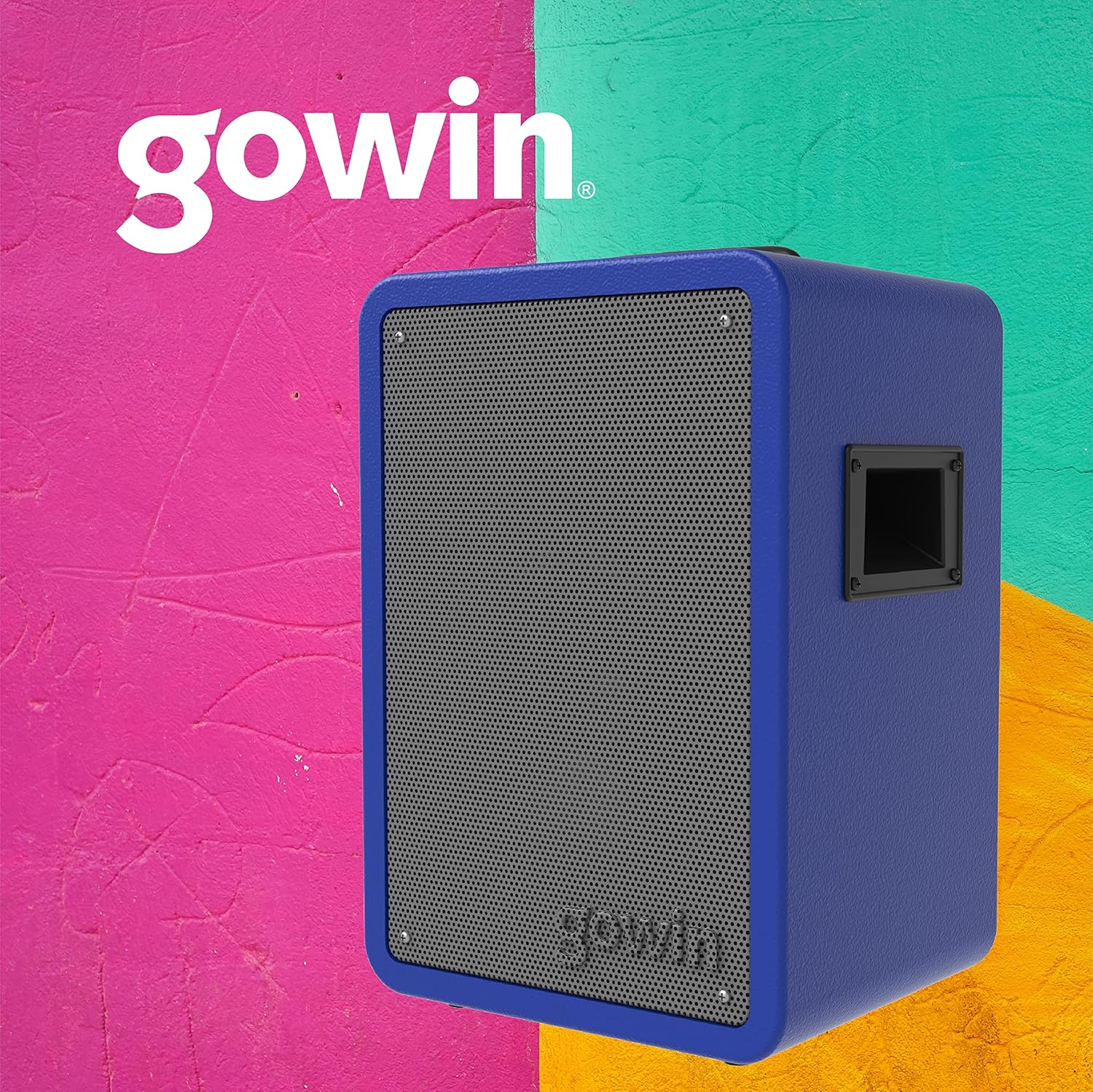
படம் 4.1: முன் view of the GOWIN Colossus Mini Speaker.
கண்ட்ரோல் பேனல்
The control panel is located on the rear of the speaker and provides access to various functions and inputs.

Figure 4.2: Rear control panel with USB, Micro SD, Aux, and Microphone inputs.
- மின்விசை மாற்றும் குமிழ்: ஸ்பீக்கரை ஆன் அல்லது ஆஃப் செய்யும்.
- பயன்முறை பொத்தான்: Switches between Bluetooth, USB, Micro SD, FM Radio, and Auxiliary input modes.
- யூ.எஸ்.பி உள்ளீடு: USB ஃபிளாஷ் டிரைவ்களிலிருந்து ஆடியோவை இயக்குவதற்கு.
- மைக்ரோ SD உள்ளீடு: For playing audio from Micro SD cards.
- துணை உள்ளீடு (3.5மிமீ): Connect external audio devices using the provided 3.5mm cable.
- மைக்ரோஃபோன் உள்ளீடு: Connect a microphone for karaoke or public address functions.
- Volume/Control Knobs: Adjust master volume, microphone volume, and echo effects.
- எல்.ஈ.டி காட்சி: Shows current mode, track information, or FM frequency.
- சார்ஜிங் போர்ட்: Connect the power cable for charging.
5 அமைவு
ஆரம்ப சார்ஜிங்
Before first use, fully charge the speaker for approximately 10 hours. Subsequent charging time is about 2 hours for up to 4 hours of usage.
- Connect the power cable to the speaker's charging port.
- பவர் கேபிளின் மறுமுனையை பொருத்தமான பவர் அவுட்லெட்டில் செருகவும்.
- LED இண்டிகேட்டர் சார்ஜிங் நிலையைக் காண்பிக்கும். முழுமையாக சார்ஜ் ஆனதும், கேபிளைத் துண்டிக்கவும்.
ஆன்/ஆஃப்
Locate the Power Switch on the control panel. Flip the switch to the "ON" position to power on the speaker. Flip it to "OFF" to power off.
6. இயக்க வழிமுறைகள்
புளூடூத் இணைத்தல்
புளூடூத் வழியாக உங்கள் சாதனத்தை இணைக்க:
- Power on the speaker. The speaker will automatically enter Bluetooth pairing mode, indicated by a flashing Bluetooth icon on the LED display.
- உங்கள் மொபைல் சாதனத்தில் (ஸ்மார்ட்போன், டேப்லெட், முதலியன), புளூடூத்தை இயக்கி, கிடைக்கக்கூடிய சாதனங்களைத் தேடவும்.
- Select "GOWIN Colossus Mini" from the list of devices.
- Once paired, the speaker will emit a confirmation sound, and the Bluetooth icon on the LED display will stop flashing.
- You can now play audio from your device through the speaker. The wireless range is up to 10 meters.
USB/Micro SD பிளேபேக்
To play audio from a USB flash drive or Micro SD card:
- கட்டுப்பாட்டுப் பலகத்தில் உள்ள தொடர்புடைய ஸ்லாட்டில் USB ஃபிளாஷ் டிரைவ் அல்லது மைக்ரோ SD கார்டைச் செருகவும்.
- The speaker will automatically switch to USB or Micro SD mode and begin playing audio. If not, press the "Mode" button to select the correct input.
- Use the control panel buttons or remote control to play, pause, skip tracks, and adjust volume.
FM வானொலி
To use the FM Radio function:
- Press the "Mode" button until "FM" appears on the LED display.
- கிடைக்கக்கூடிய FM நிலையங்களைத் தானாக ஸ்கேன் செய்து சேமிக்க, Play/Pause பொத்தானை அழுத்திப் பிடிக்கவும்.
- Use the Previous/Next track buttons to navigate between saved stations.
துணை உள்ளீடு
To connect an external audio device via the auxiliary input:
- Connect one end of the 3.5mm auxiliary cable to the speaker's "AUX IN" port.
- கேபிளின் மறுமுனையை உங்கள் வெளிப்புற சாதனத்தின் ஹெட்ஃபோன் ஜாக் அல்லது ஆடியோ வெளியீட்டில் இணைக்கவும்.
- Press the "Mode" button until "AUX" appears on the LED display.
- Play audio from your external device. Adjust volume using the speaker's controls or your device's volume.
மைக்ரோஃபோன் உள்ளீடு
To use a microphone with the speaker:
- Connect a microphone (not included) to the "MIC IN" port on the control panel.
- Adjust the microphone volume and echo effect using the dedicated knobs on the control panel.
ரிமோட் கண்ட்ரோல் பயன்பாடு
The included remote control allows for convenient operation of the speaker from a distance. Functions include power, mode selection, volume control, track navigation, and play/pause.
7. பராமரிப்பு
சுத்தம் செய்தல்
- சுத்தம் செய்வதற்கு முன் எப்போதும் ஸ்பீக்கரை அணைத்துவிட்டு, இணைப்பைத் துண்டிக்கவும்.
- ஸ்பீக்கரின் வெளிப்புறத்தைத் துடைக்க மென்மையான, உலர்ந்த துணியைப் பயன்படுத்தவும்.
- சிராய்ப்பு கிளீனர்கள், மெழுகுகள் அல்லது கரைப்பான்களைப் பயன்படுத்த வேண்டாம்.
சேமிப்பு
- நேரடி சூரிய ஒளி மற்றும் அதிக வெப்பநிலையிலிருந்து விலகி குளிர்ந்த, உலர்ந்த இடத்தில் ஸ்பீக்கரை சேமிக்கவும்.
- நீண்ட நேரம் சேமித்து வைத்தால், அதன் ஆயுட்காலத்தைப் பராமரிக்க அவ்வப்போது பேட்டரியை சார்ஜ் செய்யவும்.
8. சரிசெய்தல்
உங்கள் ஸ்பீக்கரில் சிக்கல்கள் ஏற்பட்டால், பின்வரும் பொதுவான சிக்கல்கள் மற்றும் தீர்வுகளைப் பார்க்கவும்:
| பிரச்சனை | சாத்தியமான காரணம் | தீர்வு |
|---|---|---|
| ஸ்பீக்கர் இயக்கப்படவில்லை. | Battery is depleted. Power cable not connected. | Charge the speaker. Ensure power cable is securely connected. |
| ஒலி இல்லை. | Volume is too low. Incorrect mode selected. Device not paired (Bluetooth). | Increase volume. Press 'Mode' button to select correct input. Re-pair Bluetooth device. |
| புளூடூத் சாதனத்தை இணைக்க முடியாது. | ஸ்பீக்கர் இணைத்தல் பயன்முறையில் இல்லை. சாதனம் வெகு தொலைவில் உள்ளது. குறுக்கீடு. | Ensure speaker is in Bluetooth mode. Move device closer (within 10m). Avoid obstacles. |
| USB/மைக்ரோ SD இயங்கவில்லை. | தவறானது file வடிவம். கார்டு/டிரைவ் சரியாகச் செருகப்படவில்லை. | ஆடியோவை உறுதிப்படுத்தவும் files are compatible (e.g., MP3). Reinsert the USB drive or Micro SD card. |
9. விவரக்குறிப்புகள்
| மாதிரி பெயர் | Colossus Mini |
| மாதிரி எண் | சிவப்பு-783 |
| பிராண்ட் | கோவின் |
| பேச்சாளர் அளவு | 8 அங்குலம் |
| டிரைவர் அளவு | 2 அங்குலம் |
| வாட்tage (Max Output) | 700 வாட்ஸ் |
| மின்மறுப்பு | 3 ஓம்ஸ் |
| அதிர்வெண் பதில் | 100 ஹெர்ட்ஸ் - 18 கிலோஹெர்ட்ஸ் |
| இணைப்பு தொழில்நுட்பம் | புளூடூத் |
| வயர்லெஸ் வீச்சு | 10 மீட்டர் |
| பேட்டரி வகை | Rechargeable Lithium Ion (1800 mAh / 7.4 V) |
| சார்ஜிங் நேரம் | 2 hours (initial charge 10 hours) |
| சராசரி பேட்டரி ஆயுள் | 4 மணி நேரம் வரை |
| உள்ளீடுகள் | USB, Micro SD, 3.5mm Aux, Microphone |
| பொருள் | மரம் |
| தயாரிப்பு பரிமாணங்கள் (L x W x H) | 29 x 34 x 46 செ.மீ (தோராயமாக 11.4 x 13.4 x 18.1 அங்குலம்) |
| தயாரிப்பு எடை | 7 கிலோ (தோராயமாக. 15.4 பவுண்ட்) |
| சிறப்பு அம்சங்கள் | High-resolution audio, Bass boost, FM Radio, LED Display |
10. உத்தரவாதம் மற்றும் ஆதரவு
உத்தரவாத தகவல்
This GOWIN product comes with a 1 வருட உத்தரவாதம் from the date of purchase. The warranty covers manufacturing defects and malfunctions under normal use. It does not cover damage caused by misuse, accidents, unauthorized modifications, or normal wear and tear.
உத்திரவாதக் கோரிக்கைகளுக்காக உங்கள் வாங்கியதற்கான ஆதாரத்தை வைத்துக் கொள்ளவும்.
வாடிக்கையாளர் ஆதரவு
For technical assistance, warranty claims, or any questions regarding your GOWIN Colossus Mini speaker, please contact GOWIN customer support through the official GOWIN webதளம் அல்லது உங்கள் சில்லறை விற்பனையாளர்.
பார்வையிடவும் GOWIN Store on Amazon.com.mx மேலும் தகவலுக்கு.