
1. அறிமுகம்
நன்றி, நன்றி.asing the Technics SL-1200MK7 Direct Drive Turntable. This manual provides essential information for the proper setup, operation, and maintenance of your new turntable. Please read this manual thoroughly before using the product to ensure optimal performance and longevity.
The Technics SL-1200MK7 is engineered for precision and durability, offering a high-quality audio experience for both professional DJs and audiophiles. Its robust construction and advanced features make it a reliable choice for vinyl playback.
2. பாதுகாப்பு தகவல்
மின்சார அதிர்ச்சி, தீ அல்லது அலகுக்கு சேதம் ஏற்படுவதைத் தடுக்க, பின்வரும் பாதுகாப்பு முன்னெச்சரிக்கை நடவடிக்கைகளைக் கவனிக்கவும்:
- இந்த அலகு மழை அல்லது ஈரப்பதத்தை வெளிப்படுத்த வேண்டாம்.
- அட்டையை அகற்ற வேண்டாம். சேவையை தகுதிவாய்ந்த பணியாளர்களிடம் மட்டுமே பார்க்கவும்.
- குவளைகள் போன்ற திரவங்களால் நிரப்பப்பட்ட பொருட்களை அலகு மீது வைக்க வேண்டாம்.
- சரியான காற்றோட்டத்தை உறுதி செய்யுங்கள். காற்றோட்ட திறப்புகளை அடைக்காதீர்கள்.
- இந்த அலகுக்கு குறிப்பிடப்பட்ட மின்சார விநியோகத்தை மட்டும் பயன்படுத்தவும்.
- யூனிட் நீண்ட நேரம் பயன்படுத்தப்படாவிட்டால், சுவர் அவுட்லெட்டிலிருந்து பவர் பிளக்கைத் துண்டிக்கவும்.
- நேரடி சூரிய ஒளி அல்லது வெப்ப மூலங்களுக்கு அருகில் அலகு வைப்பதைத் தவிர்க்கவும்.
3. அமைவு வழிகாட்டி
3.1 பிரித்தெடுத்தல் மற்றும் சேர்க்கப்பட்ட கூறுகள்
பேக்கேஜிங்கிலிருந்து அனைத்து கூறுகளையும் கவனமாக அகற்றவும். பின்வரும் பொருட்கள் இருப்பதை உறுதிசெய்யவும்:
- Technics SL-1200MK7 Turntable Unit
- Lid (Dust Cover)
- பவர் கேபிள்
- RCA Signal Cable
- தட்டு
- ஸ்லிப்மேட்
- எதிர் எடை
- Headshell with Cartridge (may be sold separately)
- 45 ஆர்.பி.எம் அடாப்டர்
3.2 வேலை வாய்ப்பு
Place the turntable on a stable, level surface, away from direct sunlight, heat sources, and strong magnetic fields. Ensure there is adequate space around the unit for ventilation and cable connections. Avoid placing it near speakers to minimize vibrations that could affect playback quality.

படம் 3.2.1: முக்கிய view of the Technics SL-1200MK7 Turntable, showcasing its sleek grey finish and classic design. This image provides an overview of the unit's primary components.
3.3 சட்டசபை
- தட்டு நிறுவல்: Carefully place the platter onto the spindle. Ensure it sits flush and rotates freely.
- ஸ்லிப்மேட் இடம்: Lay the included slipmat on top of the platter.
- தூசி மூடி: Attach the dust cover to the hinges at the rear of the unit.
- Cartridge and Headshell: If not pre-installed, attach your preferred cartridge to the headshell. Ensure the stylus is protected during installation.
- Tonearm Balance: Mount the headshell onto the tonearm. Adjust the counterweight until the tonearm is balanced and floats horizontally.
- கண்காணிப்பு படை: Set the tracking force according to your cartridge manufacturer's specifications using the tonearm's tracking force dial.
- எதிர்ப்பு ஸ்கேட்: Adjust the anti-skate dial to match the tracking force setting.
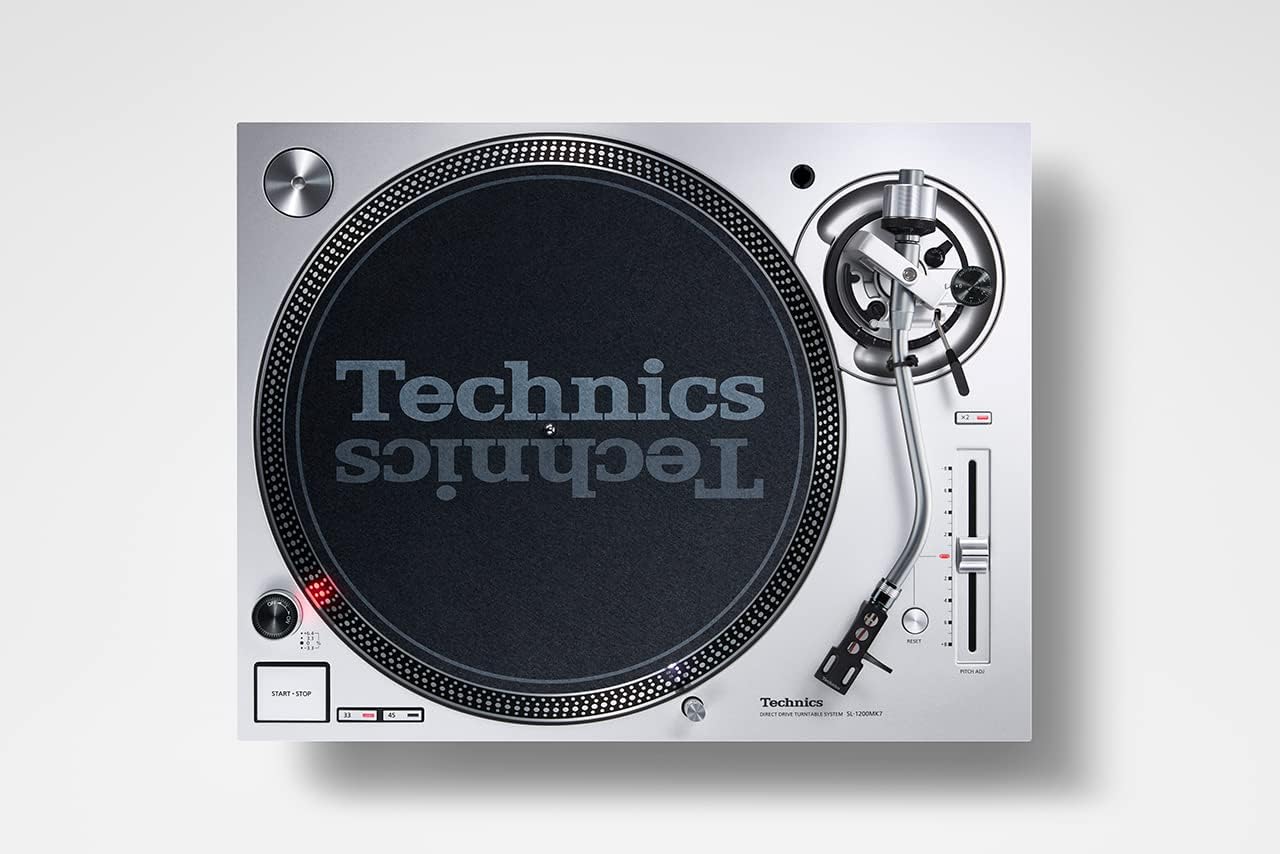
படம் 3.3.1: மேலிருந்து கீழ் view of the Technics SL-1200MK7, highlighting the platter, tonearm, and control layout. This perspective is useful for understanding component placement during assembly.
3.4 இணைப்புகள்
- RCA வெளியீடு: Connect the supplied RCA signal cable from the turntable's RCA output jacks to the PHONO input of your ampலைஃபையர் அல்லது ஃபோனோ ப்ரீamplifier. Ensure correct left (white) and right (red) channel connections.
- தரையில் கம்பி: உங்கள் டர்ன்டேபிளில் இருந்து தரை முனையத்திற்கு தரை கம்பியை இணைக்கவும். ampலைஃபையர் அல்லது ஃபோனோ ப்ரீampஹம் அளவைக் குறைக்க லிஃபையர்.
- சக்தி: Connect the power cable to the turntable and then to a suitable wall outlet.
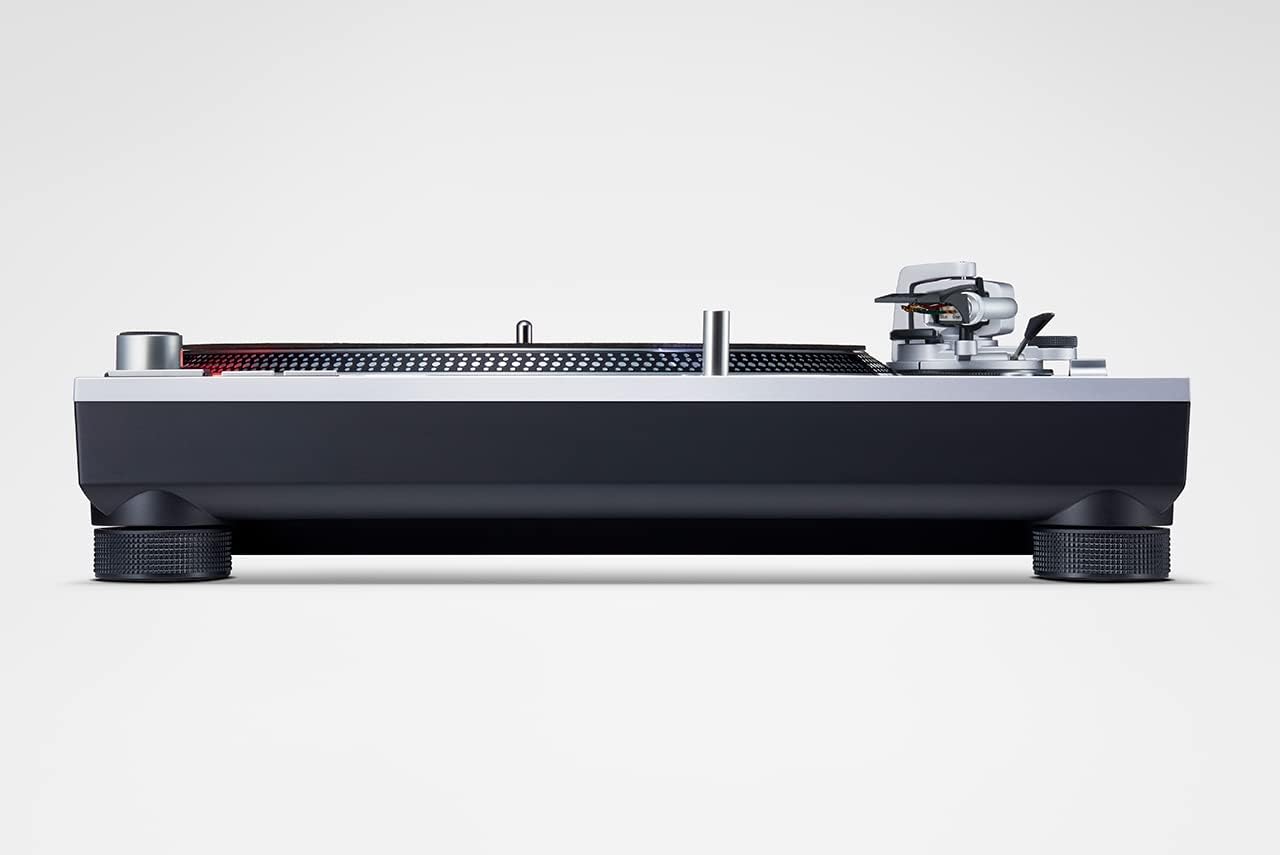
படம் 3.4.1: பக்கம் view of the Technics SL-1200MK7, illustrating its sturdy base and adjustable feet. This view helps in understanding the unit's profile and stability features.
4. இயக்க வழிமுறைகள்
4.1 பவர் ஆன்/ஆஃப்
To power on the turntable, rotate the power switch/strobe illuminator knob clockwise. The strobe light will illuminate. To power off, rotate the knob counter-clockwise until it clicks off.
4.2 ஒரு பதிவை வாசித்தல்
- தட்டில் ஒரு பதிவை வைக்கவும்.
- Select the appropriate speed (33 ⅓, 45, or 78 RPM) using the speed selector buttons. For 78 RPM, refer to the advanced settings in the full manual.
- தட்டு சுழற்சியைத் தொடங்க START/STOP பொத்தானை அழுத்தவும்.
- க்யூயிங் லீவரைப் பயன்படுத்தி டோன்ஆர்மை மெதுவாக உயர்த்தவும்.
- Position the tonearm over the desired groove of the record.
- ஸ்டைலஸ் பதிவில் இறங்க அனுமதிக்க, கியூயிங் லீவரை மெதுவாகக் குறைக்கவும்.
- To stop playback, lift the tonearm using the cueing lever and return it to the tonearm rest. Press the START/STOP button to stop the platter.
4.3 Pitch Control
The SL-1200MK7 features a pitch control slider to adjust the playback speed. Move the slider up or down to increase or decrease the speed. The RESET button instantly returns the pitch to 0%.
5. பராமரிப்பு
5.1 சுத்தம் செய்தல்
- தூசி மூடி: Wipe with a soft, dry cloth. For stubborn marks, use a slightly damp துணி மற்றும் லேசான சோப்பு, பின்னர் முற்றிலும் உலர்.
- Platter and Chassis: Use a soft, lint-free cloth. Avoid abrasive cleaners.
- ஸ்டைலஸ்: Use a dedicated stylus brush or cleaner. Always brush from back to front.
5.2 ஸ்டைலஸ் மாற்றீடு
The stylus is a delicate component and wears over time. Replace it according to your cartridge manufacturer's recommendations (typically every 500-1000 hours of playback). Refer to your cartridge manual for specific replacement instructions.
6. சரிசெய்தல்
| பிரச்சனை | சாத்தியமான காரணம் | தீர்வு |
|---|---|---|
| ஒலி அல்லது குறைந்த ஒலி இல்லை | Incorrect connections; Amplifier input not set to PHONO; Cartridge/stylus issue. | Check RCA and ground connections. Ensure amplifier is set to PHONO input. Verify cartridge is properly installed and stylus is not damaged. |
| சிதைந்த ஒலி | Incorrect tracking force/anti-skate; Worn or dirty stylus; Damaged record. | Adjust tracking force and anti-skate. Clean or replace stylus. Inspect record for damage. |
| தட்டு சுழலவில்லை | Power not connected; START/STOP button not pressed. | Check power cable connection. Press the START/STOP button. |
| Skipping or jumping | Dust on stylus/record; Incorrect tracking force/anti-skate; Turntable not level; Vibrations. | Clean stylus and record. Re-adjust tracking force and anti-skate. Ensure turntable is level and on a stable surface. |
7. விவரக்குறிப்புகள்
| அம்சம் | விவரம் |
|---|---|
| மாதிரி பெயர் | எஸ்எல் 1200 |
| பொருள் மாதிரி எண் | SL-1200MK7EG |
| பிராண்ட் | தொழில்நுட்பங்கள் |
| நிறம் | சாம்பல் |
| பொருள் | அலுமினியம் |
| இணைப்பு தொழில்நுட்பம் | துணை |
| அதிகபட்ச சுழற்சி வேகம் | 78 RPM (supports 33 ⅓, 45, and 78 RPM) |
| பொருளின் எடை | 22 பவுண்டுகள் (தோராயமாக 10 கிலோ) |
| தொகுப்பு பரிமாணங்கள் | 21.34 x 17.17 x 9.53 அங்குலம் |
| உள்ளிட்ட கூறுகள் | Lid, power cable, RCA signal cable |
8. உத்தரவாதம் மற்றும் ஆதரவு
For warranty information and technical support, please refer to the warranty card included with your product or visit the official Technics webஎந்தவொரு உத்தரவாதக் கோரிக்கைகளுக்கும் உங்கள் வாங்கியதற்கான ஆதாரத்தை வைத்திருங்கள்.
For further assistance, you may contact Technics customer service through their official channels. Please have your model number (SL-1200MK7EG) and serial number ready when contacting support.