
அறிமுகம்
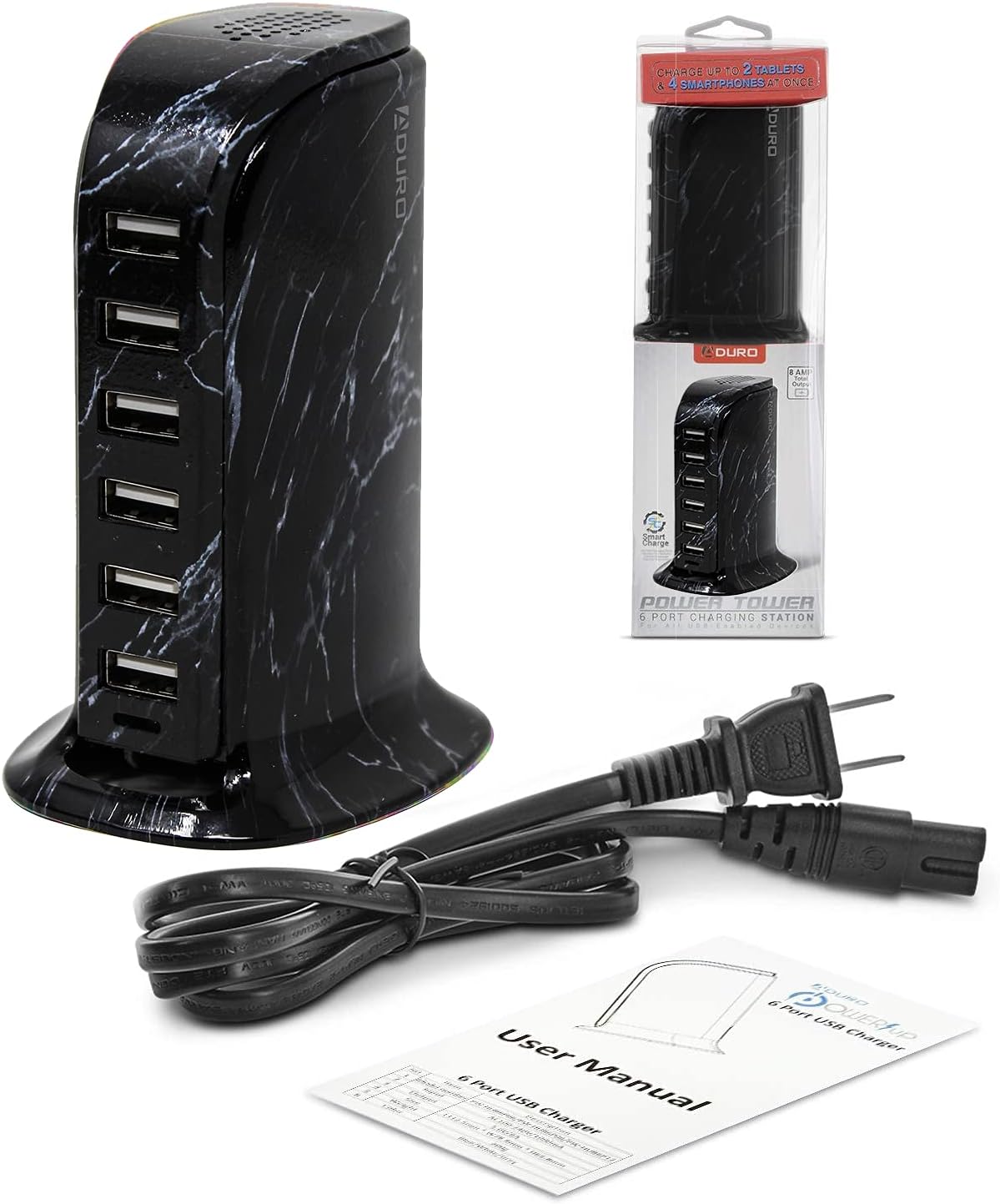
The Aduro 40W 6-Port USB Desktop Charging Station is designed to efficiently charge multiple USB-powered devices simultaneously. Featuring Smart Flow technology, it automatically adjusts power output for optimal charging speed for various devices, including smartphones, tablets, wireless speakers, headsets, and cameras. This compact and powerful charging hub provides a convenient solution for managing your charging needs.
தொகுப்பு உள்ளடக்கங்கள்
- Aduro 40W 6-Port USB Desktop Charging Station
- பவர் கேபிள்
- பயனர் கையேடு (இந்த ஆவணம்)
தயாரிப்பு முடிந்துவிட்டதுview
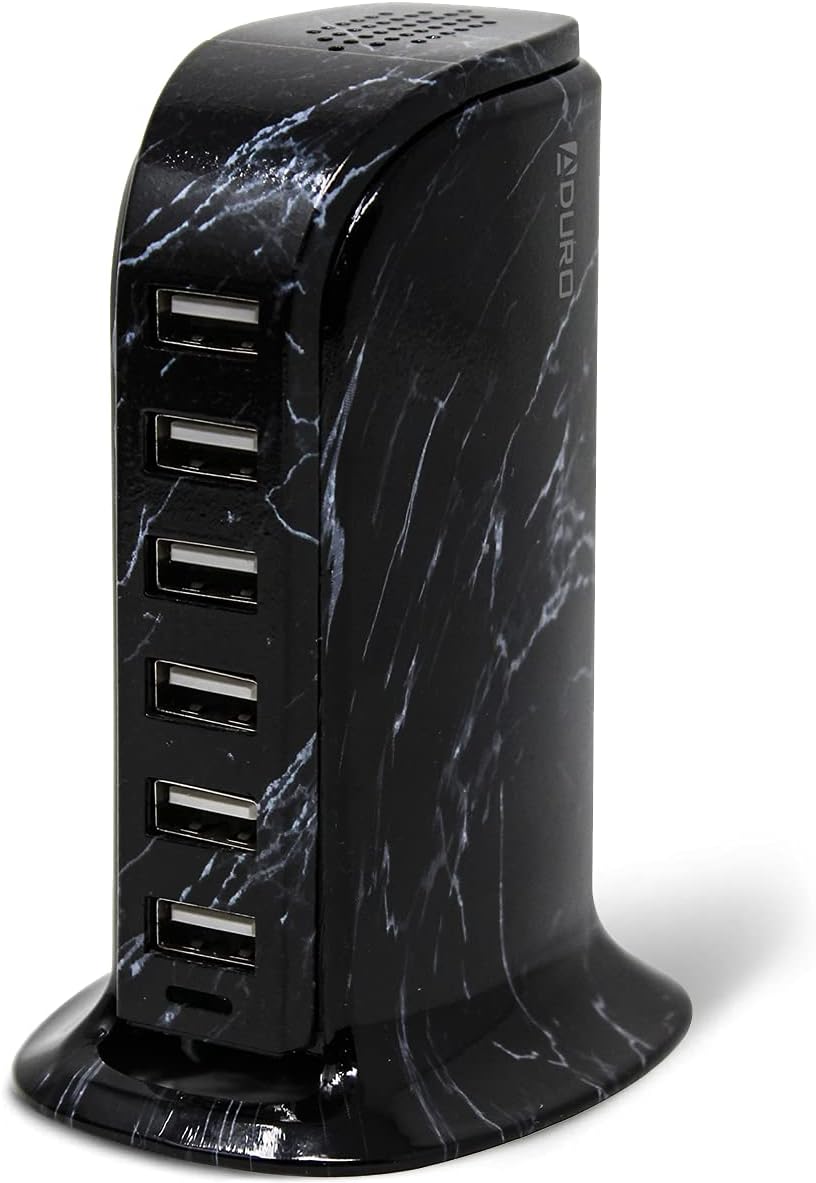
The Aduro 6-Port USB Desktop Charging Station features six USB-A ports, each equipped with Smart IC technology to detect and deliver the optimal charging current for connected devices. The unit has a total power output of 40 Watts and 8 Amps, ensuring efficient charging even when multiple devices are connected.

அமைவு வழிமுறைகள்
- Unpack the Aduro 6-Port USB Desktop Charging Station and its power cable from the packaging.
- Connect the provided power cable to the power input port located on the back of the charging station.
- Plug the other end of the power cable into a standard wall outlet (100-240V AC).
- The blue LED indicator light on the front of the charging station will illuminate, indicating that the device is powered on and ready for use.
இயக்க வழிமுறைகள்
- இணைக்கும் சாதனங்கள்: Use your device's USB charging cable to connect it to any of the six available USB-A ports on the charging station.
- Smart Charge Technology: The integrated Smart IC technology will automatically detect the connected device and deliver the most efficient charging rate, optimizing charging speed and protecting your device.
- ஒரே நேரத்தில் சார்ஜிங்: You can charge up to six devices concurrently. The 40W total power output ensures sufficient power distribution for all connected devices.
பராமரிப்பு
- சுத்தம்: Disconnect the charging station from the power outlet before cleaning. Use a soft, dry cloth to wipe the surface. Do not use liquid cleaners or aerosol sprays.
- சேமிப்பு: When not in use, store the charging station in a cool, dry place away from direct sunlight and moisture.
- கேபிள் மேலாண்மை: Ensure charging cables are not tangled or excessively bent to prevent damage.
சரிசெய்தல்
- சாதனம் சார்ஜ் ஆகவில்லை:
- Ensure the charging station is properly plugged into a live power outlet and the blue LED indicator is on.
- Check if the USB cable is securely connected to both the charging station and your device.
- Try a different USB port on the charging station.
- கேபிள் செயலிழப்பை நிராகரிக்க வேறு USB கேபிளைப் பயன்படுத்தி சோதிக்கவும்.
- உங்கள் சாதனத்தின் சார்ஜிங் போர்ட் சுத்தமாகவும் சேதமடையாமலும் இருப்பதைச் சரிபார்க்கவும்.
- மெதுவாக சார்ஜ் செய்தல்:
- The Smart IC technology optimizes charging, but very power-intensive devices might charge slower if many devices are connected simultaneously.
- Ensure your device's original or high-quality charging cable is used.
- Check if the device itself supports faster charging.
- அதிக வெப்பம்:
- If the charging station feels excessively hot, disconnect it immediately from the power source and all devices. Allow it to cool down.
- Ensure adequate ventilation around the unit. Do not cover it.
- If overheating persists, discontinue use and contact customer support.
விவரக்குறிப்புகள்
| அம்சம் | விவரம் |
|---|---|
| பிராண்ட் | அடுரோ |
| மாதிரி எண் | PW-HUB6P-MB1 |
| மொத்த USB போர்ட்கள் | 6 |
| வாட்tage | 40 வாட்ஸ் |
| Ampஎரிச்சல் | 8 Amps |
| உள்ளீடு தொகுதிtage | 240 வோல்ட் |
| வெளியீடு தொகுதிtage | 5 வோல்ட் (DC) |
| பொருளின் எடை | 0.3 கிலோகிராம் |
| படிவம் காரணி | டெஸ்க்டாப் |
| இணைப்பு தொழில்நுட்பம் | USB, வயர்லெஸ் |
| இணக்கமான சாதனங்கள் | Cellular Phones, Speakers |
| சிறப்பு அம்சம் | வயர்லெஸ் சார்ஜிங் |
உத்தரவாதம் மற்றும் ஆதரவு
The Aduro 40W 6-Port USB Desktop Charging Station comes with an Aduro lifetime warranty. For any product inquiries, technical support, or warranty claims, please contact Aduro customer service. Refer to the official Aduro webதொடர்பு தகவலுக்கான தளம்.