
அறிமுகம்
Thank you for choosing the Soul S-GEAR Wireless Bluetooth Earbuds. These earbuds are designed to provide a high-quality audio experience with the convenience of wireless connectivity, active noise cancellation, and a comfortable in-ear fit. Featuring Bluetooth 5.0, IPX4 water resistance, and a long-lasting battery with fast charging, the S-GEAR earbuds are perfect for daily use.
Please read this manual carefully before using your earbuds to ensure proper operation and to maximize their lifespan.
தொகுப்பு உள்ளடக்கங்கள்
- Soul S-GEAR Wireless Earbuds (Left and Right)
- சார்ஜிங் கேஸ்
- USB-C சார்ஜிங் கேபிள்
- பல அளவு காது முனைகள்
- பயனர் கையேடு
தயாரிப்பு முடிந்துவிட்டதுview
Familiarize yourself with the components of your Soul S-GEAR earbuds and charging case.
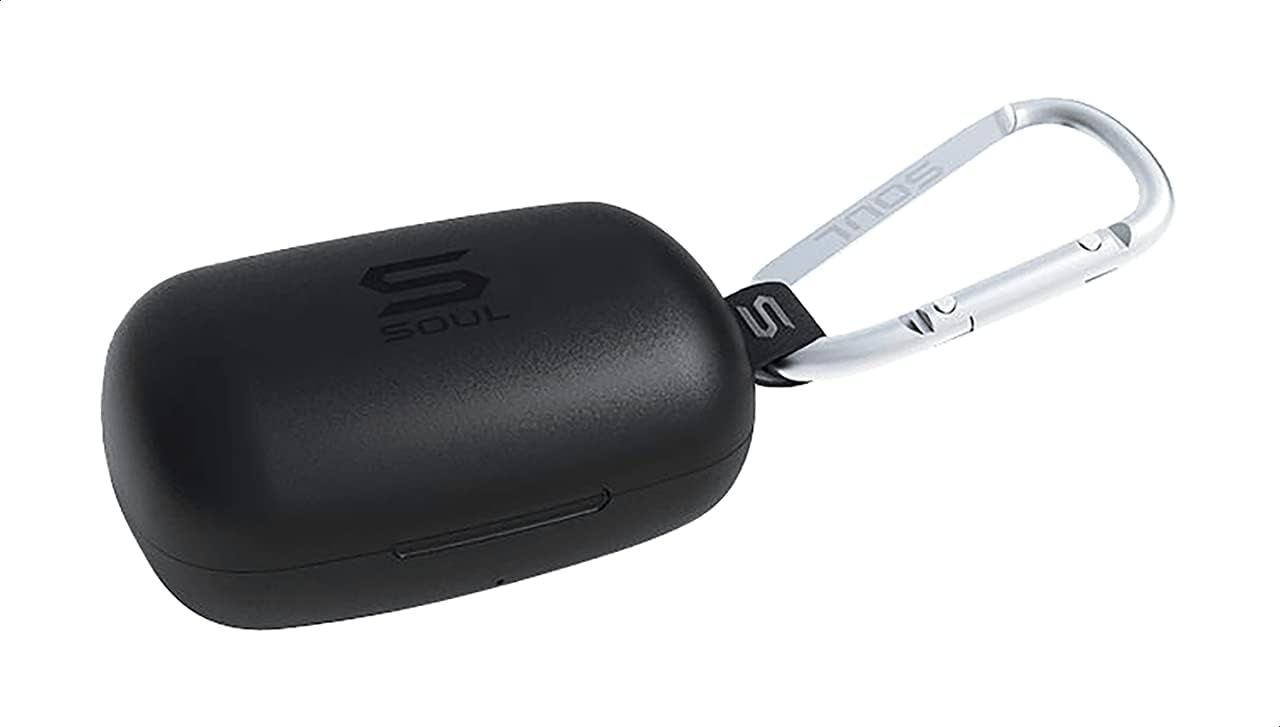
படம் 1: The Soul S-GEAR charging case in black, with the Soul logo visible. A carabiner clip is attached for portability.
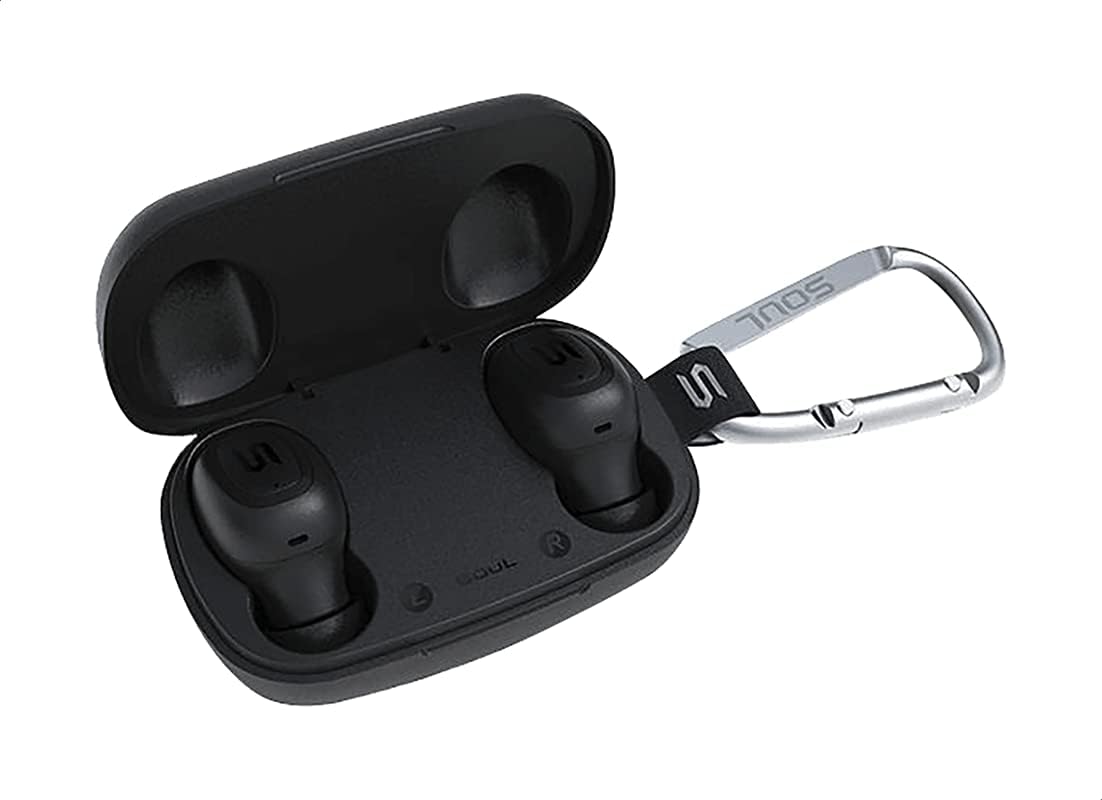
படம் 2: The Soul S-GEAR charging case opened, revealing the two black earbuds securely placed inside their charging slots. The carabiner clip is also visible.
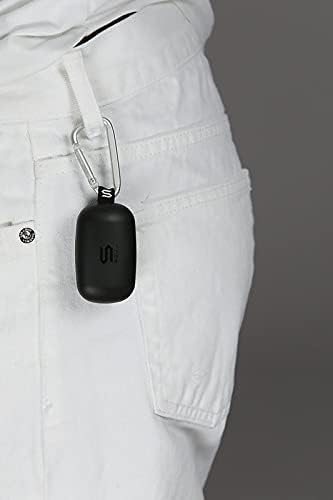
படம் 3: The Soul S-GEAR charging case, with its carabiner clip, attached to the belt loop of white pants, demonstrating its portability.
அமைவு
1. இயர்பட்ஸ் மற்றும் கேஸை சார்ஜ் செய்தல்
- Place the earbuds into the charging case. Ensure they are correctly seated in their respective L/R slots.
- Connect the USB-C charging cable to the charging port on the case and plug the other end into a USB power source (e.g., wall adapter, computer USB port).
- The indicator lights on the case will show the charging status. Allow approximately 1-2 hours for a full charge.
- முழுமையாக சார்ஜ் ஆனதும், சார்ஜிங் கேபிளைத் துண்டிக்கவும்.
2. ஒரு சாதனத்துடன் ஆரம்ப இணைத்தல்
- Open the charging case. The earbuds will automatically power on and enter pairing mode. The indicator lights on the earbuds will flash, indicating they are ready to pair.
- உங்கள் சாதனத்தில் (ஸ்மார்ட்போன், டேப்லெட், முதலியன), புளூடூத்தை இயக்கி, கிடைக்கக்கூடிய சாதனங்களைத் தேடவும்.
- Select "Soul S-GEAR" from the list of found devices.
- Once connected, you will hear an audible confirmation, and the earbud indicator lights will stop flashing.
- The earbuds feature automatic pairing. After the initial setup, they will automatically connect to the last paired device when removed from the case.
இயக்க வழிமுறைகள்
The Soul S-GEAR earbuds feature touch controls for easy management of audio and calls.
பவர் ஆன்/ஆஃப்
- பவர் ஆன்: Open the charging case, or press and hold the touch sensor on both earbuds for 3 seconds.
- பவர் ஆஃப்: Place the earbuds back into the charging case and close the lid, or press and hold the touch sensor on both earbuds for 5 seconds.
இசை பின்னணி
- விளையாடு/இடைநிறுத்தம்: Tap the touch sensor on either earbud once.
- அடுத்த ட்ராக்: Double-tap the touch sensor on the right earbud.
- முந்தைய ட்ராக்: Double-tap the touch sensor on the left earbud.
அழைப்பு மேலாண்மை
- பதில்/முடிவு அழைப்பு: Tap the touch sensor on either earbud once.
- அழைப்பை நிராகரி: Press and hold the touch sensor on either earbud for 2 seconds.
செயலில் ஒலித்தல் ரத்து (ANC)
- ANC-ஐ இயக்கு/முடக்கு: Triple-tap the touch sensor on the left earbud to cycle through ANC On, Ambient Mode, and ANC Off.
குரல் உதவியாளர்
- குரல் உதவியாளரைச் செயலாக்கு: Triple-tap the touch sensor on the right earbud.
சார்ஜ் செய்கிறது
The Soul S-GEAR earbuds and charging case provide up to 24 hours of total playtime. The case supports USB-C fast charging.
- இயர்பட் சார்ஜிங்: Place earbuds into the charging case. They will charge automatically.
- வழக்கு கட்டணம்: Connect the USB-C cable to the case and a power source. The LED indicator on the case will show charging status.
- A full charge for the case typically takes 1.5-2 hours.
பராமரிப்பு
- சுத்தம்: மென்மையான, உலர்ந்த, பஞ்சு இல்லாத துணியால் இயர்பட்கள் மற்றும் சார்ஜிங் கேஸை தவறாமல் சுத்தம் செய்யவும். கடுமையான இரசாயனங்கள் அல்லது சிராய்ப்பு பொருட்களைப் பயன்படுத்த வேண்டாம்.
- காது குறிப்புகள்: காது நுனிகளை அகற்றி, தேவைப்பட்டால் தண்ணீர் மற்றும் லேசான சோப்புடன் சுத்தம் செய்யவும். மீண்டும் இணைப்பதற்கு முன் அவை முற்றிலும் உலர்ந்திருப்பதை உறுதி செய்யவும்.
- நீர் எதிர்ப்பு: The earbuds are IPX4 rated, meaning they are resistant to splashing water from any direction. They are not designed for submersion in water. Do not expose them to heavy rain or immerse them. Ensure earbuds are dry before placing them back in the charging case.
- சேமிப்பு: இயர்பட்களைப் பாதுகாக்கவும், சார்ஜ் செய்து வைத்திருக்கவும், பயன்பாட்டில் இல்லாதபோது அவற்றை சார்ஜ் செய்யும் பெட்டியில் வைக்கவும். அதிக வெப்பநிலையைத் தவிர்க்கவும்.
சரிசெய்தல்
| பிரச்சினை | தீர்வு |
|---|---|
| இயர்பட்கள் இணைக்கப்படவில்லை |
|
| ஒரு இயர்பட்டிலிருந்து சத்தம் இல்லை |
|
| சார்ஜிங் கேஸ் சார்ஜ் இல்லை |
|
| ஆக்டிவ் இரைச்சல் கேன்சலேஷன் வேலை செய்யவில்லை |
|
விவரக்குறிப்புகள்
| அம்சம் | விவரம் |
|---|---|
| பிராண்ட் | ஆன்மா |
| மாதிரி பெயர் | S-GEAR (Soul S Gemar) |
| மாதிரி எண் | SS56BK |
| இணைப்பு தொழில்நுட்பம் | வயர்லெஸ் (புளூடூத் 5.0) |
| ஹெட்ஃபோன் ஃபார்ம் ஃபேக்டர் | காதில் |
| சத்தம் கட்டுப்பாடு | செயலில் இரைச்சல் ரத்து |
| ஒலிவாங்கி | ஒருங்கிணைக்கப்பட்டது |
| கட்டுப்பாட்டு முறை | தொடவும் |
| நீர் மற்றும் தூசி எதிர்ப்பு | IPX4 |
| விளையாட்டு நேரம் | 24 மணிநேரம் வரை (சார்ஜிங் கேஸுடன்) |
| சார்ஜிங் போர்ட் | USB-C (வேகமான சார்ஜிங்) |
| இணக்கமான சாதனங்கள் | Multiple Bluetooth-enabled devices |
| பொருள் | பிளாஸ்டிக் |
| நிறம் | கருப்பு |
| தொகுப்பு பரிமாணங்கள் | 11.8 x 9.8 x 4.2 செ.மீ |
| பொருளின் எடை | 152 கிராம் |
பாதுகாப்பு தகவல்
- தயாரிப்பை பிரிக்கவோ, சரிசெய்யவோ அல்லது மாற்றவோ வேண்டாம்.
- தீ அல்லது அதிக வெப்பநிலைக்கு தயாரிப்புகளை வெளிப்படுத்த வேண்டாம்.
- காது கேளாமை ஏற்படுவதைத் தடுக்க, அதிக ஒலியளவில் இயர்பட்களை நீண்ட நேரம் பயன்படுத்துவதைத் தவிர்க்கவும்.
- குழந்தைகள் மற்றும் செல்லப்பிராணிகளிடமிருந்து தயாரிப்புகளை விலக்கி வைக்கவும்.
- வழங்கப்பட்ட அல்லது சான்றளிக்கப்பட்ட சார்ஜிங் கேபிள்கள் மற்றும் அடாப்டர்களை மட்டுமே பயன்படுத்தவும்.
- உள்ளூர் விதிமுறைகளின்படி தயாரிப்பை பொறுப்புடன் அகற்றவும்.
உத்தரவாதம் மற்றும் ஆதரவு
The Soul S-GEAR Wireless Bluetooth Earbuds come with a standard manufacturer's warranty. For detailed warranty terms and conditions, please refer to the warranty card included in your package or visit the official Soul webதளம்.
For technical support, troubleshooting assistance, or any inquiries regarding your product, please contact Soul customer service through their official webதளம் அல்லது உங்கள் தயாரிப்பு பேக்கேஜிங்கில் வழங்கப்பட்ட தொடர்புத் தகவல்.