
அறிமுகம்
This manual provides essential information for the safe and efficient operation of your Arafuna 10.5 Inch Dual Screen Portable DVD Player. Please read these instructions thoroughly before using the device and retain them for future reference. This system is designed for in-car entertainment, offering a main player and a secondary monitor for simultaneous viewing.
தொகுப்பு உள்ளடக்கங்கள்
கீழே பட்டியலிடப்பட்டுள்ள அனைத்து பொருட்களும் உங்கள் தொகுப்பில் சேர்க்கப்பட்டுள்ளதா என்பதை சரிபார்க்கவும்:
- 1x Main DVD Player (10.5 Inch)
- 1x Slave Monitor (10.5 Inch)
- 2x பெருகிவரும் அடைப்புக்குறிகள்
- 1x ரிமோட் கண்ட்ரோல்
- 2x ஹெட்ரெஸ்ட் பட்டைகள்
- 1x கார் சார்ஜர்
- 1x HDMI கேபிள்
- 1 ஏசி தகவி
- 1x DC Cable
- 1x ஆர்.சி.ஏ கேபிள்

படம் 1: Included components in the Arafuna Dual Screen Portable DVD Player package.
அமைவு
1. Mounting the Players
The players can be mounted using either the provided mounting brackets or headrest straps.
- Using Mounting Brackets:
- Attach the base of the mounting bracket to the headrest posts.
- Tighten the fixing screws to secure the base.
- Insert the DVD player or monitor onto the bracket until it clicks into place.
- Using Headrest Straps:
- Securely fasten the headrest straps around the headrest and the back of the player/monitor.
- Ensure the player/monitor is stable and does not obstruct the driver's view.

படம் 2: Step-by-step installation guide for the headrest mounting bracket.
2. Connecting the Players
To enable dual-screen playback, connect the main DVD player to the slave monitor.
- Connect the provided DC கேபிள் from the DC OUT port on the main player to the DC IN port on the slave monitor.
- Connect the provided HDMI கேபிள் from the HDMI OUT port on the main player to the HDMI IN port on the slave monitor. This ensures high-quality video and audio transmission to the secondary screen.
3. கணினியை இயக்குதல்
The system can be powered via the car charger, AC adapter, or its internal rechargeable battery.
- கார் சார்ஜர்: Plug the car charger into your vehicle's cigarette lighter socket and connect the other end to the DC IN port on the main player.
- ஏசி அடாப்டர்: For home use, connect the AC adapter to a standard wall outlet and the DC IN port on the main player.
- உள் பேட்டரி: The main player features a 5000mAh rechargeable battery, providing extended playback time when external power is unavailable. Ensure the battery is charged before use.

படம் 3: Connection diagram for the dual screen system, showing power and signal flow.
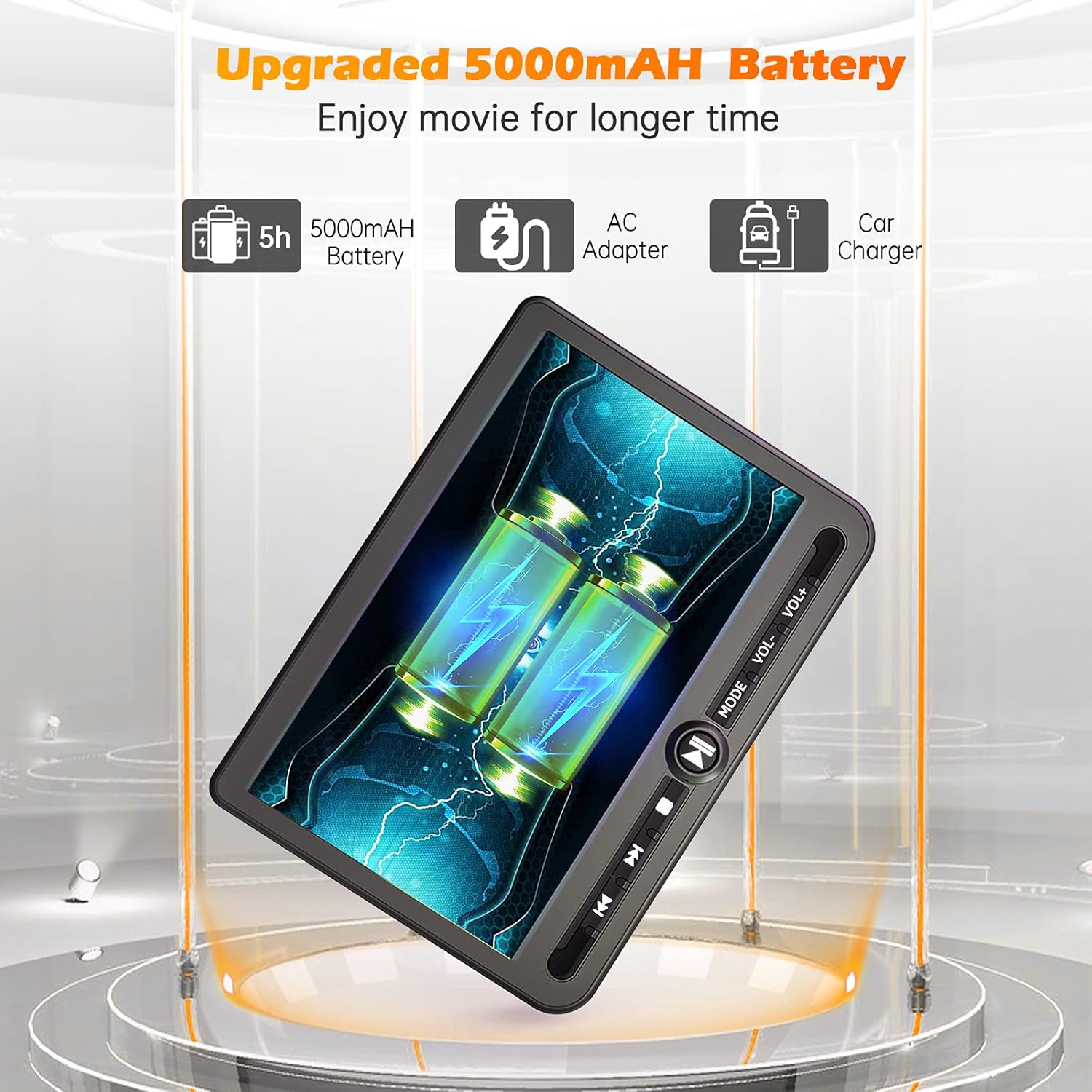
படம் 4: Power options including the 5000mAh battery, AC adapter, and car charger.
இயக்க வழிமுறைகள்
1. அடிப்படைக் கட்டுப்பாடுகள்
The main player features control buttons on the unit and can also be operated via the included remote control.
- பவர் பட்டன்: யூனிட்டை ஆன்/ஆஃப் செய்ய அழுத்தவும்.
- ப்ளே/இடைநிறுத்த பட்டன்: பிளேபேக்கைத் தொடங்குகிறது அல்லது இடைநிறுத்துகிறது.
- பொத்தானை நிறுத்து: பிளேபேக்கை நிறுத்துகிறது.
- முந்தைய/அடுத்த பொத்தான்கள்: முந்தைய அல்லது அடுத்த பாடல்/அத்தியாயத்திற்குச் செல்கிறது.
- தொகுதி +/- பொத்தான்கள்: ஆடியோ ஒலியளவை சரிசெய்கிறது.
- பயன்முறை பொத்தான்: Switches between input sources (DVD, USB, SD).
2. Playing DVDs
- Insert a DVD disc into the main player's disc slot.
- The player will automatically detect the disc and begin playback. If not, press the 'Play' button or select 'DVD' mode.
- Use the control buttons or remote to navigate menus, play, pause, or stop.
3. USB/SD கார்டு பிளேபேக்
The player supports media playback from USB drives and SD cards.
- USB போர்ட்டில் ஒரு USB டிரைவை அல்லது SD கார்டு ஸ்லாட்டில் ஒரு SD கார்டைச் செருகவும்.
- Press the 'Mode' button to select 'USB' or 'SD' input.
- உங்கள் வழியாக செல்லவும் files using the control buttons or remote and select the desired media to play.
4. Last Memory Function
The player features a last memory function, which allows it to resume playback from where it was last stopped, even after being powered off.
5. Region Free & Multi-Format Support
This DVD player is region-free, allowing playback of DVDs from any region. It also supports multiple media formats from USB and SD cards.

படம் 5: Features including USB/TF card support, region-free playback, and last memory function.
6. Sync Screen to TV
You can connect the main DVD player to a larger TV screen using the provided RCA cable for a home viewஅனுபவம்.
- Connect one end of the RCA cable to the AV OUT port on the main DVD player.
- Connect the other end of the RCA cable to the corresponding AV IN ports on your television.
- உங்கள் தொலைக்காட்சியில் சரியான AV உள்ளீட்டு மூலத்தைத் தேர்ந்தெடுக்கவும்.

படம் 6: Connecting the portable DVD player to a TV using the RCA cable.
பராமரிப்பு
1. சுத்தம் செய்தல்
- Use a soft, dry cloth to clean the exterior of the players.
- பிடிவாதமான குறிகளுக்கு, சிறிது dampகடுமையான இரசாயனங்கள் அல்லது சிராய்ப்பு கிளீனர்களைப் பயன்படுத்துவதைத் தவிர்க்கவும்.
- Do not spray cleaning solutions directly onto the screen or into any openings.
- To clean the disc lens, use a specialized DVD lens cleaning disc.
2. பேட்டரி பராமரிப்பு
- பேட்டரி ஆயுளை நீட்டிக்க, அடிக்கடி பேட்டரியை முழுமையாக டிஸ்சார்ஜ் செய்வதைத் தவிர்க்கவும்.
- Charge the battery regularly, even if the device is not in use for extended periods.
- நேரடி சூரிய ஒளி மற்றும் தீவிர வெப்பநிலையிலிருந்து விலகி, குளிர்ந்த, உலர்ந்த இடத்தில் சாதனத்தை சேமிக்கவும்.
சரிசெய்தல்
If you encounter issues with your Arafuna DVD player, refer to the following common problems and solutions:
| பிரச்சனை | சாத்தியமான காரணம் | தீர்வு |
|---|---|---|
| பிளேயர் பவர் ஆன் ஆகவில்லை. | No power supply; discharged battery; faulty power adapter/cable. | Ensure power cable is securely connected. Charge the battery using the AC adapter or car charger. Test with a different power source if available. |
| No picture or sound on slave monitor. | Loose or incorrect HDMI/DC cable connection. | Check that the HDMI and DC cables are securely connected between the main player and the slave monitor. Ensure they are connected to the correct IN/OUT ports. |
| DVD disc does not play or skips. | Disc is dirty, scratched, or inserted incorrectly; lens is dirty; incompatible disc format. | Clean the disc with a soft cloth. Ensure the disc is inserted correctly with the label side up. Use a lens cleaning disc. Try a different, known-good disc. |
| No sound from player. | Volume is too low or muted; headphones not properly connected; faulty audio settings. | Increase the volume. Check headphone connection. Ensure no mute function is active. |
| USB/SD கார்டு அங்கீகரிக்கப்படவில்லை. | தவறானது file format; card/drive not properly inserted; corrupted media. | ஊடகத்தை உறுதிப்படுத்தவும் files are in a supported format. Reinsert the USB drive or SD card. Try a different USB drive or SD card. |
விவரக்குறிப்புகள்
| அம்சம் | விவரம் |
|---|---|
| பிராண்ட் | அரஃபுனா |
| மாதிரி எண் | DM-12 |
| திரை அளவு | 10.5 அங்குலம் |
| காட்சி வகை | எல்சிடி |
| இணைப்பு தொழில்நுட்பம் | HDMI, USB |
| ஆதரிக்கப்படும் ஊடக வகைகள் | DVD, USB, SD Card |
| ரிச்சார்ஜபிள் பேட்டரி | Yes (5000mAh Lithium-polymer) |
| UPC | 730096858222 |
உத்தரவாதம்
This Arafuna product is covered by a 1 வருட உற்பத்தியாளரின் உத்தரவாதம் வாங்கிய தேதியிலிருந்து. இந்த உத்தரவாதமானது சாதாரண பயன்பாட்டின் கீழ் பொருட்கள் மற்றும் வேலைப்பாடுகளில் ஏற்படும் குறைபாடுகளை உள்ளடக்கும். தவறான பயன்பாடு, விபத்து, அங்கீகரிக்கப்படாத மாற்றம் அல்லது வெளிப்புற காரணங்களால் ஏற்படும் சேதத்தை இது உள்ளடக்காது.
ஆதரவு
For technical assistance, warranty claims, or further inquiries regarding your Arafuna 10.5 Inch Dual Screen Portable DVD Player, please refer to the contact information provided with your purchase or visit the official Arafuna support webதளம்.