
அறிமுகம்
The Philips S7505 Wireless Bluetooth Speaker is designed to deliver powerful, portable audio with a range of convenient features. This manual provides essential information for setting up, operating, maintaining, and troubleshooting your speaker to ensure optimal performance and longevity. Key features include a built-in power bank, IPX7 waterproof rating, and up to 20 hours of playtime.

Image: The Philips S7505 Wireless Bluetooth Speaker, showcasing its sleek design and fabric finish.
பெட்டியில் என்ன இருக்கிறது
அனைத்து பொருட்களும் பேக்கேஜிங்கில் உள்ளதா என சரிபார்க்கவும்:
- USB சார்ஜிங் கேபிள்
- விரைவான நிறுவல் வழிகாட்டி
- World Wide Warranty Leaflet
- உத்தரவாத அட்டை
தயாரிப்பு முடிந்துவிட்டதுview
Familiarize yourself with the speaker's controls and indicators.

Image: Close-up of the speaker's top panel, highlighting the embossed control buttons for power, Bluetooth, playback, and volume.
The top panel features embossed buttons for easy control:
- பவர் பட்டன்: ஸ்பீக்கரை ஆன் அல்லது ஆஃப் செய்கிறது.
- புளூடூத் பட்டன்: புளூடூத் இணைத்தல் பயன்முறையைத் தொடங்குகிறது.
- ப்ளே/இடைநிறுத்த பட்டன்: ஆடியோ பிளேபேக்கைக் கட்டுப்படுத்துகிறது.
- தொகுதி மேல் / கீழ் பொத்தான்கள்: ஸ்பீக்கரின் ஒலியளவைச் சரிசெய்கிறது.
- பேட்டரி காட்டி விளக்குகள்: தற்போதைய பேட்டரி அளவைக் காட்டுகிறது.
அமைவு
1. சபாநாயகரிடம் கட்டணம் வசூலித்தல்
Before first use, fully charge your Philips S7505 speaker. Use the included USB-C cable to connect the speaker to a power source. A full charge takes approximately 4.5 hours.

Image: The USB-C charging port on the side of the speaker with a cable inserted, indicating the charging process.
2. புளூடூத் இணைத்தல்
- பவர் பட்டனை அழுத்தி ஸ்பீக்கரை ஆன் செய்யவும்.
- The Bluetooth indicator will flash, indicating it is in pairing mode. If not, press and hold the Bluetooth button until it flashes.
- உங்கள் மொபைல் சாதனத்தில் (ஸ்மார்ட்போன், டேப்லெட், மடிக்கணினி), புளூடூத்தை இயக்கி, கிடைக்கக்கூடிய சாதனங்களைத் தேடுங்கள்.
- Select "Philips S7505" from the list of devices.
- Once connected, the Bluetooth indicator will glow solid, and you will hear a confirmation tone.
The speaker will automatically reconnect to the last paired device when turned on, if the device is within range and Bluetooth is enabled.

Image: A person holding a smartphone, displaying a low battery icon, connected via cable to the Philips S7505 speaker, which is placed on a picnic blanket.
இயக்க வழிமுறைகள்
1. அடிப்படை பின்னணி கட்டுப்பாடுகள்
- விளையாடு/இடைநிறுத்தம்: ப்ளே/பாஸ் பட்டனை ஒருமுறை அழுத்தவும்.
- ஒலியை பெருக்கு: '+' பொத்தானை அழுத்தவும்.
- ஒலியை குறை: '-' பொத்தானை அழுத்தவும்.
- அடுத்த ட்ராக்: '+' பொத்தானை அழுத்திப் பிடிக்கவும்.
- முந்தைய ட்ராக்: '-' பொத்தானை அழுத்திப் பிடிக்கவும்.
2. பவர் பேங்க் செயல்பாடு
The Philips S7505 features a built-in power bank, allowing you to charge your mobile devices. Connect your device to the USB-A port on the speaker using a compatible charging cable.

Image: A smartphone connected to the Philips S7505 speaker via a USB cable, demonstrating the power bank functionality.
3. Stereo Pairing (Twin Mode)
For an enhanced audio experience, you can pair two identical Philips S7505 speakers together to create a stereo sound system.
- இரண்டு ஸ்பீக்கர்களும் இயக்கப்பட்டிருப்பதையும், எந்த புளூடூத் சாதனத்துடனும் இணைக்கப்படவில்லை என்பதையும் உறுதிசெய்யவும்.
- On one speaker (this will be the primary speaker), press and hold the Bluetooth button until you hear a prompt or see an indicator for stereo pairing mode.
- முதன்மை பேச்சாளர் இரண்டாம் நிலை பேச்சாளரைத் தேடுவார்.
- Once connected, both speakers will play audio in stereo.

Image: Two Philips S7505 speakers positioned side-by-side, illustrating the stereo pairing capability.
4. ஹேண்ட்ஸ்-ஃப்ரீ அழைப்பு
The built-in microphone allows you to handle hands-free calls when your speaker is connected to a smartphone. When a call comes in, press the Play/Pause button to answer or end the call.
பராமரிப்பு
1. நீர்ப்புகாப்பு (IPX7)
The Philips S7505 speaker is IPX7 waterproof, meaning it can be immersed in water up to 1 meter for up to 30 minutes. This makes it suitable for use in wet environments like showers or by the pool. Ensure all port covers are securely closed before exposing the speaker to water.
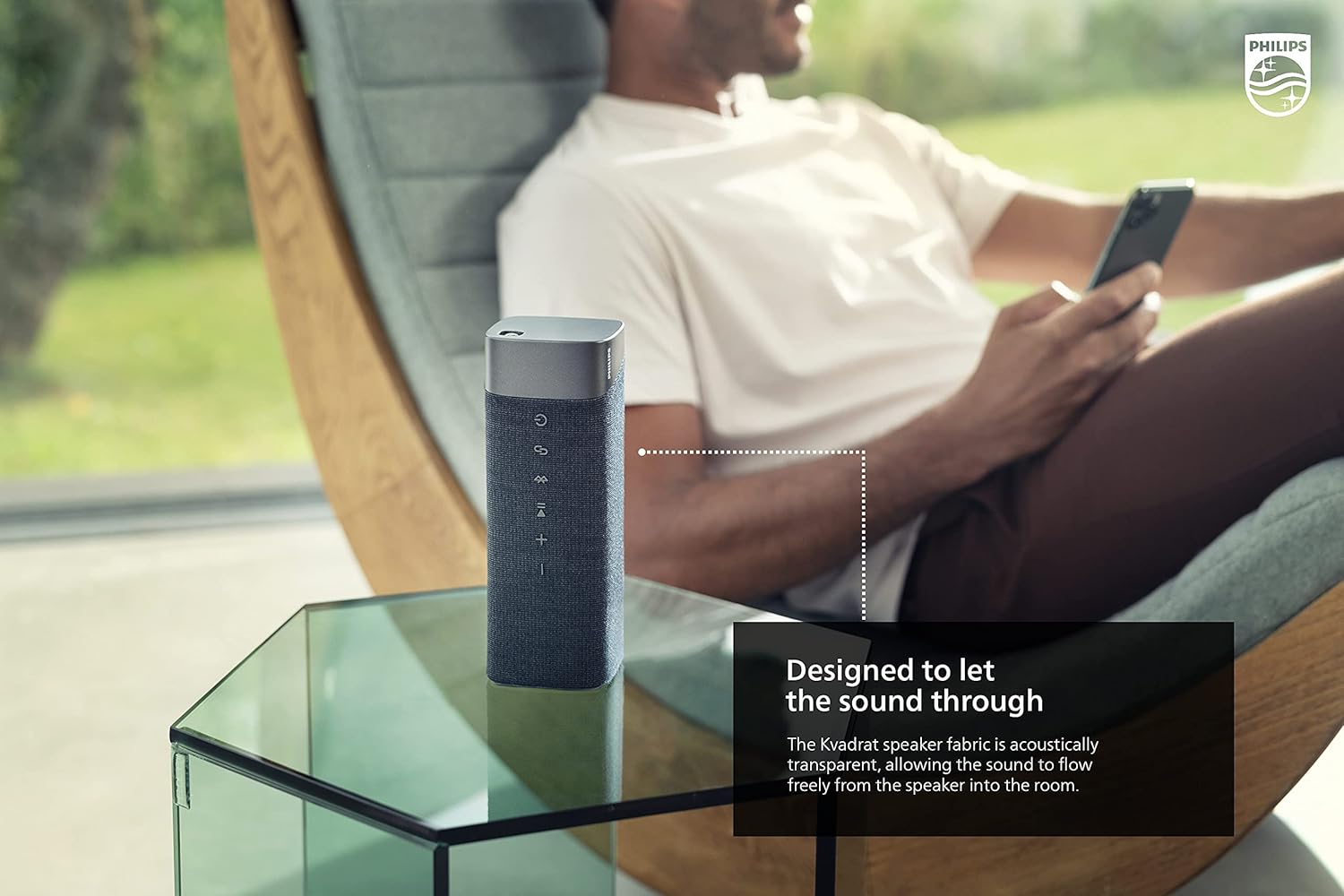
Image: The Philips S7505 speaker placed on a picnic blanket outdoors, highlighting its suitability for various environments due to its waterproof design.
2. துணி பராமரிப்பு
The speaker features a premium Kvadrat fabric. To clean, gently wipe with a soft, damp cloth. Avoid using harsh chemicals or abrasive materials, as these may damage the fabric or speaker components.
சரிசெய்தல்
If you encounter issues with your Philips S7505 speaker, refer to the following common problems and solutions:
- ஸ்பீக்கர் இயக்கப்படவில்லை: Ensure the battery is charged. Connect the speaker to a power source using the USB-C cable and allow it to charge for a few minutes before attempting to power on again.
- ஒலி அல்லது சிதைந்த ஒலி இல்லை:
- ஸ்பீக்கர் மற்றும் இணைக்கப்பட்ட சாதனம் இரண்டிலும் ஒலி அளவைச் சரிபார்க்கவும்.
- Ensure the speaker is properly paired via Bluetooth. Disconnect and re-pair if necessary.
- குறுக்கீட்டைத் தவிர்க்க ஸ்பீக்கரை உங்கள் சாதனத்திற்கு அருகில் நகர்த்தவும்.
- புளூடூத் இணைத்தல் தோல்வியடைந்தது:
- ஸ்பீக்கர் இணைத்தல் பயன்முறையில் இருப்பதை உறுதிசெய்யவும் (புளூடூத் காட்டி ஒளிரும்).
- இணைக்க முயற்சிக்கும் அருகிலுள்ள பிற சாதனங்களில் புளூடூத்தை அணைக்கவும்.
- ஸ்பீக்கர் மற்றும் உங்கள் சாதனம் இரண்டையும் மறுதொடக்கம் செய்யவும்.
- Speaker automatically turns off: The speaker is designed to power off after a period of inactivity to conserve battery. This feature cannot be disabled. To prevent this, ensure audio playback is active.
விவரக்குறிப்புகள்
பிலிப்ஸ் S7505 வயர்லெஸ் புளூடூத் ஸ்பீக்கருக்கான விரிவான தொழில்நுட்ப விவரக்குறிப்புகள்:

Image: The Philips S7505 speaker with overlaid measurements, indicating its dimensions of 9.1 inches (width), 3.3 inches (depth), and 3.4 inches (height).
| மாதிரி எண் | S7505 |
| பிராண்ட் | பிலிப்ஸ் ஆடியோ |
| இணைப்பு தொழில்நுட்பம் | புளூடூத், யு.எஸ்.பி |
| வயர்லெஸ் கம்யூனிகேஷன் டெக்னாலஜி | புளூடூத் |
| பேச்சாளர் அதிகபட்ச வெளியீட்டு சக்தி | 30 வாட்ஸ் |
| பேச்சாளர் அளவு | 4 அங்குலம் |
| மின்மறுப்பு | 3 ஓம் |
| ஆடியோ வெளியீட்டு முறை | Mono (can be paired for Stereo) |
| சக்தி ஆதாரம் | பேட்டரி மூலம் இயங்கும் (1 லித்தியம் அயன் பேட்டரி சேர்க்கப்பட்டுள்ளது) |
| விளையாட்டு நேரம் | 20 மணிநேரம் வரை |
| சார்ஜிங் நேரம் | 4.5 மணிநேரம் |
| நீர் எதிர்ப்பு நிலை | IPX7 நீர்ப்புகா |
| தயாரிப்பு பரிமாணங்கள் (அளவு x அளவு x அளவு) | 3.3"டி x 9.1"அடி x 3.4"ஹெட் |
| பொருளின் எடை | 2.2 பவுண்டுகள் (1 கிலோ) |
| கட்டுப்பாட்டு முறை | தொடவும் |
உத்தரவாதம் மற்றும் ஆதரவு
Your Philips S7505 Wireless Bluetooth Speaker comes with a full warranty. Please refer to the included Warranty Card and World Wide Warranty Leaflet for detailed terms and conditions.
For further assistance, technical support, or warranty claims, please visit the official Philips Audio support website or contact their customer service. Contact information can typically be found on the Philips Audio webதளத்தில் அல்லது உத்தரவாத ஆவணத்தில்.