
அறிமுகம்
This manual provides detailed instructions for the setup, operation, maintenance, and troubleshooting of your Macally UCSLIMKEYCA USB-C Compact Wired Keyboard. Please read this manual thoroughly before using the product to ensure optimal performance and longevity.

படம்: மேலிருந்து கீழ் view of the Macally UCSLIMKEYCA USB-C Compact Wired Keyboard, highlighting its compact design and US layout.
அமைவு
The Macally UCSLIMKEYCA keyboard is designed for simple plug-and-play functionality. No additional drivers or software are required for installation.
விசைப்பலகை இணைக்கிறது
- Locate an available USB-C port on your computer (MacBook, iPad, PC, iMac, etc.).
- Plug the USB-C connector of the keyboard's 5-foot cable into the USB-C port on your device.
- The keyboard will be automatically recognized by your operating system and ready for use.
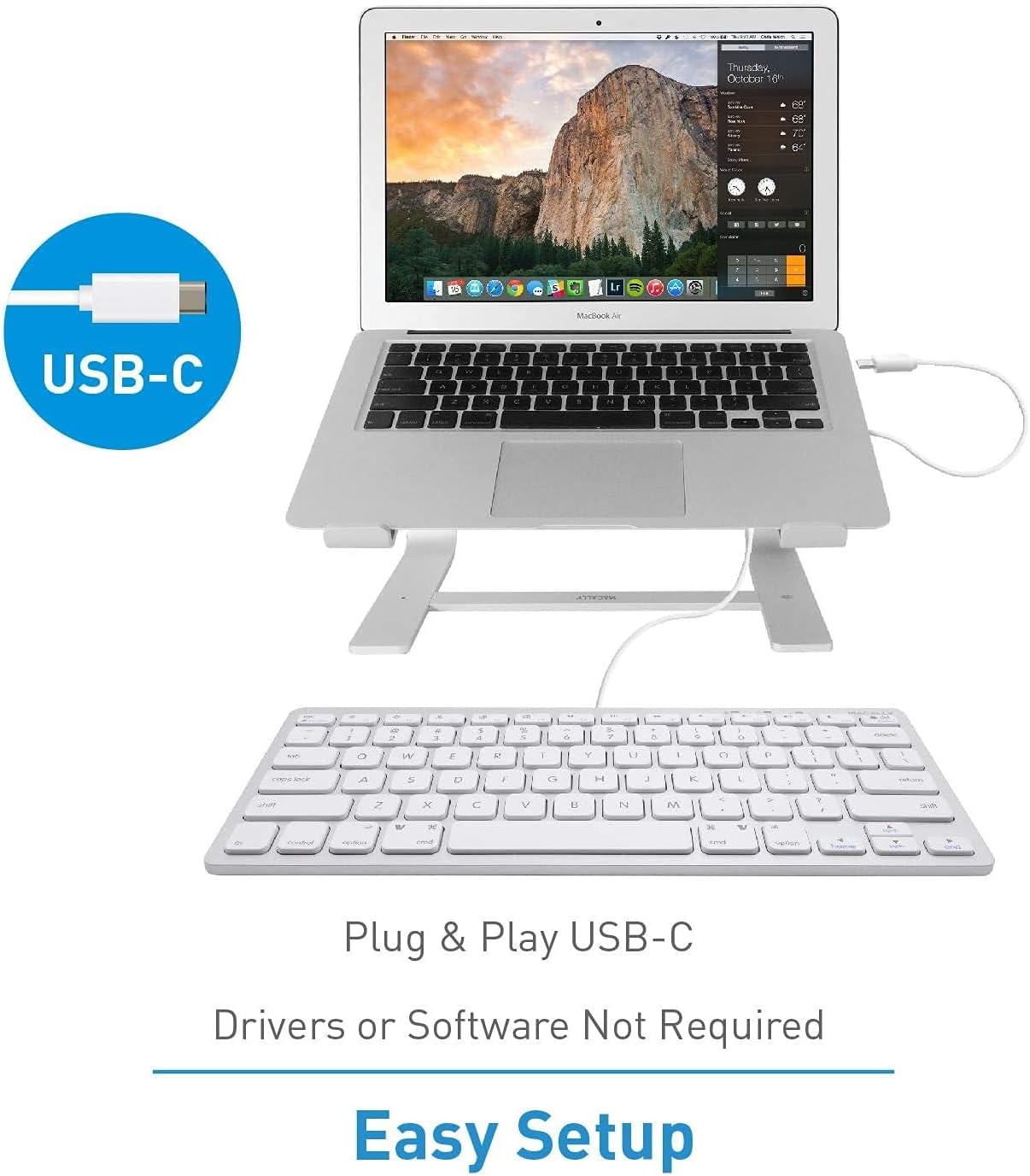
Image: A diagram illustrating the simple plug-and-play setup process using the USB-C connection, indicating no drivers or software are required.

Image: The Macally UCSLIMKEYCA keyboard connected to a laptop, demonstrating its use as an external input device.
கணினி இணக்கத்தன்மை
- Mac OS X v10.6 அல்லது அதற்குப் பிறகு
- விண்டோஸ் 7/8/10 அல்லது அதற்குப் பிறகு

Image: Icons illustrating the broad operating system compatibility of the keyboard, including Mac, Windows, Android, iPadOS, and Chrome.
இயக்க வழிமுறைகள்
முக்கிய அம்சங்கள்
- 78-விசை அமைப்பு: A compact yet full-featured layout for efficient typing.
- கத்தரிக்கோல்-சுவிட்ச் விசைகள்: Provides a smooth, quiet, and responsive typing experience.
- 13 குறுக்குவழி விசைகள்: Dedicated keys for enhanced productivity on both Mac and Windows systems.
- LED குறிகாட்டிகள்: Visual cues for Fn Lock, Caps Lock, and Power status.

Image: A diagram illustrating the difference between a regular key mechanism and a scissor-key switch, highlighting the quiet operation of the scissor-switch.
குறுக்குவழி விசைகள்
The keyboard includes 13 convenient shortcut keys to streamline your workflow. These keys are compatible with both Apple and Windows PC functions.
- Mac Functions: Includes shortcuts for brightness control (dim/brighten), cut, copy, paste, iTunes controls (play/pause, previous track, next track), volume control (mute, volume up/down), and eject.
- Windows PC Functions: Multimedia shortcuts are also supported.

Image: A visual representation of the keyboard highlighting the 13 Apple shortcut keys and their corresponding functions, such as brightness, cut, copy, paste, media playback, and volume control.
LED குறிகாட்டிகள்
The keyboard features LED indicators located above the function keys to provide status information:
- Fn பூட்டு: Indicates when the Function (Fn) key is locked, allowing direct access to F1-F12 keys without pressing Fn.
- கேப்ஸ் லாக்: Indicates when Caps Lock is active.
- சக்தி: Indicates power status (for some models, may also indicate connection).

படம்: ஒரு நெருக்கமான படம் view of the keyboard's upper right section, showing the LED indicators for Fn Lock, Caps Lock, and Power.
பராமரிப்பு
To ensure the longevity and proper functioning of your keyboard, follow these maintenance guidelines:
- சுத்தம்: ஒரு மென்மையான, பஞ்சு இல்லாத துணியை சிறிது டி பயன்படுத்தவும்ampened with water or a mild cleaning solution to wipe the surface of the keyboard. Avoid harsh chemicals or abrasive materials.
- தூசி அகற்றுதல்: சாவிகளுக்கு இடையில் உள்ள தூசி மற்றும் குப்பைகளை அகற்ற அழுத்தப்பட்ட காற்றைப் பயன்படுத்தவும்.
- சேமிப்பு: பயன்பாட்டில் இல்லாதபோது, விசைப்பலகையை தீவிர வெப்பநிலை மற்றும் நேரடி சூரிய ஒளி படாத சுத்தமான, வறண்ட சூழலில் சேமிக்கவும்.
- கசிவைத் தவிர்க்கவும்: உள் கூறுகளுக்கு சேதம் ஏற்படாமல் இருக்க, விசைப்பலகையிலிருந்து திரவங்களை விலக்கி வைக்கவும்.
சரிசெய்தல்
If you encounter issues with your Macally UCSLIMKEYCA keyboard, please refer to the following common solutions:
விசைப்பலகை பதிலளிக்கவில்லை
- இணைப்பைச் சரிபார்க்கவும்: Ensure the USB-C cable is securely plugged into both the keyboard and your computer's USB-C port.
- வேறு துறைமுகத்தை முயற்சிக்கவும்: Connect the keyboard to a different USB-C port on your computer to rule out a faulty port.
- கணினியை மறுதொடக்கம்: Sometimes, a simple restart of your computer can resolve connectivity issues.
- வேறொரு சாதனத்தில் சோதிக்கவும்: If possible, test the keyboard on another compatible computer to determine if the issue is with the keyboard or your original device.
Keys Not Functioning Correctly
- சுத்தமான விசைகள்: Ensure there is no debris or foreign objects lodged under the affected keys. Refer to the Maintenance section for cleaning instructions.
- மென்பொருள் சிக்கல்கள்: Check your operating system's keyboard settings to ensure no custom key mappings or accessibility features are interfering with normal operation.
Shortcut Keys Not Working
- OS இணக்கத்தன்மை: Verify that your operating system version is supported for the specific shortcut functions.
- Application Focus: Ensure the application you are using supports the multimedia or system control shortcuts.
விவரக்குறிப்புகள்
| பிராண்ட் | மாகலி |
| மாதிரி எண் | UCSLIMKEYCA |
| இணைப்பு தொழில்நுட்பம் | USB-C (கம்பி) |
| இணக்கமான சாதனங்கள் | PC (Mac, Windows, iPad, iMac, MacBook) |
| விசைப்பலகை விளக்கம் | Multifunction, Compact |
| பரிந்துரைக்கப்பட்ட பயன்பாடுகள் | Business, General Use |
| சிறப்பு அம்சம் | Silent Scissor-Switch Keys |
| நிறம் | வெள்ளி |
| தயாரிப்பு பரிமாணங்கள் (L x W x H) | 33 cm x 14 cm x 2 cm (13 x 5.5 x 0.8 inches approx.) |
| பொருள் | பிளாஸ்டிக் |
| Minimum Required OS Version | Mac OS X 10.6 Snow Leopard, Windows 7 |
| விசைகளின் எண்ணிக்கை | 78 |
| விசைப்பலகை தளவமைப்பு | QWERTY (US Layout) |
| சுவிட்ச் வகை | Tactile (Scissor-Switch) |
| கை நோக்குநிலை | இருதரப்பு |
| பொருளின் எடை | 0.34 கிலோகிராம் |
| உள்ளிட்ட கூறுகள் | USB கேபிள் |
| பிறப்பிடமான நாடு | சீனா |

Image: A diagram illustrating the physical dimensions of the Macally UCSLIMKEYCA keyboard, showing its length, width, and height.
உத்தரவாத தகவல்
The Macally UCSLIMKEYCA USB-C Compact Wired Keyboard comes with a 2 வருட வரையறுக்கப்பட்ட உத்தரவாதம் from the date of purchase. This warranty covers defects in materials and workmanship under normal use. It does not cover damage caused by accidents, misuse, unauthorized modifications, or external causes such as liquid damage or power surges.
உத்தரவாதக் கோரிக்கைகளுக்கு, உங்கள் வாங்கியதற்கான ஆதாரத்தைத் தக்கவைத்துக்கொண்டு வாடிக்கையாளர் ஆதரவைத் தொடர்பு கொள்ளவும்.
வாடிக்கையாளர் ஆதரவு
If you require further assistance or have questions not covered in this manual, please contact Macally customer support through the following channels:
- Webதளம்: Visit the official Macally webஅடிக்கடி கேட்கப்படும் கேள்விகள், ஆதரவு வளங்கள் மற்றும் தொடர்பு படிவங்களுக்கான தளம்.
- மின்னஞ்சல்: உங்கள் தயாரிப்பு பேக்கேஜிங் அல்லது அதிகாரப்பூர்வ webவாடிக்கையாளர் ஆதரவு மின்னஞ்சல் முகவரிகளுக்கான தளம்.
- தொலைபேசி: Check the official Macally webபிராந்திய வாடிக்கையாளர் சேவை தொலைபேசி எண்களுக்கான தளம்.
Please have your product model number (UCSLIMKEYCA) and proof of purchase ready when contacting support.