
1. அறிமுகம்
Thank you for choosing Kinganda Q71 Bluetooth Earbuds. This manual provides detailed instructions for setting up, operating, and maintaining your new wireless earbuds. Please read this manual carefully before use to ensure proper functionality and to maximize your listening experience.
2. பாதுகாப்பு தகவல்
- இயர்பட்கள் அல்லது சார்ஜிங் கேஸை தீவிர வெப்பநிலை, ஈரப்பதம் அல்லது அரிக்கும் சூழல்களுக்கு வெளிப்படுத்த வேண்டாம்.
- செவிப்புலன் பாதிப்பைத் தடுக்க நீண்ட காலத்திற்கு அதிக ஒலி அளவுகளில் கேட்பதைத் தவிர்க்கவும்.
- குழந்தைகள் மற்றும் செல்லப்பிராணிகளிடமிருந்து சாதனத்தை ஒதுக்கி வைக்கவும்.
- தயாரிப்பை பிரிக்கவோ அல்லது மாற்றவோ முயற்சிக்காதீர்கள். இது உத்தரவாதத்தை ரத்து செய்யும்.
- இயர்பட்ஸ் மற்றும் சார்ஜிங் கேஸை மென்மையான, உலர்ந்த துணியால் மட்டும் சுத்தம் செய்யவும்.
3. தொகுப்பு உள்ளடக்கங்கள்
உங்கள் தொகுப்பில் அனைத்து பொருட்களும் உள்ளதா என சரிபார்க்கவும்:
- Kinganda Q71 Bluetooth Earbuds (Left and Right)
- சார்ஜிங் கேஸ்
- USB சார்ஜிங் கேபிள்
- பல அளவு காது முனைகள்
- பயனர் கையேடு
4. தயாரிப்பு முடிந்துவிட்டதுview
Familiarize yourself with the components of your Kinganda Q71 Bluetooth Earbuds.
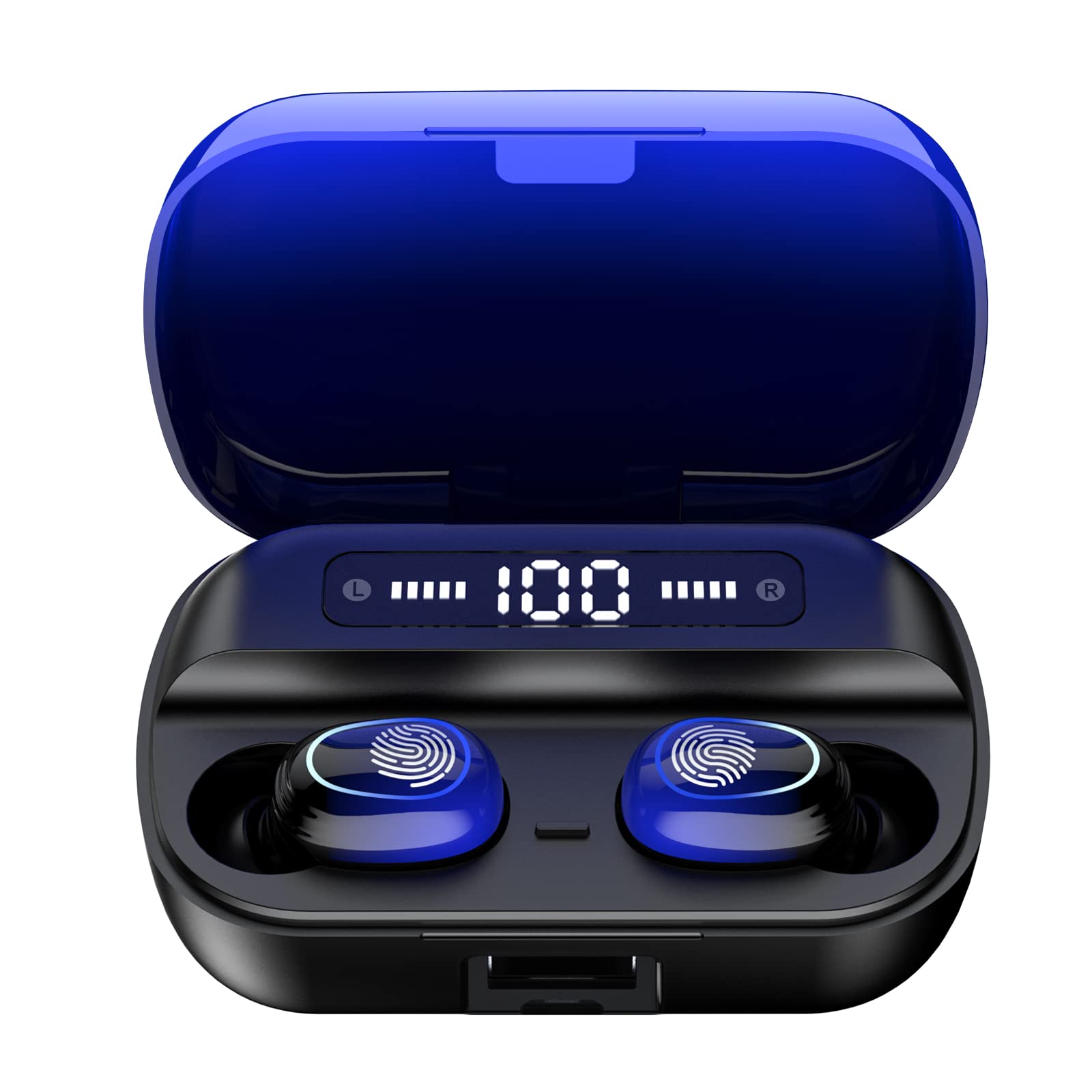
படம் 4.1: முடிந்ததுview of Kinganda Q71 Bluetooth Earbuds and key features including Bluetooth 5.1, low latency, low power consumption, touch control, clear calls, 10mm speakers, compatibility with iOS and Android, and a 33-foot signal range.
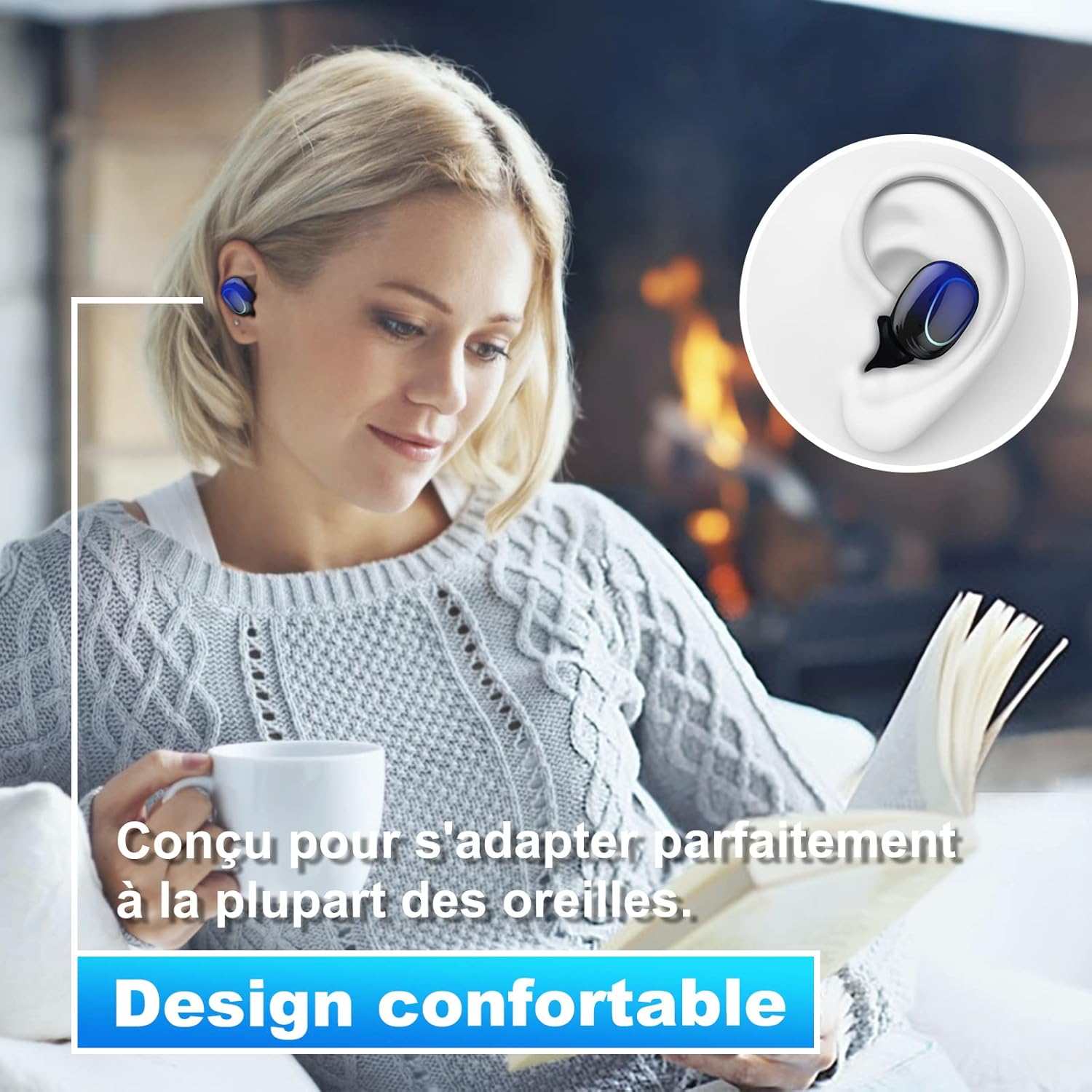
Image 4.2: The Kinganda Q71 earbuds are designed for a comfortable and secure fit in most ears.
5 அமைவு
5.1 இயர்பட்ஸ் மற்றும் கேஸை சார்ஜ் செய்தல்
முதல் பயன்பாட்டிற்கு முன், சார்ஜிங் கேஸ் மற்றும் இயர்பட்களை முழுமையாக சார்ஜ் செய்யவும்.
- இயர்பட்களை சார்ஜிங் கேஸில் வைக்கவும். அவை சரியாகப் பொருத்தப்பட்டுள்ளதா என்பதை உறுதிப்படுத்திக் கொள்ளுங்கள்.
- USB சார்ஜிங் கேபிளை கேஸில் உள்ள சார்ஜிங் போர்ட்டுடனும், ஒரு பவர் சோர்ஸுடனும் (எ.கா. USB சுவர் அடாப்டர், கணினி USB போர்ட்) இணைக்கவும்.
- பெட்டியில் உள்ள இண்டிகேட்டர் விளக்குகள் சார்ஜிங் நிலையைக் காட்டும். முழுமையாக சார்ஜ் ஆனதும், விளக்குகள் நிறைவடைந்ததைக் குறிக்கும் அல்லது அணைக்கப்படும்.

Image 5.1: The charging case has a 3500mAh battery. Earbuds provide approximately 5 hours of playback, and the case extends total usage to about 150 hours. A full recharge takes approximately 1.5 hours.
5.2 புளூடூத் சாதனத்துடன் இணைத்தல்
The earbuds use Bluetooth 5.1 for a stable connection.
- சார்ஜிங் கேஸைத் திறக்கவும். இயர்பட்கள் தானாகவே ஆன் ஆகி, இணைத்தல் பயன்முறைக்குச் செல்லும்.
- உங்கள் சாதனத்தில் (ஸ்மார்ட்போன், டேப்லெட், முதலியன), புளூடூத்தை இயக்கவும்.
- தேடுங்கள் available Bluetooth devices and select "Kinganda Q71" (or similar name) from the list.
- இணைக்கப்பட்டதும், நீங்கள் ஒரு உறுதிப்படுத்தல் தொனியைக் கேட்பீர்கள், மேலும் இயர்பட்களில் உள்ள இண்டிகேட்டர் விளக்குகள் மாறும்.
5.3 இயர்பட்களை அணிதல்
For optimal sound quality and comfort, choose the correct ear tip size and ensure a snug fit.
- Select the ear tips that best fit your ear canals.
- Gently insert each earbud into your ear, twisting slightly until it feels secure and comfortable.
6. இயக்க வழிமுறைகள்
The Kinganda Q71 earbuds feature touch controls for easy operation.

Image 6.1: Touch controls for various functions including power, music playback, call management, and voice assistant activation.
6.1 அடிப்படை செயல்பாடுகள்
- பவர் ஆன்/ஆஃப்: Earbuds power on automatically when removed from the case and power off when placed back in the case. Alternatively, long-press the touch area for manual power on/off.
- விளையாடு/இடைநிறுத்தம்: இரண்டு இயர்பட்டிலும் ஒருமுறை தட்டவும்.
- அடுத்த ட்ராக்: வலதுபுற இயர்பட்டை இருமுறை தட்டவும்.
- முந்தைய ட்ராக்: இடதுபுற இயர்பட்டை இருமுறை தட்டவும்.
- பதில்/முடிவு அழைப்பு: உள்வரும் அழைப்பின் போது இரண்டு இயர்பட்களில் ஏதேனும் ஒன்றை ஒருமுறை தட்டவும்.
- அழைப்பை நிராகரி: Long-press on either earbud during an incoming call.
- குரல் உதவியாளரை (சிரி) செயல்படுத்தவும்: இரண்டு இயர்பட்டில் ஏதாவது ஒன்றை மூன்று முறை தட்டவும்.
6.2 பயன்பாட்டு முறைகள்
The Kinganda Q71 earbuds support various listening modes.

Image 6.2: The earbuds can be used in mono mode (single earbud) to stay aware of surroundings, TWS stereo mode for immersive sound, or twin mode to share music with another person.
- மோனோ பயன்முறை: Use a single earbud (left or right) to listen to audio while keeping the other ear open to your surroundings. Simply remove one earbud from the case.
- TWS Stereo Mode: Use both earbuds for a full stereo audio experience. Both earbuds will automatically connect to each other and your device when removed from the case.
- இரட்டை முறை: Share your music with a friend by giving them one earbud. Both earbuds will play the same audio.
7. பராமரிப்பு
7.1 சுத்தம் செய்தல்
வழக்கமான சுத்தம் செய்தல் ஒலி தரம் மற்றும் சுகாதாரத்தை பராமரிக்க உதவுகிறது.
- இயர்பட்கள் மற்றும் சார்ஜிங் கேஸைத் துடைக்க மென்மையான, உலர்ந்த, பஞ்சு இல்லாத துணியைப் பயன்படுத்தவும்.
- Remove ear tips and clean them with mild soap and water if necessary, then dry thoroughly before reattaching.
- கடுமையான இரசாயனங்கள் அல்லது சிராய்ப்பு பொருட்கள் பயன்படுத்த வேண்டாம்.
7.2 சேமிப்பு
பயன்பாட்டில் இல்லாதபோது, இயர்பட்களைப் பாதுகாக்கவும், அவற்றை சார்ஜ் செய்யாமல் வைத்திருக்கவும் அவற்றை அவற்றின் சார்ஜிங் கேஸில் சேமிக்கவும்.
8. சரிசெய்தல்
நீங்கள் சிக்கல்களை எதிர்கொண்டால், பின்வரும் தீர்வுகளை முயற்சிக்கவும்:
- இயர்பட்ஸ் இணைக்கப்படவில்லை: Ensure both earbuds are charged. Place them back in the case, close it, then open it again to re-initiate pairing mode. Check your device's Bluetooth settings and try reconnecting.
- ஒரே ஒரு இயர்பட் மட்டுமே வேலை செய்கிறது: Place both earbuds back in the charging case, close the lid, wait a few seconds, then open the lid and remove them simultaneously. This should force them to re-sync.
- ஒலி இல்லை: உங்கள் சாதனத்தில் ஒலி அளவைச் சரிபார்த்து, இயர்பட்கள் சரியாக இணைக்கப்பட்டுள்ளதா என்பதை உறுதிப்படுத்தவும்.
- சார்ஜிங் சிக்கல்கள்: Ensure the charging cable is securely connected to both the case and the power source. Try a different charging cable or power adapter.
- மோசமான ஒலி தரம்: Ensure the earbuds are clean and properly seated in your ears. Try different ear tip sizes for a better seal.
9. விவரக்குறிப்புகள்
| மாதிரி பெயர் | Q71 |
| பிராண்ட் | கிங்கந்தா |
| இணைப்பு தொழில்நுட்பம் | வயர்லெஸ் (புளூடூத் 5.1) |
| வயர்லெஸ் வீச்சு | 33 அடி (10 மீட்டர்) வரை |
| ஆடியோ டிரைவர் வகை | டைனமிக் டிரைவர் (10மிமீ) |
| கட்டுப்பாட்டு முறை | தொடு கட்டுப்பாடு |
| பொருள் | பிளாஸ்டிக், சிலிகான் |
| நீர் எதிர்ப்பு நிலை | நீர்ப்புகா (IPX7) |
| இயர்பட் பேட்டரி ஆயுள் | தோராயமாக 5 மணி நேரம் |
| சார்ஜ் கேஸ் பேட்டரி ஆயுள் | Approx. 150 hours (with case) |
| சார்ஜிங் கேஸ் கொள்ளளவு | 3500mAh |
| ரீசார்ஜ் நேரம் | தோராயமாக 1.5 மணி நேரம் |
| இணக்கமான சாதனங்கள் | Bluetooth-enabled devices (iOS, Android) |
| சிறப்பு அம்சம் | இலகுரக |

Image 9.1: The 10mm immersive drivers deliver enhanced sound quality with deeper bass.

Image 9.2: With an IPX7 waterproof rating, the earbuds are protected against sweat and water splashes, making them suitable for sports.
10. உத்தரவாதம் மற்றும் ஆதரவு
Kinganda products are designed for reliability and performance. This product comes with a standard manufacturer's warranty. For specific warranty details, please refer to the warranty card included in your package or contact Kinganda customer support.
If you have any questions, require technical assistance, or need to claim warranty service, please contact our customer support team through the contact information provided on the Kinganda official webதளம் அல்லது உங்கள் கொள்முதல் தளம்.