
1. அறிமுகம்
நன்றி, நன்றி.asing the Final UX3000 Bluetooth Wireless Headphones. These headphones are designed to deliver premium Hi-Fi sound quality with hybrid noise-cancelling technology, ensuring an immersive audio experience. With long battery life and versatile connectivity options, the UX3000 is ideal for music listening, movies, and gaming.
Please read this manual thoroughly before using the product to ensure proper operation and to maximize your listening enjoyment.

Image: The Final UX3000 headphones in black, showcasing அவர்களின் நேர்த்தியான வடிவமைப்பு.
2. தொகுப்பு உள்ளடக்கங்கள்
பின்வரும் அனைத்து பொருட்களும் உங்கள் தொகுப்பில் சேர்க்கப்பட்டுள்ளதா என்பதை உறுதிப்படுத்திக் கொள்ளுங்கள்:
- Final UX3000 Headphone
- USB-C சார்ஜிங் கேபிள்
- மென்மையான சுமந்து செல்லும் பை
- 3.5mm Cable for Wired Connection
- பயனர் கையேடு (இந்த ஆவணம்)
Note: A USB charger is not included in the package.
3. தயாரிப்பு முடிந்துவிட்டதுview
3.1 Headphone Components
Familiarize yourself with the various parts and controls of your Final UX3000 headphones.

படம்: ஒரு விரிவான view of the control buttons located on the ear cup.
கட்டுப்பாடுகள் மற்றும் குறிகாட்டிகள்:
- பவர் பட்டன்: ஹெட்ஃபோன்களை ஆன்/ஆஃப் செய்யவும், புளூடூத் இணைப்பைத் தொடங்கவும் பயன்படுகிறது.
- Volume + / - Buttons: ஆடியோ ஒலியளவை சரிசெய்கிறது.
- பல செயல்பாட்டு பொத்தான்: Controls playback (play/pause), call management (answer/end calls), and activates voice assistant.
- ANC பொத்தான்: ஆக்டிவ் இரைச்சல் கேன்சலேஷன் ஆன்/ஆஃப் என்பதை நிலைமாற்றுகிறது.
- Bluetooth / ANC Status Indicator: LED light indicating power, pairing status, and ANC status.
- USB-C சார்ஜிங் போர்ட்: ஹெட்ஃபோன்களை சார்ஜ் செய்வதற்கு.
- 3.5மிமீ ஆடியோ ஜாக்: கம்பி இணைப்புக்கு.

Image: Diagram showing the Power Button and Status Indicator.

Image: Diagram showing the Volume Up and Volume Down buttons.
4 அமைவு
4.1 ஹெட்ஃபோன்களை சார்ஜ் செய்தல்
Before first use, fully charge your UX3000 headphones. Connect the supplied USB-C charging cable to the headphone's USB-C port and the other end to a USB power source (e.g., computer USB port, USB wall adapter). The LED indicator will show charging status and turn off when fully charged.
- சார்ஜிங் நேரம்: முழு சார்ஜ் செய்ய தோராயமாக 2.5 மணிநேரம்.
- பேட்டரி ஆயுள்: 35 மணிநேரம் வரை இசையை இயக்கலாம்.
4.2 ப்ளூடூத் இணைத்தல்
உங்கள் ஹெட்ஃபோன்களை வயர்லெஸ் முறையில் ஒரு சாதனத்துடன் இணைக்க:
- ஹெட்ஃபோன்கள் அணைக்கப்பட்டுள்ளன என்பதை உறுதிப்படுத்தவும்.
- LED காட்டி நீலம் மற்றும் சிவப்பு நிறத்தில் ஒளிரும் வரை, இணைத்தல் பயன்முறையைக் குறிக்கும் வரை பவர் பட்டனை தோராயமாக 5 வினாடிகள் அழுத்திப் பிடிக்கவும்.
- உங்கள் சாதனத்தில் (ஸ்மார்ட்போன், டேப்லெட், கணினி), புளூடூத்தை இயக்கி, கிடைக்கக்கூடிய சாதனங்களைத் தேடுங்கள்.
- Select "Final UX3000" from the list of found devices.
- Once connected, the LED indicator will flash blue slowly. A voice prompt will confirm "Device Connected".

Image: The UX3000 headphones positioned beside a smartphone displaying its Bluetooth connection settings.
பலமுனை இணைப்பு:
The UX3000 supports multipoint connection, allowing you to connect to two Bluetooth devices simultaneously. For example, you can be connected to your smartphone and your laptop at the same time, seamlessly switching audio sources.
4.3 கம்பி இணைப்பு
For a wired audio experience or when the battery is depleted, use the supplied 3.5mm audio cable.
- Connect one end of the 3.5mm cable to the audio jack on the headphones.
- மறுமுனையை உங்கள் சாதனத்தின் 3.5மிமீ ஆடியோ வெளியீட்டில் இணைக்கவும்.
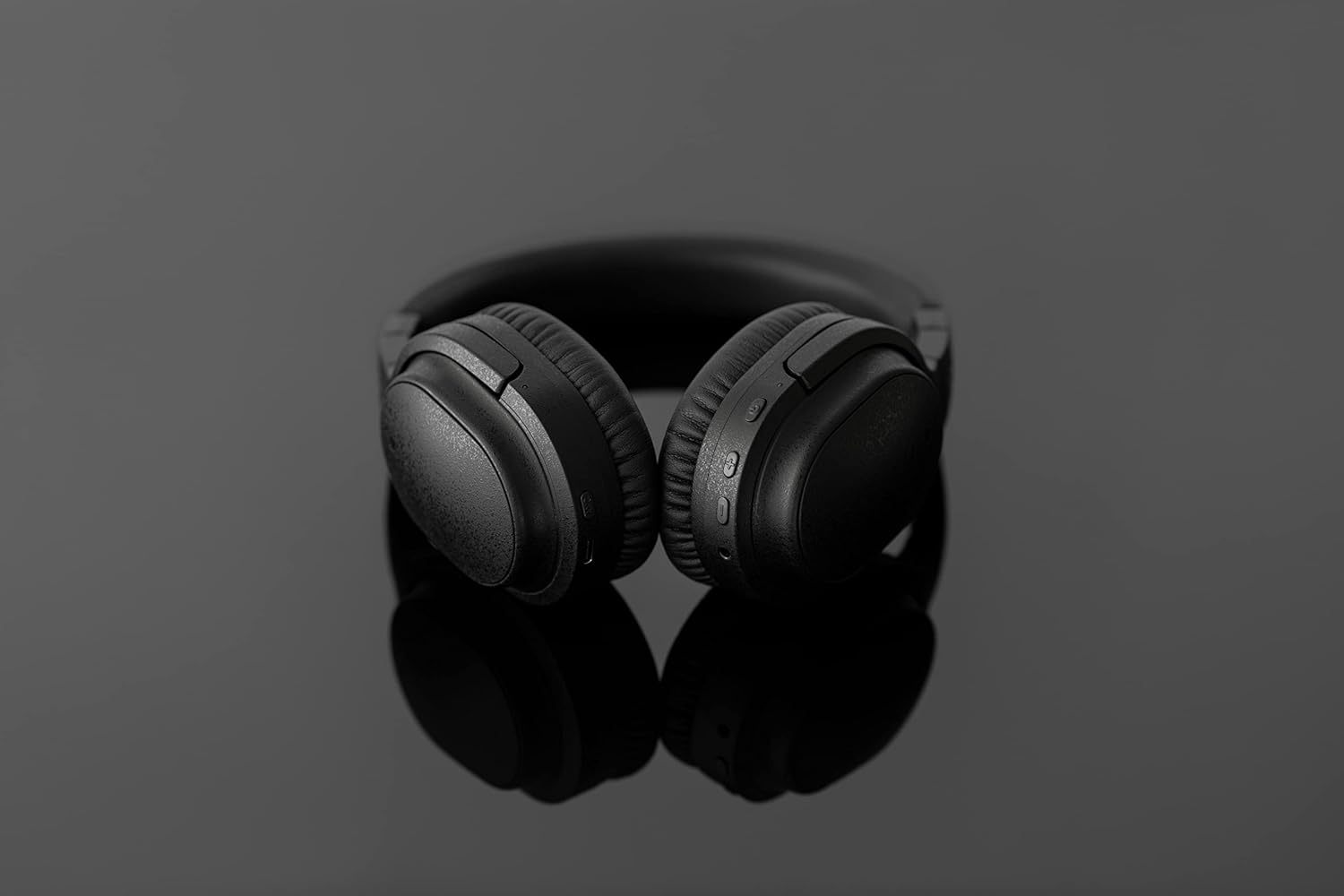
Image: The UX3000 headphones connected to a digital audio player using the 3.5mm audio cable.
5. இயக்க வழிமுறைகள்
5.1 பவர் ஆன்/ஆஃப்
- பவர் ஆன்: பவர் பட்டனை 2 வினாடிகள் அழுத்திப் பிடிக்கவும். LED இண்டிகேட்டர் நீல நிறத்தில் ஒளிரும்.
- பவர் ஆஃப்: பவர் பட்டனை 3 வினாடிகள் அழுத்திப் பிடிக்கவும். LED இண்டிகேட்டர் அணைந்துவிடும்.
5.2 இசை பின்னணி
- விளையாடு/இடைநிறுத்தம்: பல செயல்பாட்டு பொத்தானை ஒரு முறை அழுத்தவும்.
- அடுத்த ட்ராக்: வால்யூம் + பட்டனை 2 வினாடிகள் அழுத்திப் பிடிக்கவும்.
- முந்தைய ட்ராக்: வால்யூம் - பட்டனை 2 வினாடிகள் அழுத்திப் பிடிக்கவும்.
- ஒலியை பெருக்கு: Press the Volume + button briefly.
- ஒலியை குறை: Press the Volume - button briefly.
5.3 Hybrid Noise Cancelling (ANC)
The UX3000 features Hybrid Active Noise Cancelling, utilizing two microphones per ear cup to effectively reduce ambient noise. One microphone collects external noise, and the other collects sound from the driver unit, allowing for highly accurate anti-noise signal generation.
- ANC-ஐ இயக்கு/முடக்கு: Press the ANC button once. A voice prompt will confirm the status.

Image: A schematic diagram explaining how the Hybrid Noise Cancelling technology works with external and internal microphones.
5.4 aptX Low Latency Support
The UX3000 supports aptX Low Latency, which minimizes audio delay and ensures proper synchronization with visuals. This feature provides an optimal experience for watching movies and playing games, preventing noticeable lag between audio and video.

Image: A user wearing the UX3000 headphones, engaged with a laptop, highlighting their suitability for media and communication.
5.5 அழைப்பு செயல்பாடுகள்
- பதில்/முடிவு அழைப்பு: பல செயல்பாட்டு பொத்தானை ஒரு முறை அழுத்தவும்.
- அழைப்பை நிராகரி: மல்டி ஃபங்க்ஷன் பட்டனை 2 வினாடிகள் அழுத்திப் பிடிக்கவும்.
- குரல் உதவியாளரைச் செயலாக்கு: பல செயல்பாட்டு பொத்தானை இருமுறை அழுத்தவும்.
6. பராமரிப்பு
To ensure the longevity and optimal performance of your Final UX3000 headphones, follow these maintenance guidelines:
- சுத்தம்: Wipe the headphones with a soft, dry cloth. Do not use abrasive cleaners, solvents, or strong chemicals.
- சேமிப்பு: When not in use, store the headphones in the provided soft carrying pouch to protect them from dust and scratches. The headphones are foldable for compact storage.
- ஈரப்பதத்தைத் தவிர்க்கவும்: Keep the headphones away from water, humidity, and extreme temperatures.
- சார்ஜ்: Do not leave the headphones connected to a charger for extended periods after they are fully charged.

Image: The UX3000 headphones shown in their folded configuration, ready for compact storage or travel.
7. சரிசெய்தல்
If you encounter issues with your Final UX3000 headphones, refer to the following common problems and solutions:
| பிரச்சனை | சாத்தியமான காரணம் | தீர்வு |
|---|---|---|
| ஹெட்ஃபோன்கள் இயங்கவில்லை. | குறைந்த பேட்டரி. | ஹெட்ஃபோன்களை முழுமையாக சார்ஜ் செய்யவும். |
| சாதனத்துடன் இணைக்க முடியவில்லை. | ஹெட்ஃபோன்கள் இணைத்தல் பயன்முறையில் இல்லை; சாதனத்தின் புளூடூத் முடக்கப்பட்டுள்ளது; மிக அதிகமான இணைத்தல் சாதனங்கள். | Ensure headphones are in pairing mode (flashing red/blue). Turn on Bluetooth on your device. Forget previous pairings on your device and try again. |
| ஒலி இல்லை அல்லது குறைந்த அளவு. | ஒலி அளவு மிகக் குறைவு; ஹெட்ஃபோன்கள் இணைக்கப்படவில்லை; சாதனத்தில் தவறான ஆடியோ வெளியீடு தேர்ந்தெடுக்கப்பட்டுள்ளது. | Increase volume on both headphones and device. Reconnect headphones. Check audio output settings on your device. |
| இரைச்சல் ரத்துசெய்தல் பயனுள்ளதாக இல்லை. | ANC செயல்படுத்தப்படவில்லை; சுற்றுப்புற சத்தம் அதிகமாக இருப்பதால் முழுமையாக ரத்து செய்ய முடியாது. | Ensure ANC is activated. ANC is most effective for low-frequency, constant noises. |
| Voice prompts (e.g., "Battery Low") occur frequently even when charged. | Potential firmware issue or specific device interaction. | Ensure headphones are fully charged. If issue persists, contact customer support. |
8. விவரக்குறிப்புகள்
| அம்சம் | விவரம் |
|---|---|
| மாதிரி பெயர் | UX3000 BLK |
| இணைப்பு தொழில்நுட்பம் | வயர்லெஸ் (புளூடூத்), வயர்டு (3.5 மிமீ ஜாக்) |
| வயர்லெஸ் கம்யூனிகேஷன் டெக்னாலஜி | புளூடூத் 5.0 |
| புளூடூத் வரம்பு | 10 மீட்டர் |
| சத்தம் கட்டுப்பாடு | கலப்பின இரைச்சல் ரத்து |
| ஆடியோ டிரைவர் வகை | டைனமிக் டிரைவர் |
| அதிர்வெண் வரம்பு | 20Hz-20kHz |
| பேட்டரி ஆயுள் | 35 மணிநேரம் வரை |
| சார்ஜிங் நேரம் | 2.5 மணிநேரம் |
| பொருளின் எடை | 260 கிராம் (9.2 அவுன்ஸ்) |
| காது வைப்பு | மேல் காது |
| படிவம் காரணி | மேல் காது |
| இணக்கமான சாதனங்கள் | Bluetooth-enabled devices supporting HFP, HSP, A2DP, and AVRCP profiles, and specifically compatible with SBC, AAC, aptX, and aptX low latency codecs |
| தயாரிப்புக்கான குறிப்பிட்ட பயன்பாடுகள் | திரைப்படங்கள் மற்றும் கேமிங் |
| உற்பத்தியாளர் | இறுதி ஆடியோ |
| முதல் தேதி கிடைக்கும் | டிசம்பர் 14, 2021 |
9. உத்தரவாதம் மற்றும் ஆதரவு
The Final UX3000 headphones come with Final's 12 Month Worry-Free Warranty. This warranty covers defects in materials and workmanship under normal use for a period of 12 months from the date of original purchase.
For warranty claims, technical support, or any inquiries regarding your product, please contact Final customer service through the official Final website or your point of purchase. Please have your proof of purchase ready when contacting support.
Final is committed to providing friendly and responsive customer service to ensure your satisfaction.