
அறிமுகம்
Thank you for choosing the mcdodo MC-7051 Magnetic Fast Wireless Power Bank. This device is designed to provide convenient and efficient charging for your compatible smartphones and other devices. Please read this manual carefully before use to ensure proper operation and to maximize the lifespan of your product.
தயாரிப்பு அம்சங்கள்
- 5000mAh பேட்டரி திறன்: வழங்குகிறது ample power for on-the-go charging.
- 15W வேகமான வயர்லெஸ் சார்ஜிங்: Offers quick and efficient wireless power delivery.
- காந்த இணைப்பு: Securely attaches to compatible devices for stable wireless charging.
- ஒருங்கிணைந்த நிலைப்பாடு: Features a foldable stand for comfortable viewசார்ஜ் செய்யும் போது ing.
- USB டைப்-சி போர்ட்: For recharging the power bank and wired charging of devices.
- இரட்டை சார்ஜிங் திறன்: Supports both wireless and wired charging.
- சிறிய மற்றும் சிறிய வடிவமைப்பு: Easy to carry for daily use and travel.
தொகுப்பு உள்ளடக்கங்கள்
- mcdodo MC-7051 Magnetic Fast Wireless Power Bank
- யூ.எஸ்.பி டைப்-சி சார்ஜிங் கேபிள்
- பயனர் கையேடு
அமைவு
பவர் பேங்க் சார்ஜ்
- Connect the provided USB Type-C charging cable to the USB Type-C port on the power bank.
- கேபிளின் மறுமுனையை இணக்கமான USB பவர் அடாப்டருடன் (சேர்க்கப்படவில்லை) அல்லது கணினியின் USB போர்ட்டுடன் இணைக்கவும்.
- The LED indicators on the power bank will illuminate to show the charging status. A full charge is indicated when all LEDs are solid.
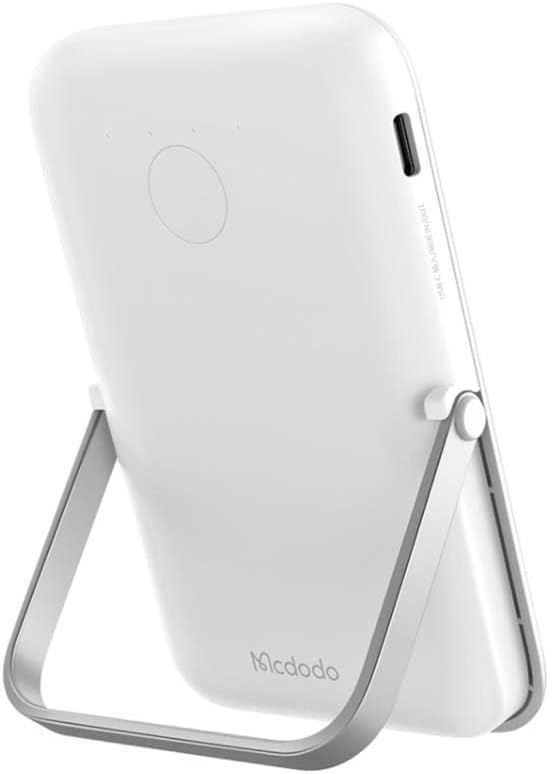
Image: The mcdodo MC-7051 Power Bank, viewed from the side, highlighting the USB Type-C charging port for recharging the device.
ஆரம்ப பயன்பாடு
For optimal performance, fully charge the power bank before its first use.
இயக்க வழிமுறைகள்
வயர்லெஸ் சார்ஜிங்
- Ensure your smartphone is compatible with magnetic wireless charging (e.g., iPhone 12 series or newer, or other phones with magnetic cases).
- Align the back of your compatible smartphone with the magnetic charging area on the power bank. The magnets will automatically snap into place.
- The power bank will automatically begin wireless charging. Check your phone's screen for the charging indicator.
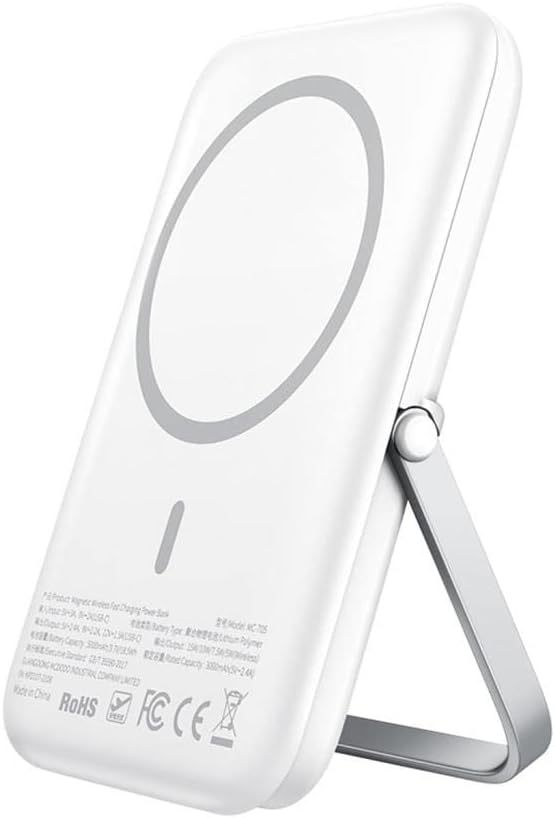
Image: The mcdodo MC-7051 Power Bank shown magnetically attached to the back of a smartphone, with its integrated kickstand extended to support the phone in an upright position.
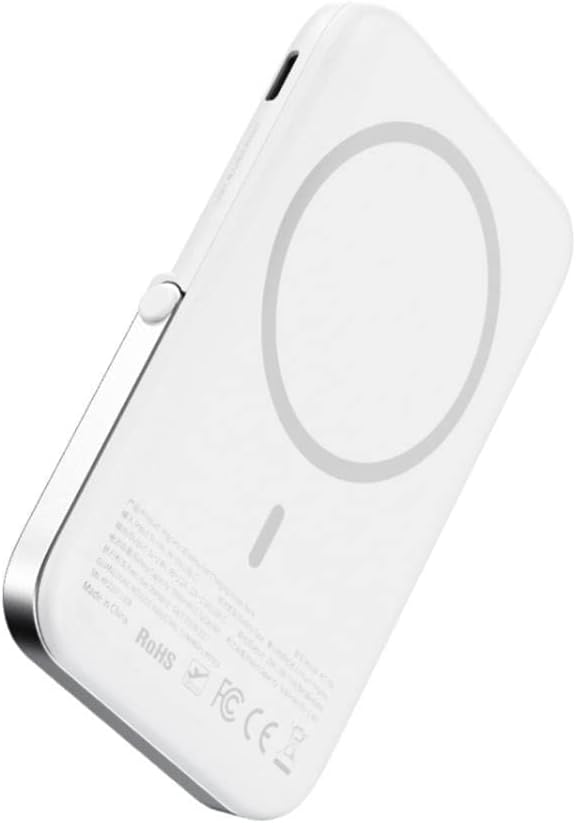
படம்: ஒரு நெருக்கமான படம் view of the mcdodo MC-7051 Power Bank's back surface, clearly displaying the circular magnetic charging area and product labels.
கம்பி சார்ஜிங்
To charge a device via cable:
- Connect one end of a compatible USB Type-C cable (or your device's charging cable) to the power bank's USB Type-C port.
- கேபிளின் மறுமுனையை உங்கள் சாதனத்துடன் இணைக்கவும்.
- பவர் பேங்க் தானாகவே உங்கள் சாதனத்தை சார்ஜ் செய்யத் தொடங்கும்.
Using the Integrated Stand
The power bank features a foldable stand for convenient viewing:
- Gently pull out the stand from the back of the power bank.
- நீங்கள் விரும்பியபடி நிலைப்பாட்டை சரிசெய்யவும் viewing கோணம்.
- Place your magnetically attached smartphone on a flat surface using the stand.
பராமரிப்பு
- சுத்தம்: மென்மையான, உலர்ந்த துணியால் பவர் பேங்கைத் துடைக்கவும். கடுமையான இரசாயனங்கள் அல்லது சிராய்ப்புப் பொருட்களைப் பயன்படுத்த வேண்டாம்.
- சேமிப்பு: நேரடி சூரிய ஒளி மற்றும் அதிக வெப்பநிலையிலிருந்து விலகி, குளிர்ந்த, உலர்ந்த இடத்தில் பவர் பேங்கை சேமிக்கவும்.
- பேட்டரி பராமரிப்பு: பேட்டரி ஆயுளை நீட்டிக்க, வழக்கமான பயன்பாட்டில் இல்லாவிட்டால், குறைந்தது மூன்று மாதங்களுக்கு ஒரு முறையாவது பவர் பேங்கை முழுமையாக சார்ஜ் செய்யவும். அடிக்கடி பேட்டரியை முழுவதுமாக சார்ஜ் செய்வதைத் தவிர்க்கவும்.
- சொட்டு மருந்துகளைத் தவிர்க்கவும்: பவர் பேங்கை கீழே போடவோ அல்லது வலுவான தாக்கங்களுக்கு உட்படுத்தவோ வேண்டாம்.
சரிசெய்தல்
- பவர் பேங்க் சார்ஜ் ஆகவில்லை: Ensure the charging cable is securely connected to both the power bank and the power adapter. Try a different cable or adapter.
- சாதனம் வயர்லெஸ் முறையில் சார்ஜ் செய்யவில்லை: Ensure your device is compatible with magnetic wireless charging and is properly aligned with the power bank's charging area. Remove any thick phone cases that may interfere with wireless charging.
- மெதுவாக சார்ஜ் செய்தல்: Ensure you are using a fast-charging compatible adapter for the power bank and that your device supports fast wireless charging.
- Magnetic attachment is weak: Ensure your phone or case has magnetic compatibility. Foreign objects between the power bank and phone can also weaken the magnetic connection.
- LED குறிகாட்டிகள் வேலை செய்யவில்லை: If the power bank is completely drained, it may take a few minutes for the LEDs to light up after connecting to power. If the issue persists, contact support.
விவரக்குறிப்புகள்
| மாதிரி எண் | MC-7051 |
| பிராண்ட் | mcdodo |
| பேட்டரி திறன் | 5000 mAh |
| வயர்லெஸ் சார்ஜிங் வெளியீடு | 15W வரை |
| இணைப்பான் வகை | USB வகை-C |
| துறைமுகங்களின் எண்ணிக்கை | 2 (1x USB Type-C for input/output, 1x Wireless Charging) |
| சிறப்பு அம்சங்கள் | Fast Charge, Wireless Charge, Magnetic Attachment, Integrated Stand |
| இணக்கமான தொலைபேசி மாதிரிகள் | Smartphones (with magnetic wireless charging capability for optimal use) |
| சக்தி ஆதாரம் | பேட்டரியால் இயங்கும் |
| மறுபயன்பாடு | ரீசார்ஜ் செய்யக்கூடியது |
| தயாரிப்பு பரிமாணங்கள் | 6 x 6 x 2 செ.மீ |
பாதுகாப்பு தகவல்
- பவர் பேங்கை அதிக வெப்பநிலைக்கு (45°C க்கு மேல் அல்லது 0°C க்குக் கீழே) வெளிப்படுத்த வேண்டாம்.
- Keep away from water, moisture, and flammable liquids.
- Do not disassemble, puncture, or modify the device.
- குழந்தைகளுக்கு எட்டாத இடத்தில் வைக்கவும்.
- Avoid placing metal objects between the power bank and your device during wireless charging, as this may cause overheating.
- If the power bank swells, emits an odor, or becomes excessively hot during use or charging, discontinue use immediately and contact support.
- உள்ளூர் விதிமுறைகளின்படி பவர் பேங்கை பொறுப்புடன் அப்புறப்படுத்துங்கள். வீட்டுக் கழிவுகளுடன் அதை அப்புறப்படுத்தாதீர்கள்.
உத்தரவாதம் மற்றும் ஆதரவு
This mcdodo product is covered by a standard manufacturer's warranty. For specific warranty terms and conditions, please refer to the warranty card included with your purchase or visit the official mcdodo website. If you encounter any issues or require technical assistance, please contact mcdodo customer support through their official channels.