
1. அறிமுகம்
நன்றி, நன்றி.asing the LEMORELE 4K Wireless HDMI Transmitter and Receiver. This device allows for wireless transmission of high-definition audio and video signals, eliminating the need for long HDMI cables. It is designed for various applications including home entertainment, business meetings, and educational presentations. Please read this manual thoroughly before use to ensure proper installation and operation.
2. தொகுப்பு உள்ளடக்கங்கள்
கீழே பட்டியலிடப்பட்டுள்ள அனைத்து பொருட்களும் உங்கள் தொகுப்பில் சேர்க்கப்பட்டுள்ளதா என்பதை சரிபார்க்கவும்:
- Wireless HDMI Transmitter (TX) x 1
- Wireless HDMI Receiver (RX) x 1
- HDMI கேபிள் x 1
- USB-C சார்ஜிங் கேபிள் x 2
- பவர் அடாப்டர் x 1
- பயனர் கையேடு x 1

படம்: The complete package contents, including the transmitter, receiver, HDMI cable, two USB-C charging cables, a power adapter, and the user manual.
3. தயாரிப்பு முடிந்துவிட்டதுview
The LEMORELE Wireless HDMI system consists of a Transmitter (TX) and a Receiver (RX) unit. The Transmitter connects to your source device (e.g., laptop, game console), and the Receiver connects to your display device (e.g., TV, projector).

படம்: ஒரு தெளிவான view of the LEMORELE wireless HDMI transmitter (left, with antennas) and the receiver (right, a smaller, round unit with an integrated HDMI cable).
முக்கிய அம்சங்கள்:
- உயர்தர பரிமாற்றம்: Supports 1080P@60Hz from the transmitter and 4K@30Hz output from the receiver.
- இரட்டை-இசைக்குழு வயர்லெஸ்: Utilizes 2.4G/5G dual-band technology for stable signal transmission.
- Long-Range Coverage: Up to 50 meters (164 feet) wireless transmission distance in an open field.
- ப்ளக் அண்ட் பிளே: No drivers or software installation required.
- போர்ட்டபிள் வடிவமைப்பு: Compact and lightweight for easy transport and use in various locations.
4. அமைவு வழிமுறைகள்
Follow these steps to set up your LEMORELE Wireless HDMI system:
- ரிசீவரை (RX) இணைக்கவும்: Plug the HDMI cable from the Receiver unit into an available HDMI input port on your display device (HDTV, projector, monitor).
- Power the Receiver (RX): Connect one of the provided USB-C charging cables to the Receiver's power input and the other end to a 5V2A USB power source (e.g., the included power adapter or a USB port on your TV).
- டிரான்ஸ்மிட்டரை (TX) இணைக்கவும்: Plug the HDMI connector of the Transmitter unit into the HDMI output port of your source device (e.g., laptop, game console, set-top box).
- Power the Transmitter (TX): Connect the second USB-C charging cable to the Transmitter's power input and the other end to a 5V2A USB power source. குறிப்பு: If the transmitter's indicator light is flashing, it indicates insufficient power. Ensure you are using the supplied power supply cable and a 5V2A adapter.
- பவர் ஆன் சாதனங்கள்: உங்கள் மூல சாதனம் மற்றும் காட்சி சாதனத்தை இயக்கவும்.
- தானியங்கி இணைத்தல்: The Transmitter and Receiver should automatically pair. Once paired, the indicator lights will become solid, and your source device's screen will be mirrored or extended to your display.
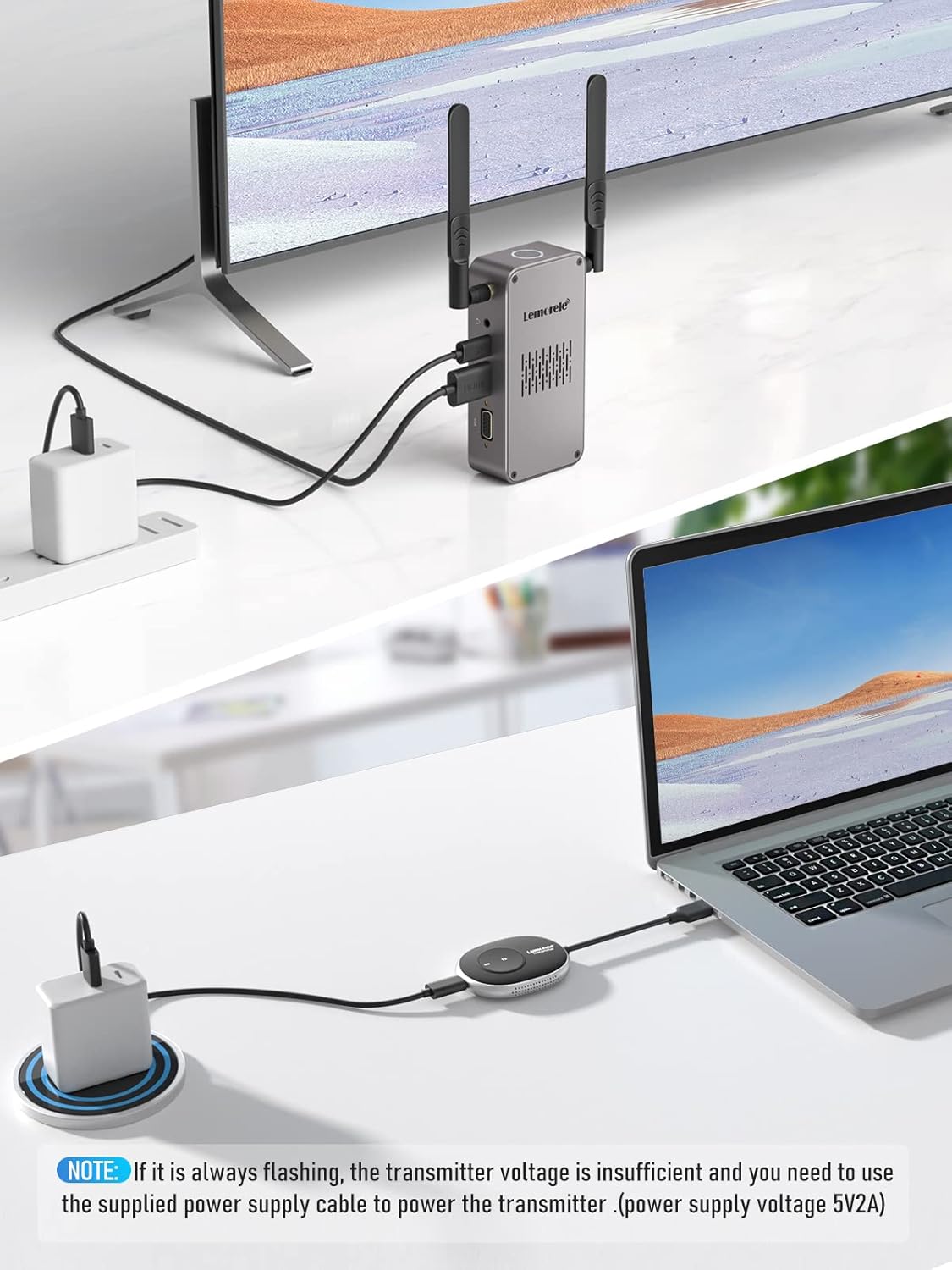
படம்: An illustration showing the setup process. The receiver is connected to a TV and powered, while the transmitter is connected to a laptop and powered. A note highlights the importance of a 5V2A power supply for the transmitter if its light flashes.
5. இயக்க வழிமுறைகள்
Basic Operation (Plug & Play)
Once the Transmitter and Receiver are properly connected and powered, the system operates on a 'plug and play' principle. No additional drivers or software are required. The content from your source device will automatically appear on the connected display.
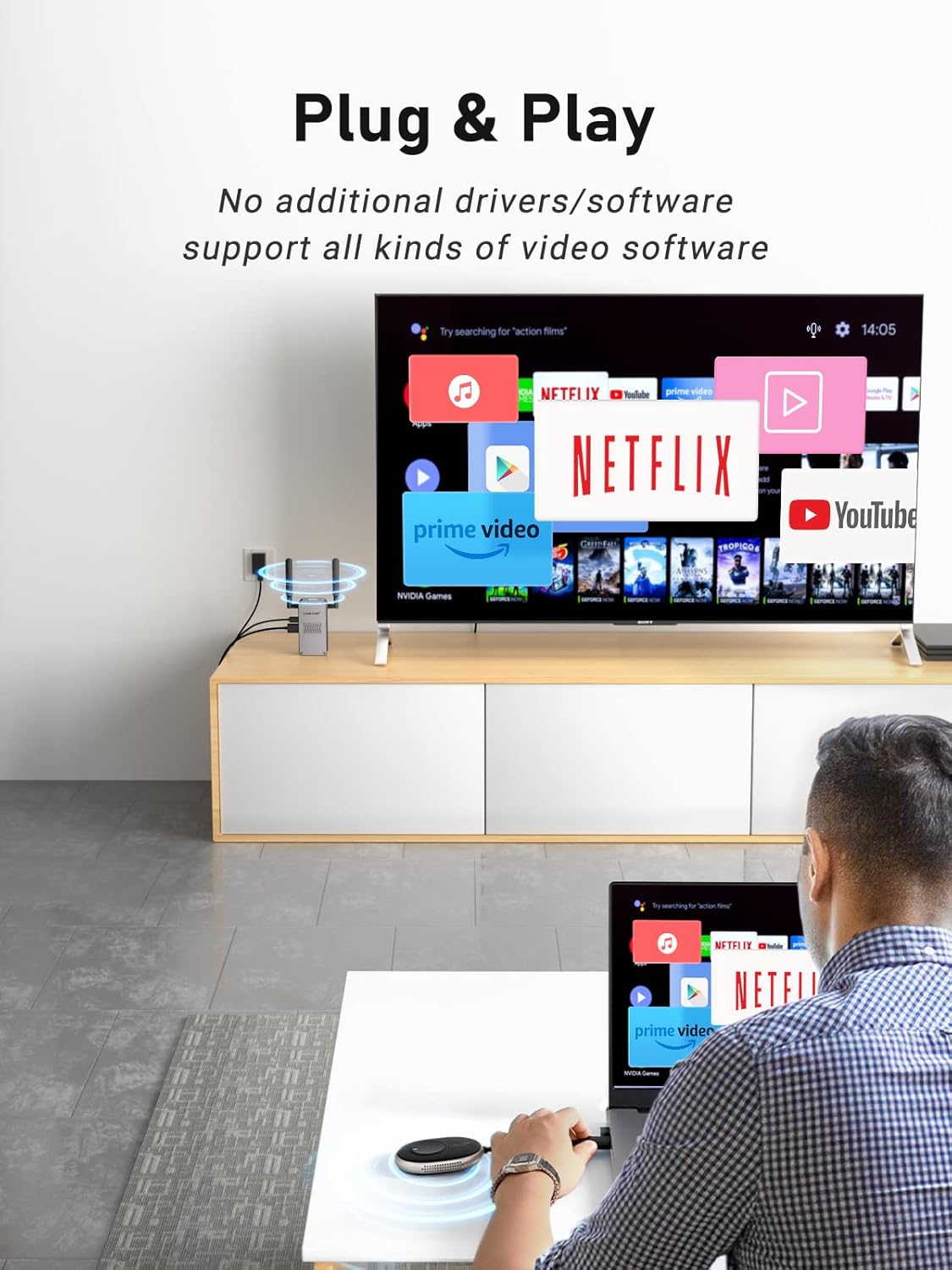
படம்: A user is shown operating the wireless HDMI system, with a laptop connected to the transmitter and a TV displaying content from Netflix, demonstrating the plug-and-play functionality.
Multi-Point Free Switching
The system supports connecting multiple transmitters to a single receiver, allowing for seamless switching between different source devices. This is ideal for presentations or collaborative environments.
- Connect additional Transmitter units to other source devices as described in the Setup Instructions.
- To switch between active transmitters, simply press the button on the desired transmitter unit. The receiver will automatically detect and display the signal from the selected transmitter.

படம்: A three-panel image illustrating multi-point free switching. Panel 1 shows a single transmitter connected. Panel 2 shows two transmitters connected to different laptops in a meeting room. Panel 3 shows the display switching between the two laptops, highlighting the ease of changing sources.
6. இணக்கத்தன்மை
The LEMORELE Wireless HDMI system is compatible with a wide range of devices and services:
- மூல சாதனங்கள்: Laptops, PCs, Gaming Consoles (PS4, Nintendo Switch), Set-top Boxes, DVD/Blu-ray Players, and other devices with HDMI output.
- காட்சி சாதனங்கள்: HDTVs, Projectors, Monitors with HDMI input.
- ஆதரிக்கப்படும் சேவைகள்: Compatible with popular streaming services like Netflix, Amazon Prime Video, YouTube, Hulu, and various video conferencing platforms like Zoom.

படம்: A graphic displaying various application and service logos, including Hulu, Netflix, Amazon MP3, Amazon, Vudu, Instagram, Zoom, Spotify, YouTube, Office, and Snapchat, indicating broad compatibility.
7. சரிசெய்தல்
நீங்கள் சிக்கல்களை எதிர்கொண்டால், பின்வரும் பொதுவான தீர்வுகளைப் பார்க்கவும்:
- சிக்னல் இல்லை/கருப்புத் திரை:
- Ensure both the Transmitter and Receiver are properly powered with 5V2A adapters. A flashing indicator light on the transmitter often means insufficient power.
- Check all HDMI cable connections. Try using a different HDMI cable if possible.
- உங்கள் காட்சி சாதனம் சரியான HDMI உள்ளீட்டு மூலத்திற்கு அமைக்கப்பட்டுள்ளதா என்பதைச் சரிபார்க்கவும்.
- Restart both the source device and the display device.
- Poor Picture Quality/Intermittent Signal:
- டிரான்ஸ்மிட்டர் மற்றும் ரிசீவர் இடையேயான தூரத்தைக் குறைக்கவும்.
- Ensure there are no significant obstructions (e.g., thick walls, metal objects) between the units.
- Minimize interference from other wireless devices (e.g., Wi-Fi routers, cordless phones) by moving them further away.
- Confirm that your source device's resolution output is compatible with the system's capabilities (up to 4K@30Hz).
- ஆடியோ சிக்கல்கள்:
- Check audio settings on your source device and display device.
- Ensure the HDMI cable supports audio transmission.
8. விவரக்குறிப்புகள்
| பிராண்ட் | லெமோரேல் |
| மாதிரி எண் | Q5R18 |
| நிறம் | கருப்பு |
| இணைப்பு தொழில்நுட்பம் | HDMI (Wireless) |
| சிறப்பு அம்சங்கள் | போர்ட்டபிள், வயர்லெஸ் |
| இணக்கமான சாதனங்கள் | Smart Television, Laptops, PCs, Gaming Consoles |
| Transmitter Resolution | 1080P@60Hz |
| Receiver Output Resolution | 4K@30Hz |
| வயர்லெஸ் அதிர்வெண் | 2.4G/5G டூயல்-பேண்ட் |
| வயர்லெஸ் டிரான்ஸ்மிஷன் தூரம் | Up to 50 meters (164 feet) in open field |
| ஆற்றல் உள்ளீடு | 5V2A (USB-C) |
| ஆதரிக்கப்படும் இணைய சேவைகள் | Netflix (and other streaming platforms) |
9. பராமரிப்பு
To ensure the longevity and optimal performance of your LEMORELE Wireless HDMI system, please follow these maintenance guidelines:
- சுத்தம்: Use a soft, dry cloth to clean the exterior of the devices. Do not use liquid cleaners or aerosols.
- சேமிப்பு: நீண்ட நேரம் பயன்படுத்தப்படாதபோது, சாதனங்களை நேரடி சூரிய ஒளி மற்றும் தீவிர வெப்பநிலையிலிருந்து விலகி குளிர்ந்த, உலர்ந்த இடத்தில் சேமிக்கவும்.
- கையாளுதல்: சாதனங்களை கீழே போடுவதையோ அல்லது வலுவான தாக்கங்களுக்கு உட்படுத்துவதையோ தவிர்க்கவும்.
- காற்றோட்டம்: Ensure the devices have adequate ventilation and do not block any vents during operation.
10. உத்தரவாதம் மற்றும் ஆதரவு
LEMORELE products are designed for reliability and performance. This product comes with a standard manufacturer's warranty. For specific warranty details, please refer to the warranty card included in your package or contact LEMORELE customer support.
If you require technical assistance or have questions not covered in this manual, please contact LEMORELE customer support through the retailer where you purchased the product or visit the official LEMORELE webதொடர்பு தகவலுக்கான தளம்.