
அறிமுகம்
Thank you for choosing the HyperGear Vibe Wireless Headphones. These headphones are designed to provide a premium audio experience with comfort and convenience. This manual will guide you through the setup, operation, and maintenance of your new headphones.
பெட்டியில் என்ன இருக்கிறது
- HyperGear Vibe Wireless Headphones
- USB-C சார்ஜிங் கேபிள்
தயாரிப்பு முடிந்துவிட்டதுview
Familiarize yourself with the components and controls of your HyperGear Vibe Wireless Headphones.

படம் 1: HyperGear Vibe Wireless Headphones. This image shows the overall design of the red over-ear headphones, highlighting their sleek appearance.

படம் 2: Easy Access Controls. This close-up view details the control buttons and ports on the earcup, including Volume Up/Seek, Power On/Off, Play/Pause, Volume Down/Seek, USB-C Port, and Aux In.

படம் 3: Long-Lasting Power. This image illustrates the 10 hours of playtime and 2 hours of charge time for the headphones.

படம் 4: Innovation in Comfort. A person wearing the headphones demonstrates the snug, comfortable fit that provides noise isolation.
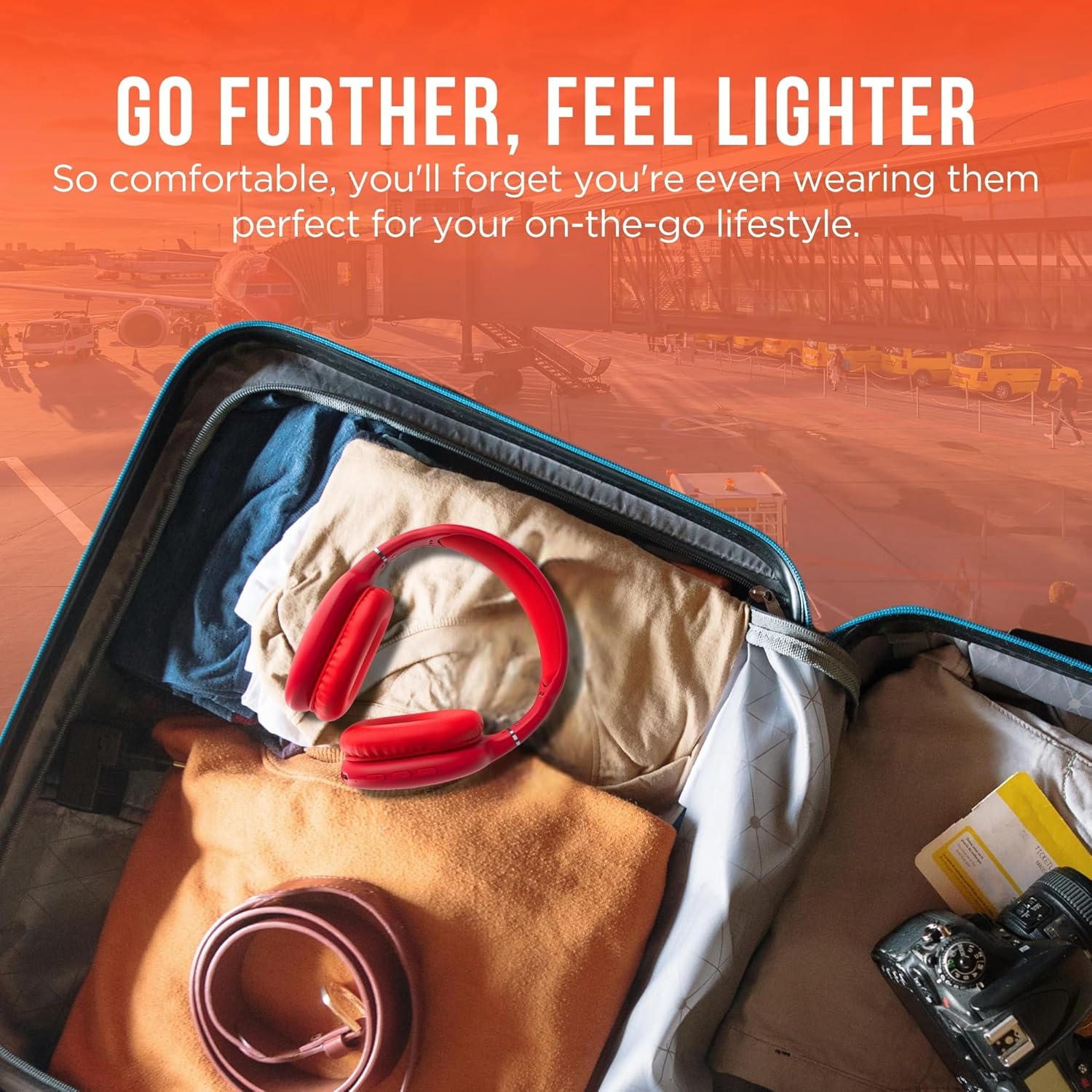
படம் 5: Go Further, Feel Lighter. This image shows the headphones folded and packed in a suitcase, emphasizing their portability.
வீடியோ 1: HyperGear Vibe Bluetooth Wireless Headphones. This video provides a visual overview of the headphones' features and design.
அமைவு
ஹெட்ஃபோன்களை சார்ஜ் செய்கிறது
Before first use, fully charge your headphones. Connect the included USB-C charging cable to the USB-C port on the headphone earcup and the other end to a compatible USB power source. The LED indicator will show charging status.
புளூடூத் இணைத்தல்
- Ensure your headphones are powered off.
- Press and hold the Power On/Off button for approximately 3 seconds until the LED indicator flashes red and blue alternately. This indicates the headphones are in pairing mode.
- உங்கள் சாதனத்தில் (ஸ்மார்ட்போன், டேப்லெட், மடிக்கணினி), புளூடூத்தை இயக்கி, கிடைக்கும் சாதனங்களைத் தேடுங்கள்.
- Select "HyperGear Vibe" (or similar name) from the list of devices to connect.
- இணைக்கப்பட்டதும், LED காட்டி மெதுவாக திட நீலம் அல்லது ஃபிளாஷ் நீலமாக மாறும்.
வீடியோ 2: Wireless Headphones Pairing Guide. This video demonstrates the process of powering on the headphones and connecting them via Bluetooth to a mobile device.
இயக்க வழிமுறைகள்
பவர் ஆன்/ஆஃப்
- பவர் ஆன்: பவர் ஆன்/ஆஃப் பட்டனை 3 வினாடிகள் அழுத்திப் பிடிக்கவும்.
- பவர் ஆஃப்: பவர் ஆன்/ஆஃப் பட்டனை 3 வினாடிகள் அழுத்திப் பிடிக்கவும்.
இசை பின்னணி
- விளையாடு/இடைநிறுத்தம்: ப்ளே/பாஸ் பட்டனை ஒருமுறை அழுத்தவும்.
- அடுத்த ட்ராக்: Press and hold the Volume Up/Seek button.
- முந்தைய ட்ராக்: Press and hold the Volume Down/Seek button.
- ஒலியை பெருக்கு: Press the Volume Up/Seek button once.
- ஒலியை குறை: Press the Volume Down/Seek button once.
அழைப்பு மேலாண்மை
- பதில்/முடிவு அழைப்பு: ப்ளே/பாஸ் பட்டனை ஒருமுறை அழுத்தவும்.
- அழைப்பை நிராகரி: ப்ளே/பாஸ் பட்டனை 2 வினாடிகள் அழுத்திப் பிடிக்கவும்.
ஆக்டிவ் இரைச்சல் ரத்து (ANC) / டிரான்ஸ்பரன்சி பயன்முறை
The headphones feature noise isolation. Specific controls for ANC/Transparency mode are integrated with the main control buttons. Refer to the product diagram for exact button location.
பராமரிப்பு
- மென்மையான, உலர்ந்த துணியால் ஹெட்ஃபோன்களை சுத்தம் செய்யவும்.
- சிராய்ப்பு கிளீனர்கள் அல்லது கரைப்பான்களைப் பயன்படுத்த வேண்டாம்.
- ஹெட்ஃபோன்களை அதிக வெப்பநிலை அல்லது ஈரப்பதத்திற்கு வெளிப்படுத்துவதைத் தவிர்க்கவும்.
- பயன்பாட்டில் இல்லாதபோது குளிர்ந்த, உலர்ந்த இடத்தில் சேமிக்கவும்.
சரிசெய்தல்
சக்தி இல்லை
- ஹெட்ஃபோன்கள் முழுமையாக சார்ஜ் செய்யப்பட்டுள்ளதா என்பதை உறுதிப்படுத்தவும்.
- சார்ஜிங் கேபிள் மற்றும் மின் மூலத்தைச் சரிபார்க்கவும்.
ஒலி இல்லை
- Ensure the headphones are paired correctly with your device.
- ஹெட்ஃபோன்கள் மற்றும் இணைக்கப்பட்ட சாதனம் இரண்டிலும் ஒலி அளவைச் சரிபார்க்கவும்.
- ஹெட்ஃபோன்கள் வேறொரு சாதனத்துடன் இணைக்கப்படவில்லை என்பதை உறுதிப்படுத்தவும்.
இணைத்தல் சிக்கல்கள்
- உங்கள் சாதனத்தில் புளூடூத் இயக்கப்பட்டுள்ளதை உறுதிசெய்யவும்.
- Place the headphones and your device close to each other.
- Turn off and restart both the headphones and your device, then attempt pairing again.
- தேவைப்பட்டால் உங்கள் சாதனத்தில் முந்தைய புளூடூத் இணைப்புகளை அழிக்கவும்.
விவரக்குறிப்புகள்
| மாதிரி பெயர் | அதிர்வு |
| பொருள் மாதிரி எண் | 15610 |
| இணைப்பு தொழில்நுட்பம் | வயர்லெஸ் (புளூடூத்) |
| புளூடூத் பதிப்பு | 5.0 |
| புளூடூத் வரம்பு | 10 மீட்டர் (33 அடி) |
| ஆடியோ டிரைவர் அளவு | 40 மில்லிமீட்டர்கள் |
| பேட்டரி ஆயுள் | 10 மணிநேரம் |
| சார்ஜிங் நேரம் | 2 மணிநேரம் |
| சத்தம் கட்டுப்பாடு | ஒலி தனிமைப்படுத்தல் |
| பொருள் | நினைவக நுரை |
| பொருளின் எடை | 10.8 அவுன்ஸ் (0.31 கிலோகிராம்) |
| தயாரிப்பு பரிமாணங்கள் | 7.17 x 3.43 x 9.85 அங்குலம் |
உத்தரவாதம் மற்றும் ஆதரவு
For warranty information or technical support, please visit the official HyperGear webதளத்தில் அல்லது அவர்களின் வாடிக்கையாளர் சேவையைத் தொடர்பு கொள்ளவும். எந்தவொரு உத்தரவாதக் கோரிக்கைகளுக்கும் உங்கள் வாங்கியதற்கான ஆதாரத்தை வைத்திருங்கள்.
பார்வையிடவும் HyperGear Store on Amazon மேலும் தகவலுக்கு.