
FLITI Galaxy Projector Instruction Manual
Model: galaxy projector-1
முக்கியமான பாதுகாப்பு தகவல்
Please read all safety instructions carefully before operating this product. Failure to follow these instructions may result in injury or damage to the product.
- வயது வந்தோர் கண்காணிப்பு: Do not allow children to operate this product alone.
- நோக்கம் கொண்ட பயன்பாடு: This product is designed for indoor use in night or dark environments. Outdoor use, or use in daylight or strong light conditions, will significantly affect the projection effect.
- நீர் எதிர்ப்பு: The product has an IP20 waterproof rating, meaning it is suitable for dry environments only. Avoid exposure to water or damp நிபந்தனைகள்.
- இயக்க வெப்பநிலை: The recommended operating temperature range is 0-45°C (32-113°F). Operation outside this range, especially in excessively high or low temperatures, may cause the product to malfunction or the laser to not illuminate.
- பவர் அடாப்டர்: Use only a DC5V/2A power adapter with this product. Using an adapter with incorrect voltage or current may damage the laser module and shorten the product's service life.
- உடல் கையாளுதல்: Avoid dropping or subjecting the device to strong impacts, as this may damage the internal laser module.
- Normal Operation Noise: A slight noise may be heard when the internal motor rotates. This is normal and does not indicate a quality defect.

தயாரிப்பு முடிந்துவிட்டதுview
The FLITI Galaxy Projector creates a captivating visual experience with its nebula and galaxy projections. It features a wide coverage area, integrated Bluetooth speaker, white noise functions, and various lighting modes to enhance any room.

முக்கிய அம்சங்கள்:
- Dynamic Galaxy & Nebula Projections: Projects sci-fi nebula shapes and dreamy galaxy patterns.
- விரிவான கவரேஜ்: Designed to illuminate an entire room, not just the ceiling.
- ஒருங்கிணைந்த புளூடூத் ஸ்பீக்கர்: Connect your device to play music.
- White Noise Functionality: Provides soothing sounds for relaxation.
- சரிசெய்யக்கூடிய அமைப்புகள்: Includes timing, brightness adjustment, and various lighting modes.
- ரிமோட் கண்ட்ரோல்: தூரத்திலிருந்து வசதியான செயல்பாடு.

அமைவு
- பேக்கிங்: Carefully remove the galaxy projector and its accessories from the packaging. Ensure all components, including the projection lamp and base, are present.
- இடம்: Place the projector on a stable, flat surface. For optimal projection, position it in the center of the room or at a desired angle to cover the intended area. The projector's base allows for adjustable light direction.
- மின் இணைப்பு: Connect the provided DC5V/2A power adapter to the projector's power input port. Plug the adapter into a standard electrical outlet.
- ஆரம்ப பவர் ஆன்: சாதனத்தை இயக்க, ப்ரொஜெக்டரில் உள்ள ஆற்றல் பொத்தானை அல்லது ரிமோட் கண்ட்ரோலை அழுத்தவும்.
இயக்க வழிமுறைகள்
Basic Controls (via Projector Buttons or Remote Control):
- பவர் ஆன்/ஆஃப்: ப்ரொஜெக்டரை ஆன் அல்லது ஆஃப் செய்ய பவர் பட்டனை அழுத்தவும்.
- ஒளி முறைகள்: Cycle through various galaxy and nebula projection modes.
- ஒளிர்வு சரிசெய்தல்: Adjust the intensity of the projected light.
- சுழற்சி வேகம்: Control the speed of the galaxy/nebula rotation.
- டைமர் செயல்பாடு: Set an automatic shut-off timer (e.g., 1H/2H/4H options may be available).

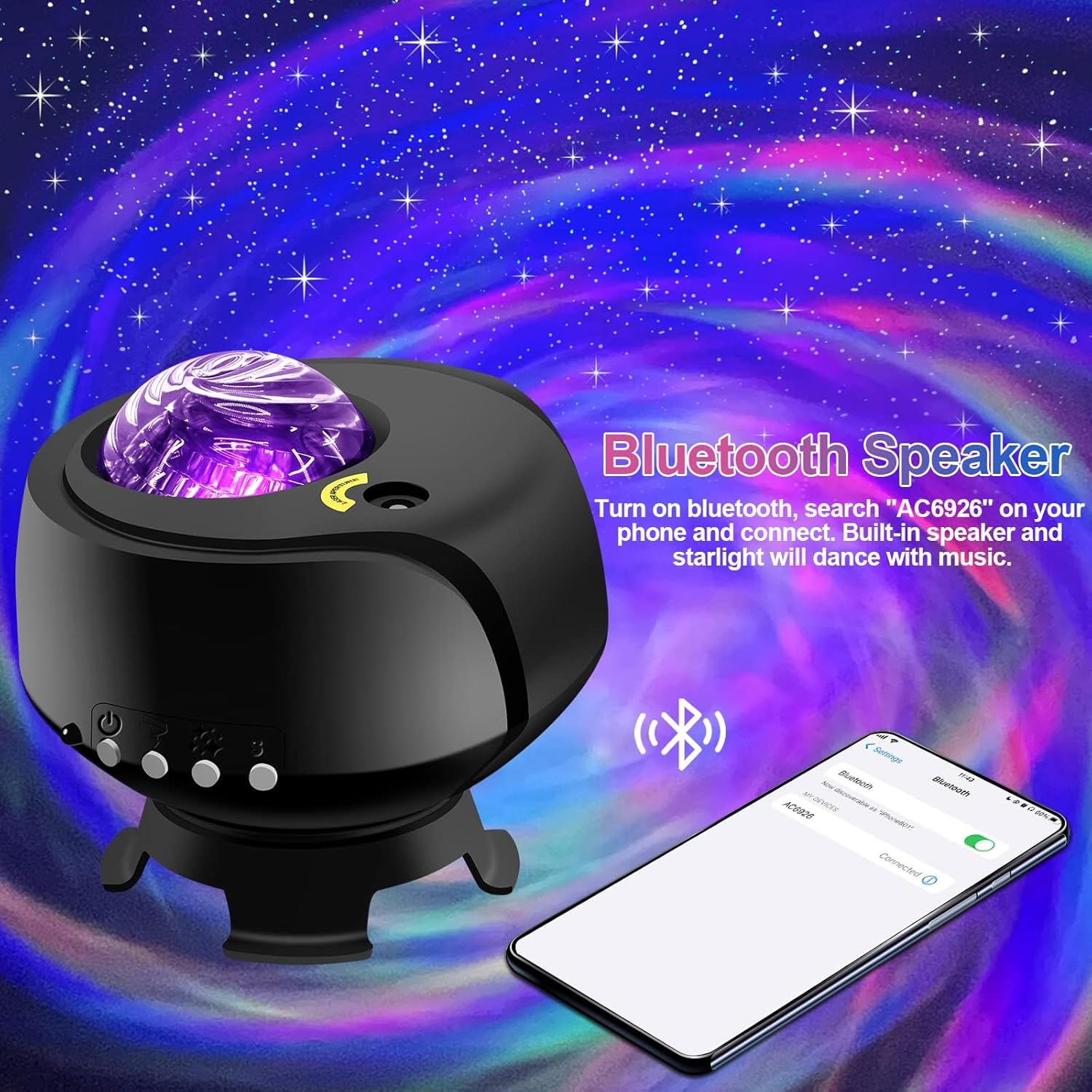
புளூடூத் ஸ்பீக்கர் செயல்பாடு:
- ப்ரொஜெக்டர் இயக்கப்பட்டிருப்பதை உறுதிசெய்யவும்.
- உங்கள் மொபைல் சாதனத்தில், புளூடூத்தை இயக்கி, கிடைக்கும் சாதனங்களைத் தேடவும்.
- Select the device named "AC6926" to pair.
- Once connected, you can play audio through the projector's built-in speaker. The projected starlight can synchronize with the music.
White Noise Function:
The projector includes a white noise feature to aid relaxation or sleep. Refer to the remote control or projector buttons for specific controls to activate and select white noise sounds.
பராமரிப்பு
- சுத்தம்: Disconnect the power before cleaning. Use a soft, dry cloth to wipe the exterior of the projector. Do not use abrasive cleaners, solvents, or excessive moisture, as these can damage the finish or internal components.
- லென்ஸ் பராமரிப்பு: Gently wipe the projection lens with a soft, lint-free cloth to ensure clear projection.
- சேமிப்பு: When not in use for extended periods, store the projector in a cool, dry place, away from direct sunlight and extreme temperatures. Keep it in its original packaging if possible to protect it from dust and impacts.
சரிசெய்தல்
- Projector Does Not Turn On:
- Ensure the power adapter is securely connected to both the projector and a working electrical outlet.
- Verify that you are using the correct DC5V/2A power adapter.
- Check if the power button on the projector or remote control is functioning.
- No Projection / Dim Projection:
- Ensure the room is sufficiently dark. The product is designed for optimal performance in low-light conditions.
- Adjust the brightness settings using the remote control or projector buttons.
- Check if the projection lens is clean and free from obstructions.
- Verify the ambient temperature is within the recommended 0-45°C range.
- புளூடூத் இணைப்புச் சிக்கல்கள்:
- Ensure the projector is powered on and in Bluetooth pairing mode.
- உங்கள் மொபைல் சாதனத்தின் புளூடூத் இயக்கப்பட்டிருப்பதையும், அது வரம்பிற்குள் இருப்பதையும் உறுதிசெய்து கொள்ளவும்.
- சாதனத்தை இணைப்பை நீக்கி மீண்டும் இணைக்க முயற்சிக்கவும்.
- ப்ரொஜெக்டர் மற்றும் உங்கள் மொபைல் சாதனம் இரண்டையும் மறுதொடக்கம் செய்யுங்கள்.
- மோட்டார் சத்தம்:
- A slight noise during motor rotation is normal and not a defect. If the noise is excessive or unusual, contact customer support.
விவரக்குறிப்புகள்
| அம்சம் | விவரக்குறிப்பு |
|---|---|
| மாதிரி எண் | கேலக்ஸி புரொஜெக்டர்-1 |
| பிராண்ட் | FLITI |
| நிறம் | கருப்பு |
| வடிவம் | நட்சத்திரம் |
| பொருள் | பிளாஸ்டிக் |
| பினிஷ் வகை | புரொஜெக்டர் |
| ஒளி மூல வகை | LED |
| சக்தி ஆதாரம் | கம்பியூட்டப்பட்ட மின்சாரம் |
| தொகுதிtage | 240 வோல்ட் |
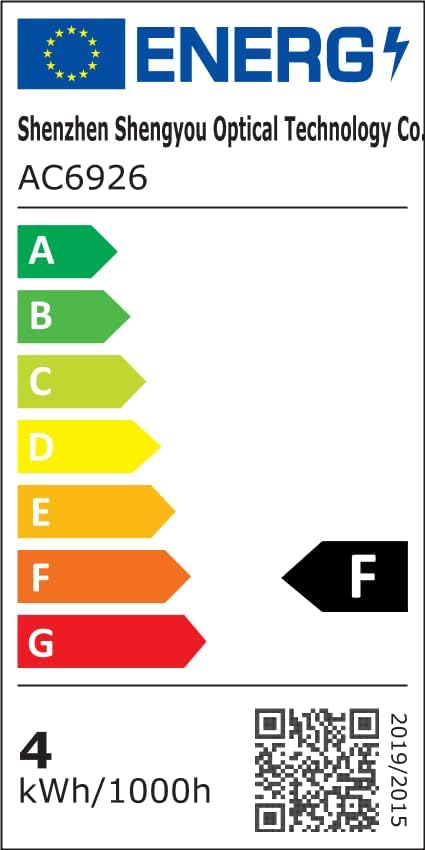
| வாட்tage | 4 வாட்ஸ் |
| தயாரிப்பு பரிமாணங்கள் | 5.5"லி x 4"அங்குலம் x 5.1"அங்குலம் |
| பொருளின் எடை | 13.1 அவுன்ஸ் (370 கிராம்) |
| உள்ளிட்ட கூறுகள் | திட்டம் எல்amp, அடித்தளம் |
| சிறப்பு அம்சங்கள் | நிறம் மாறுதல் |
| ஸ்விட்ச் ஸ்டைல் | ரிமோட் |
| UPC | 199284591172 |
ஆற்றல் திறன் தகவல்:
உத்தரவாதம் & ஆதரவு
FLITI is committed to providing high-quality products and customer satisfaction. For any questions, concerns, or support needs regarding your Galaxy Projector, please contact the manufacturer directly.
- உற்பத்தியாளர்: FLITI
- பாதுகாப்புத் திட்டங்கள்: Extended protection plans are available for purchase separately. Please refer to your retailer for details on 3-Year or 4-Year protection plans.
- வருமானம்: இந்த தயாரிப்பு 30 நாள் பணத்தைத் திரும்பப்பெறுதல்/மாற்றுத் திருப்பி அனுப்பும் கொள்கைக்கு தகுதியானது.