
Sqrgreat DC-5V-to-5V
Sqrgreat USB DC 5V to DC 5V Cable User Manual
Model: DC-5V-to-5V
அறிமுகம்
This manual provides instructions for the Sqrgreat USB DC 5V to DC 5V Cable, model DC-5V-to-5V. This cable is designed to supply 5V DC power to various electronic devices through a standard USB 2.0 port. It features a 5.5 x 2.1mm DC jack and incorporates an upgraded intelligent IC circuit for protection against overcurrent, overvoltagமின் சுமை, ஓவர்லோட் மற்றும் ஷார்ட் சர்க்யூட்கள்.

Image: The Sqrgreat USB DC 5V to DC 5V Cable, showing its full length and connectors.
அமைவு
To set up the USB DC 5V to DC 5V Cable, follow these steps:
- சாதன இணக்கத்தன்மையை சரிபார்க்கவும்: Ensure your device requires a 5V DC power input and has a DC power jack with outer diameter (OD) of 5.5mm and inner diameter (ID) of 2.1mm. The cable provides a positive tip polarity. Refer to the image below for visual confirmation of the DC jack dimensions.
- சக்தி மூலத்துடன் இணைக்கவும்: Insert the USB Type-A connector of the cable into an available USB 2.0 port on a desktop computer, laptop, or a mobile power bank.
- சாதனத்துடன் இணைக்கவும்: Insert the DC 5.5 x 2.1mm jack into the corresponding power input port on your target device.
- பவர் ஆன்: Once connected, your device should receive power.

படம்: நெருக்கமான படம் view of the DC jack, illustrating the 5.5mm outer diameter and 2.1mm inner diameter for compatibility verification.
இயக்க வழிமுறைகள்
The Sqrgreat USB DC 5V to DC 5V Cable is designed for straightforward operation. Once properly connected as described in the Setup section, the cable will supply 5V DC power to your compatible device.
- ஆற்றல் சாதனங்கள்: Use this cable to power various 5V devices such as small fans, table lamps, Bluetooth audio receivers, wireless routers, and speakers.
- மொபைல் பவர் தீர்வு: In situations where a wall outlet is unavailable or during power outages, the cable can be used with a power bank to keep your essential 5V devices running.
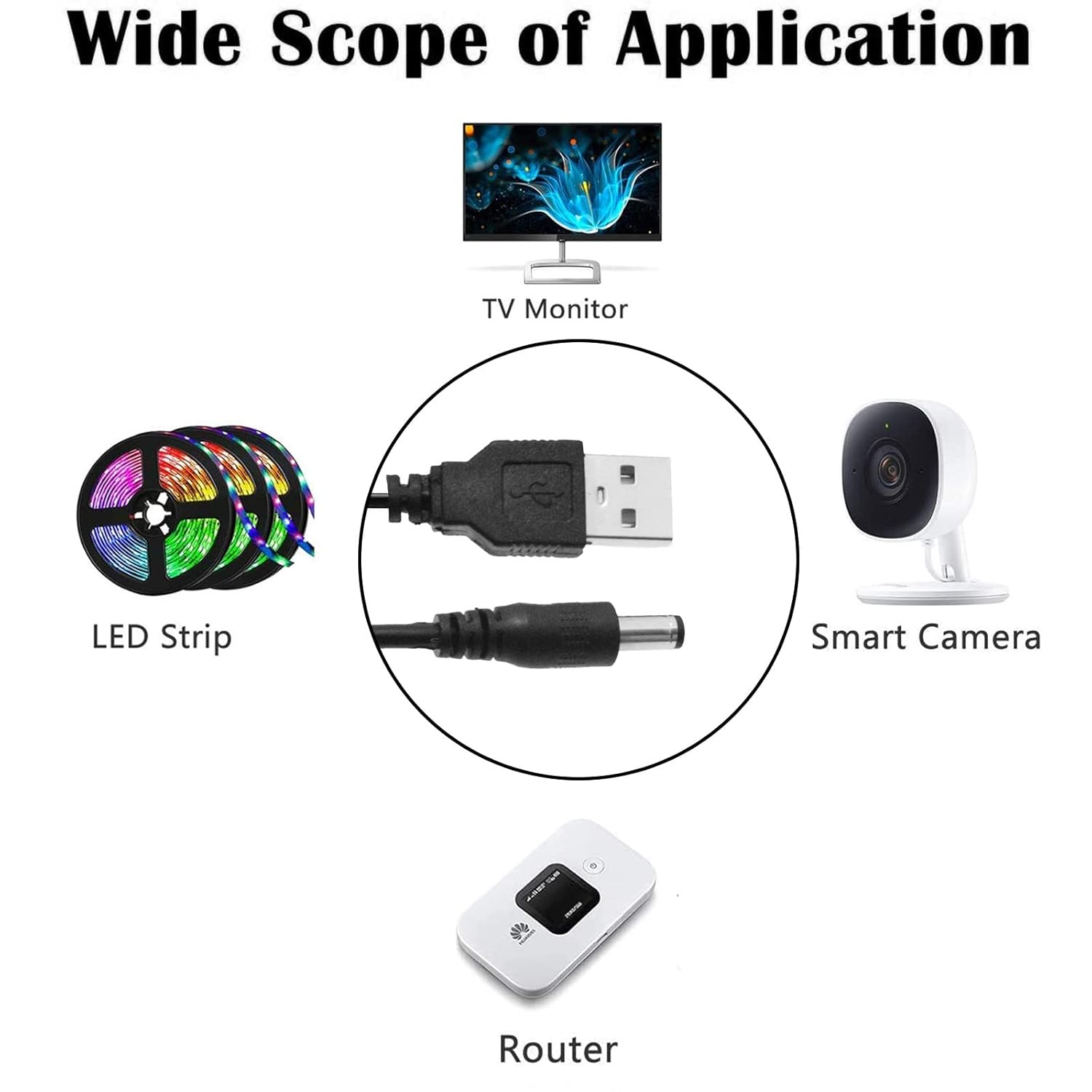
படம்: Examples of devices compatible with the USB DC 5V cable, including a TV monitor, LED strip, smart camera, and router.
அதிகாரப்பூர்வ தயாரிப்பு வீடியோ
Video: An official video demonstrating the Sqrgreat USB Power Cable and its various applications. This video provides a visual overview of the product's features and how it can be used to power different 5V devices.
பராமரிப்பு
To ensure the longevity and optimal performance of your Sqrgreat USB DC 5V to DC 5V Cable, consider the following maintenance guidelines:
- சேமிப்பு: நேரடி சூரிய ஒளி மற்றும் தீவிர வெப்பநிலையிலிருந்து விலகி, குளிர்ந்த, உலர்ந்த இடத்தில் கேபிளை சேமிக்கவும்.
- சுத்தம்: If necessary, gently wipe the cable with a soft, dry cloth. Avoid using harsh chemicals or abrasive materials.
- கையாளுதல்: Avoid excessive bending, twisting, or pulling of the cable, especially near the connectors, to prevent internal damage.
- ஆய்வு: கேபிள் மற்றும் இணைப்பிகளில் தேய்மானம், உடைப்பு அல்லது சேதம் ஏதேனும் உள்ளதா என அவ்வப்போது ஆய்வு செய்யுங்கள். ஏதேனும் சேதம் காணப்பட்டால் பயன்படுத்துவதை நிறுத்துங்கள்.
சரிசெய்தல்
If you encounter issues while using your USB DC 5V to DC 5V Cable, refer to the following troubleshooting tips:
- சாதனம் இயங்கவில்லை:
- Ensure both the USB connector and the DC jack are fully and securely inserted into their respective ports.
- Verify that the power source (USB port on computer or power bank) is active and providing 5V output.
- Double-check that your device requires 5V DC power and has a 5.5 x 2.1mm DC input jack with positive tip polarity. Incorrect voltage or connector size will prevent operation.
- Test the cable with a different compatible device or power source to isolate the issue.
- இடைப்பட்ட சக்தி:
- Check for loose connections at both ends of the cable.
- Inspect the cable for any visible damage or kinks that might interrupt the power flow.
- ஓவர் கரண்ட்/ஓவர்வோல்tagஇ பாதுகாப்பு:
The cable features a built-in intelligent IC chip for protection. If the cable or device experiences overcurrent, overvoltage, overload, or a short circuit, the protection mechanism may temporarily cut power to prevent damage. Disconnect and re-connect the cable after resolving the underlying issue (e.g., reducing load, ensuring correct voltage). If the issue persists, the device or power source may be incompatible or faulty.
விவரக்குறிப்புகள்
| அம்சம் | விவரம் |
| யூ.எஸ்.பி உள்ளீடு | 5V |
| DC வெளியீடு | 5V |
| அதிகபட்ச நடப்பு | 0.8A (800mAh) |
| DC Connector Size | வெளிப்புற விட்டம்: 5.5மிமீ, உள் விட்டம்: 2.1மிமீ |
| கேபிள் நீளம் | 4.9 அடி (1.5 மீ) |
| இணைப்பான் வகை | USB Type A (Male) to DC Jack (Male) |
| இணக்கமான சாதனங்கள் | Fan, Table Lamp, Bluetooth Audio, Wireless Router, Speakers, etc. (requiring 5V DC with 5.5x2.1mm jack) |
| பாதுகாப்பு அம்சங்கள் | Built-in intelligent IC chip for overcurrent, overvoltage, overload, short circuit protection |
| மாதிரி பெயர் | USB DC 5V to DC 5V Cable |
| பொருள் மாதிரி எண் | DC-5V-to-5V |
உத்தரவாதம் மற்றும் ஆதரவு
For any questions, concerns, or support regarding your Sqrgreat USB DC 5V to DC 5V Cable, please refer to the product's purchase platform or contact the manufacturer directly. Keep your purchase receipt for any warranty claims, if applicable.
Ask a question about this manual
Ask about setup, troubleshooting, compatibility, parts, safety, or missing instructions. Manuals+ will review the question and use this page’s manual context to help answer it.