
DUODUOGO S7
DUODUOGO 5G WiFi Android 11 Tablet S7 User Manual
மாடல்: S7
Brand: DUODUOGO
1. அறிமுகம்
This user manual provides comprehensive instructions for the DUODUOGO 5G WiFi Android 11 Tablet S7. It covers product features, setup, operation, maintenance, and troubleshooting to ensure optimal use of your device. Please read this manual thoroughly before using the tablet.
2. பெட்டியில் என்ன இருக்கிறது
- DUODUOGO 5G WiFi Android 11 Tablet (10.4 Inch)
- பிரிக்கக்கூடிய விசைப்பலகை
- யூ.எஸ்.பி டைப்-சி கேபிள்
- பவர் அடாப்டர்
- பயனர் கையேடு (இந்த ஆவணம்)
3. தயாரிப்பு முடிந்துவிட்டதுview
The DUODUOGO S7 tablet features a 10.4-inch touchscreen display, powered by Android 11, and includes a detachable keyboard for enhanced productivity. It supports dual-band Wi-Fi (2.4G and 5G) and offers ample storage with 4GB RAM and 64GB internal storage, expandable up to 256GB.

Image: The DUODUOGO S7 tablet in blue, shown with its detachable keyboard and a hand interacting with the touchpad. The tablet screen displays "Android 11". A smaller inset image shows the tablet from the rear with its kickstand extended.
முக்கிய அம்சங்கள்:
- இயக்க முறைமை: ஆண்ட்ராய்டு 11
- காட்சி: 10.4-inch IPS Touchscreen (1280 x 800 resolution)
- நினைவகம்: 4ஜிபி ரேம்
- சேமிப்பு: 64GB ROM (expandable up to 256GB)
- கேமராக்கள்: Rear 8MP, Front 5MP
- இணைப்பு: Dual WiFi (2.4G/5G), Bluetooth, OTG, Type-C
- பேட்டரி: 6500mAh

Image: A stylized depiction of the Android 11 system, with a robotic hand reaching out from a tablet screen towards a small Android mascot holding the number 11. Text reads "Android 11 System" and "Visit your favorite apps, music, movies, books, etc".
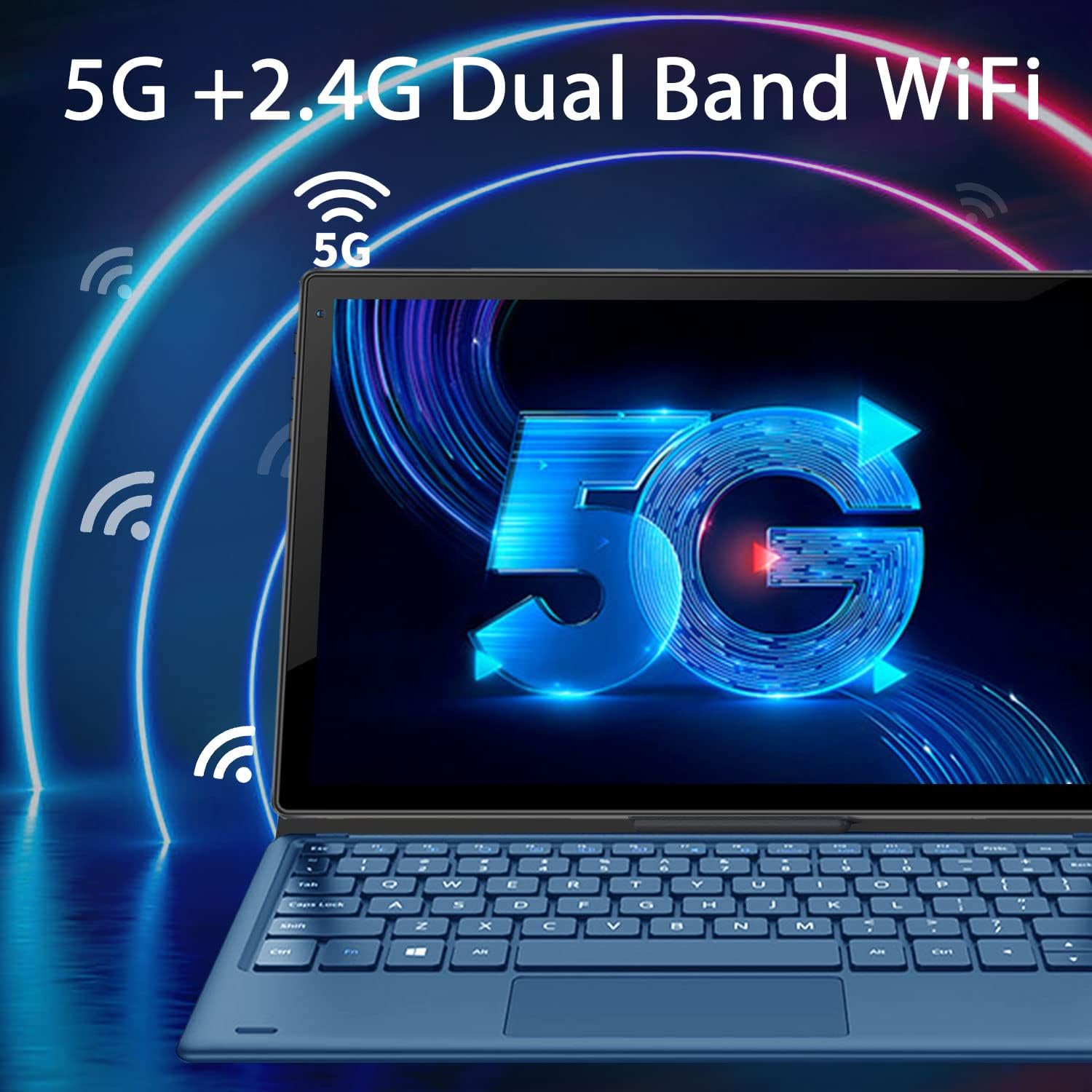
Image: The tablet screen displaying a large "5G" logo with Wi-Fi signals emanating from it, indicating dual-band 5G and 2.4G Wi-Fi connectivity. Text reads "5G + 2.4G Dual Band WiFi".

Image: Three tablets shown from the back, with the middle tablet displaying a photo gallery. Icons and text indicate "Large Capacity Battery", "4GB RAM", "64GB ROM", and "256GB Expand".
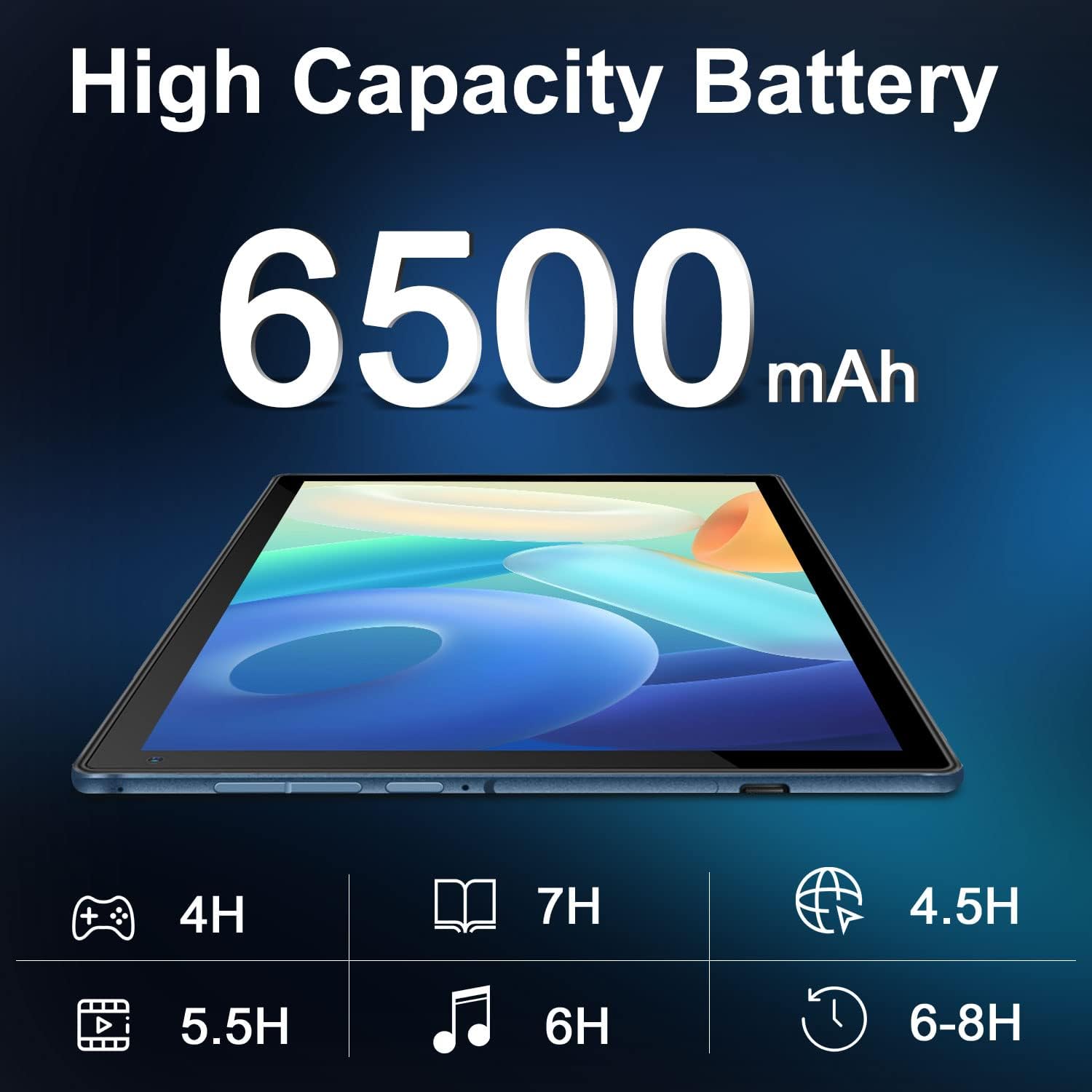
Image: A tablet lying flat, with a large "6500mAh" text overlay, indicating its high capacity battery. Below are icons and estimated usage times for various activities like gaming, reading, video playback, music, web browsing, and general use.

Image: A collage showing the tablet's camera capabilities (people on a beach, family on a boat) and its 10.4-inch IPS display quality (a surfer on a wave). Text highlights "Front 5MP Rear 8MP" and "10.4" IPS Display".

Image: A four-panel collage demonstrating different usage modes: a person using the tablet with keyboard, a child and adult using the tablet with a stand, and a child interacting with a learning app on the tablet. Text reads "Enjoy Different Mode".
4 அமைவு
4.1 டேப்லெட்டை சார்ஜ் செய்தல்
Before first use, fully charge the tablet. Connect the USB Type-C cable to the tablet's charging port and the other end to the power adapter. Plug the adapter into a wall outlet. The charging indicator will show the charging status. A full charge typically takes 3-4 hours.
4.2 பவர் ஆன்/ஆஃப்
- பவர் ஆன் செய்ய: Press and hold the Power button (usually located on the side or top edge) for a few seconds until the DUODUOGO logo appears on the screen.
- பவர் ஆஃப் செய்ய: பவர்-ஆஃப் மெனு தோன்றும் வரை பவர் பட்டனை அழுத்திப் பிடிக்கவும். "பவர் ஆஃப்" அல்லது "ஷட் டவுன்" என்பதைத் தேர்ந்தெடுக்கவும்.
- மறுதொடக்கம் செய்ய: பவர்-ஆஃப் மெனுவிலிருந்து, "மறுதொடக்கம்" என்பதைத் தேர்ந்தெடுக்கவும்.
4.3 தொடக்க அமைவு வழிகாட்டி
முதல் பவர்-ஆன் செய்யும்போது, Android 11 அமைவு வழிகாட்டி அத்தியாவசிய உள்ளமைவுகள் மூலம் உங்களுக்கு வழிகாட்டும்:
- உங்களுக்கு விருப்பமான மொழியைத் தேர்ந்தெடுக்கவும்.
- வைஃபை நெட்வொர்க்குடன் இணைக்கவும்.
- Sign in with your Google account or create a new one. This is necessary to download apps from Google Play Store.
- திரைப் பூட்டை அமைக்கவும் (பின், பேட்டர்ன், கடவுச்சொல்).
- Review மற்றும் Google சேவை விதிமுறைகளை ஏற்கவும்.
4.4 விசைப்பலகையை இணைத்தல்
The detachable keyboard connects magnetically to the tablet. Align the magnetic connector on the keyboard with the corresponding pins on the tablet's bottom edge. The keyboard will snap into place and connect automatically. No separate pairing is required.
5. இயக்க வழிமுறைகள்
5.1 ஆண்ட்ராய்டு 11 ஐ வழிசெலுத்தல்
- முகப்புத் திரை: வெவ்வேறு முகப்புத் திரைகளை அணுக இடது அல்லது வலதுபுறமாக ஸ்வைப் செய்யவும்.
- ஆப் டிராயர்: திரையின் அடிப்பகுதியில் இருந்து மேலே ஸ்வைப் செய்யவும் view நிறுவப்பட்ட அனைத்து பயன்பாடுகளும்.
- அறிவிப்புகள் & விரைவு அமைப்புகள்: Swipe down from the top of the screen to access notifications and quick settings toggles (Wi-Fi, Bluetooth, Brightness, etc.).
- பல்பணி: Swipe up from the bottom and hold, then release to see recent apps. Tap an app to switch, or swipe it away to close.
5.2 வைஃபை இணைப்பு
வைஃபை நெட்வொர்க்குடன் இணைக்க:
- செல்க அமைப்புகள் > நெட்வொர்க் & இணையம் > Wi-Fi.
- வைஃபையை நிலைமாற்று On.
- பட்டியலிலிருந்து உங்களுக்கு விருப்பமான நெட்வொர்க்கைத் தேர்ந்தெடுக்கவும்.
- கேட்கப்பட்டால் கடவுச்சொல்லை உள்ளிட்டு, பின்னர் தட்டவும் இணைக்கவும்.
5.3 கேமராக்களைப் பயன்படுத்துதல்
The tablet features a 5MP front camera and an 8MP rear camera.
- திற கேமரா முகப்புத் திரை அல்லது பயன்பாட்டு டிராயரில் இருந்து பயன்பாடு.
- முன் மற்றும் பின் கேமராக்களுக்கு இடையில் மாற கேமரா சுவிட்ச் ஐகானைத் தட்டவும்.
- புகைப்படம் எடுக்க அல்லது வீடியோ பதிவைத் தொடங்க/நிறுத்த ஷட்டர் பொத்தானைத் தட்டவும்.
5.4 சேமிப்பு மேலாண்மை
The tablet comes with 64GB of internal storage. You can expand this using a microSD card (up to 256GB).
- மைக்ரோ எஸ்டி கார்டைச் செருகுதல்: Locate the microSD card slot (usually on the side of the tablet). Gently insert the card until it clicks into place.
- சேமிப்பிடத்தை நிர்வகித்தல்: செல்க அமைப்புகள் > சேமிப்பு செய்ய view சேமிப்பக பயன்பாடு மற்றும் மேலாண்மை files.
6. பராமரிப்பு
- சுத்தம்: Use a soft, lint-free cloth to clean the screen and body of the tablet. Do not use liquid cleaners or aerosols directly on the device.
- பேட்டரி பராமரிப்பு: Avoid extreme temperatures. Do not let the battery fully drain frequently. For long-term storage, charge the battery to about 50%.
- மென்பொருள் புதுப்பிப்புகள்: Periodically check for system updates in அமைப்புகள் > அமைப்பு > கணினி மேம்படுத்தல் உகந்த செயல்திறன் மற்றும் பாதுகாப்பை உறுதி செய்ய.
- பாதுகாப்பு: Use the provided keyboard case to protect the tablet from scratches and minor impacts.
7. சரிசெய்தல்
7.1 டேப்லெட் இயக்கப்படவில்லை
- டேப்லெட் போதுமான அளவு சார்ஜ் செய்யப்பட்டுள்ளதா என்பதை உறுதிப்படுத்திக் கொள்ளுங்கள். குறைந்தபட்சம் 30 நிமிடங்களுக்கு அதை சார்ஜருடன் இணைக்கவும்.
- மறுதொடக்கம் செய்ய பவர் பட்டனை 10-15 வினாடிகள் அழுத்திப் பிடிக்கவும்.
7.2 வைஃபை இணைப்புச் சிக்கல்கள்
- Check if Wi-Fi is enabled in Quick Settings or Network & internet settings.
- உங்கள் வைஃபை ரூட்டரை மறுதொடக்கம் செய்யுங்கள்.
- டேப்லெட் அமைப்புகளில் நெட்வொர்க்கை மறந்துவிட்டு மீண்டும் இணைக்கவும்.
- நீங்கள் வைஃபை சிக்னலின் வரம்பிற்குள் இருப்பதை உறுதிசெய்து கொள்ளுங்கள்.
7.3 விசைப்பலகை பதிலளிக்கவில்லை
- Ensure the keyboard is properly aligned and connected to the magnetic pins on the tablet.
- Gently clean the magnetic pins on both the tablet and keyboard to ensure good contact.
- டேப்லெட்டை மறுதொடக்கம் செய்யுங்கள்.
7.4 பயன்பாடுகள் செயலிழக்கின்றன அல்லது உறைகின்றன
- பயன்பாட்டை மூடிவிட்டு மீண்டும் திறக்கவும்.
- பயன்பாட்டின் தற்காலிக சேமிப்பு மற்றும் தரவை அழிக்கவும் அமைப்புகள் > பயன்பாடுகள் மற்றும் அறிவிப்புகள் > [பயன்பாட்டின் பெயர்] > சேமிப்பகம் & தற்காலிக சேமிப்பு.
- Ensure the app is updated to its latest version from Google Play Store.
- டேப்லெட்டை மறுதொடக்கம் செய்யுங்கள்.
8. விவரக்குறிப்புகள்
| அம்சம் | விவரக்குறிப்பு |
|---|---|
| பிராண்ட் | DUODUOGO |
| மாதிரி எண் | S7 |
| இயக்க முறைமை | ஆண்ட்ராய்டு 11 |
| திரை அளவு | 10.4 அங்குலம் |
| திரை தெளிவுத்திறன் | 1280 x 800 |
| ரேம் | 4 ஜிபி |
| உள் சேமிப்பு | 64 ஜிபி |
| விரிவாக்கக்கூடிய சேமிப்பு | 256 ஜிபி வரை (மைக்ரோ எஸ்டி) |
| பின்புற கேமரா | 8 எம்.பி |
| முன் கேமரா | 5 எம்.பி |
| பேட்டரி திறன் | 6500 mAh |
| இணைப்பு | Dual WiFi (2.4G/5G), Bluetooth, OTG, Type-C |
| தயாரிப்பு பரிமாணங்கள் (LxWxH) | 9.5 x 6.4 x 0.35 அங்குலம் |
9. உத்தரவாதம் மற்றும் ஆதரவு
DUODUOGO provides comprehensive support for its products. For any issues or inquiries regarding your DUODUOGO S7 Tablet, please refer to the following:
- உத்தரவாதம்: The product comes with a one-month free replacement policy and 365 days of free repair in case of non-human damage.
- வாடிக்கையாளர் ஆதரவு: If you encounter any problems using your DUODUOGO device, you can contact us through Amazon. Our support team aims to reply to your message and resolve your problem within 12 hours until you are satisfied.
- Software & Apps: The DUODUOGO Device is GMS certified, allowing you to download applications directly from Google Play Store.
Ask a question about this manual
Ask about setup, troubleshooting, compatibility, parts, safety, or missing instructions. Manuals+ will review the question and use this page’s manual context to help answer it.