
லாஜிடெக் 920-011479
லாஜிடெக் K585 மல்டி டிவைஸ் ஸ்லிம் வயர்லெஸ் கீபோர்டு யூசர் மேனுவல்
மாதிரி: 920-011479
அறிமுகம்
The Logitech K585 Multi-Device Slim Wireless Keyboard is designed for versatile use across multiple devices, including laptops, tablets, desktops, and smartphones. Its compact and modern design aims to enhance productivity and comfort in various work environments. This manual provides essential information for setting up, operating, maintaining, and troubleshooting your keyboard.

Figure 1: Logitech K585 Multi-Device Slim Wireless Keyboard in Graphite.
அமைவு
1. அன்பாக்சிங் மற்றும் ஆரம்ப ஆய்வு
பேக்கேஜிங்கிலிருந்து அனைத்து கூறுகளையும் கவனமாக அகற்றவும். பின்வரும் பொருட்கள் இருப்பதை உறுதிசெய்யவும்:
- லாஜிடெக் கே 585 விசைப்பலகை
- 2 AAA பேட்டரிகள் (முன் நிறுவப்பட்டது)
- யூ.எஸ்.பி ரிசீவரை ஒருங்கிணைக்கிறது
- பயனர் ஆவணங்கள்

Figure 2: Contents included in the Logitech K585 package.
2. Battery Installation (if not pre-installed or for replacement)
The keyboard comes with two AAA batteries pre-installed. If you need to replace them:
- Locate the battery compartment cover on the top edge of the keyboard, usually integrated with the device cradle.
- பெட்டியைத் திறக்க மூடியை மெதுவாக சறுக்குங்கள் அல்லது தூக்குங்கள்.
- இரண்டு AAA பேட்டரிகளைச் செருகவும், சரியான துருவமுனைப்பை (+/-) உறுதி செய்யவும்.
- பேட்டரி பெட்டியின் அட்டையை பாதுகாப்பாக மூடு.
3. Connecting via USB Receiver (Logitech Unifying Receiver)
For devices without Bluetooth or for a stable 2.4 GHz wireless connection:
- Locate the Unifying USB receiver, typically stored inside the battery compartment or within the product packaging.
- Plug the Unifying USB receiver into an available USB-A port on your computer (laptop or desktop).
- விசைப்பலகை தானாகவே இணைக்கப்பட வேண்டும்.
4. Connecting via Bluetooth Wireless Technology
For devices with Bluetooth capability (laptops, tablets, smartphones):
- Turn on the keyboard using the power switch, usually located on the side.
- Press and hold one of the Easy-Switch keys (1, 2, or 3) for three seconds until the LED light above the key starts blinking rapidly. This indicates the keyboard is in pairing mode.
- உங்கள் சாதனத்தில், புளூடூத் அமைப்புகளுக்குச் சென்று புதிய சாதனங்களைத் தேடவும்.
- Select "Logitech K585" from the list of available devices.
- Follow any on-screen prompts to complete the pairing process. The LED light will turn solid for a few seconds and then turn off once connected.
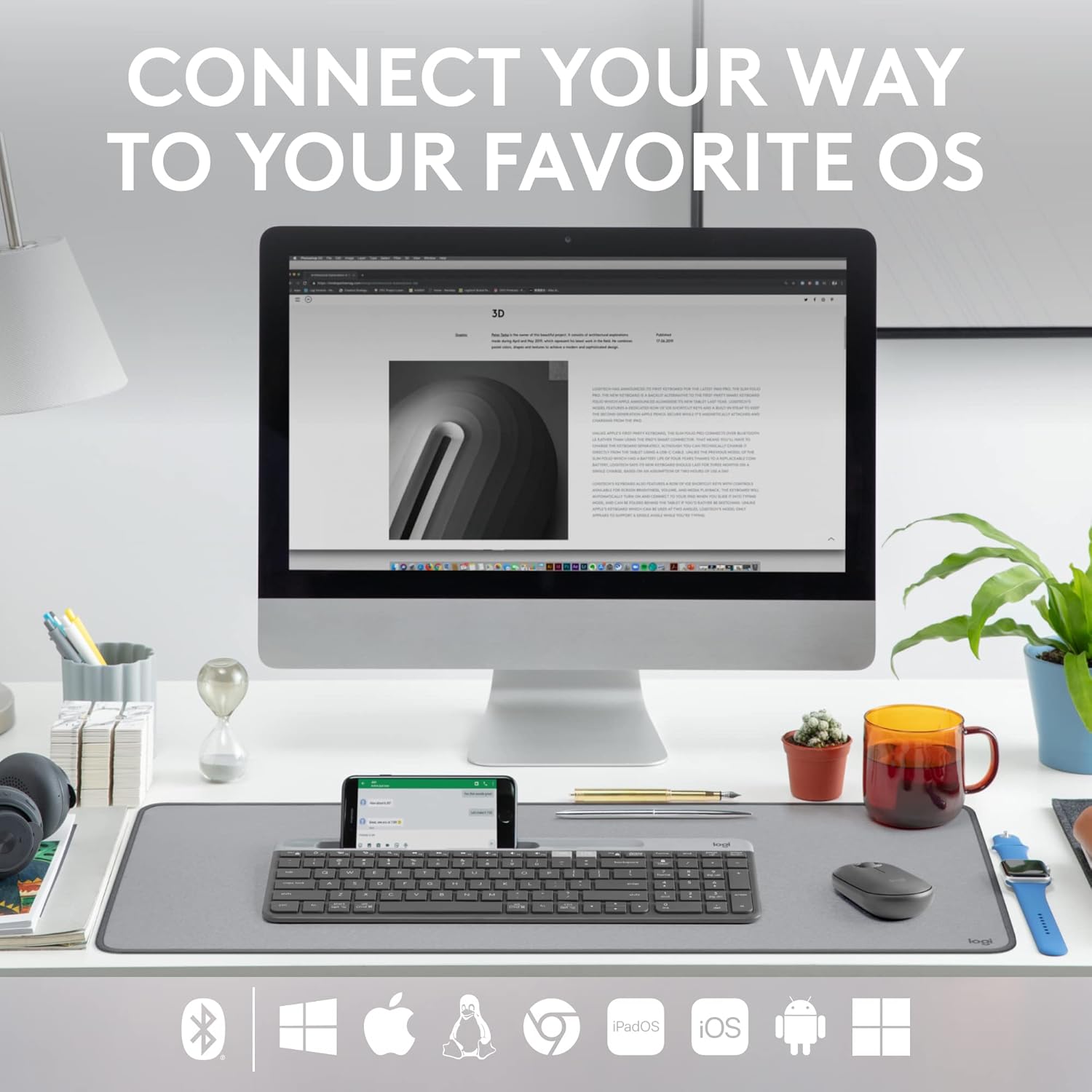
Figure 3: The Logitech K585 supports various operating systems including Windows, macOS, iOS, iPadOS, Android, and ChromeOS.
விசைப்பலகையை இயக்குதல்
1. Easy-Switch Functionality
The K585 keyboard allows you to seamlessly switch between up to three connected devices:
- Press the Easy-Switch key (1, 2, or 3) corresponding to the device you wish to use. The LED light above the selected key will briefly illuminate to confirm the switch.
- This feature enables quick transitions between typing on your computer, tablet, or smartphone.
2. Built-in Phone Cradle
The integrated cradle at the top of the keyboard is designed to hold your smartphone or tablet, providing an optimal viewing angle for multitasking.

Figure 4: The K585 keyboard with a smartphone positioned in the integrated cradle for enhanced multitasking.
3. FN Keys and Shortcuts
The keyboard features 12 FN keys that provide easy access to media controls and other shortcuts. These keys can be customized using Logi Options+ Software for enhanced productivity.
- மீடியா கட்டுப்பாடுகள்: Play/pause, volume up/down, mute.
- செயல்பாட்டு விசைகள்: F1-F12, often used for specific software functions.
- தனிப்பயனாக்கம்: Download and install Logi Options+ Software from the official Logitech website to personalize FN key assignments.
4. Multi-OS Compatibility
The keyboard layout is optimized for both Windows and Mac OS commands, ensuring a familiar typing experience regardless of your operating system. It also supports iOS, iPadOS, Android, and ChromeOS devices.

Figure 5: Universal compatibility of the Logitech K585 keyboard across different platforms.
பராமரிப்பு
1. Battery Life and Management
The Logitech K585 keyboard offers an extended battery life of up to 24 months, thanks to its efficient design and an auto-sleep feature that activates when the keyboard is not in use. Battery life may vary based on user and computing conditions.

Figure 6: The K585 keyboard boasts a long-lasting 24-month battery life.
To maximize battery life, ensure the keyboard is switched off when not in use for extended periods.
2. விசைப்பலகையை சுத்தம் செய்தல்
விசைப்பலகையின் தோற்றம் மற்றும் செயல்பாட்டைப் பராமரிக்க:
- Use a soft, lint-free cloth to wipe down the surface.
- பிடிவாதமான அழுக்குக்கு, சிறிது dampதண்ணீர் அல்லது லேசான, சிராய்ப்பு இல்லாத கிளீனர் கொண்ட துணியை en.
- விசைப்பலகையில் நேரடியாக திரவங்களைத் தெளிப்பதைத் தவிர்க்கவும்.
- Do not use harsh chemicals or abrasive materials, as these can damage the finish.
சரிசெய்தல்
If you encounter issues with your Logitech K585 keyboard, consider the following common solutions:
- தொடர்பு இல்லை:
- விசைப்பலகை இயக்கப்பட்டிருப்பதை உறுதிசெய்யவும்.
- பேட்டரி அளவை சரிபார்த்து, தேவைப்பட்டால் மாற்றவும்.
- For USB receiver connection, try plugging the receiver into a different USB port.
- For Bluetooth connection, ensure Bluetooth is enabled on your device and try re-pairing the keyboard.
- தாமதம் அல்லது துண்டிப்புகள்:
- Move the keyboard closer to the receiver or Bluetooth-enabled device.
- Avoid placing the keyboard near other wireless devices that might cause interference (e.g., Wi-Fi routers, cordless phones).
- உங்கள் சாதனத்தின் இயக்க முறைமை மற்றும் புளூடூத் இயக்கிகள் புதுப்பித்த நிலையில் இருப்பதை உறுதிசெய்யவும்.
- விசைகள் பதிலளிக்கவில்லை:
- பாதிக்கப்பட்ட சாவிகளைச் சுற்றி ஏதேனும் குப்பைகளை அகற்ற சுத்தம் செய்யவும்.
- உங்கள் கணினி அல்லது சாதனத்தை மறுதொடக்கம் செய்யுங்கள்.
- If using Logi Options+ Software, ensure it is running correctly and not causing conflicts.
For more detailed troubleshooting or persistent issues, refer to the official Logitech support webதளம் அல்லது விரிவான பயனர் வழிகாட்டியைப் பதிவிறக்கம் செய்யலாம்.
விவரக்குறிப்புகள்
| அம்சம் | விவரம் |
|---|---|
| பிராண்ட் | லாஜிடெக் |
| மாதிரி எண் | 920-011479 |
| இணைப்பு தொழில்நுட்பம் | Bluetooth, USB (2.4 GHz Unifying Receiver) |
| இணக்கமான சாதனங்கள் | மடிக்கணினி, PC, ஸ்மார்ட்போன், டேப்லெட் |
| இயக்க முறைமை இணக்கத்தன்மை | Windows, macOS, iOS, iPadOS, Android, ChromeOS |
| நிறம் | கிராஃபைட் |
| பொருளின் எடை | 1.24 பவுண்டுகள் (தோராயமாக 562 கிராம்) |
| தயாரிப்பு பரிமாணங்கள் (LxWxH) | 14.7 x 5.6 x 0.76 அங்குலம் (தோராயமாக 37.3 x 14.2 x 1.9 செ.மீ) |
| பேட்டரி ஆயுள் | 24 மாதங்கள் வரை (பயன்பாட்டைப் பொறுத்து மாறுபடலாம்) |
| வயர்லெஸ் வீச்சு | 10 மீ (33 அடி) வரை |

Figure 7: Detailed dimensions of the Logitech K585 keyboard.
உத்தரவாதம் மற்றும் ஆதரவு
For warranty information, technical support, and additional resources, please visit the official Logitech support website. You can also find a comprehensive User Guide in PDF format for this product:
Ask a question about this manual
Ask about setup, troubleshooting, compatibility, parts, safety, or missing instructions. Manuals+ will review the question and use this page’s manual context to help answer it.