
1. அறிமுகம்
This manual provides instructions for the safe and efficient use of your Displays2go D2G52039 Battery-Powered LED Display Case Accent Lights. These lights are designed to illuminate display cases, curio cabinets, and retail showcases, highlighting items with 120-lumen white LED light. Please read this manual thoroughly before use and retain it for future reference.
2. தொகுப்பு உள்ளடக்கங்கள்
- (2) Displays2go D2G52039 Display Case Accent Lights (Silver)
- பயனர் கையேடு
Note: 3 AAA batteries per light are required and not included.
3. பாதுகாப்பு தகவல்
- பழைய மற்றும் புதிய பேட்டரிகளை கலக்க வேண்டாம்.
- அல்கலைன், நிலையான (கார்பன்-துத்தநாகம்) அல்லது ரிச்சார்ஜபிள் (நிக்கல்-காட்மியம்) பேட்டரிகளை கலக்க வேண்டாம்.
- சரியான துருவமுனைப்புடன் பேட்டரிகளைச் செருகவும் (+ மற்றும் -).
- தயாரிப்பு நீண்ட காலத்திற்கு பயன்படுத்தப்படாவிட்டால் பேட்டரிகளை அகற்றவும்.
- பேட்டரிகளை குழந்தைகளுக்கு எட்டாதவாறு வைத்திருங்கள்.
- Do not expose the lights to water or excessive moisture. This product is for indoor use only.
- Do not attempt to disassemble or modify the lights.
4 அமைவு
4.1 பேட்டரி நிறுவல்
- Locate the battery compartment cover on the underside of the light base.
- பெட்டியைத் திறக்க மூடியைத் திருப்பவும் அல்லது சறுக்கவும்.
- Insert three (3) AAA batteries into the compartment, ensuring correct polarity (+ and -) as indicated inside.
- பேட்டரி பெட்டியின் அட்டையை பாதுகாப்பாக மாற்றவும்.

Figure 1: Underside of the light base, indicating the battery compartment for AAA batteries.
4.2 வேலை வாய்ப்பு
Place the accent lights on a flat, stable surface within your display case or desired area. The light head is adjustable, allowing you to tilt it to direct the light beam onto specific items.

Figure 2: The accent light with its adjustable head, ready for placement.
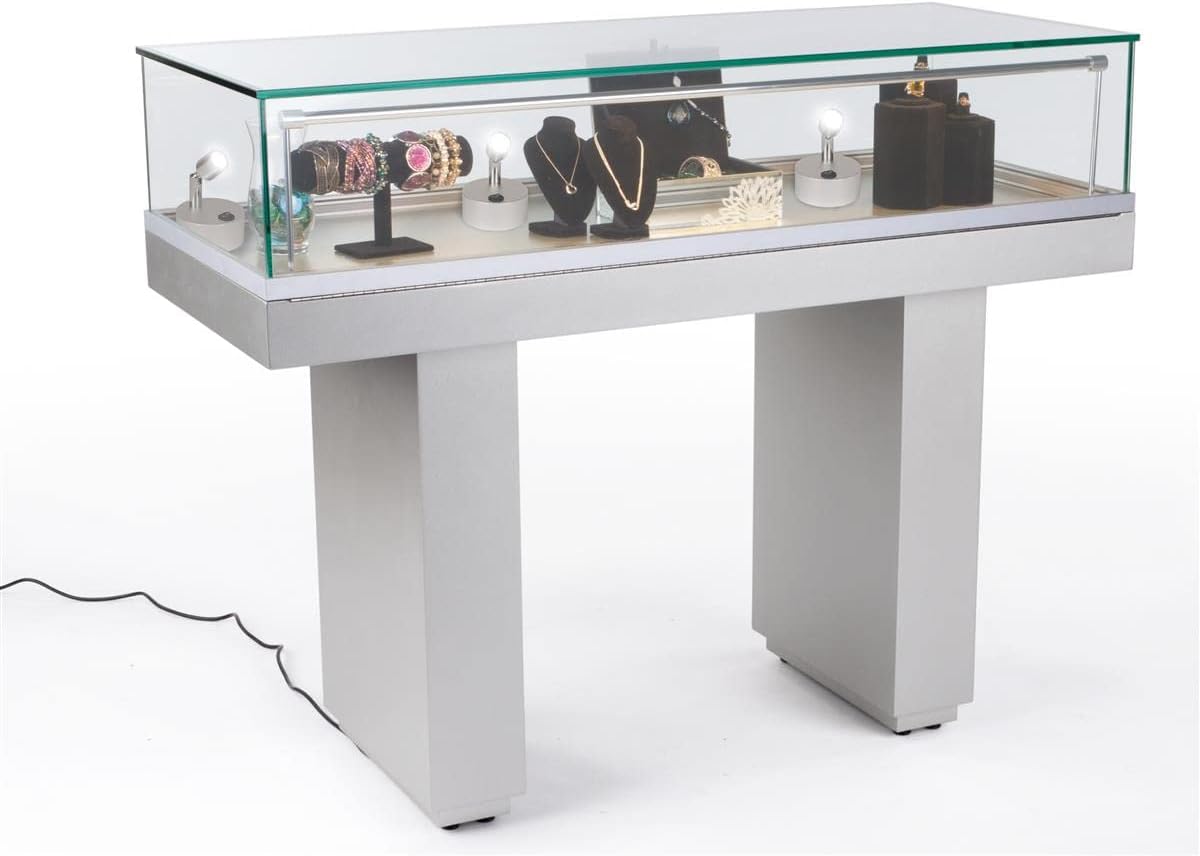
படம் 3: எ.காample of accent lights used within a display case to highlight various items.
5. இயக்க வழிமுறைகள்
Each accent light features a simple on/off switch located on its base.
- To turn the light ON, press the "I" side of the rocker switch.
- To turn the light OFF, press the "O" side of the rocker switch.

படம் 4: நெருக்கமான காட்சி view of the rocker switch for turning the light on or off.
6. பராமரிப்பு
6.1 சுத்தம் செய்தல்
Wipe the lights with a soft, dry cloth. Do not use abrasive cleaners or solvents, as these may damage the finish or electronic components.
6.2 பேட்டரி மாற்று
When the light output diminishes, it is time to replace the batteries. Follow the battery installation steps in Section 4.1 to replace the three (3) AAA batteries. Dispose of used batteries responsibly according to local regulations.
7. சரிசெய்தல்
| பிரச்சனை | சாத்தியமான காரணம் | தீர்வு |
|---|---|---|
| ஒளி இயக்கவில்லை. | பேட்டரிகள் தீர்ந்துவிட்டன அல்லது தவறாக நிறுவப்பட்டுள்ளன. | பேட்டரி துருவமுனைப்பைச் சரிபார்க்கவும். புதிய AAA பேட்டரிகளால் மாற்றவும். |
| ஒளி மங்கலானது. | பேட்டரிகள் குறைவாக உள்ளன. | புதிய AAA பேட்டரிகளுடன் மாற்றவும். |
| ஒளி மின்னுகிறது. | தளர்வான பேட்டரி இணைப்பு அல்லது குறைந்த பேட்டரிகள். | Ensure batteries are securely seated. Replace with fresh AAA batteries. |
8. விவரக்குறிப்புகள்
| அம்சம் | விவரம் |
|---|---|
| மாதிரி எண் | D2G52039 |
| பிராண்ட் | காட்சிகள்2go |
| ஒளி வகை | LED |
| ஒளி வெளியீடு | 120 லுமன்ஸ் |
| வண்ண வெப்பநிலை | 6000-6500K (வெள்ளை ஒளி) |
| சக்தி ஆதாரம் | 3 x AAA பேட்டரிகள் (சேர்க்கப்படவில்லை) |
| வாட்tage | 1W |
| தொகுதிtage | 3.7V |
| பொருள் | அலுமினியம் |
| நிறம் | வெள்ளி |
| பரிமாணங்கள் (ஒட்டுமொத்தம்) | 3.0 "எல் x 3.0" டபிள்யூ x 3.9" எச் |
| எடை (ஒவ்வொன்றும்) | 0.28 பவுண்ட் (தோராயமாக. 4.5 அவுன்ஸ்) |
| அம்சங்கள் | Tilting head, Portable, Touch switch |
| உட்புற/வெளிப்புற பயன்பாடு | உட்புறம் மட்டும் |
9. உத்தரவாதம் மற்றும் ஆதரவு
For warranty information or technical support, please contact Displays2go customer service. Refer to your purchase documentation for specific warranty terms and contact details.
You can also visit the official Displays2go website for additional resources and support information.