
1. அறிமுகம்
This manual provides essential information for the safe and effective use of your Lovskoo Mini Video Projector. Please read these instructions thoroughly before operating the device and retain them for future reference.
2. பாதுகாப்பு தகவல்
- தீ அல்லது மின்சார அதிர்ச்சியைத் தடுக்க ப்ரொஜெக்டரை மழை அல்லது ஈரப்பதத்திற்கு வெளிப்படுத்த வேண்டாம்.
- c-ஐ திறக்க வேண்டாம்.asing. அனைத்து சேவைகளையும் தகுதிவாய்ந்த பணியாளர்களிடம் பரிந்துரைக்கவும்.
- சரியான காற்றோட்டத்தை உறுதி செய்யுங்கள். காற்றோட்ட திறப்புகளை அடைக்காதீர்கள்.
- இந்த சாதனத்திற்கு குறிப்பிடப்பட்ட பவர் அடாப்டரை மட்டும் பயன்படுத்தவும்.
- சாதனம் இயங்கும்போது ப்ரொஜெக்டர் லென்ஸை நேரடியாகக் கண்களால் பார்ப்பதைத் தவிர்க்கவும்.
- ப்ரொஜெக்டரை வெப்ப மூலங்கள் மற்றும் நேரடி சூரிய ஒளியில் இருந்து விலக்கி வைக்கவும்.
3. தொகுப்பு உள்ளடக்கங்கள்
தொகுப்பில் அனைத்து பொருட்களும் உள்ளதா என சரிபார்க்கவும்:
- Lovskoo Mini Video Projector (Host)
- யூ.எஸ்.பி பவர் கேபிள்
- ரிமோட் கண்ட்ரோல்
- பயனர் கையேடு
4. தயாரிப்பு முடிந்துவிட்டதுview
Familiarize yourself with the components and dimensions of your projector.

படம் 4.1: முன் view of the Lovskoo Mini Video Projector.

Figure 4.2: Dimensions of the Lovskoo Mini Video Projector (approximately 4.3 x 1.9 x 3.5 inches).
The projector features a compact design with a lens at the front and control buttons on the top surface. Connectivity ports are located on the sides or rear, typically including USB and a 3.5mm audio output.
5 அமைவு
Follow these steps to set up your projector for first use:
- மின் இணைப்பு: Connect the provided USB power cable to the projector's micro USB input and then to a compatible 5V 2A power source (e.g., a wall adapter or power bank).
- இடம்: Place the projector on a stable, flat surface. Ensure there are no obstructions in front of the lens. The recommended projection distance is 2-13.1 feet for a 14-100 inch screen size. For optimal viewing, a 9.32 feet distance is suggested for a 100-inch display.
- பவர் ஆன்: சாதனத்தை இயக்க, ப்ரொஜெக்டரில் உள்ள ஆற்றல் பொத்தானை அல்லது ரிமோட் கண்ட்ரோலை அழுத்தவும்.
- கவனம் சரிசெய்தல்: Adjust the focus ring (if available) near the lens until the projected image is clear and sharp.
Video 5.1: This video demonstrates the projector's capability to display various screen sizes (40" to 60") and shows the projector in different color variants. It illustrates the projection distance and how the image scales.
6. இயங்குகிறது
Once powered on, the projector will display its main interface. Use the remote control or the buttons on the projector to navigate menus and select input sources.
6.1 அடிப்படை கட்டுப்பாடுகள்
- பவர் பட்டன்: ப்ரொஜெக்டரை ஆன் அல்லது ஆஃப் செய்கிறது.
- வழிசெலுத்தல் பொத்தான்கள்: Used to move through menu options (Up, Down, Left, Right).
- சரி/உள்ளிடு பொத்தான்: தேர்வுகளை உறுதிப்படுத்துகிறது.
- Back/Exit Button: Returns to the previous menu or exits the current function.
- தொகுதி பொத்தான்கள்: ஆடியோ வெளியீட்டு அளவை சரிசெய்கிறது.
6.2 இணைப்பு
ப்ரொஜெக்டர் பல்வேறு உள்ளீட்டு முறைகளை ஆதரிக்கிறது:
- யூ.எஸ்.பி உள்ளீடு: Connect a USB drive to play media fileநேரடியாக கள்.
- 3.5மிமீ ஆடியோ வெளியீடு: மேம்பட்ட ஆடியோவிற்கு வெளிப்புற ஸ்பீக்கர்கள் அல்லது ஹெட்ஃபோன்களை இணைக்கவும்.
- மொபைல் ஃபோன் இணைப்பு: Connect your Android or iOS phone to the projector to mirror content. Specific connection methods (e.g., wired screen mirroring) may vary by phone model and require additional adapters (not included).

Figure 6.1: The projector can be powered by a mobile power supply (power bank) for portable use.
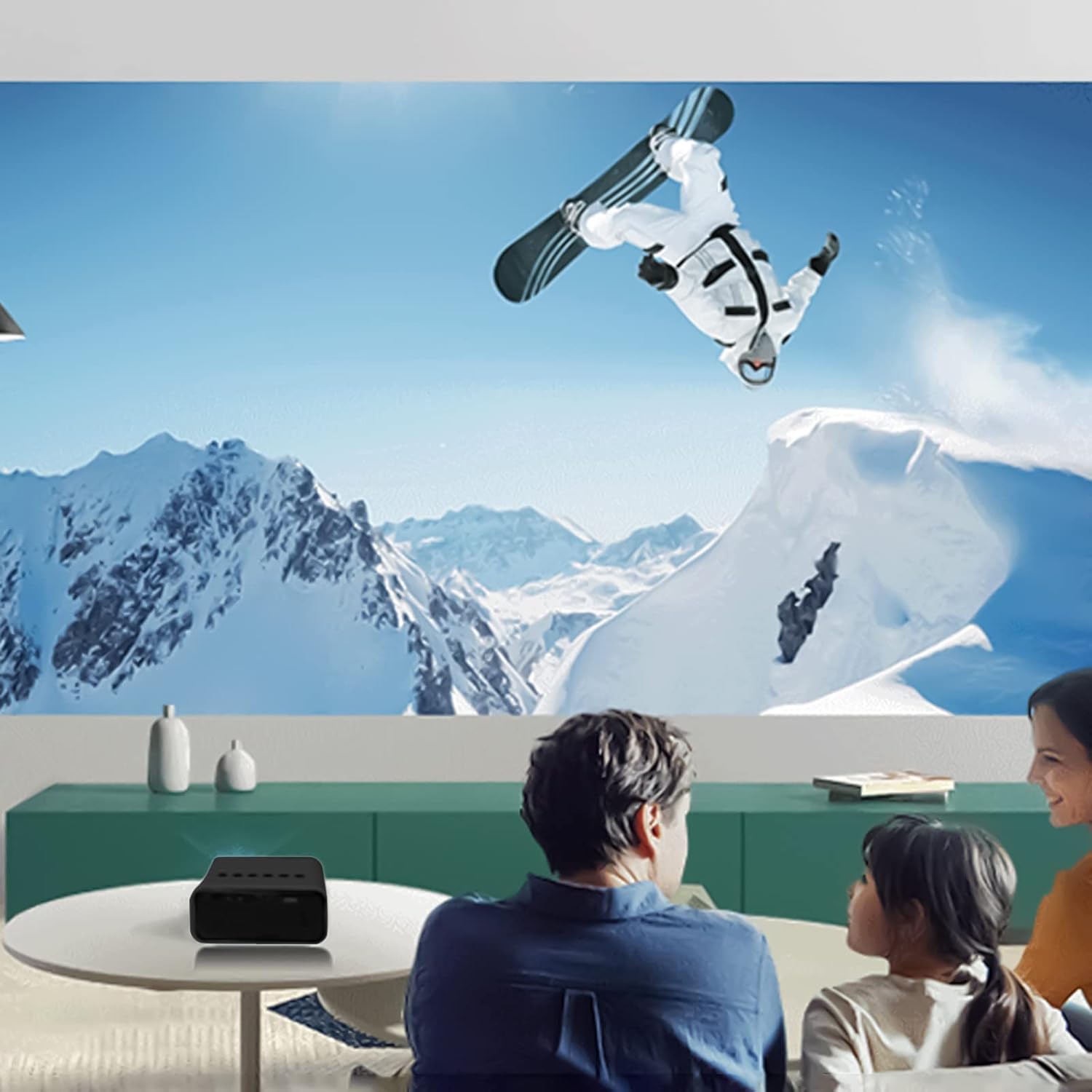
படம் 6.2: எ.காample of indoor projection setup.

படம் 6.3: எ.காample of outdoor projection setup, ideal for camping.
7. பராமரிப்பு
சரியான பராமரிப்பு உங்கள் ப்ரொஜெக்டரின் நீண்ட ஆயுளையும் செயல்திறனையும் உறுதி செய்கிறது.
- லென்ஸ் சுத்தம்: ப்ரொஜெக்டர் லென்ஸை மெதுவாகத் துடைக்க, ஆப்டிகல் லென்ஸ்களுக்காக பிரத்யேகமாக வடிவமைக்கப்பட்ட மென்மையான, பஞ்சு இல்லாத துணியைப் பயன்படுத்தவும். சிராய்ப்பு கிளீனர்களையோ அல்லது அதிகப்படியான சக்தியையோ பயன்படுத்த வேண்டாம்.
- தூசி அகற்றுதல்: Periodically clean the projector's exterior with a soft, dry cloth. Ensure ventilation openings are free from dust and debris.
- சேமிப்பு: பயன்பாட்டில் இல்லாதபோது, ப்ரொஜெக்டரை குளிர்ந்த, உலர்ந்த இடத்தில், நேரடி சூரிய ஒளி மற்றும் தீவிர வெப்பநிலையிலிருந்து விலகி சேமிக்கவும்.
8. சரிசெய்தல்
உங்கள் ப்ரொஜெக்டரில் சிக்கல்கள் ஏற்பட்டால், பின்வரும் பொதுவான சிக்கல்கள் மற்றும் தீர்வுகளைப் பார்க்கவும்:
| பிரச்சனை | சாத்தியமான காரணம் | தீர்வு |
|---|---|---|
| சக்தி இல்லை | Power cable not connected properly; faulty power source. | Ensure the USB power cable is securely connected. Try a different power adapter or USB port. |
| படம் இல்லை | Incorrect input source selected; lens cap on; focus issue. | Select the correct input source (e.g., USB). Remove any lens cap. Adjust the focus. |
| மங்கலான படம் | Out of focus; incorrect projection distance. | Adjust the focus ring. Ensure the projector is within the recommended projection distance. |
| ஒலி இல்லை | Volume too low; external speakers not connected or faulty. | Increase the volume. Check external speaker connections if used. |
9. விவரக்குறிப்புகள்
Key technical specifications for the Lovskoo Mini Video Projector:
- மாதிரி: மினி வீடியோ ப்ரொஜெக்டர்
- ஆதரிக்கப்படும் தீர்மானம்: 1080P HD (1920 x 1080 Max)
- பூர்வீகத் தீர்மானம்: 320 x 180
- காட்சி தொழில்நுட்பம்: டிஎஃப்டி எல்சிடி
- திட்ட அளவு: 14-100 அங்குலம்
- திட்ட தூரம்: 2-13.1 அடி
- LED வாழ்க்கை: 30,000 மணி நேரம் வரை
- மின் நுகர்வு: 10 டபிள்யூ
- தொகுதிtagமின்/நடப்பு: 5V 2A
- கட்டுப்பாட்டு முறை: Manual buttons / Remote control
- இடைமுகங்கள்: USB x 1, 3.5mm Audio Output x 1, Micro USB (Power Input)
- பரிமாணங்கள்: Approximately 4.3 x 1.9 x 3.5 inches (11 x 4.7 cm)
- எடை: தோராயமாக 11.3 அவுன்ஸ்
- உள்ளமைக்கப்பட்ட ஸ்பீக்கர்: ஆம்
10. உத்தரவாதம் மற்றும் ஆதரவு
For warranty information and customer support, please refer to the documentation provided at the time of purchase or contact Lovskoo customer service through their official channels. Keep your purchase receipt as proof of purchase.