
அறிமுகம்
The Hama C-Rotate Pro is a versatile and robust flash drive designed for convenient data storage and transfer. Featuring both USB-C 3.0 and USB 3.0/3.1 (Gen. 1) Type-A connectors, it offers broad compatibility with various devices. Its rotating mechanism protects the connectors, making it ideal for on-the-go use. This manual provides essential information for setting up, operating, maintaining, and troubleshooting your device.
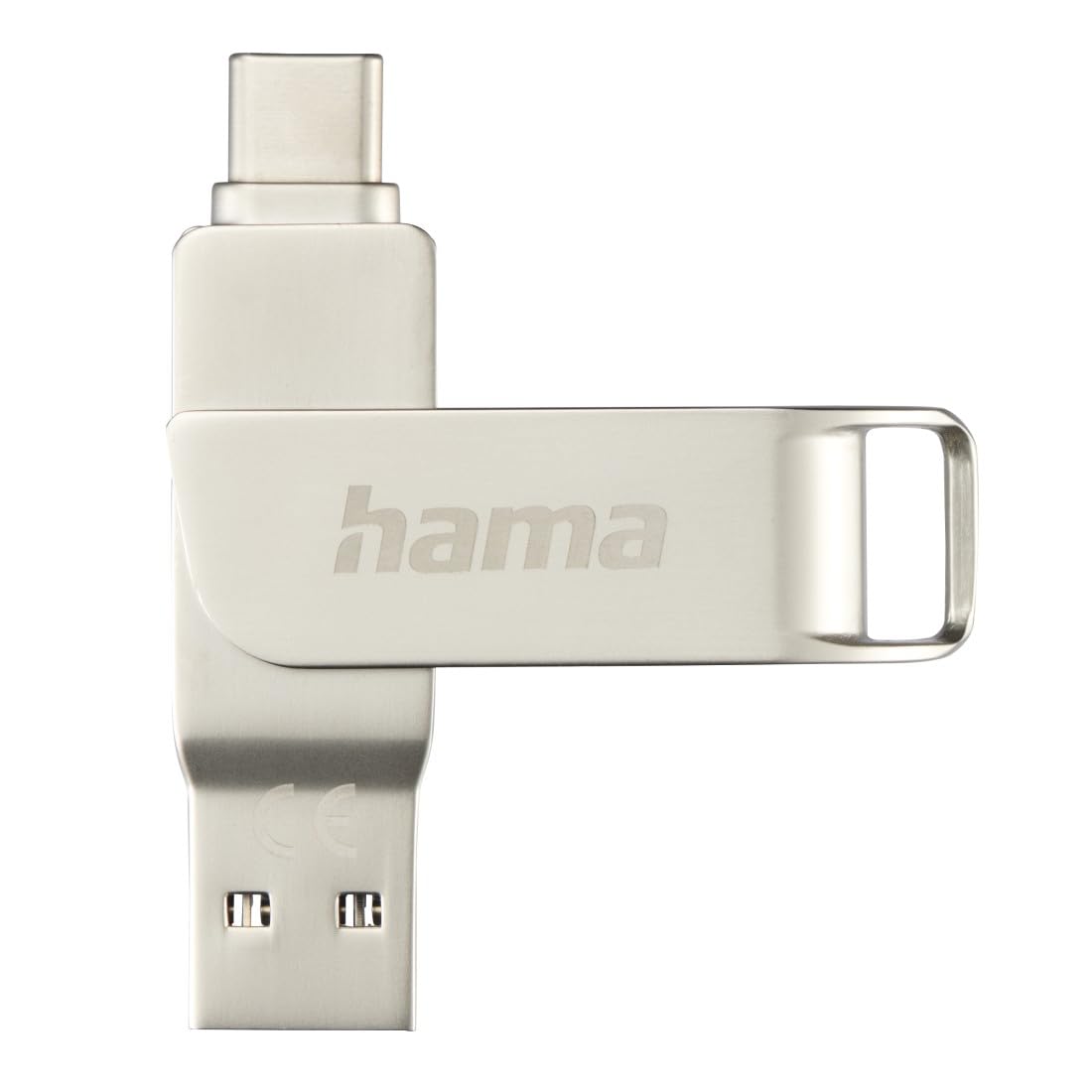
Image: The Hama C-Rotate Pro flash drive, showcasing its dual USB-A and USB-C connectors and the protective rotating metal casing.
அமைவு
The Hama C-Rotate Pro flash drive is designed for plug-and-play functionality, requiring no special driver installation for most operating systems.
- Identify the correct port: Determine whether your device has a USB-C port or a standard USB-A port.
- Rotate the connector: உலோகத்தை மெதுவாக சுழற்று casing to expose either the USB-C or the USB-A connector.
- Insert the flash drive: Plug the appropriate connector into the corresponding port on your computer, smartphone, or other compatible device.
- Device recognition: Your operating system (Windows 10/8/7, MacOS 9.x or higher) should automatically recognize the flash drive as a removable storage device.
Important Note: Never attempt to use both the USB-C and USB-A connectors simultaneously. Only one connector should be exposed and connected at a time.
இயக்க வழிமுறைகள்
Once connected, the Hama C-Rotate Pro functions like any standard removable storage device.
- அணுகுகிறது Files: உங்கள் கணினியைத் திறக்கவும் file explorer (Windows) or Finder (macOS) and locate the drive, typically labeled as a removable disk.
- இடமாற்றம் Files: இழுத்து விடுங்கள் files to and from the flash drive. For optimal speed, ensure you are using a USB 3.0/3.1 (Gen. 1) or USB-C 3.0 port.
- Full HD Video Playback/Recording: The drive supports direct recording and playback of Full HD videos, provided your device and software support this functionality.
- பாதுகாப்பான நீக்கம்: Always safely eject the flash drive from your operating system before physically removing it to prevent data corruption.

Image: The Hama C-Rotate Pro with its USB-C connector ready for use.

Image: The Hama C-Rotate Pro with its USB-A connector ready for use.
பராமரிப்பு
The Hama C-Rotate Pro is designed with a robust metal casing for durability. Minimal maintenance is required.
- சுத்தம்: Use a soft, dry cloth to wipe the exterior of the flash drive. Avoid liquid cleaners or abrasive materials.
- சேமிப்பு: When not in use, rotate the casing to protect both connectors from dust and physical damage. Store in a cool, dry place.
- கையாளுதல்: சாதனத்தை கீழே போடுவதையோ அல்லது அதிக சக்திக்கு உட்படுத்துவதையோ தவிர்க்கவும்.
சரிசெய்தல்
- Issue: Flash drive not recognized by the device.
- தீர்வு:
- ஃபிளாஷ் டிரைவ் யூ.எஸ்.பி போர்ட்டில் முழுமையாகச் செருகப்பட்டுள்ளதா என்பதை உறுதிப்படுத்திக் கொள்ளுங்கள்.
- உங்கள் சாதனத்தில் வேறு USB போர்ட்டை முயற்சிக்கவும்.
- Ensure only one connector (USB-C or USB-A) is exposed and connected at a time.
- உங்கள் கணினி அல்லது சாதனத்தை மறுதொடக்கம் செய்யுங்கள்.
- Check if your operating system is compatible (Windows 10/8/7, MacOS 9.x or higher).
- சிக்கல்: மெதுவான தரவு பரிமாற்ற வேகம்.
- தீர்வு:
- Ensure you are connecting the flash drive to a USB 3.0/3.1 (Gen. 1) or USB-C 3.0 port on your device. Connecting to a USB 2.0 port will result in significantly slower speeds.
- என்பதை சரிபார்க்கவும் files being transferred are not excessively fragmented or corrupted.
- Close other applications that might be using system resources or performing disk operations.
- Issue: Data corruption or loss.
- தீர்வு:
- Always use the "Safely Remove Hardware" or "Eject" option in your operating system before physically disconnecting the flash drive.
- Avoid disconnecting the drive during active data transfer.
விவரக்குறிப்புகள்
| மாதிரி பெயர் | C-Rotate Pro |
| மாதிரி எண் | ஹாம்_n17_00182490 |
| சேமிப்பு திறன் | 64 ஜிபி |
| இடைமுகம் | USB-C 3.0, USB 3.0/3.1 (Gen. 1) Type-A |
| படிக்கும் வேகம் | Up to 70 MB/s (with USB 3.0/3.1 Gen. 1 or USB-C 3.0 interface) |
| பொருள் | உலோகம் |
| பரிமாணங்கள் (L x W x H) | 62.2 மிமீ x 14 மிமீ x 8.9 மிமீ |
| எடை | 16.34 கிராம் |
| இயக்க முறைமை இணக்கத்தன்மை | Windows 10/8/7, MacOS 9.x or higher |
| சிறப்பு அம்சங்கள் | Rotating mechanism, OTG (On-The-Go) functionality |
ஆதரவு தகவல்
For further assistance or to access the official product page and additional resources, please visit the Hama webதளம்.
- ஆன்லைன் கையேடு: The user manual for the Hama C-Rotate Pro USB stick can be found on www.hama.com under item number 00182490.
- உற்பத்தியாளர் Webதளம்: For general product information and support, visit www.hama.com.
உத்தரவாதத் தகவல் பொதுவாக தயாரிப்பு பேக்கேஜிங்குடன் வழங்கப்படும் அல்லது உற்பத்தியாளரின் அதிகாரப்பூர்வ அறிவிப்பில் கிடைக்கும். website. Please refer to those resources for details regarding your product's warranty.