
அறிமுகம்
This manual provides instructions for the setup, operation, maintenance, and troubleshooting of your AWOW AiBook 10 detachable 2-in-1 laptop. The AiBook 10 functions as both a tablet and a laptop, featuring a 10.1-inch touchscreen display and running Windows 11. It is equipped with an Intel Celeron N4120 processor, 8GB RAM, and 256GB SSD storage.
பெட்டியில் என்ன இருக்கிறது
பிரித்தெடுத்தவுடன், அனைத்து பொருட்களும் உள்ளனவா என்பதைச் சரிபார்க்கவும்:
- AWOW AiBook 10 Detachable 2-in-1 Laptop
- பிரிக்கக்கூடிய விசைப்பலகை
- Power Adapter (AC adapter)
தயாரிப்பு முடிந்துவிட்டதுview
The AWOW AiBook 10 is designed for versatility, allowing seamless transition between tablet and laptop modes. Familiarize yourself with the device's components and ports.

Image: The AWOW AiBook 10 in laptop configuration, showcasing the main unit and attached keyboard.

படம்: விரிவானது view of the AiBook 10, highlighting its dimensions and port locations.
துறைமுகங்கள் மற்றும் இணைப்பிகள்:
- யூ.எஸ்.பி 3.0 போர்ட்: For connecting USB devices such as external storage, mice, or printers.
- மைக்ரோ HDMI போர்ட்: வெளிப்புற காட்சிகள் அல்லது ப்ரொஜெக்டர்களுடன் இணைப்பதற்கு.
- TF அட்டை ஸ்லாட்: மைக்ரோ எஸ்டி கார்டு மூலம் சேமிப்பை விரிவாக்க (512 ஜிபி வரை).
- ஹெட்ஃபோன் ஜாக் (3.5 மிமீ): ஹெட்ஃபோன்கள் அல்லது வெளிப்புற ஸ்பீக்கர்களை இணைப்பதற்கு.
- DC 12V/3A Jack: For connecting the power adapter to charge the device.
கேமராக்கள்:
- முன் கேமரா: 2.0MP, suitable for video calls.
- பின்புற கேமரா: 5.0MP, for capturing photos and videos.

Image: Illustration of the 2MP front camera and 5MP rear camera on the AiBook 10.
அமைவு
1. ஆரம்ப கட்டணம் வசூலித்தல்
Before first use, fully charge the AiBook 10. Connect the provided power adapter to the DC 12V/3A jack on the device and plug it into a power outlet. The charging indicator will illuminate.
2. விசைப்பலகையை இணைத்தல்
Align the magnetic connector of the detachable keyboard with the corresponding port at the bottom edge of the tablet. The keyboard will snap into place magnetically.

Image: The detachable keyboard being connected to the AiBook 10 tablet.
3 பவர் ஆன்
Press and hold the power button located on the side of the tablet until the screen illuminates. The device will boot into Windows 11.
4. Initial Windows Setup
Follow the on-screen prompts to complete the Windows 11 setup process. This includes selecting your language, region, connecting to a Wi-Fi network, and creating a user account.
இயங்குகிறது
Switching Between Tablet and Laptop Modes
The AiBook 10 automatically detects the presence of the detachable keyboard. When the keyboard is attached, it functions as a laptop. When detached, it operates as a tablet, and Windows 11 will adjust its interface accordingly.
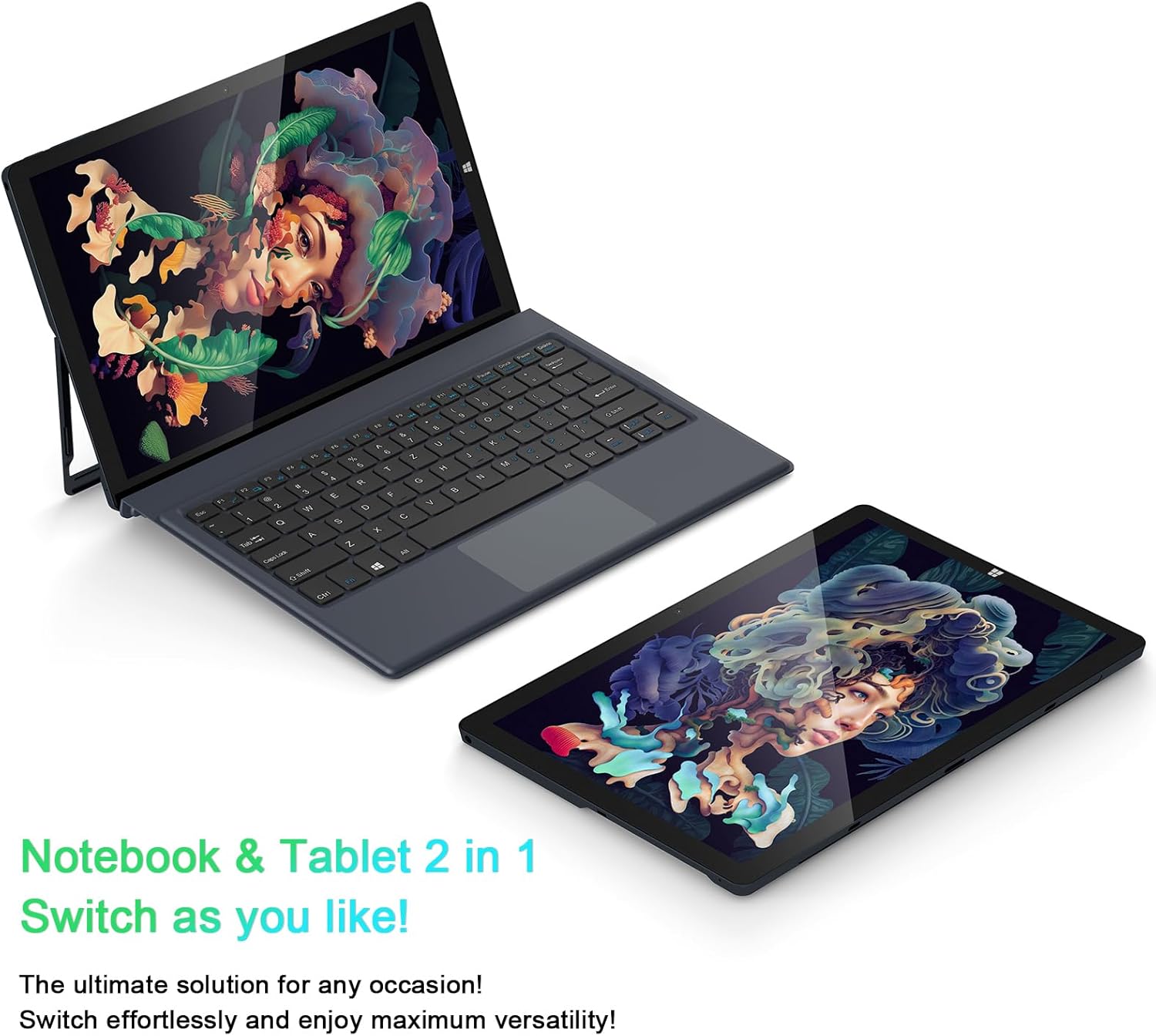
Image: The AiBook 10 displayed in both its laptop and tablet configurations.
தொடுதிரையைப் பயன்படுத்துதல்
The 10.1-inch IPS display supports multi-touch gestures. Use your fingers to navigate, tap, swipe, and pinch-to-zoom.
பெரிஃபெரல்களை இணைக்கிறது
- புளூடூத்: Enable Bluetooth in Windows settings to pair with compatible devices such as headphones, mice, or keyboards. The device supports Bluetooth 4.2.
- USB சாதனங்கள்: Plug USB devices into the USB 3.0 port.
- வெளிப்புற காட்சி: Connect an external monitor using the Micro HDMI port. An appropriate adapter or cable may be required.
நிலைப்பாட்டை சரிசெய்தல்
The integrated stand bracket allows you to adjust the viewing angle of the tablet up to 145 degrees. Carefully extend the stand from the back of the tablet to your desired position.
பராமரிப்பு
சாதனத்தை சுத்தம் செய்தல்
திரை மற்றும் வெளிப்புற மேற்பரப்புகளை சுத்தம் செய்ய மென்மையான, பஞ்சு இல்லாத துணியைப் பயன்படுத்தவும். பிடிவாதமான அடையாளங்களுக்கு, சிறிது dampதுணியை தண்ணீர் அல்லது திரை சுத்தம் செய்யும் கரைசலில் நனைக்கவும். கடுமையான இரசாயனங்கள் அல்லது சிராய்ப்புப் பொருட்களைத் தவிர்க்கவும்.
பேட்டரி பராமரிப்பு
To prolong battery life, avoid fully discharging the battery frequently. Store the device in a cool, dry place when not in use for extended periods. The device features a 6500mAh Lithium Polymer battery.

Image: Visual representation of the 6500mAh battery capacity.
மென்பொருள் புதுப்பிப்புகள்
Regularly check for and install Windows updates to ensure optimal performance and security. Access Windows Update through the Settings menu.
சரிசெய்தல்
This section addresses common issues you might encounter with your AiBook 10.
சாதனம் இயக்கப்படவில்லை
- சாதனம் சார்ஜ் செய்யப்பட்டுள்ளதா என்பதை உறுதிப்படுத்திக் கொள்ளுங்கள். பவர் அடாப்டரை இணைத்து, மீண்டும் பவர் ஆன் செய்ய முயற்சிக்கும் முன் சில நிமிடங்கள் காத்திருக்கவும்.
- கடின மீட்டமைப்பைச் செய்ய பவர் பட்டனை 10-15 வினாடிகள் அழுத்திப் பிடிக்கவும்.
Screen Flickering or Display Issues
- சாதனத்தை மறுதொடக்கம் செய்யுங்கள்.
- Check for updated display drivers through Windows Update or the device manufacturer's webதளம்.
- If connected to an external display, ensure the cable is securely connected.
Keyboard or Touchpad Not Responding
- Ensure the detachable keyboard is securely attached to the tablet.
- சாதனத்தை மறுதொடக்கம் செய்யுங்கள்.
- Check Windows settings for keyboard and touchpad functionality.
Wi-Fi or Bluetooth Connectivity Problems
- Ensure Wi-Fi or Bluetooth is enabled in Windows settings.
- வைஃபை சிக்கல்களுக்கு உங்கள் ரூட்டர்/மோடமை மறுதொடக்கம் செய்யுங்கள்.
- For Bluetooth, try unpairing and re-pairing the device.
- புதுப்பிக்கப்பட்ட பிணைய இயக்கிகளைச் சரிபார்க்கவும்.
மெதுவான செயல்திறன்
- பின்னணியில் இயங்கும் தேவையற்ற பயன்பாடுகளை மூடு.
- SSD-யில் போதுமான இலவச சேமிப்பிட இடத்தை உறுதி செய்யவும்.
- Run a disk cleanup and optimize drives in Windows.
- நிலுவையில் உள்ள ஏதேனும் விண்டோஸ் புதுப்பிப்புகளைச் சரிபார்த்து நிறுவவும்.
விவரக்குறிப்புகள்
| பிராண்ட் | ஆஹா |
| மாதிரி பெயர் | AiBook 10 |
| திரை அளவு | 10.1 அங்குலம் |
| காட்சித் தீர்மானம் | 1280 x 800 Pixels (Full HD IPS) |
| இயக்க முறைமை | விண்டோஸ் 11 |
| CPU மாதிரி | இன்டெல் செலரான் N4120 (2.6 GHz வரை) |
| ரேம் நினைவகம் | 8 ஜிபி LPDDR4 |
| வன் வட்டு அளவு | 256 ஜிபி SSD (eMMC) |
| கிராபிக்ஸ் அட்டை | ஒருங்கிணைந்த Intel UHD கிராபிக்ஸ் 600 |
| இணைப்பு | 2.4G+5G WiFi, Bluetooth 4.2, USB 3.0, Micro HDMI |
| கேமராக்கள் | முன் 2.0MP, பின்புறம் 5.0MP |
| பேட்டரி | 6500mAh லித்தியம் பாலிமர் |
| பொருளின் எடை | 1.4 Pounds (tablet only) |
| Dimensions (L x W x Thickness) | 10.1" x 6.8" x 0.38" (tablet only) |
உத்தரவாதம் மற்றும் ஆதரவு
உத்தரவாத தகவல்
The AWOW AiBook 10 comes with a 1 ஆண்டு வரையறுக்கப்பட்ட உத்தரவாதம். உத்தரவாதக் கோரிக்கைகளுக்கு உங்கள் வாங்கியதற்கான ஆதாரத்தை வைத்திருங்கள். சாதாரண பயன்பாட்டு நிலைமைகளின் கீழ் உற்பத்தி குறைபாடுகளை உத்தரவாதம் உள்ளடக்கும்.
வாடிக்கையாளர் ஆதரவு
For technical assistance, troubleshooting beyond this manual, or warranty inquiries, please contact AWOW customer support. Refer to the product packaging or the official AWOW webமிகவும் புதுப்பித்த தொடர்புத் தகவலுக்கான தளம்.