
1. அறிமுகம்
This manual provides essential information for the safe and effective use of your Povanje 5.0 Cuft Fireproof Safe Model 60EE. Please read these instructions carefully before installation and operation. Keep this manual for future reference.
The Povanje 5.0 Cuft Fireproof Safe is designed to protect your valuable documents, jewelry, cash, firearms, and other important items from fire, water, and unauthorized access. It features a robust steel construction, a programmable digital keypad with an LCD screen, and multiple security mechanisms.
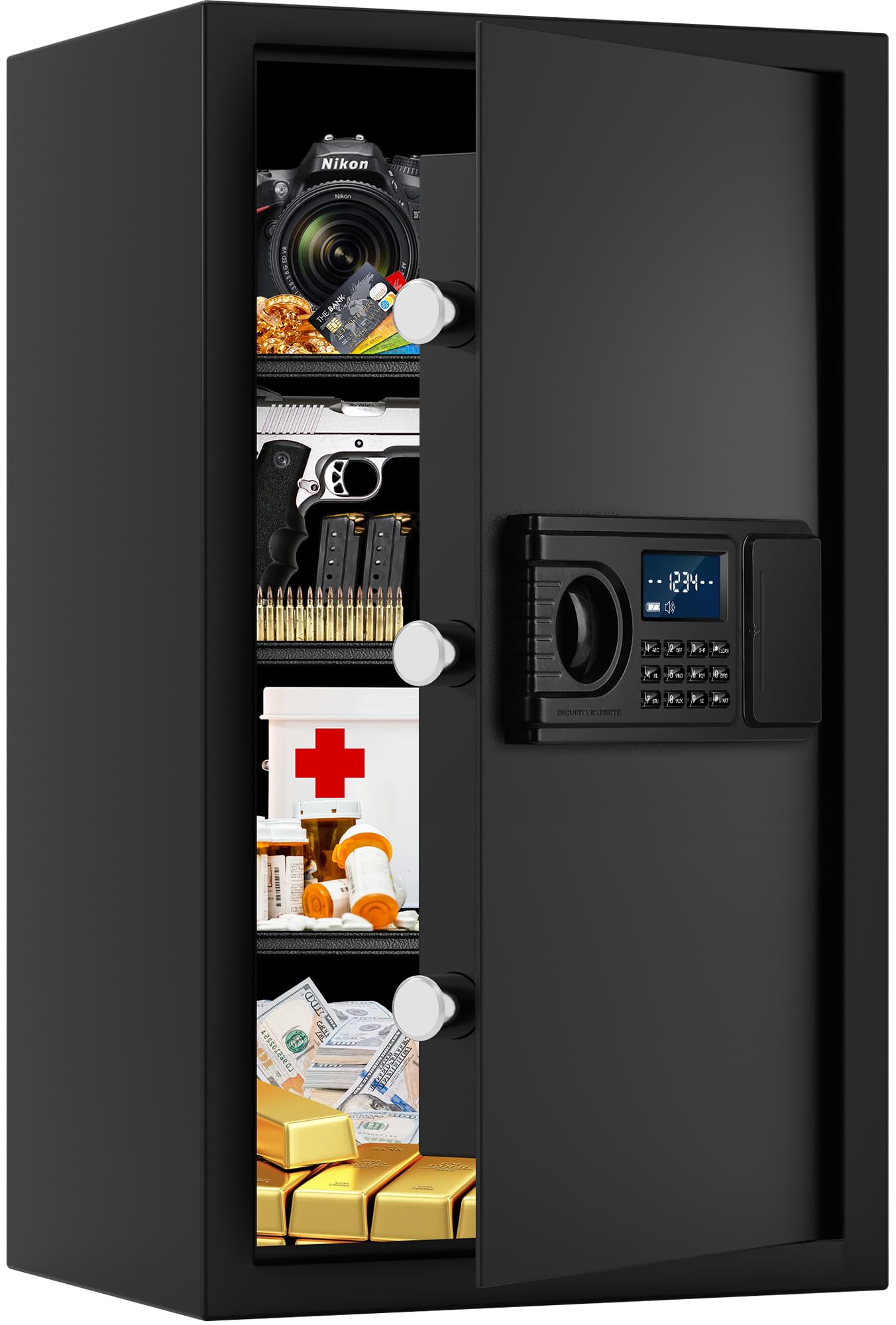
படம் 1.1: முடிந்ததுview of the Povanje 5.0 Cuft Fireproof Safe, showing its dimensions and internal layout.
2. பாதுகாப்பு தகவல்
- Always keep the emergency keys in a secure location away from the safe and not inside the safe itself.
- Ensure the safe is installed on a stable, level surface.
- For maximum security, bolt the safe to the floor or a wall using the provided hardware. This prevents unauthorized removal.
- எரியக்கூடிய திரவங்கள் அல்லது பொருட்களை பெட்டகத்திற்குள் சேமிக்க வேண்டாம்.
- Keep children away from the safe and its keys to prevent accidental access or injury.
3. தொகுப்பு உள்ளடக்கங்கள்
கீழே பட்டியலிடப்பட்டுள்ள அனைத்து பொருட்களும் உங்கள் தொகுப்பில் சேர்க்கப்பட்டுள்ளதா என்பதை சரிபார்க்கவும்:
- Povanje 5.0 Cuft Fireproof Safe
- அவசர விசைகள் (2)
- Expansion Screws (4) for mounting
- Fireproof Bag (1) for A4 size documents
- Lock Protective Cover (1)
- Floor Mat (1)
- பயனர் கையேடு (இந்த ஆவணம்)

Image 3.1: Included accessories with the Povanje safe.
4. தயாரிப்பு அம்சங்கள்
- பெரிய கொள்ளளவு: 14.9"W x 12.2"D x 23.6"H interior space, suitable for documents, laptops, jewelry, and firearms.
- உறுதியான கட்டுமானம்: Made from solid cold-rolled steel with a recessed pry-resistant door and 3 enhanced steel locking bolts for security.
- Fireproof & Waterproof Bag: Provides additional protection for sensitive documents against fire and water damage.
- Programmable LCD Keypad: Allows for quick and secure access with a personal code. The LCD screen displays status and low battery alerts.
- நீக்கக்கூடிய அலமாரிகள்: Three adjustable shelves enable flexible organization of items of various sizes.
- உள்ளமைக்கப்பட்ட LED விளக்குகள்: Illuminates the interior for easy access in low-light conditions.
- External Battery Compartment: Convenient access for battery replacement without needing to open the safe.
- Keypad Protective Cover: An upgraded cover is included to protect the keypad from scratches and impacts.

Image 4.1: Flexible storage with removable shelves.

Image 4.2: Detail of the solid anti-pry bolts and robust door.

Image 4.3: Upgraded keypad protective cover.
5. அமைவு மற்றும் நிறுவல்
5.1 ஆரம்ப திறப்பு
Upon receiving your safe, use one of the emergency keys to open it for the first time. The keyhole is typically located behind the keypad cover or within the external battery compartment.
5.2 பேட்டரி நிறுவல்
The safe requires 4 AA batteries (not included) for the digital keypad. The external battery compartment is located on the front panel, usually to the right of the keypad. Open the compartment, insert the batteries according to the polarity markings, and close the cover.
5.3 பாதுகாப்பை ஏற்றுதல்
For enhanced security, it is highly recommended to bolt the safe to a solid surface such as a wall or floor. The safe has pre-drilled holes in the back and bottom.
- Position the safe in your desired location.
- Mark the drilling points through the pre-drilled holes on the wall or floor.
- Drill pilot holes using an appropriate drill bit for your wall/floor material.
- துளையிடப்பட்ட துளைகளில் விரிவாக்க திருகுகளை செருகவும்.
- Align the safe with the screws and tighten them securely to fix the safe in place.

Image 5.1: Mounting instructions for securing the safe.
Video 5.1: Demonstration of securing the safe to a wall or floor to prevent theft.
6. இயக்க வழிமுறைகள்
6.1 பெட்டகத்தைத் திறப்பது
There are two ways to open your Povanje safe:
- Using the Digital Keypad: Enter your personal code (1-8 digits) followed by the '#' key. Turn the knob clockwise to open the door.
- Using the Emergency Key: Insert the emergency key into the keyhole (located behind the keypad cover or external battery compartment), turn it, and simultaneously turn the knob clockwise to open the door. This method is used for first-time opening, forgotten passwords, or dead batteries.

Image 6.1: Keypad and emergency key access points.

Image 6.2: Opening methods: daily use with code and emergency use with key. Default factory code: 1234#.
6.2 உங்கள் தனிப்பட்ட கடவுச்சொல்லை அமைத்தல்
The factory initial code is 1234#. It is highly recommended to change this immediately.
- பாதுகாப்பான கதவைத் திற.
- Locate and press the setting button inside the door (usually a small red button).
- On the keypad, enter your new personal password (1-8 digits).
- Press the '#' key to confirm. The LCD screen will confirm the change.
6.3 Setting the Master Password (if applicable)
Some models may support a master password. Refer to the specific instructions on the image if available:
- Enter "00" on the keypad.
- Press the setting button inside the door.
- Enter the 1-8 digits master password.
- உறுதிப்படுத்த '#' விசையை அழுத்தவும்.

Image 6.3: Password setting procedure.
6.4 Hidden Code Mode
To prevent others from seeing your entered code, press the '*' key before entering your password. The numbers will appear as asterisks on the LCD screen.
6.5 Smart Anti-Theft Alert
If an incorrect password is entered 3 consecutive times, the safe's alarm system will activate and sound for 1 minute. To stop the alarm, remove the batteries or enter the correct password.
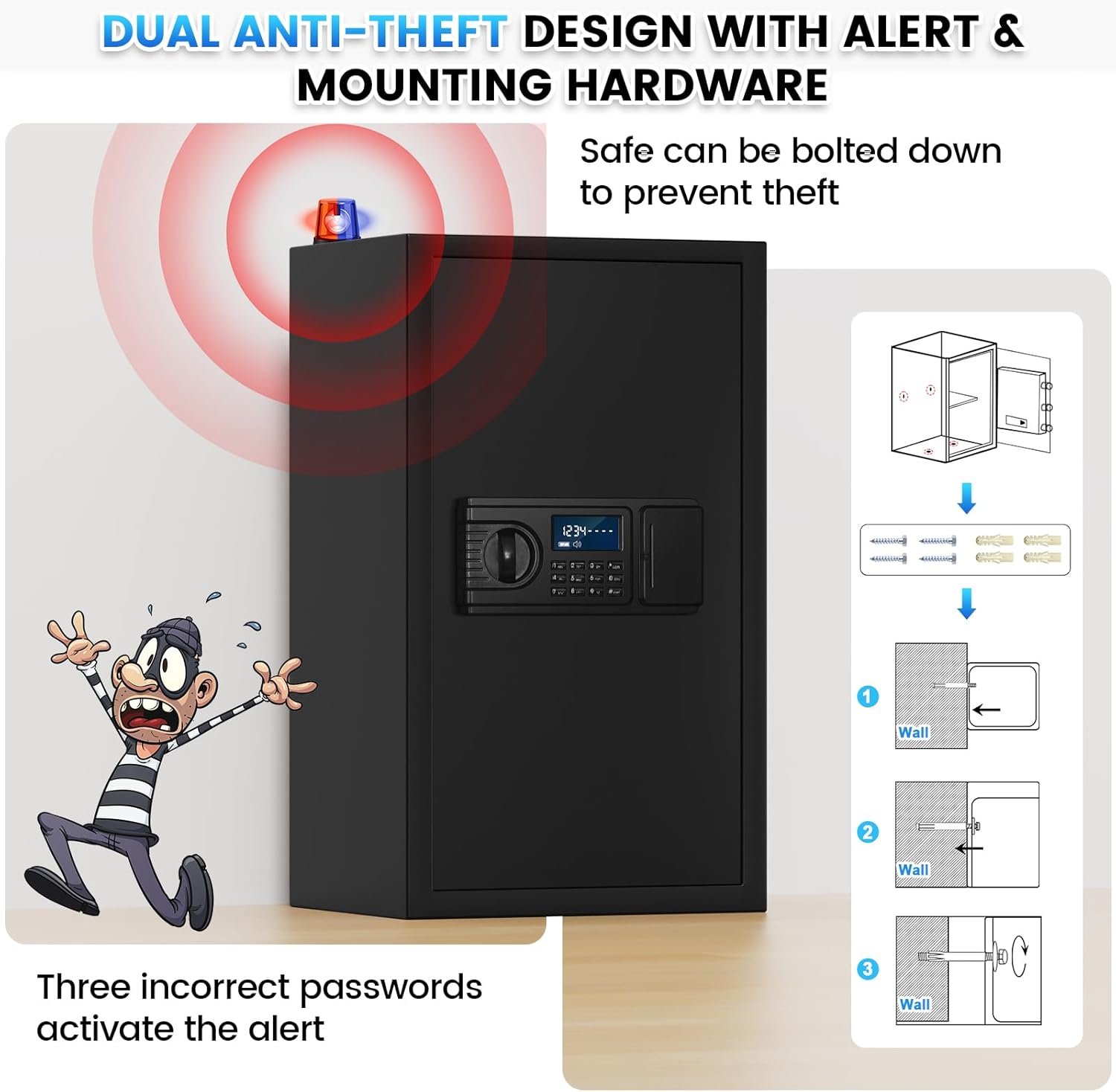
Image 6.4: Anti-theft alert system in action.
7. பராமரிப்பு
- பேட்டரி மாற்று: The LCD screen will display a low battery reminder. Replace all 4 AA batteries promptly using the external battery compartment.
- சுத்தம்: பெட்டகத்தின் வெளிப்புறத்தை மென்மையான, டி துணியால் துடைக்கவும்.amp துணி. சிராய்ப்பு கிளீனர்கள் அல்லது கரைப்பான்களைத் தவிர்க்கவும்.
- Keypad Protection: Use the provided keypad protective cover to shield the digital keypad from dust and physical damage.
8. சரிசெய்தல்
| பிரச்சனை | சாத்தியமான காரணம் | தீர்வு |
|---|---|---|
| குறியீட்டுடன் சேஃப் திறக்காது. | தவறான கடவுச்சொல் உள்ளிடப்பட்டுள்ளது; பேட்டரிகள் குறைவாக உள்ளன அல்லது செயலிழந்துள்ளன. | Re-enter the correct password. If unsuccessful, replace batteries. Use emergency key if necessary. |
| LCD screen is blank or dim. | பேட்டரிகள் குறைவாக உள்ளன அல்லது இறந்துவிட்டன. | அனைத்து 4 ஏஏ பேட்டரிகளையும் மாற்றவும். |
| எதிர்பாராத விதமாக அலாரம் ஒலிக்கிறது. | Incorrect password entered 3 times; safe was moved or tampஉடன் ered. | Enter the correct password or remove batteries to stop the alarm. |
| மறந்து போன கடவுச்சொல். | Password was not recorded or remembered. | Use the emergency key to open the safe. Once open, reset the password following Section 6.2. |

Image 8.1: Keypad features including low battery reminder and keyhole serial.
9. விவரக்குறிப்புகள்
| அம்சம் | விவரம் |
|---|---|
| பிராண்ட் | போவாஞ்சே |
| மாதிரி எண் | 60EE |
| நிறம் | கருப்பு |
| திறன் | 3.8 Cubic Feet (Internal volume may vary slightly from advertised external volume) |
| பொருள் | அலாய் ஸ்டீல் |
| வெளிப்புற பரிமாணங்கள் (தோராயமாக) | 14.9"அடி x 12.2"அடி x 23.6"அடி |
| பூட்டுதல் மெக்கானிசம் | Digital Keypad with Emergency Key |
| சக்தி ஆதாரம் | 4 x AA பேட்டரிகள் (சேர்க்கப்படவில்லை) |
10. உத்தரவாதம் மற்றும் ஆதரவு
Povanje offers a 5-year return or exchange warranty and lifetime technical support for this product. In case of any issues or questions, please contact customer service.
To obtain support, please log into your Amazon account, navigate to "Your orders," find the order ID for your safe, and click "Contact seller."