
TESLA 65E635SUS
Tesla 65-inch 4K UHD Smart TV User Manual
Model: 65E635SUS
அறிமுகம்
This manual provides essential instructions for setting up, operating, maintaining, and troubleshooting your new Tesla 65-inch 4K UHD Smart TV (Model 65E635SUS). Please read this manual thoroughly before using the television to ensure proper operation and to maximize your viewஅனுபவம். எதிர்கால குறிப்புக்காக இந்த கையேட்டை வைத்திருங்கள்.
முக்கியமான பாதுகாப்பு தகவல்: Always follow basic safety precautions when using this product to reduce the risk of fire, electric shock, and injury. Do not attempt to service this product yourself. Refer all servicing to qualified service personnel.
1 அமைவு
1.1 Unpacking and Contents Check
டிவியை அதன் பேக்கேஜிங்கிலிருந்து கவனமாக அகற்றவும். அனைத்து கூறுகளும் இருப்பதை உறுதிசெய்யவும்:
- Tesla 65-inch 4K UHD Smart TV
- ரிமோட் கண்ட்ரோல்
- ரிமோட் கண்ட்ரோலுக்கான AAA பேட்டரிகள்
- டிவி ஸ்டாண்ட் (2 துண்டுகள்)
- டிவி ஸ்டாண்டிற்கான திருகுகள்
- பவர் கார்ட்
- பயனர் கையேடு (இந்த ஆவணம்)

படம் 1.1: முன் view of the Tesla 65-inch Smart TV with its stand.
1.2 டிவி ஸ்டாண்டை இணைத்தல்
- திரை சேதமடைவதைத் தடுக்க, டிவியின் முகத்தை மென்மையான, தட்டையான மேற்பரப்பில் கீழே வைக்கவும்.
- ஒவ்வொரு ஸ்டாண்ட் துண்டையும் டிவியின் அடிப்பகுதியில் உள்ள தொடர்புடைய ஸ்லாட்டுகளுடன் சீரமைக்கவும்.
- கொடுக்கப்பட்டுள்ள திருகுகளால் ஒவ்வொரு ஸ்டாண்ட் பகுதியையும் பாதுகாக்கவும். அவை உறுதியாக இறுக்கப்பட்டுள்ளதா என்பதை உறுதிப்படுத்தவும்.

படம் 1.2: பின்புறம் view டிவியின், ஸ்டாண்ட் இணைப்புப் புள்ளிகளை விளக்குகிறது.
குறிப்பு: If you plan to wall-mount the TV, refer to the wall-mount kit instructions (sold separately) and skip this step. Ensure proper ventilation when wall-mounting.
1.3 இணைக்கும் சக்தி
Connect the power cord to the TV's power input and then to a wall outlet. The TV will enter standby mode.
1.4 ஆரம்ப அமைப்பு
முதல் முறையாக பவர்-ஆன் செய்யும்போது, டிவி ஆரம்ப அமைவு செயல்முறையின் மூலம் உங்களுக்கு வழிகாட்டும்:
- மொழி தேர்வு: உங்களுக்கு விருப்பமான மொழியை தேர்வு செய்யவும்.
- பிணைய இணைப்பு: உங்கள் Wi-Fi நெட்வொர்க்குடன் இணைக்கவும் அல்லது கம்பி இணைப்புக்கு ஈதர்நெட் கேபிளைப் பயன்படுத்தவும்.
- கூகிள் கணக்கு உள்நுழைவு: Sign in with your Google account to access Google Play Store, Google Assistant, and other Android TV features.
- சேனல் ஸ்கேன்: Scan for available TV channels if you are using an antenna or cable connection.
- தனியுரிமை அமைப்புகள்: Review மற்றும் தனியுரிமை அமைப்புகளை விரும்பியபடி சரிசெய்யவும்.
2. இயக்க வழிமுறைகள்
2.1 ரிமோட் கண்ட்ரோல் ஓவர்view
The provided remote control allows you to navigate the TV's features. Insert the AAA batteries into the remote control before use.

Image 2.1: Bluetooth remote control for the Tesla Smart TV.
- பவர் பட்டன்: Turns the TV on or off (standby mode).
- வழிசெலுத்தல் பேட் (மேல்/கீழ்/இடது/வலது/சரி): மெனுக்களில் சென்று உருப்படிகளைத் தேர்ந்தெடுக்கிறது.
- பின் பொத்தான்: முந்தைய திரைக்குத் திரும்புகிறது.
- முகப்பு பொத்தான்: Android TV முகப்புத் திரையை அணுகும்.
- வால்யூம் அதிக/கீழ்: ஒலி அளவை சரிசெய்கிறது.
- முடக்கு பொத்தான்: ஒலியை முடக்குகிறது அல்லது ஒலியை முடக்குகிறது.
- கூகிள் உதவியாளர் பட்டன்: குரல் கட்டுப்பாட்டை செயல்படுத்துகிறது.
- பயன்பாட்டு குறுக்குவழி பொத்தான்கள்: பிரபலமான ஸ்ட்ரீமிங் சேவைகளுக்கான நேரடி அணுகல் (எ.கா., நெட்ஃபிக்ஸ், யூடியூப்).
2.2 Android TV 11 Interface Navigation
The Android TV 11 interface provides access to apps, settings, and content. Use the navigation pad on your remote to move through the home screen.
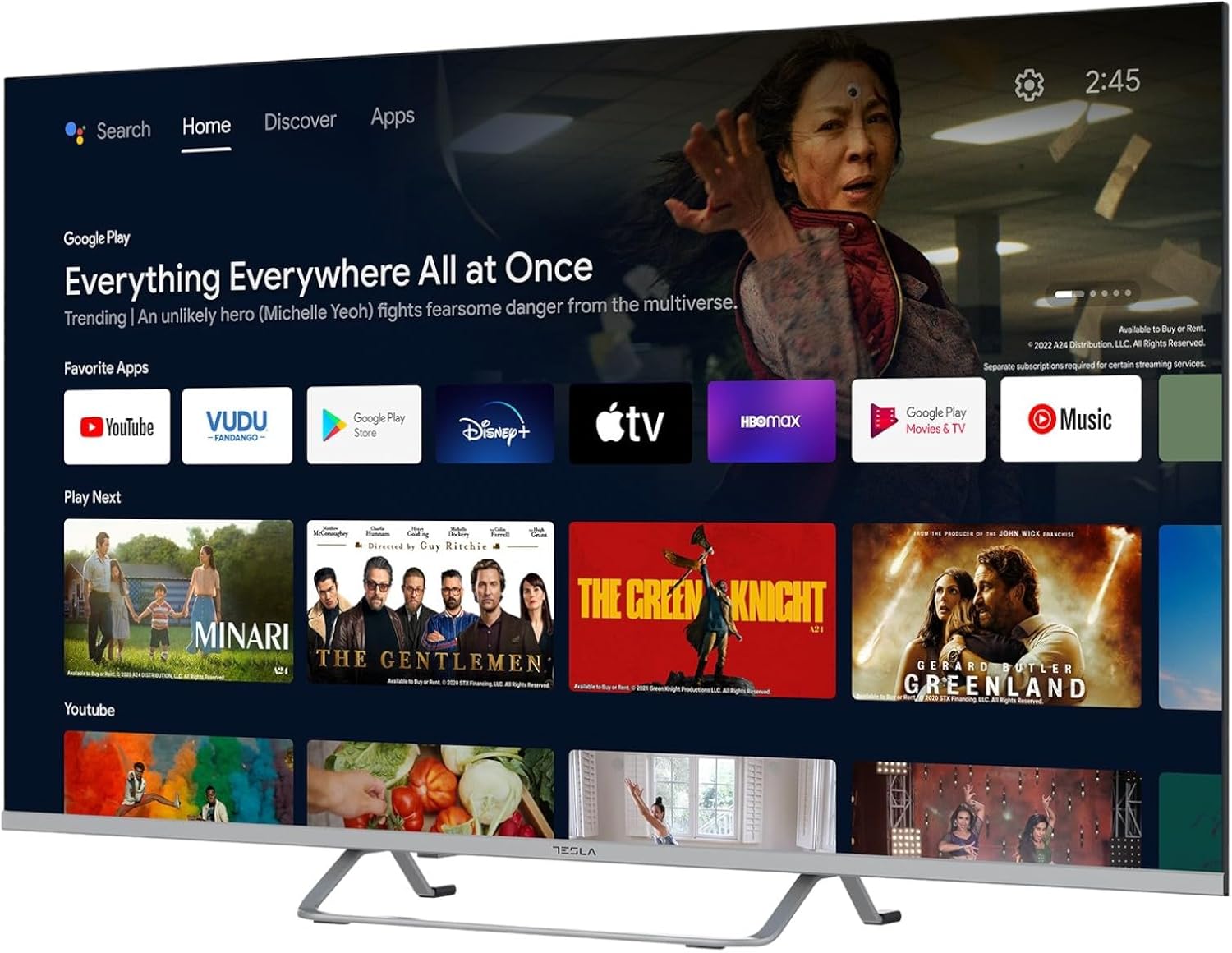
Image 2.2: The Android TV 11 home screen, displaying various applications and content suggestions.
- முகப்புத் திரை: பரிந்துரைக்கப்பட்ட உள்ளடக்கம், நிறுவப்பட்ட பயன்பாடுகள் மற்றும் உள்ளீட்டு மூலங்களைக் காட்டுகிறது.
- பயன்பாடுகள் பிரிவு: Access all installed applications.
- அமைப்புகள்: Configure TV settings, network, accounts, and device preferences.
2.3 கூகிள் உதவியாளரைப் பயன்படுத்துதல்
Press the Google Assistant button on your remote and speak into the microphone to control your TV, search for content, get information, and more.
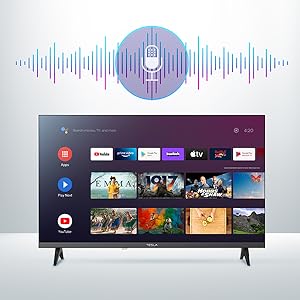
Image 2.3: Visual representation of Google Assistant activation on the TV screen.
Exampகட்டளைகளின் எண்ணிக்கை:
- "நெட்ஃபிளிக்ஸைத் திற"
- "தேடுங்கள் "ஆக்ஷன் படங்கள்"
- "வானிலை எப்படி இருக்கு?"
- "Turn up the volume"
2.4 Chromecast உள்ளமைவு
Use Chromecast built-in to cast content from your compatible smartphone, tablet, or computer directly to your TV. Ensure your device is connected to the same Wi-Fi network as the TV.

Image 2.4: A smartphone casting content to the TV via Chromecast.
2.5 வெளிப்புற சாதனங்களை இணைத்தல்
உங்கள் டிவி பல இணைப்பு விருப்பங்களை வழங்குகிறது:
- HDMI போர்ட்கள் (x4): ப்ளூ-ரே பிளேயர்கள், கேம் கன்சோல்கள், செட்-டாப் பாக்ஸ்கள் போன்றவற்றை இணைக்கவும்.
- USB போர்ட்கள் (x2): Connect USB drives for media playback or external keyboards/mice.
- ஈதர்நெட் (LAN): கம்பி இணைய இணைப்புக்கு.
- வைஃபை: வயர்லெஸ் இணைய இணைப்புக்கு.
- புளூடூத்: Connect wireless headphones, speakers, or other Bluetooth devices.

படம் 2.5: பக்கவாட்டு சார்புfile of the TV, highlighting accessible ports.
2.6 படம் மற்றும் ஒலி அமைப்புகள்
Access the TV's settings menu to customize picture and sound options.
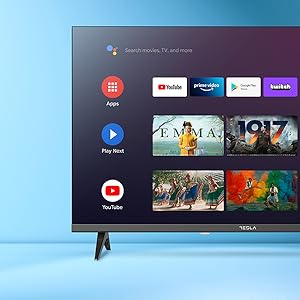
படம் 2.6: எ.கா.ample of the TV's settings menu for customization.
- பட முறைகள்: Select from Standard, Vivid, Sport, Movie, Game, or User (custom) modes. Adjust brightness, contrast, color, and sharpness.
- HDR10: The TV supports HDR10 for enhanced contrast and color with compatible content.
- ஒலி முறைகள்: Choose from Standard, Music, Movie, Sport, or User (custom) modes. Use the equalizer to fine-tune audio frequencies.
- பேச்சாளர்கள்: The TV features 2 x 12W speakers.
3. பராமரிப்பு
3.1 டிவியை சுத்தம் செய்தல்
- திரை: மென்மையான, பஞ்சு இல்லாத துணியால் திரையை மெதுவாகத் துடைக்கவும். பிடிவாதமான அடையாளங்களுக்கு, லேசாக dampதுணியில் தண்ணீர் அல்லது சிறப்பு திரை துப்புரவாளர் பயன்படுத்தவும். ஒருபோதும் திரையில் நேரடியாக துப்புரவாளரை தெளிக்க வேண்டாம்.
- உடல்: Wipe the TV body with a soft, dry cloth. Avoid using abrasive cleaners or solvents.
- சுத்தம் செய்வதற்கு முன்பு எப்போதும் டிவியை மின் இணைப்பிலிருந்து துண்டிக்கவும்.
3.2 மென்பொருள் புதுப்பிப்புகள்
Your Tesla Smart TV may receive software updates to improve performance and add new features. Ensure your TV is connected to the internet to receive these updates automatically or check for them manually in the settings menu.
4. சரிசெய்தல்
ஆதரவைத் தொடர்புகொள்வதற்கு முன், பொதுவான சிக்கல்களுக்கு பின்வரும் தீர்வுகளை முயற்சிக்கவும்:
| பிரச்சனை | சாத்தியமான தீர்வு |
|---|---|
| சக்தி இல்லை | Check if the power cord is securely connected to the TV and the wall outlet. Ensure the outlet is working. |
| படம் இல்லை, ஆனால் ஒலி உள்ளது. | சரியான உள்ளீட்டு மூலத்தைத் தேர்ந்தெடுத்துள்ளீர்கள் என்பதை உறுதிப்படுத்தவும். வெளிப்புற சாதனங்களுக்கான கேபிள் இணைப்புகளைச் சரிபார்க்கவும். டிவியை மீண்டும் தொடங்க முயற்சிக்கவும். |
| ஒலி இல்லை, ஆனால் படம் உள்ளது. | Check the volume level and ensure the TV is not muted. Verify audio settings and external speaker connections if applicable. |
| ரிமோட் கண்ட்ரோல் வேலை செய்யவில்லை | Replace the batteries. Ensure there are no obstructions between the remote and the TV. Re-pair the Bluetooth remote if necessary (refer to TV settings). |
| நெட்வொர்க் இணைப்பு சிக்கல்கள் | Restart your router and modem. Check Wi-Fi password. Try a wired Ethernet connection if possible. |
| பயன்பாடுகள் மெதுவாகவோ அல்லது செயலிழக்கவோ செய்கின்றன | Close unused apps. Clear app cache (Settings > Apps > [App Name] > Clear cache). Restart the TV. |
5. விவரக்குறிப்புகள்
| அம்சம் | விவரம் |
|---|---|
| பிராண்ட் | டெஸ்லா |
| மாதிரி எண் | 65E635SUS |
| திரை அளவு | 65 அங்குலம் (165 செமீ) |
| காட்சி தொழில்நுட்பம் | LED |
| தீர்மானம் | 4K (3840 x 2160) |
| புதுப்பிப்பு விகிதம் | 60 ஹெர்ட்ஸ் |
| இயக்க முறைமை | ஆண்ட்ராய்டு டிவி 11 |
| சிறப்பு அம்சங்கள் | High Dynamic Range (HDR10), Google Play, Chromecast Built-in, Google Assistant, Personalized Surround Sound |
| இணைப்பு | வைஃபை, புளூடூத், ஈதர்நெட் (LAN) |
| HDMI போர்ட்கள் | 4 |
| USB போர்ட்கள் | 2 |
| ஆடியோ வெளியீடு | 2 x 12W ஸ்பீக்கர்கள் |
| தயாரிப்பு பரிமாணங்கள் (நிலைப்பாட்டுடன்) | 25D x 25W x 144.5H cm (approximate) |
6. உத்தரவாதம் மற்றும் ஆதரவு
For warranty information, please refer to the warranty card included with your product or visit the official Tesla webஉத்தரவாதக் கோரிக்கைகளுக்கு உங்கள் வாங்கியதற்கான ஆதாரத்தை வைத்திருங்கள்.
For technical support or service inquiries, please contact Tesla customer service through their official channels. Contact details can typically be found on the manufacturer's webதளம் அல்லது தயாரிப்பு பேக்கேஜிங்கில்.
Ask a question about this manual
Ask about setup, troubleshooting, compatibility, parts, safety, or missing instructions. Manuals+ will review the question and use this page’s manual context to help answer it.