
AMEGAT PBQ2610
AMEGAT Power Bank 140W 27600mAh PD 3.1 (Model PBQ2610) User Manual
Your guide to operating and maintaining your AMEGAT Power Bank.
1. அறிமுகம்
Thank you for choosing the AMEGAT Power Bank 140W 27600mAh (Model PBQ2610). This high-capacity portable charger is designed to provide fast and efficient power to your laptops, tablets, smartphones, and other USB-powered devices. Featuring PD 3.1 technology, a digital display, and multiple output ports, it ensures your devices stay charged on the go. Please read this manual carefully to ensure proper use and optimal performance.
2. தயாரிப்பு முடிந்துவிட்டதுview
2.1 தொகுப்பு உள்ளடக்கம்
- AMEGAT Power Bank 140W 27600mAh (Model PBQ2610)
- USB-C to USB-C Charging Cable (60cm)
- பயனர் கையேடு
2.2 முக்கிய அம்சங்கள்
- 140W Power Delivery 3.1: Supports ultra-fast charging and recharging for compatible devices.
- 27600mAh உயர் திறன்: Provides multiple charges for smartphones and tablets, and significant power for laptops.
- மல்டி-போர்ட் வெளியீடு: Equipped with 2 USB-C ports and 1 USB-A port for simultaneous charging of up to three devices.
- ஸ்மார்ட் டிஜிட்டல் டிஸ்ப்ளே: Real-time monitoring of input/output power, battery percentage, and estimated charging/recharging time.
- விரிவான பாதுகாப்பு பாதுகாப்பு: Built-in EntireProtect system guards against overcharge, overheat, overcurrent, overvoltagஇ, மற்றும் குறுகிய சுற்றுகள்.
- விமான நிறுவனம் அங்கீகரிக்கப்பட்டது: எடுத்துச் செல்லும் சாமான்களுக்கான விமான நிறுவன விதிமுறைகளைப் பூர்த்தி செய்யும் வகையில் வடிவமைக்கப்பட்டுள்ளது.
2.3 தயாரிப்பு வரைபடம்
ஓவருக்கு கீழே உள்ள படத்தைப் பார்க்கவும்.view of the power bank's components and ports.

படம்: முன்பக்கம் view of the AMEGAT Power Bank, showing the digital display, power button, and port labels.

Image: Diagram illustrating the dimensions of the AMEGAT Power Bank (153mm x 53mm x 50mm) and the length of the included 60cm USB-C cable.
3 அமைவு
3.1 ஆரம்ப கட்டணம்
Before first use, fully charge your AMEGAT Power Bank. This ensures optimal battery performance and calibration.
- Connect the included USB-C to USB-C cable to one of the power bank's USB-C ports (C1 or C2).
- Connect the other end of the cable to a compatible USB-C wall charger (not included) with a minimum output of 65W for fast charging. For optimal 140W input, use a 140W PD 3.1 compatible charger.
- The digital display will show the charging status, including input wattage and estimated time to full charge.
- A full charge from 0% typically takes approximately 2 hours with a 140W input charger.

Image: The AMEGAT Power Bank connected to a MacBook Pro 16-inch, demonstrating 140W single-port fast charging, achieving 50% charge in 40 minutes. Note: Use original USB-C to MagSafe cable for peak performance with MacBooks.
4. இயக்க வழிமுறைகள்
4.1 சார்ஜிங் சாதனங்கள்
The AMEGAT Power Bank can charge a wide range of devices, including laptops, tablets, smartphones, and other USB-powered gadgets.
- Connect your device to the power bank using an appropriate charging cable.
- For USB-C devices (laptops, tablets, modern smartphones): Use the USB-C ports (C1 or C2). These ports support up to 140W output individually.
- For USB-A devices (older smartphones, smartwatches, headphones): Use the USB-A port (A1). This port supports up to 22.5W output.
- The power bank will automatically detect the connected device and begin charging. The digital display will show the output wattagஒவ்வொரு செயலில் உள்ள போர்ட்டிற்கும் e.
- To check the power bank's remaining battery, press the power button once.
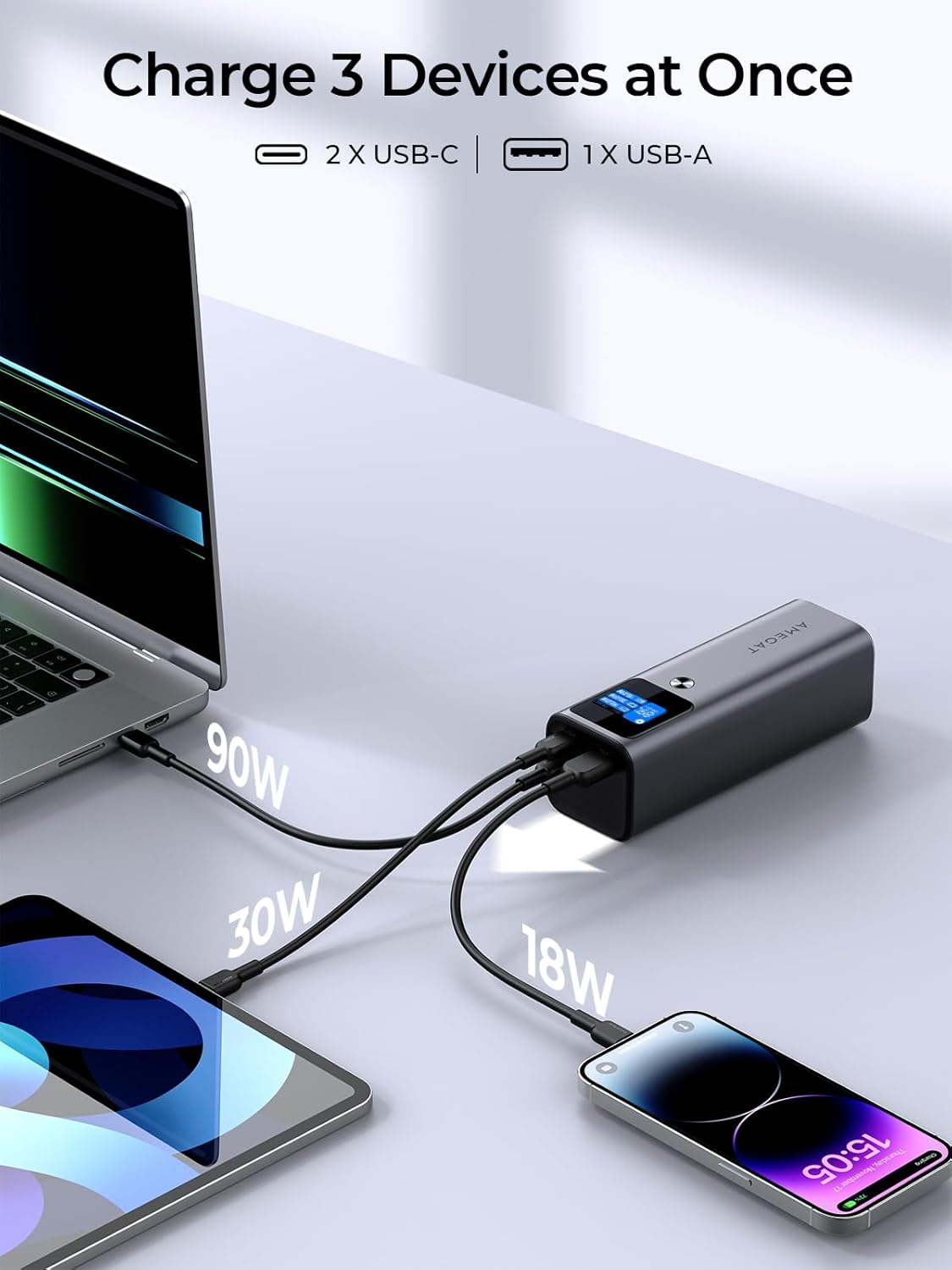
Image: The AMEGAT Power Bank simultaneously charging three devices: a laptop (90W), a tablet (30W), and a smartphone (18W), demonstrating its multi-port capability.
4.2 Digital Display Functions
The intuitive digital display provides essential information about the power bank's status:
- பேட்டரி சதவீதம்tage: பவர் பேங்கின் தற்போதைய சார்ஜ் அளவைக் காட்டுகிறது.
- உள்ளீடு/வெளியீடு வாட்tage: Displays the power being drawn (input) or delivered (output) for each port (C1, C2, A1).
- மதிப்பிடப்பட்ட நேரம்: Indicates the approximate time remaining to fully charge the power bank or the estimated time the power bank can continue charging devices.
- திரை காட்சி நேரம்: Press the power button to cycle through display modes or adjust screen timeout settings.

Image: Close-up of the digital display, showing battery percentage, உள்ளீடு/வெளியீடு wattage for each port, and options to view battery cycles or adjust screen display time.
4.3 Capacity and Compatibility
With its 27600mAh capacity, the power bank can provide significant power:
- Approximately 0.8 charges for a 16-inch MacBook Pro.
- Approximately 3.8 charges for a Samsung Galaxy S23 Ultra.
- Approximately 4.7 charges for an iPhone 14.
- Approximately 3.9 charges for a Nintendo Switch.

Image: The AMEGAT Power Bank positioned among a MacBook Pro 16", Galaxy S23 Ultra, iPhone 14, and Nintendo Switch, illustrating its massive 27600mAh capacity and approximate charge cycles for each device.
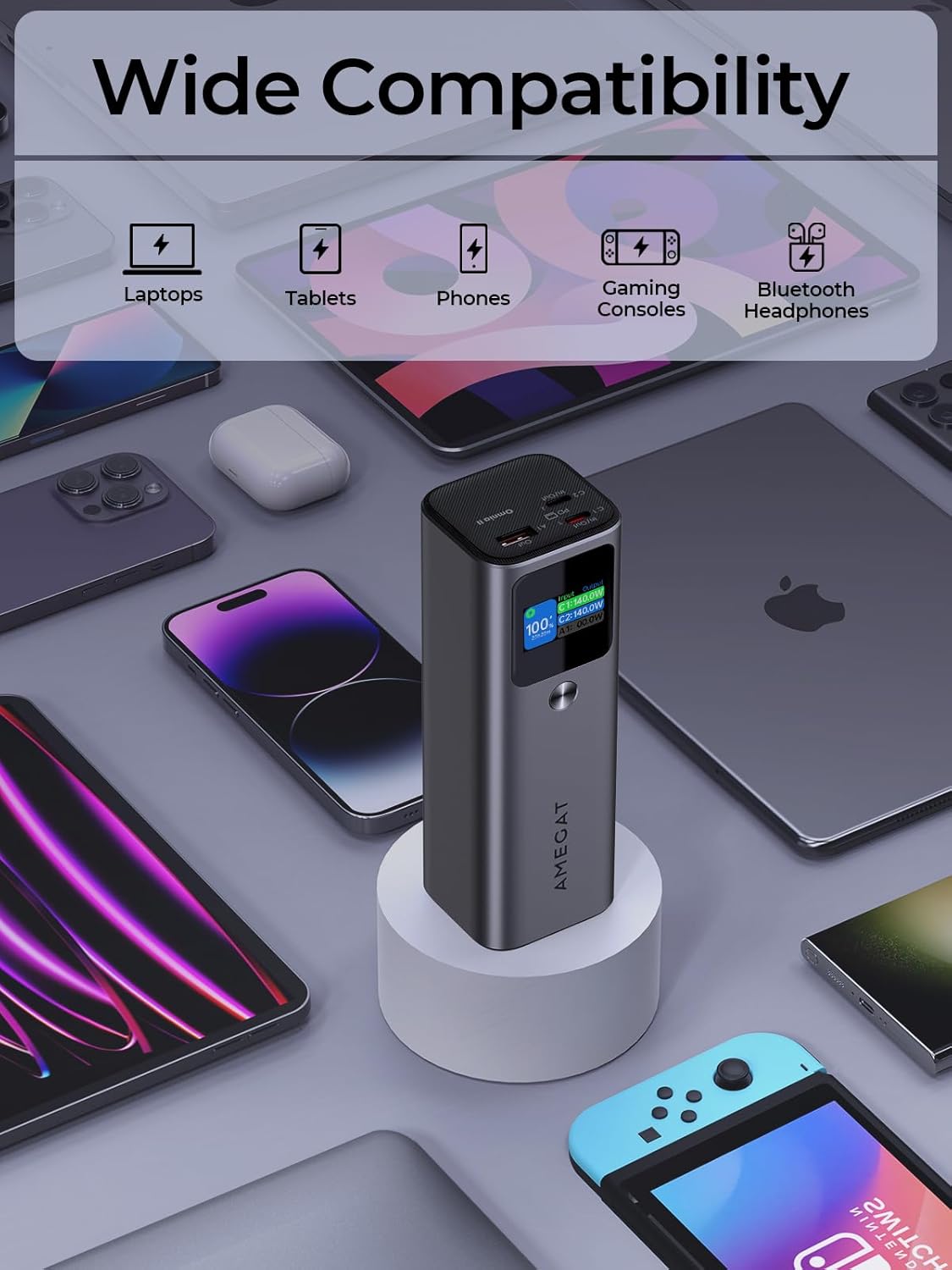
Image: The AMEGAT Power Bank surrounded by various devices including laptops, tablets, phones, gaming consoles, and Bluetooth headphones, highlighting its wide compatibility.
5. பராமரிப்பு
- சேமிப்பு: நேரடி சூரிய ஒளி மற்றும் அதிக வெப்பநிலையிலிருந்து விலகி, குளிர்ந்த, உலர்ந்த இடத்தில் பவர் பேங்கை சேமிக்கவும்.
- சுத்தம்: Use a soft, dry cloth to clean the exterior of the power bank. Do not use liquid cleaners or solvents.
- பேட்டரி ஆரோக்கியம்: For optimal battery longevity, avoid fully discharging the power bank regularly. Recharge it when the battery level is low. If storing for extended periods, charge it to about 50-70% every 3-6 months.
- சொட்டு மருந்துகளைத் தவிர்க்கவும்: உட்புற கூறுகளை சேதப்படுத்தும், சொட்டுகள் மற்றும் தாக்கங்களிலிருந்து சாதனத்தைப் பாதுகாக்கவும்.
6. சரிசெய்தல்
| பிரச்சனை | சாத்தியமான காரணம் | தீர்வு |
|---|---|---|
| பவர் பேங்க் சார்ஜ் ஆகவில்லை |
|
|
| பவர் பேங்கிலிருந்து சாதனம் சார்ஜ் ஆகவில்லை |
|
|
| டிஜிட்டல் டிஸ்ப்ளே வேலை செய்யவில்லை |
|
|
7. விவரக்குறிப்புகள்
| அம்சம் | விவரம் |
|---|---|
| மாதிரி பெயர் | PBQ2610 |
| பிராண்ட் | AMEGAT |
| பேட்டரி திறன் | 27600 mAh (99.36 Wh) |
| பேட்டரி கலவை | லித்தியம்-பாலிமர் |
| Input (USB-C1/C2) | 140W வரை (PD 3.1) |
| வெளியீடு (USB-C1/C2) | 140W வரை (PD 3.1) |
| வெளியீடு (USB-A) | 22.5W வரை |
| Total Output (Max) | 140W (Dynamic Power Distribution) |
| இணைப்பான் வகை | USB வகை A, USB வகை C |
| சிறப்பு அம்சங்கள் | Digital Display, Fast Charging, Universal Compatibility |
| நிறம் | விண்வெளி சாம்பல் |
| தயாரிப்பு பரிமாணங்கள் | 15.3 cm (L) x 5.3 cm (W) x 5.0 cm (H) |
| துறைமுகங்களின் எண்ணிக்கை | 3 (2x USB-C, 1x USB-A) |
தொகுதி பற்றிய குறிப்புtage: The 3.6 Volts listed in some specifications refers to the nominal internal cell voltage. The power bank outputs higher voltages (e.g., 5V, 9V, 12V, 15V, 20V) via Power Delivery for compatible devices.
8. பாதுகாப்பு தகவல்
- பவர் பேங்கை அதிக வெப்பநிலை (60°C/140°Fக்கு மேல் அல்லது 0°C/32°Fக்குக் கீழே), நேரடி சூரிய ஒளி அல்லது நெருப்புக்கு வெளிப்படுத்த வேண்டாம்.
- சாதனத்தை பிரிக்கவோ, மாற்றவோ அல்லது சரிசெய்ய முயற்சிக்கவோ வேண்டாம்.
- Keep away from water and high humidity.
- பவர் பேங்க் சேதமடைந்தாலோ, வீங்கியிருந்தாலோ அல்லது கசிந்திருந்தாலோ பயன்படுத்த வேண்டாம்.
- குழந்தைகளுக்கு எட்டாத இடத்தில் வைக்கவும்.
- உள்ளூர் விதிமுறைகளின்படி பவர் பேங்கை பொறுப்புடன் அப்புறப்படுத்துங்கள்.
- The power bank features an "EntireProtect" system to prevent overcharge, overheat, overcurrent, overvoltagஇ, மற்றும் குறுகிய சுற்றுகள்.

Image: A hand holding the AMEGAT Power Bank inside an airplane cabin, indicating its suitability for air travel (airline approved).
9. உத்தரவாதம் மற்றும் ஆதரவு
AMEGAT products come with a standard manufacturer's warranty. For specific warranty details, please refer to the warranty card included with your purchase or visit the official AMEGAT webதளம்.
If you encounter any issues or have questions regarding your AMEGAT Power Bank, please contact our customer support team:
- மின்னஞ்சல்: [வாடிக்கையாளர் ஆதரவு மின்னஞ்சலை இங்கே செருகவும்]
- Webதளம்: [Insert Official Webதளம் URL இங்கே]
- Please have your model number (PBQ2610) and purchase details ready when contacting support.
Ask a question about this manual
Ask about setup, troubleshooting, compatibility, parts, safety, or missing instructions. Manuals+ will review the question and use this page’s manual context to help answer it.