
Monitech QCY-LK-SD-CF5
Monitech QCY-LK-SD-CF5 Digital Camera User Manual
Model: QCY-LK-SD-CF5
1. அறிமுகம்
This manual provides comprehensive instructions for the Monitech QCY-LK-SD-CF5 Digital Camera. Please read this manual thoroughly before using your camera to ensure proper operation and to maximize its features. Keep this manual for future reference.
தொகுப்பு உள்ளடக்கங்கள்
உங்கள் தொகுப்பில் அனைத்து பொருட்களும் உள்ளதா என சரிபார்க்கவும்:
- Monitech QCY-LK-SD-CF5 Digital Camera
- வைட் ஆங்கிள் லென்ஸ்
- 32GB TF Card (SD Card)
- USB கேபிள்
- 2 Rechargeable Lithium-Ion Batteries
- பேட்டரி சார்ஜர்
- பயனர் கையேடு

Image 1.1: Monitech QCY-LK-SD-CF5 Digital Camera with wide-angle lens, 32GB SD card, USB cable, two batteries, and a carrying pouch.
2 அமைவு
2.1 பேட்டரி நிறுவல்
- கேமராவின் அடிப்பகுதியில் அமைந்துள்ள பேட்டரி பெட்டியின் அட்டையைத் திறக்கவும்.
- Insert a fully charged lithium-ion battery into the compartment, ensuring the correct orientation as indicated inside the compartment.
- பேட்டரி பெட்டியின் அட்டையை பாதுகாப்பாக மூடு.
2.2 பேட்டரியை சார்ஜ் செய்தல்
Use the provided charger and USB cable to charge the batteries. The indicator light on the charger will show the charging status.
2.3 SD கார்டு செருகல்
- Locate the SD card slot, typically near the battery compartment or on the side of the camera.
- Insert the 32GB TF (SD) card with the metal contacts facing the correct direction until it clicks into place.
- அகற்ற, அட்டை வெளியே வரும் வரை மெதுவாக அழுத்தவும்.

Image 2.1: Details of the camera's USB port for charging/data transfer and the battery compartment for battery insertion.
3. கேமராவை இயக்குதல்
3.1 பவர் ஆன்/ஆஃப்
கேமராவை ஆன் அல்லது ஆஃப் செய்ய பவர் பட்டனை அழுத்திப் பிடிக்கவும்.
3.2 அடிப்படை புகைப்படம் எடுத்தல்
- கேமராவை இயக்கவும்.
- 3.0-இன்ச் LCD திரையைப் பயன்படுத்தி உங்கள் ஷாட்டை ஃபிரேம் செய்யுங்கள்.
- Press the shutter button halfway to focus, then fully press to take a photo.

Image 3.1: Visual representation of different image resolutions (20MP, 30MP, 48MP) and the camera's anti-shake capability compared to others.
3.3 வீடியோ பதிவு
- Switch the camera to video mode (refer to the mode dial or menu).
- பதிவைத் தொடங்க, பதிவு பொத்தானை அழுத்தவும்.
- ரெக்கார்டிங்கை நிறுத்த ரெக்கார்டு பட்டனை மீண்டும் அழுத்தவும்.
3.4 டிஜிட்டல் ஜூம்
The camera features 16x digital zoom. Use the zoom controls (usually a rocker switch) to adjust the magnification of your subject.

Image 3.2: Illustration of the camera's 16x digital zoom capability, showing various zoom levels from 4x to 16x.
3.5 தொடர்ச்சியான படப்பிடிப்பு
Activate continuous shooting mode to capture a rapid sequence of photos. This is useful for moving subjects.
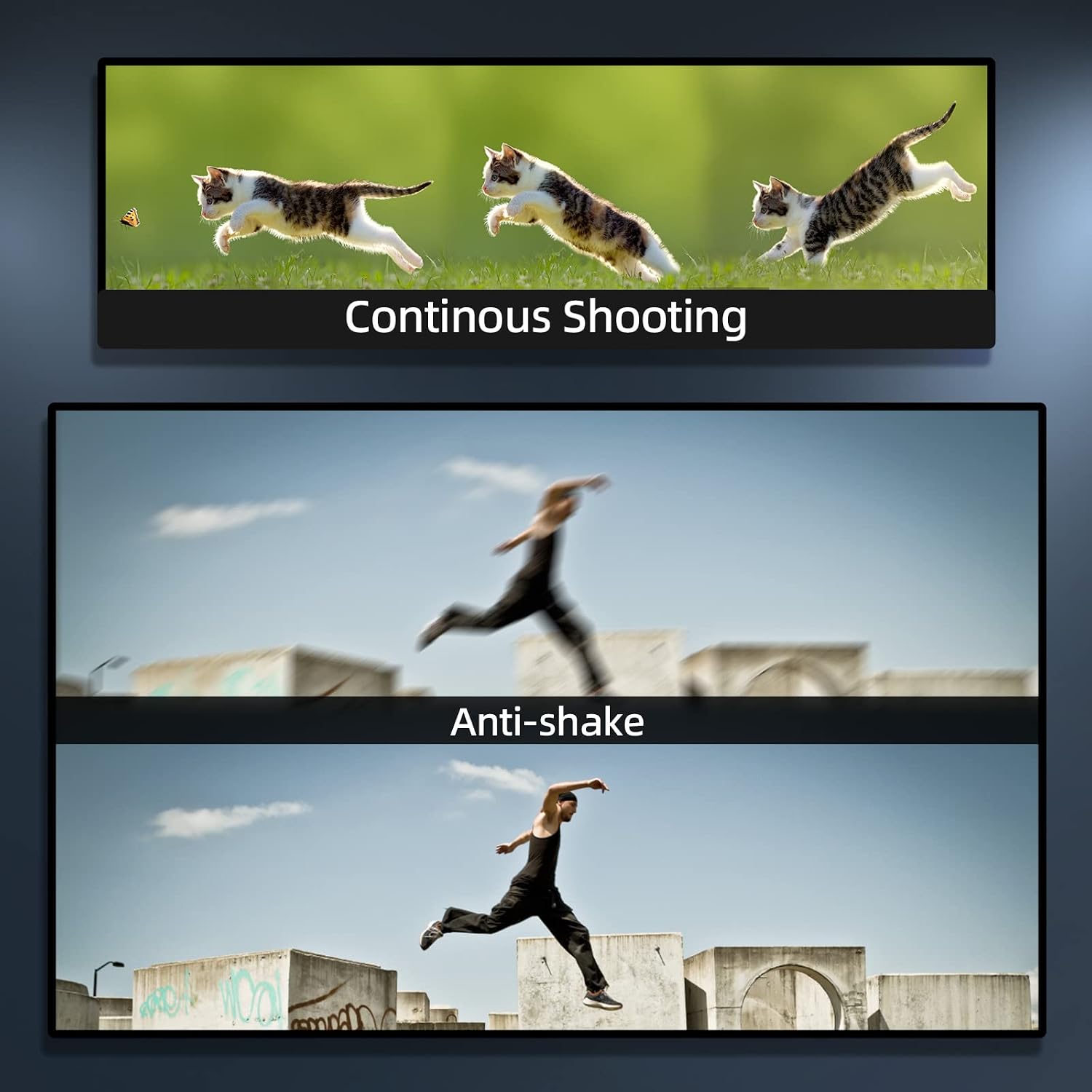
படம் 3.3: எ.கா.amples of continuous shooting capturing motion and the effectiveness of the anti-shake function.
3.6 Webகேம் செயல்பாடு
Connect the camera to a computer via the USB cable to use it as a webcam for live streaming or video calls.

Image 3.4: The camera functioning as a live webcam output and for network video conferencing.
4. பராமரிப்பு
4.1 கேமராவை சுத்தம் செய்தல்
- கேமரா உடலை சுத்தம் செய்ய மென்மையான, உலர்ந்த துணியைப் பயன்படுத்தவும்.
- லென்ஸை சுத்தம் செய்வதற்கு, ஒரு சிறப்பு லென்ஸ் சுத்தம் செய்யும் துணி மற்றும் கரைசலைப் பயன்படுத்தவும். உங்கள் விரல்களால் லென்ஸ் மேற்பரப்பைத் தொடுவதைத் தவிர்க்கவும்.
- கடுமையான இரசாயனங்கள் அல்லது சிராய்ப்பு கிளீனர்களைப் பயன்படுத்த வேண்டாம்.
4.2 சேமிப்பு
When not in use, store the camera in a cool, dry place away from direct sunlight and extreme temperatures. Remove the battery if storing for extended periods.
5. சரிசெய்தல்
| பிரச்சனை | சாத்தியமான காரணம் | தீர்வு |
|---|---|---|
| கேமரா இயங்கவில்லை. | பேட்டரி தீர்ந்து போயுள்ளது அல்லது தவறாகச் செருகப்பட்டுள்ளது. | பேட்டரியை சார்ஜ் செய்யவும் அல்லது சரியாக மீண்டும் செருகவும். |
| Cannot take photos/videos | SD கார்டு நிரம்பியுள்ளது, பூட்டப்பட்டுள்ளது அல்லது செருகப்படவில்லை. | Insert an SD card, unlock it, or delete files to free space. |
| படங்கள் மங்கலாக உள்ளன | கேமரா குலுக்கல், பொருள் இயக்கம் அல்லது தவறான கவனம். | Hold the camera steady, use anti-shake mode, or ensure proper focus. |
| மோசமான பட தரம் | Low light conditions, incorrect settings, or dirty lens. | Ensure adequate lighting, adjust ISO/exposure, or clean the lens. |
6. விவரக்குறிப்புகள்
| அம்சம் | விவரம் |
|---|---|
| பிராண்ட் | Monitech |
| மாதிரி எண் | QCY-LK-SD-CF5 |
| புகைப்பட சென்சார் தீர்மானம் | 48 எம்.பி |
| வீடியோ தீர்மானம் | 4K (2160p) at 30 FPS |
| டிஜிட்டல் பெரிதாக்கு | 16x |
| திரை அளவு | 3 அங்குலங்கள் (LCD) |
| பட நிலைப்படுத்தல் | டிஜிட்டல் |
| சேமிப்பக ஊடகம் | SD Card (up to 32GB included) |
| பேட்டரி வகை | லித்தியம் அயன் |
| இணைப்பு | USB, Wi-Fi |
| File வடிவம் | JPEG (images), 4K (video) |
| தொடர்ச்சியான படப்பிடிப்பு | 5 FPS |
| கவனம் வகை | ஆட்டோ ஃபோகஸ் |
| பொருள் | பிளாஸ்டிக் |
7. உத்தரவாதத் தகவல்
This Monitech product comes with a limited warranty. Please refer to the warranty card included in your package for specific terms, conditions, and duration. Keep your purchase receipt as proof of purchase for warranty claims.
8. வாடிக்கையாளர் ஆதரவு
For technical assistance, troubleshooting not covered in this manual, or warranty inquiries, please contact Monitech customer support through the official webதளம் அல்லது உங்கள் தயாரிப்பு பேக்கேஜிங்கில் வழங்கப்பட்ட தொடர்புத் தகவல்.
Ask a question about this manual
Ask about setup, troubleshooting, compatibility, parts, safety, or missing instructions. Manuals+ will review the question and use this page’s manual context to help answer it.