
அறிமுகம்
Thank you for choosing the Lovskoo 6D Colorful Wired Gaming Mouse. This manual provides essential information for setting up, operating, and maintaining your new gaming mouse. Designed for precision and comfort, this mouse features adjustable DPI, vibrant lighting, and a durable build for an enhanced computing experience.
அமைவு
உங்கள் சுட்டியை இணைக்கிறது
The Lovskoo 6D Colorful Wired Gaming Mouse utilizes a standard USB-A connection for plug-and-play functionality. No additional drivers are typically required for basic operation on most operating systems.
- Locate an available USB-A port on your computer (desktop, laptop, or compatible device).
- Insert the USB connector of the mouse cable firmly into the USB-A port.
- The mouse should be automatically recognized by your operating system, and the colorful breathing lights will illuminate.
- You can begin using your mouse immediately.
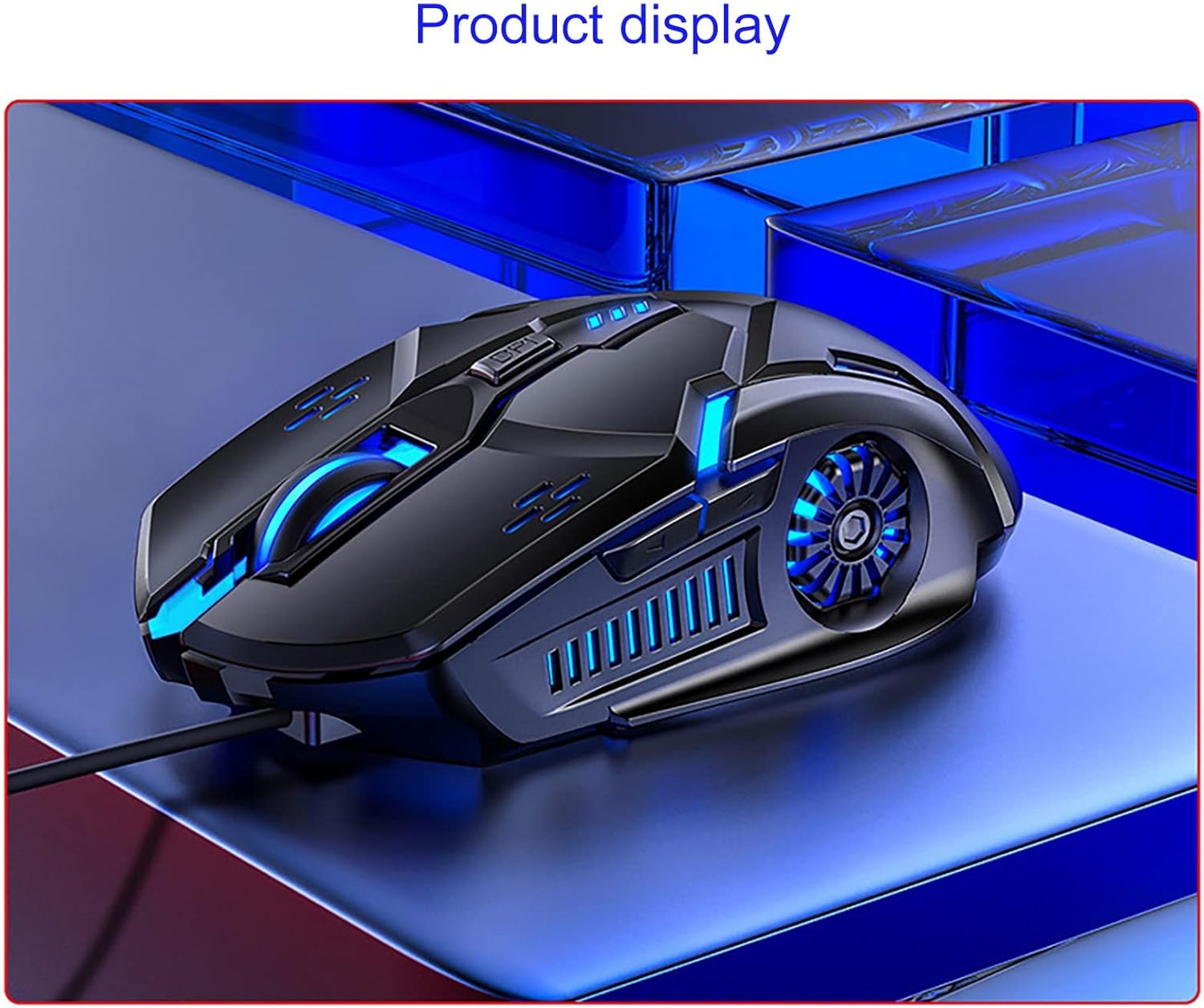
Visual Guide: Product Overview
இயக்க வழிமுறைகள்
DPI சரிசெய்தல்
The mouse features a four-gear DPI (Dots Per Inch) one-button switch, allowing you to adjust sensitivity on the fly. This is particularly useful for adapting to different screen sizes or game requirements.
- 1200 DPI: Indicated by one flash. Suitable for general use and precise tasks.
- 1600 DPI: Indicated by two flashes. A balanced setting for everyday computing and light gaming.
- 2400 DPI: Indicated by three flashes. Ideal for faster cursor movement in gaming or large displays.
- 3200 DPI: Indicated by four flashes. Provides maximum speed for competitive gaming or rapid navigation across multiple monitors.

6D Key Layout and Lighting
The mouse features a 6D key layout for enhanced functionality and an upgraded seven-color breathing light system.
- நிலையான பொத்தான்கள்: Left Click, Right Click, and Scroll Wheel.
- DPI பொத்தான்: Located behind the scroll wheel for quick sensitivity adjustments.
- பக்க பொத்தான்கள்: Two additional buttons on the side for forward and back navigation, or customizable functions in supported software.
- Seven-Color Breathing Light: The mouse features dynamic RGB lighting. This lighting can be turned off using a combination key (refer to specific software or manual for exact key combination if available, otherwise it cycles automatically).

முக்கிய அம்சங்கள்
- Four-Gear DPI Adjustment: Easily switch between 1200, 1600, 2400, and 3200 DPI settings for optimal control across various applications and games.
- Seven-Color Breathing Light: Enjoy an enhanced visual experience with dynamic, upgraded seven-color lighting. The lighting can be toggled off if preferred.
- Game-Level Micro-Motion: Equipped with white dot micro-motion switches for enhanced durability, strong rebound, and consistent tactile feedback over extended use.
- High-Speed Laser Game Engine: Provides accurate positioning and reliable tracking on a variety of surfaces, minimizing skipped frames.
- 6D Key Layout: Features a newly upgraded layout with standard buttons plus a DPI switch and two convenient side buttons for faster daily operation and gaming.
பராமரிப்பு
To ensure the longevity and optimal performance of your Lovskoo gaming mouse, follow these simple maintenance guidelines:
- சுத்தம்: மவுஸின் மேற்பரப்பைத் துடைக்க மென்மையான, உலர்ந்த துணியைப் பயன்படுத்தவும். பிடிவாதமான அழுக்குகளுக்கு, சிறிது ஈரப்படுத்தவும்.amp cloth can be used, ensuring no moisture enters the internal components. Avoid harsh chemicals or abrasive cleaners.
- கேபிள் பராமரிப்பு: Avoid sharp bends or excessive pulling on the USB cable. Store the cable neatly to prevent tangling and damage.
- சேமிப்பு: பயன்பாட்டில் இல்லாதபோது, தீவிர வெப்பநிலை மற்றும் நேரடி சூரிய ஒளி படாத சுத்தமான, வறண்ட சூழலில் மவுஸை சேமிக்கவும்.
சரிசெய்தல்
If you encounter any issues with your Lovskoo gaming mouse, please refer to the following common solutions:
- சுட்டி பதிலளிக்கவில்லை:
- உங்கள் கணினியில் செயல்படும் USB போர்ட்டில் USB கேபிள் பாதுகாப்பாக செருகப்பட்டுள்ளதா என்பதை உறுதிப்படுத்திக் கொள்ளுங்கள்.
- வேறு USB போர்ட்டில் மவுஸைச் செருக முயற்சிக்கவும்.
- உங்கள் கணினியை மறுதொடக்கம் செய்யுங்கள்.
- ஒழுங்கற்ற கர்சர் இயக்கம்:
- மென்மையான, உலர்ந்த துணியால் மவுஸின் அடிப்பகுதியில் உள்ள ஆப்டிகல் சென்சாரை சுத்தம் செய்யவும்.
- நீங்கள் மவுஸை பொருத்தமான மேற்பரப்பில் (எ.கா., மவுஸ் பேட்) பயன்படுத்துவதை உறுதிசெய்து கொள்ளுங்கள். அதிக பிரதிபலிப்பு அல்லது வெளிப்படையான மேற்பரப்புகளைத் தவிர்க்கவும்.
- Adjust the DPI setting to a lower sensitivity if the cursor is too fast or jumpy.
- விளக்குகள் வேலை செய்யவில்லை:
- உங்கள் கணினியுடன் மவுஸ் சரியாக இணைக்கப்பட்டுள்ளதா என சரிபார்க்கவும்.
- Check if the lighting has been intentionally turned off via a combination key (if applicable).
இந்தப் படிகள் சிக்கலைத் தீர்க்கவில்லை என்றால், மேலும் உதவிக்கு வாடிக்கையாளர் ஆதரவைத் தொடர்பு கொள்ளவும்.
விவரக்குறிப்புகள்
| அம்சம் | விவரம் |
|---|---|
| தயாரிப்பு பரிமாணங்கள் | 4.85 x 2.75 x 0.1 அங்குலம் |
| பொருளின் எடை | 4 அவுன்ஸ் |
| இணைப்பு தொழில்நுட்பம் | USB (கம்பி) |
| டிபிஐ அமைப்புகள் | 1200 / 1600 / 2400 / 3200 (சரிசெய்யக்கூடியது) |
| இயக்கம் கண்டறிதல் தொழில்நுட்பம் | ஆப்டிகல் |
| சிறப்பு அம்சம் | Portable, Colorful Breathing Light, 6D Buttons |
| நிறம் | பல வண்ணம் |
| மாதிரி எண் | லோவ்ஸ்கூ |
உத்தரவாதம் மற்றும் ஆதரவு
For warranty information or technical support, please refer to the product packaging or contact Lovskoo customer service directly. Keep your purchase receipt for any warranty claims.