
அறிமுகம்
Thank you for choosing the YoYoFit Smartwatch. This manual provides essential information for setting up, operating, and maintaining your device. Please read it carefully to ensure optimal performance and longevity of your smartwatch.
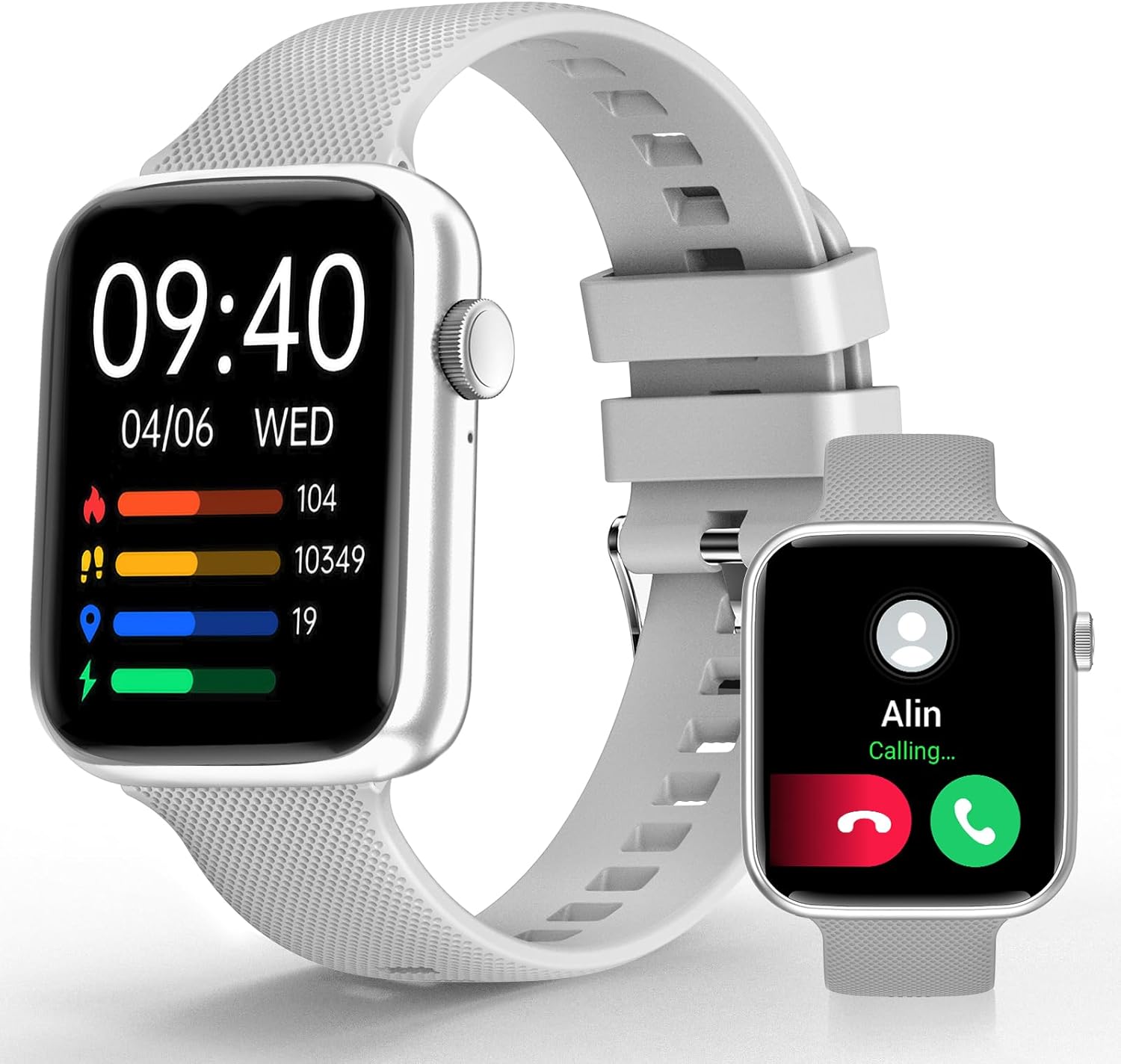
Image: YoYoFit Smartwatch, showcasing அதன் நேர்த்தியான வடிவமைப்பு மற்றும் காட்சி.
Getting Started: Setup and Connection
To begin using your YoYoFit Smartwatch, follow these steps to pair it with your smartphone.
1. ஆப் பதிவிறக்கம் மற்றும் இணைத்தல்
- Download the "FitCloudPro" App: தேடுங்கள் "FitCloudPro" in your smartphone's app store (compatible with Android 5.1 & iOS 8.5 and above).
- புளூடூத்தை இயக்கு: உங்கள் ஸ்மார்ட்போனில் புளூடூத்தை இயக்கவும்.
- Open App and Search: Open the "FitCloudPro" app and navigate to the device pairing section to search for your smartwatch (Model HT15).
- இணைவதை உறுதிப்படுத்தவும்: Follow the on-screen prompts in the app and on your smartwatch to confirm the pairing request.

Image: Visual guide for downloading the FitCloudPro app and initial Bluetooth pairing.
2. Bluetooth Connection Settings for Calls
To enable call functionality directly from your smartwatch:
- ஆடியோ பயன்முறையை அணுகவும்: On your smartwatch, slide the screen left to find the "Audio mode" icon.
- தொலைபேசி புளூடூத் அமைப்புகள்: உங்கள் ஸ்மார்ட்போனில், அமைப்புகள் > புளூடூத் என்பதற்குச் செல்லவும்.
- Pair "HT15 Call": தேடுங்கள் and pair with "HT15 Call" in your Bluetooth device list.
- பதில் அழைப்புகள்: Once connected, you can answer calls directly from your smartwatch.

Image: Steps to enable Bluetooth calling feature on your smartwatch.
உங்கள் ஸ்மார்ட்வாட்சை இயக்குதல்
Your YoYoFit Smartwatch features a 1.85" HD color display with a full touch screen interface, providing a clear and responsive user experience.

Image: Details on the smartwatch's 1.85-inch HD display and touch capabilities.
வாட்ச் முகங்களைத் தனிப்பயனாக்குதல்
Personalize your smartwatch by choosing from over 100 cloud watch faces available in the FitCloudPro app, or upload your own personal photos to create a DIY watch face.

Image: Options for customizing your smartwatch's display with various watch faces.
சுகாதார கண்காணிப்பு அம்சங்கள்
The YoYoFit Smartwatch is designed to help you monitor your health with continuous tracking capabilities.
- இரத்த அழுத்தம் கண்காணிப்பு: Continuously monitor your blood pressure throughout the day.
- இதய துடிப்பு கண்காணிப்பு: Automatically monitors your heart rate every 5 minutes, with data charts available in the FitCloudPro app.
- இரத்த ஆக்ஸிஜன் அளவீட்டு: Track your blood oxygen level at any time.
- தூக்கத்தின் தர பகுப்பாய்வு: Automatically tracks your sleep at night, providing comprehensive analysis of deep sleep, light sleep, and awake time.
- மாதவிடாய் சுழற்சி கண்காணிப்பு: Record your current menstrual period and receive daily reminders.

படம்: முடிந்ததுview of the smartwatch's health tracking capabilities including heart rate, blood pressure, and blood oxygen.

Image: Detailed sleep tracking analysis and smart wake alarm feature.
Note: The smartwatch is not a medical device. Health data is for reference only and cannot replace professional medical equipment.
தொடர்பு மற்றும் ஸ்மார்ட் அம்சங்கள்
Stay connected and informed with your smartwatch's communication and smart functionalities.
- புளூடூத் அழைப்புகள்: Answer or make calls directly from your wrist after pairing with your phone's Bluetooth.
- செய்தி அறிவிப்புகள்: Receive notifications for messages and social media apps directly on your wrist, accompanied by vibration alerts.
- AI குரல் உதவியாளர்: Utilize the built-in speaker and mic to interact with your voice assistant for setting reminders, playing music, getting weather updates, and more.
- நடைமுறை நினைவூட்டல்கள்: Set reminders for drinking water, moving, and calendar events.

Image: Features for staying connected, including call handling and message notifications.

Image: Demonstrating the intelligent voice assistant for various commands.
Fitness Tracking and Other Functions
The YoYoFit Smartwatch is your ideal companion for an active and organized lifestyle.
- 18 விளையாட்டு முறைகள்: Accurately track your steps, distance, calories burned, and other metrics across 18 different sports modes. Workout data is displayed separately for easy viewபகுப்பாய்வு மற்றும் ஒப்பீடு.
- வானிலை முன்னறிவிப்பு: Check real-time weather updates directly on your wrist.
- இசை கட்டுப்பாடு: Control your smartphone's music playback from your smartwatch.
- Remote Camera Shooting: Use your smartwatch as a remote shutter for your phone's camera.
- டைமர் மற்றும் ஸ்டாப்வாட்ச்: Convenient timing functions for various activities.
- தொலைபேசி அம்சத்தைக் கண்டறியவும்: Easily locate your misplaced smartphone.
- தனிப்பயனாக்கக்கூடிய அலாரங்கள்: Set up to 5 alarms with customizable names and repeat options.
- தொந்தரவு செய்யாதே பயன்முறை: Turn on DND to enjoy uninterrupted time.

Image: Visual representation of the 18 sports modes and all-day activity tracking.

Image: Features like weather reports, music control, and remote camera shooting.

Image: Additional tools including stopwatch, timer, and find phone function.
பேட்டரி ஆயுள்
The YoYoFit Smartwatch is equipped with a large-capacity polymer lithium battery for extended use.
- சார்ஜிங் நேரம்: முழு சார்ஜ் செய்ய தோராயமாக 2 மணிநேரம்.
- சாதாரண பயன்பாடு: Up to 7-10 days of continuous use.
- காத்திருப்பு நேரம்: Over 15 days on low power setting.

Image: Information on the smartwatch's long-lasting battery performance.
விவரக்குறிப்புகள்
| அம்சம் | விவரம் |
|---|---|
| தயாரிப்பு பரிமாணங்கள் | 10 x 1.52 x 0.43 அங்குலம் |
| பொருளின் எடை | 3.68 அவுன்ஸ் |
| பொருள் மாதிரி எண் | HT15 |
| பேட்டரிகள் | 1 லித்தியம் பாலிமர் பேட்டரிகள் தேவை (சேர்க்கப்பட்டுள்ளது) |
| நிற்கும் திரை காட்சி அளவு | 1.85 அங்குலம் |
| நினைவக சேமிப்பு திறன் | 128 எம்பி |
| இயக்க முறைமை | அண்ட்ராய்டு |
| சிறப்பு அம்சம் | Heart rate watch, activity tracker, Bluetooth call watch |
| பேட்டரி திறன் | 0.18 Amp மணிநேரம் |
| இணைப்பு தொழில்நுட்பம் | புளூடூத் |
| வயர்லெஸ் தொடர்பு தரநிலை | புளூடூத் |
| பேட்டரி செல் கலவை | லித்தியம் பாலிமர் |
| ஜி.பி.எஸ் | ஸ்மார்ட்போன் வழியாக ஜி.பி.எஸ் |
| வடிவம் | செவ்வக வடிவமானது |
| திரை அளவு | 1.85 அங்குலம் |

Image: Detailed dimensions and wrist size compatibility of the smartwatch.
பராமரிப்பு மற்றும் பராமரிப்பு
To ensure the longevity and optimal performance of your YoYoFit Smartwatch, follow these maintenance guidelines:
- சுத்தம்: Regularly wipe the watch screen and strap with a soft, dry cloth. For stubborn stains, a slightly damp cloth can be used, but ensure the watch is completely dry before wearing or charging.
- சார்ஜ்: Use only the provided magnetic charging cable. Ensure the charging contacts on the watch and cable are clean and dry before charging. Avoid overcharging the battery.
- நீர் எதிர்ப்பு: While the watch is designed for daily wear and may withstand splashes, avoid prolonged submersion in water, hot water, or steam. Do not wear it during swimming or showering unless explicitly stated in product specifications.
- சேமிப்பு: When not in use for extended periods, store the smartwatch in a cool, dry place away from direct sunlight and extreme temperatures.
- இரசாயனங்களை தவிர்க்கவும்: Do not expose the watch to strong chemicals, detergents, or solvents, as these can damage the materials and finish.
சரிசெய்தல்
If you encounter any issues with your YoYoFit Smartwatch, try the following troubleshooting steps:
- கடிகாரம் இயக்கப்படவில்லை: கடிகாரம் முழுமையாக சார்ஜ் செய்யப்பட்டுள்ளதா என்பதை உறுதிப்படுத்திக் கொள்ளுங்கள். குறைந்தபட்சம் 30 நிமிடங்களுக்கு அதை சார்ஜருடன் இணைக்கவும்.
- தொலைபேசியுடன் இணைக்க முடியாது:
- உங்கள் தொலைபேசியிலும் கடிகாரத்திலும் புளூடூத் இயக்கப்பட்டிருப்பதை உறுதிசெய்யவும்.
- உங்கள் தொலைபேசியின் புளூடூத் வரம்பிற்குள் கடிகாரம் இருப்பதை உறுதிப்படுத்திக் கொள்ளுங்கள்.
- உங்கள் தொலைபேசி மற்றும் ஸ்மார்ட்வாட்சை மறுதொடக்கம் செய்யுங்கள்.
- உங்கள் தொலைபேசியின் புளூடூத் அமைப்புகளில் சாதனத்தை மறந்துவிட்டு, FitCloudPro பயன்பாட்டின் மூலம் மீண்டும் இணைக்க முயற்சிக்கவும்.
- தவறான சுகாதாரத் தரவு:
- கடிகாரம் உங்கள் மணிக்கட்டில் இறுக்கமாக அணிந்திருப்பதை உறுதிசெய்து கொள்ளுங்கள், மிகவும் தளர்வாகவோ அல்லது மிகவும் இறுக்கமாகவோ இல்லை.
- கடிகாரத்தின் பின்புறத்தில் உள்ள சென்சாரை சுத்தம் செய்யவும்.
- Remember that data is for reference and not for medical diagnosis.
- அறிவிப்புகள் தோன்றவில்லை:
- Check app notification settings in the FitCloudPro app and your phone's system settings.
- வாட்ச் புளூடூத் வழியாக இணைக்கப்பட்டுள்ளதா என்பதை உறுதிப்படுத்தவும்.
- கடிகாரம் செயலில் இருந்தால் "தொந்தரவு செய்ய வேண்டாம்" பயன்முறையை முடக்கு.
- குறுகிய பேட்டரி ஆயுள்:
- திரையின் பிரகாசத்தைக் குறைக்கவும்.
- Limit continuous heart rate monitoring or other intensive features.
- தேவையற்ற அறிவிப்புகளை முடக்கு.
If the issue persists, please refer to the support section or contact customer service.
உத்தரவாதம் மற்றும் ஆதரவு
Your YoYoFit Smartwatch comes with a standard manufacturer's warranty. Please refer to the warranty card included in your product packaging for specific terms and conditions.
வாடிக்கையாளர் ஆதரவு
For technical assistance, warranty claims, or any other inquiries, please contact YoYoFit customer support through the following channels:
- உற்பத்தியாளர் Webதளம்: Visit the official YoYoFit webஅடிக்கடி கேட்கப்படும் கேள்விகள், ஆதரவு ஆதாரங்கள் மற்றும் தொடர்புத் தகவலுக்கான தளம்.
- அமேசான் தயாரிப்பு பக்கம்: For common questions and community support, you can also refer to the product's detail page on Amazon.
Please have your product model (HT15) and purchase details ready when contacting support.