
1. அறிமுகம்
Thank you for choosing the NGS Roller Furia 1 portable speaker. This device is designed to provide high-quality audio with advanced features such as Bluetooth 5.0 connectivity, True Wireless Stereo (TWS) functionality, RGB lighting, and IPX6 water resistance. This manual provides essential information for the safe and efficient use of your speaker.
2. தொகுப்பு உள்ளடக்கங்கள்
பின்வரும் பொருட்களுக்கு தொகுப்பைச் சரிபார்க்கவும்:
- NGS Roller Furia 1 Portable Speaker
- யூ.எஸ்.பி டைப்-சி சார்ஜிங் கேபிள்
- சுமந்து செல்லும் பட்டா
- அறிவுறுத்தல் கையேடு (இந்த ஆவணம்)
3. தயாரிப்பு முடிந்துவிட்டதுview
பேச்சாளரின் கூறுகள் மற்றும் கட்டுப்பாடுகளுடன் உங்களைப் பழக்கப்படுத்திக் கொள்ளுங்கள்.
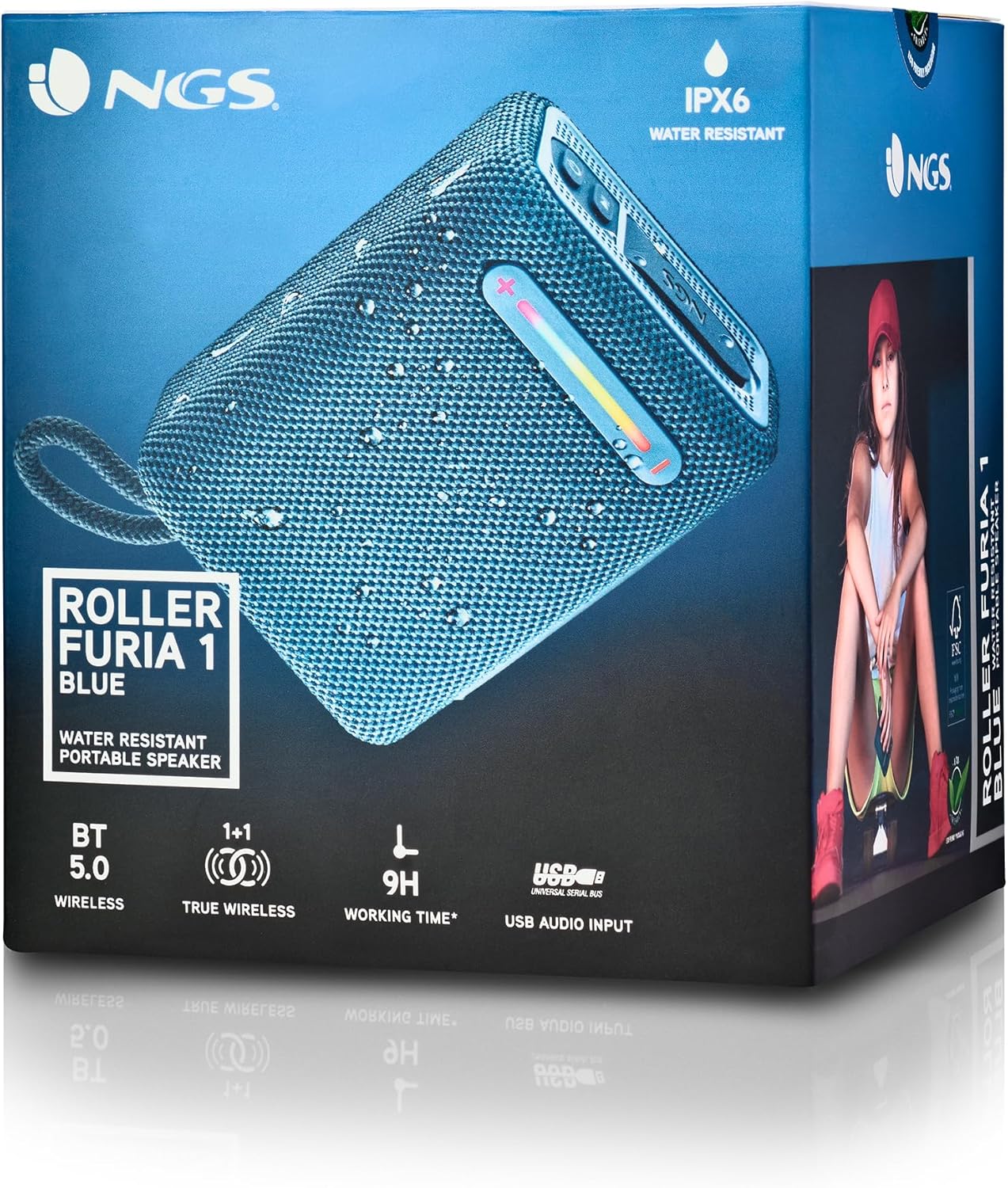
இந்தப் படம் விரிவான விளக்கத்தை அளிக்கிறது view of the NGS Roller Furia 1 speaker, indicating its approximate dimensions (10cm length, 7.5cm height) and labeling the USB input and AUX input ports. It also highlights the RGB light strip and the power button.
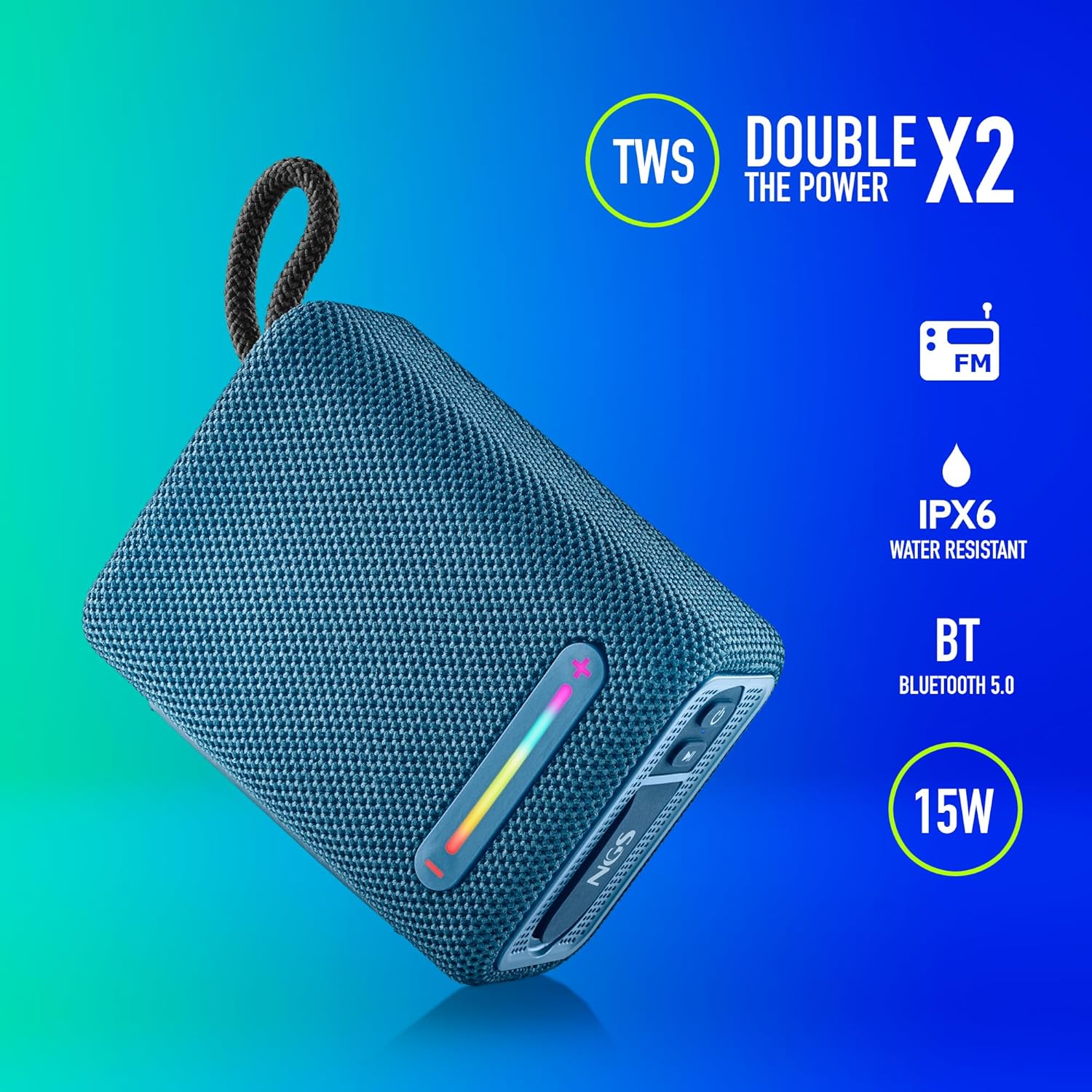
This image illustrates the NGS Roller Furia 1 Blue speaker from an angled view, emphasizing its key features: True Wireless Stereo (TWS) for pairing two speakers, IPX6 water resistance, Bluetooth 5.0 connectivity, and 15 Watts of audio power.
கட்டுப்பாடுகள் மற்றும் துறைமுகங்கள்:
- பவர் பட்டன்: Press and hold to turn the speaker on or off. Short press to play/pause audio.
- ஒலியளவை அதிகரிக்கும் / அடுத்த ட்ராக் பொத்தான் (+): Short press to increase volume. Long press to skip to the next track.
- ஒலியளவைக் குறை / முந்தைய டிராக் பொத்தான் (-): ஒலியளவைக் குறைக்க சுருக்கமாக அழுத்தவும். முந்தைய டிராக்கிற்குச் செல்ல நீண்ட நேரம் அழுத்தவும்.
- பயன்முறை பொத்தான் (எம்): Short press to switch between Bluetooth, USB, and AUX input modes.
- RGB லைட் பட்டன்: Press to cycle through different RGB light modes or turn them off.
- USB இன்புட் போர்ட்: For playing audio from USB memory devices (up to 32GB).
- AUX உள்ளீட்டு போர்ட்: 3.5மிமீ ஆடியோ கேபிள் வழியாக வெளிப்புற ஆடியோ சாதனங்களை இணைக்க (சேர்க்கப்படவில்லை).
- USB Type-C சார்ஜிங் போர்ட்: ஸ்பீக்கரின் உள் பேட்டரியை சார்ஜ் செய்வதற்கு.
4 அமைவு
4.1 ஸ்பீக்கரை சார்ஜ் செய்தல்
- வழங்கப்பட்ட USB டைப்-சி சார்ஜிங் கேபிளை ஸ்பீக்கரின் சார்ஜிங் போர்ட்டுடன் இணைக்கவும்.
- கேபிளின் மறுமுனையை USB பவர் அடாப்டருடன் (சேர்க்கப்படவில்லை) அல்லது கணினியின் USB போர்ட்டுடன் இணைக்கவும்.
- The charging indicator light will illuminate. Once fully charged, the light will change or turn off (refer to the speaker's LED behavior).
- A full charge provides approximately 9 hours of playback at 50% volume.
4.2 பவர் ஆன்/ஆஃப்
- பவர் ஆன் செய்ய, அழுத்திப் பிடிக்கவும் பவர் பட்டன் until you hear an audible prompt and the indicator lights illuminate.
- அணைக்க, அழுத்தவும் பவர் பட்டன் again until you hear an audible prompt and the indicator lights turn off.
5. இயக்க வழிமுறைகள்
5.1 ப்ளூடூத் இணைத்தல்
- Ensure the speaker is powered on and in Bluetooth mode (the indicator light will flash, indicating it's ready for pairing). If not, press the பயன்முறை பொத்தான் (எம்) புளூடூத் பயன்முறைக்கு மாற.
- உங்கள் மொபைல் சாதனத்தில், புளூடூத்தை இயக்கி, கிடைக்கும் சாதனங்களைத் தேடவும்.
- "தேர்ந்தெடு"NGS ROLLER FURIA 1"சாதனங்களின் பட்டியலிலிருந்து."
- இணைக்கப்பட்டதும், ஸ்பீக்கர் கேட்கக்கூடிய உறுதிப்படுத்தலை வெளியிடும், மேலும் புளூடூத் காட்டி விளக்கு ஒளிர்வதை நிறுத்தி உறுதியாக இருக்கும்.
- இயக்கப்பட்டிருக்கும் போது, ஸ்பீக்கர் தானாகவே கடைசியாக இணைக்கப்பட்ட சாதனத்துடன் மீண்டும் இணைக்க முயற்சிக்கும்.
5.2 உண்மையான வயர்லெஸ் ஸ்டீரியோ (TWS) இணைத்தல்
TWS allows you to pair two NGS Roller Furia 1 speakers together for a stereo sound experience.
- Ensure both NGS Roller Furia 1 speakers are powered on and in Bluetooth pairing mode (indicator lights flashing).
- ஸ்பீக்கர்களில் ஒன்றில் (இது முதன்மை ஸ்பீக்கராக இருக்கும்), இருமுறை அழுத்தவும் பயன்முறை பொத்தான் (எம்). The speaker will emit a sound, indicating it's searching for another TWS speaker.
- The two speakers will automatically connect to each other. Once connected, you will hear a confirmation sound, and the indicator light on the primary speaker will flash slowly, while the secondary speaker's light will remain solid.
- இப்போது, பிரிவு 5.1 இல் விவரிக்கப்பட்டுள்ளபடி, உங்கள் மொபைல் சாதனத்தை புளூடூத் வழியாக முதன்மை ஸ்பீக்கருடன் இணைக்கவும்.
5.3 USB பிளேபேக்
- Insert a USB memory device (up to 32GB) containing MP3 audio files into the USB Input Port.
- The speaker will automatically switch to USB mode and begin playing audio. If not, press the பயன்முறை பொத்தான் (எம்) USB பயன்முறையைத் தேர்ந்தெடுக்க.
- பயன்படுத்தவும் வால்யூம் அப் (+) மற்றும் ஒலியை குறை (-) buttons for track control and volume adjustment.
5.4 AUX உள்ளீடு
- Connect one end of a 3.5mm audio cable (not included) to the AUX Input Port on the speaker.
- கேபிளின் மறுமுனையை உங்கள் வெளிப்புற சாதனத்தின் ஆடியோ வெளியீட்டு ஜாக்குடன் இணைக்கவும்.
- The speaker will automatically switch to AUX mode. If not, press the பயன்முறை பொத்தான் (எம்) AUX பயன்முறையைத் தேர்ந்தெடுக்க.
- உங்கள் வெளிப்புற சாதனத்திலிருந்து பிளேபேக் மற்றும் ஒலியளவைக் கட்டுப்படுத்தவும்.
5.5 RGB ஒளி முறைகள்
The speaker features an integrated RGB light strip.
- அழுத்தவும் RGB லைட் பட்டன் to cycle through various light patterns and colors.
- Continue pressing the button to turn the lights off.
5.6 Volume Control and Call Management
- தொகுதி சரிசெய்தல்: சுருக்கமாக அழுத்தவும் வால்யூம் அப் (+) or ஒலியை குறை (-) பொத்தான்கள்.
- பதில்/முடிவு அழைப்பு: When a call comes in while connected via Bluetooth, short press the பவர் பட்டன் to answer or end the call.
- அழைப்பை நிராகரி: நீண்ட நேரம் அழுத்தவும் பவர் பட்டன் உள்வரும் அழைப்பை நிராகரிக்க.
6. பராமரிப்பு
6.1 சுத்தம் செய்தல்
- மென்மையான, உலர்ந்த துணியால் ஸ்பீக்கரை துடைக்கவும்.
- Do not use abrasive cleaners, alcohol, benzene, or other chemical solvents, as these may damage the surface or components.
6.2 சேமிப்பு
- நேரடி சூரிய ஒளி மற்றும் அதிக வெப்பநிலையிலிருந்து விலகி குளிர்ந்த, உலர்ந்த இடத்தில் ஸ்பீக்கரை சேமிக்கவும்.
- நீண்ட நேரம் சேமித்து வைத்தால், அதன் ஆயுட்காலத்தைப் பராமரிக்க அவ்வப்போது பேட்டரியை சார்ஜ் செய்யவும்.
6.3 நீர் எதிர்ப்பு (IPX6)
- The NGS Roller Furia 1 is IPX6 water resistant, meaning it can withstand powerful water jets. It is suitable for outdoor use and can resist rain or splashes.
- ஸ்பீக்கரை தண்ணீரில் மூழ்கடிக்க வேண்டாம்.
- Ensure the rubber flap covering the ports is securely closed to maintain water resistance.
7. சரிசெய்தல்
| பிரச்சனை | சாத்தியமான காரணம் | தீர்வு |
|---|---|---|
| ஸ்பீக்கர் இயக்கப்படவில்லை. | பேட்டரி தீர்ந்து விட்டது. | வழங்கப்பட்ட USB Type-C கேபிளைப் பயன்படுத்தி ஸ்பீக்கரை சார்ஜ் செய்யவும். |
| ஒலி இல்லை. | Volume is too low or muted. Incorrect input mode. Device not paired. | Increase volume on speaker and connected device. Press the பயன்முறை பொத்தான் (எம்) to select the correct input. Re-pair the Bluetooth device. |
| புளூடூத் இணைத்தல் தோல்வியடைகிறது. | ஸ்பீக்கர் இணைத்தல் பயன்முறையில் இல்லை. சாதனம் மிக தொலைவில் உள்ளது. குறுக்கீடு. | Ensure speaker is in pairing mode (flashing light). Move device closer (within 10m). Turn off other Bluetooth devices. |
| TWS இணைத்தல் தோல்வியடைகிறது. | ஸ்பீக்கர்கள் மிக தொலைவில் உள்ளன. ஒரு ஸ்பீக்கர் ஏற்கனவே ஒரு சாதனத்துடன் இணைக்கப்பட்டுள்ளது. | Ensure both speakers are close to each other. Disconnect any Bluetooth devices from both speakers before initiating TWS pairing. |
| ஒலி விலகல். | Volume too high. Low battery. | ஒலியளவைக் குறைக்கவும். ஸ்பீக்கரை சார்ஜ் செய்யவும். |
8. விவரக்குறிப்புகள்
| அம்சம் | விவரம் |
|---|---|
| மாதிரி பெயர் | Roller Furia 1 |
| மாதிரி எண் | ELEC-SPK-0865 |
| பிராண்ட் | என்ஜிஎஸ் |
| இணைப்பு தொழில்நுட்பம் | ப்ளூடூத் 5.0, துணை, யூ.எஸ்.பி. |
| ஸ்பீக்கர் வெளியீட்டு சக்தி | 15 வாட்ஸ் |
| அதிர்வெண் பதில் | 2480 மெகா ஹெர்ட்ஸ் |
| சிக்னல்-டு-சத்தம் விகிதம் | 80 டி.பி |
| நீர் எதிர்ப்பு மதிப்பீடு | IPX6 |
| பேட்டரி வகை | 3.7V/2500mAh லித்தியம் பேட்டரி |
| பேட்டரி சராசரி ஆயுள் | 9 மணிநேரம் வரை (50% அளவு) |
| வயர்லெஸ் வீச்சு | 10 மீட்டர் வரை |
| USB ஆதரவு | Up to 32GB memory devices |
| பரிமாணங்கள் (D x W x H) | 5D x 9.9W x 7.5H சென்டிமீட்டர்கள் (தோராயமாக) |
| பொருள் | Stoff (Fabric) |
9. உத்தரவாதம் மற்றும் ஆதரவு
The NGS Roller Furia 1 portable speaker comes with a limited warranty. Please refer to the warranty card included in your package or visit the official NGS webவிரிவான உத்தரவாத விதிமுறைகள் மற்றும் நிபந்தனைகளுக்கான தளம்.
For technical support, troubleshooting assistance, or inquiries about your product, please contact NGS customer service through their official webதளம் அல்லது உங்கள் தயாரிப்பு ஆவணத்தில் வழங்கப்பட்ட தொடர்புத் தகவல்.