
NGS Roller Furia 2
NGS Roller Furia 2 Portable Bluetooth Speaker User Manual
Model: Roller Furia 2 | Brand: NGS
1. அறிமுகம்
Thank you for choosing the NGS Roller Furia 2 Portable Bluetooth Speaker. This manual provides essential information for the safe and efficient use of your device. Please read it carefully before use and retain it for future reference.
2. பாதுகாப்பு தகவல்
- ஸ்பீக்கரை அதிக வெப்பநிலை அல்லது நேரடி சூரிய ஒளியில் வெளிப்படுத்த வேண்டாம்.
- பேச்சாளரைக் கீழே தள்ளுவதையோ அல்லது வலுவான தாக்கங்களுக்கு உட்படுத்துவதையோ தவிர்க்கவும்.
- மருத்துவ சாதனங்களிலிருந்து பேச்சாளரை விலக்கி வைக்கவும்.
- ஸ்பீக்கரை நீங்களே பிரிக்கவோ அல்லது சரிசெய்யவோ முயற்சிக்காதீர்கள். தகுதிவாய்ந்த சேவை பணியாளர்களைத் தொடர்பு கொள்ளவும்.
- Ensure the charging port cover is securely closed when near water to maintain IPX7 waterproofing.
3. தொகுப்பு உள்ளடக்கங்கள்
தொகுப்பில் பின்வரும் பொருட்கள் உள்ளன:
- NGS Roller Furia 2 Portable Bluetooth Speaker
- யூ.எஸ்.பி டைப்-சி சார்ஜிங் கேபிள்
- பயனர் கையேடு (இந்த ஆவணம்)
4. தயாரிப்பு அம்சங்கள்
- புளூடூத் 5.3 இணைப்பு: Advanced and stable wireless connection for music streaming.
- சக்திவாய்ந்த ஒலி: 30W output for high-quality audio.
- IPX7 நீர்ப்புகா: Can be submerged up to 1 meter for 30 minutes.
- உண்மையான வயர்லெஸ் ஸ்டீரியோ (TWS): Pair two Roller Furia 2 speakers for enhanced sound.
- பல பின்னணி விருப்பங்கள்: Bluetooth, USB port, TF card slot, and 3.5mm AUX input.
- நீண்ட பேட்டரி ஆயுள்: Up to 9 hours of playback at 50% volume.
- ஒருங்கிணைந்த கட்டுப்பாடுகள்: Easy music control directly from the speaker.
- LED விளக்குகள்: Party mode with dynamic LED lighting.
5. கட்டுப்பாடுகள் மற்றும் இணைப்புகள்
Familiarize yourself with the speaker's controls and connection ports.

Image: Top controls and side connection panel of the NGS Roller Furia 2 speaker.
5.1. Top Controls
- பவர் பட்டன்: Press and hold to turn on/off. Short press to play/pause.
- வால்யூம் அப் (+): அளவை அதிகரிக்கவும்.
- வால்யூம் டவுன் (-): அளவைக் குறைக்கவும்.
- பயன்முறை பொத்தான்: Switch between Bluetooth, AUX, USB, and TF card modes.
- LED லைட் பட்டன்: Change LED light modes or turn off lights.
5.2. இணைப்பு துறைமுகங்கள்

படம்: விரிவானது view of the connection ports on the NGS Roller Furia 2 speaker, including AUX, USB, and Micro SD slots.
- AUX Input (3.5mm Jack): 3.5மிமீ ஆடியோ கேபிளைப் பயன்படுத்தி வெளிப்புற ஆடியோ சாதனங்களை இணைக்கவும்.
- யூ.எஸ்.பி உள்ளீடு: Connect a USB flash drive for MP3 playback (up to 32GB).
- TF Card Slot (Micro SD): Insert a TF/Micro SD card for MP3 playback (up to 32GB).
- USB Type-C சார்ஜிங் போர்ட்: Connect the provided USB-C cable for charging.
6 அமைவு
6.1. ஆரம்ப கட்டணம்
Before first use, fully charge the speaker. Connect the USB Type-C cable to the speaker's charging port and the other end to a USB power adapter (not included) or a computer's USB port. The LED indicator will show charging status.
6.2. பவர் ஆன்/ஆஃப்
பவர் பட்டனை அழுத்திப் பிடிக்கவும் (ⓘ ⓘ தமிழ்) for approximately 3 seconds to turn the speaker on or off.
7. இயக்க வழிமுறைகள்
7.1. புளூடூத் இணைத்தல்
- ஸ்பீக்கரை இயக்கவும். அது தானாகவே ப்ளூடூத் இணைத்தல் பயன்முறையில் நுழையும், இது ஒளிரும் LED மூலம் குறிக்கப்படும்.
- உங்கள் ஸ்மார்ட்போன், டேப்லெட் அல்லது பிற சாதனத்தில் புளூடூத்தை இயக்கவும்.
- தேடுங்கள் "NGS Roller Furia 2" in the list of available Bluetooth devices.
- Select it to connect. Once connected, you will hear a confirmation sound, and the LED will stop flashing.
- The speaker will automatically reconnect to the last paired device when turned on, if available.
7.2. ட்ரூ வயர்லெஸ் ஸ்டீரியோ (TWS) செயல்பாடு
To pair two NGS Roller Furia 2 speakers for a stereo sound experience:
- Ensure both speakers are turned on and not connected to any Bluetooth device.
- On one speaker (this will be the primary speaker), press and hold the TWS button (often indicated by a Wi-Fi-like symbol or two interlocking circles) for 2-3 seconds.
- முதன்மை ஸ்பீக்கர் இரண்டாம் நிலை ஸ்பீக்கரைத் தேடும். இணைக்கப்பட்டதும், உறுதிப்படுத்தல் ஒலியைக் கேட்பீர்கள்.
- Now, connect your Bluetooth device to the primary speaker as described in section 7.1. Both speakers will play audio in stereo.
7.3. Playing Music from USB/TF Card
- Insert a USB flash drive or TF/Micro SD card (with MP3 files) into the corresponding port.
- The speaker will automatically switch to USB/TF card mode and begin playing music. If not, press the Mode button to select the correct input.
7.4. AUX உள்ளீடு
- 3.5மிமீ ஆடியோ கேபிளின் ஒரு முனையை (சேர்க்கப்படவில்லை) ஸ்பீக்கரில் உள்ள AUX உள்ளீட்டு போர்ட்டுடன் இணைக்கவும்.
- Connect the other end to the audio output of your external device (e.g., MP3 player, computer).
- The speaker will automatically switch to AUX mode. If not, press the Mode button to select AUX input.
7.5. LED ஒளி முறைகள்
Press the LED Light button to cycle through different light modes or turn the lights off. The speaker features dynamic LED lighting for a party atmosphere.
Video: Demonstrates the NGS Roller Furia series features, including LED lights, TWS pairing, robust design, waterproofing, various connection options, and battery life.
8. சார்ஜ்
When the battery is low, the speaker will indicate this with an audible alert or LED behavior. Connect the USB Type-C cable to the speaker and a power source to recharge. A full charge takes approximately 3-4 hours. The speaker can be used while charging.
9. பராமரிப்பு
- மென்மையான, உலர்ந்த துணியால் ஸ்பீக்கரை சுத்தம் செய்யவும். சிராய்ப்பு கிளீனர்கள் அல்லது கரைப்பான்களைப் பயன்படுத்த வேண்டாம்.
- ஸ்பீக்கரை நீண்ட நேரம் பயன்படுத்தாதபோது குளிர்ந்த, உலர்ந்த இடத்தில் சேமிக்கவும்.
- Ensure the charging port cover is sealed when not charging, especially in wet environments.
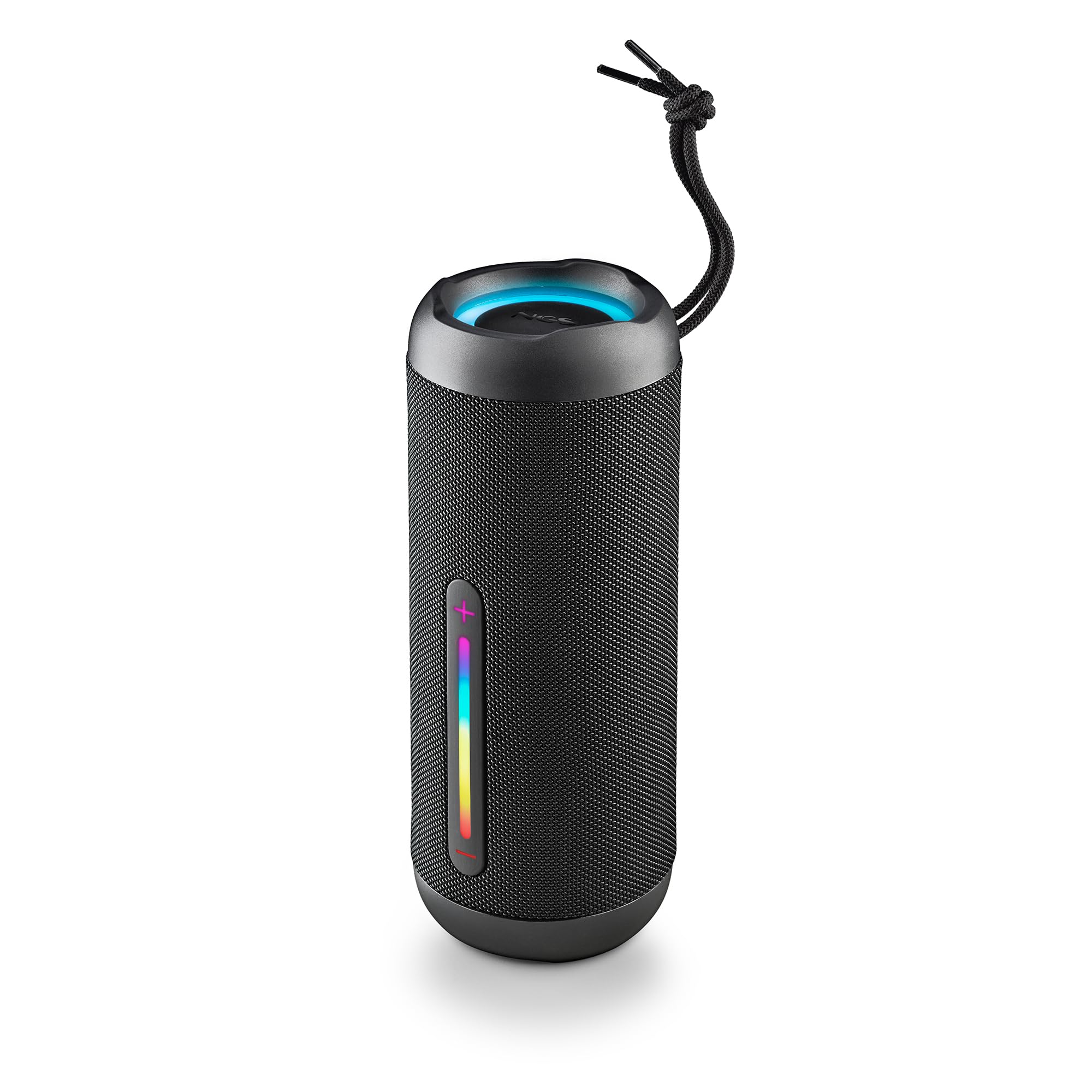
Image: The NGS Roller Furia 2 speaker demonstrating its IPX7 water resistance by being partially submerged in water.
10. சரிசெய்தல்
| பிரச்சனை | சாத்தியமான தீர்வு |
|---|---|
| ஸ்பீக்கர் இயக்கப்படவில்லை. | பேட்டரி சார்ஜ் செய்யப்பட்டுள்ளதா என்பதை உறுதிப்படுத்திக் கொள்ளுங்கள். ஒரு மின் மூலத்துடன் இணைத்து மீண்டும் முயற்சிக்கவும். |
| புளூடூத் வழியாக இணைக்க முடியாது. | Make sure the speaker is in pairing mode. Disable and re-enable Bluetooth on your device. Ensure no other devices are connected to the speaker. Move closer to the speaker. |
| ஒலி இல்லை. | ஸ்பீக்கர் மற்றும் இணைக்கப்பட்ட சாதனம் இரண்டிலும் ஒலி அளவைச் சரிபார்க்கவும். சரியான உள்ளீட்டு முறை (புளூடூத், AUX, USB, TF) தேர்ந்தெடுக்கப்பட்டுள்ளதா என்பதை உறுதிப்படுத்தவும். |
| TWS இணைத்தல் தோல்வியடைகிறது. | TWS இணைப்பைத் தொடங்குவதற்கு முன், இரண்டு ஸ்பீக்கர்களும் வேறு எந்த புளூடூத் சாதனத்துடனும் இணைக்கப்படவில்லை என்பதை உறுதிப்படுத்திக் கொள்ளுங்கள். இரண்டு ஸ்பீக்கர்களையும் மீட்டமைக்க முயற்சிக்கவும். |
11. விவரக்குறிப்புகள்
| அம்சம் | விவரம் |
|---|---|
| மாதிரி பெயர் | Roller Furia 2 Black |
| மாதிரி எண் | ELEC-SPK-0871 |
| பிராண்ட் | என்ஜிஎஸ் |
| இணைப்பு தொழில்நுட்பம் | Bluetooth 5.3, AUX, USB, TF Card |
| ஸ்பீக்கர் வெளியீட்டு சக்தி | 30W (RMS) |
| நீர் எதிர்ப்பு நிலை | IPX7 (நீர்ப்புகா) |
| பேட்டரி வகை | 2 லித்தியம்-அயன் (சேர்க்கப்பட்டுள்ளது) |
| பேட்டரி திறன் | 7.4V/2500mAh |
| பின்னணி நேரம் | 9 மணிநேரம் வரை (50% அளவு) |
| புளூடூத் வரம்பு | 10 மீட்டர் வரை |
| பரிமாணங்கள் (L x W x H) | 7.4 x 7.4 x 19.4 செ.மீ |
| எடை | 712 கிராம் |
| இணக்கமான சாதனங்கள் | MP3 Player, Laptop, Projector, Smartphone, Tablet, TV |
12. உத்தரவாதம் மற்றும் ஆதரவு
இந்த தயாரிப்பு ஒரு உடன் வருகிறது 2 வருட வரையறுக்கப்பட்ட உத்தரவாதம் வாங்கிய தேதியிலிருந்து. உத்தரவாதக் கோரிக்கைகளுக்காக உங்கள் வாங்கியதற்கான ஆதாரத்தை வைத்திருங்கள்.
For technical support or warranty inquiries, please visit the official NGS webதளம் அல்லது உங்கள் உள்ளூர் சில்லறை விற்பனையாளரைத் தொடர்பு கொள்ளவும்.
Ask a question about this manual
Ask about setup, troubleshooting, compatibility, parts, safety, or missing instructions. Manuals+ will review the question and use this page’s manual context to help answer it.